Best PowerIn Alternative: Safe AI Comments, No Ban Risk
Top PowerIn alternative compared. See Lempod vs PowerIn, ReplyGuy vs PowerIn & why ConnectSafely's from USD $10/month human-validated AI beats auto-commenting.

Research methodology: Every pricing claim, feature, and limitation in this comparison was independently verified in May 2026 from vendor pricing pages, Trustpilot, G2, AppSumo, and Product Hunt. Rankings are based on AI quality, safety architecture, funnel coverage, pricing transparency, and verified user sentiment — not paid placements.

The best PowerIn alternative in 2026 is ConnectSafely (from USD $10/month), which provides human-validated AI commenting instead of PowerIn's fully automated approach that risks LinkedIn account bans. According to LinkHub's alternative analysis, PowerIn's unvalidated auto-commenting lacks the safeguards needed to protect your professional presence.
Here's the problem: LinkedIn's April 2026 algorithm update further tightens detection of automated engagement patterns. DEV Community's algorithm research confirms LinkedIn now tracks "comment velocity, account relationships, engagement history, and even the semantic content of comments." With LinkedIn rolling out enhanced AI-based comment analysis in Q2 2026, fully automated tools face even higher ban rates.
Want to Generate Consistent Inbound Leads from LinkedIn?
Get our complete LinkedIn Lead Generation Playbook used by B2B professionals to attract decision-makers without cold outreach.
No spam. Just proven strategies for B2B lead generation.
This article compares PowerIn alternatives including Lempod and ReplyGuy, explains why human-validated engagement outperforms auto-commenting, and shows how ConnectSafely delivers authentic authority from USD $10/month with zero ban risk across 5,000+ active users.
Key Takeaways
- PowerIn ($19-59/month) auto-comments without human validation, violating LinkedIn ToS and risking account bans (LinkHub analysis)
- LinkedIn's 2026 algorithm detects automated commenting patterns and applies algorithmic penalties to flagged accounts
- ConnectSafely (from USD $10/month) uses AI-assisted engagement with human oversight, ensuring authentic interactions LinkedIn rewards
- Inbound leads from authentic engagement convert at 14.6% vs 1.7% for cold outreach (HubSpot)
- Human-validated comments build genuine authority that attracts qualified prospects organically
Lempod vs PowerIn.io: Which LinkedIn Tool Is Better?
Lempod and PowerIn take fundamentally different approaches to LinkedIn engagement, and both carry significant risk in 2026.
Lempod ($9.99/pod) is a browser-based engagement pod platform. Members join pods and mutually boost each other's posts with automated likes and comments. Your engagement depends entirely on pod member activity.
PowerIn ($19-59/month) automates AI-generated comments on other people's LinkedIn posts. It operates independently — no pod participation required — but comments post without human review.
| Factor | Lempod | PowerIn |
|---|---|---|
| Pricing | $9.99/pod (need multiple pods) | $19-59/month |
| Approach | Engagement pod (mutual boosting) | Auto-commenting (one-directional) |
| LinkedIn TOS | Violates (coordinated engagement) | Violates (automated commenting) |
| Ban Risk | High (pod patterns detected) | High (comment velocity flagged) |
| Comment Quality | Generic pod comments | AI-generated, no validation |
| Lead Generation | None (vanity metrics) | Minimal (no targeting) |
The verdict: Neither Lempod nor PowerIn is safe for LinkedIn in 2026. Lempod's coordinated pod patterns are easily detected, while PowerIn's automated comment velocity triggers algorithmic penalties. ConnectSafely (from USD $10/month) solves both problems with human-validated AI engagement that LinkedIn's algorithm rewards.
ReplyGuy vs PowerIn: Multi-Platform Commenting Compared
ReplyGuy and PowerIn both automate social media comments, but they target different use cases.
ReplyGuy monitors Reddit, Twitter, LinkedIn, and other platforms for conversations relevant to your product. When it finds a match, it auto-generates and posts a comment mentioning your product or service. It's designed for product promotion through relevant conversations.
PowerIn focuses exclusively on LinkedIn, auto-commenting on posts to build visibility and engagement on the platform.
| Factor | ReplyGuy | PowerIn |
|---|---|---|
| Platform | Multi-platform (Reddit, X, LinkedIn) | LinkedIn only |
| Purpose | Product mention / promotion | Visibility / engagement |
| Targeting | Keyword-based conversation monitoring | Post-based auto-commenting |
| Comment Style | Promotional (mentions your product) | Engagement-focused |
| Ban Risk | High across all platforms | High on LinkedIn |
| Authenticity | Low (transparent promotion) | Low (generic AI comments) |
The verdict: ReplyGuy is better for cross-platform product promotion, while PowerIn is LinkedIn-specific. However, both use fully automated, unvalidated comments that platforms increasingly detect and penalize. ConnectSafely offers the best of both worlds: AI-assisted LinkedIn engagement with human-quality interactions, keyword targeting to find relevant conversations, and MCP/API integration for developers who want programmatic control — all with zero ban risk.
What Is PowerIn? (Features, Pricing, Limitations)
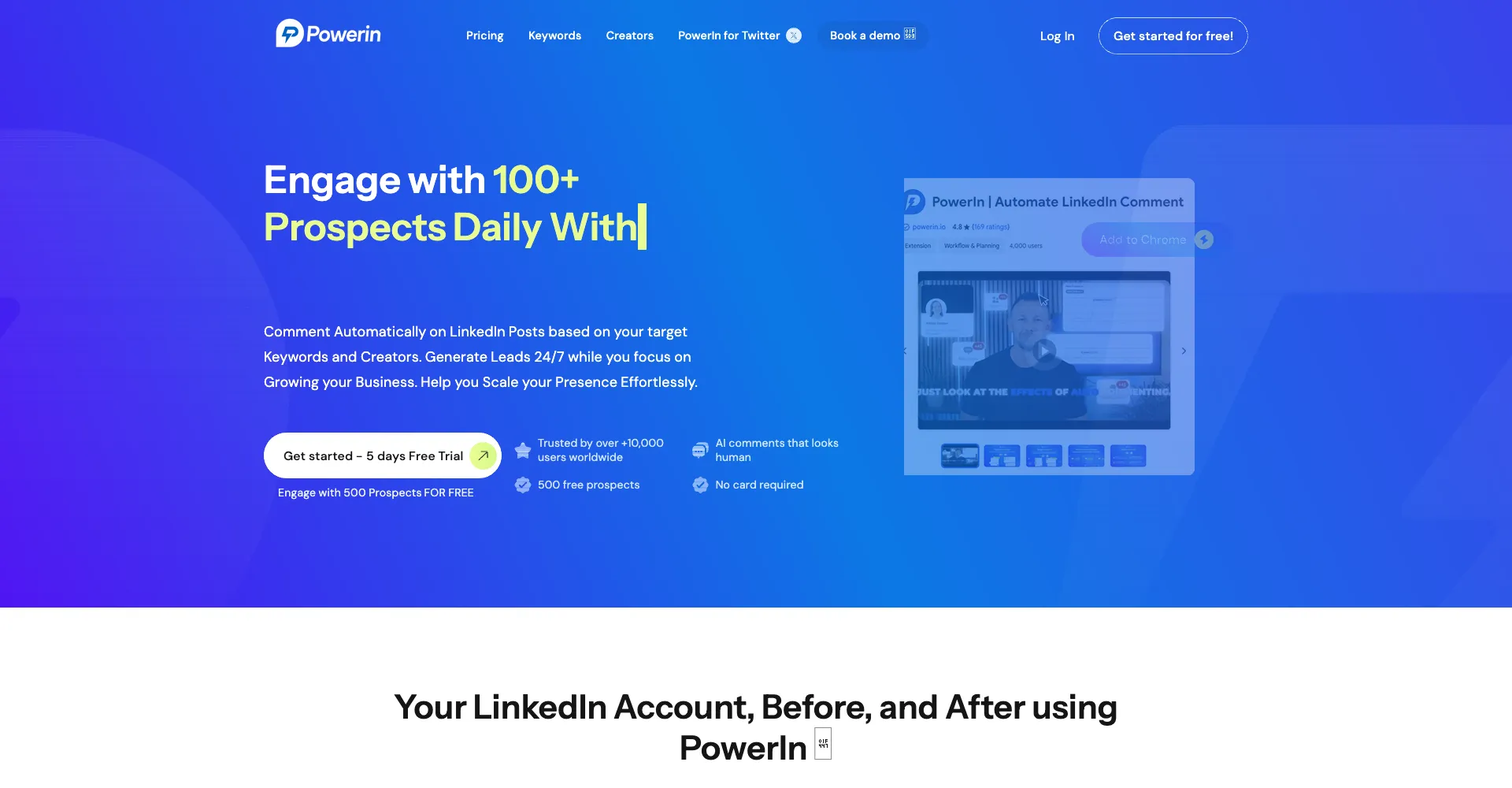
PowerIn is a LinkedIn auto-commenting tool that uses AI to automatically post comments on LinkedIn posts and X (formerly Twitter).
PowerIn Features
According to LinkedFusion's comparison and LinkHub's alternative analysis:
Auto-Commenting Capabilities:
- Automatically posts AI-generated comments on LinkedIn posts
- Supports commenting from business accounts
- Personalized tone settings for comment style
- Cross-platform support (LinkedIn and X)
Limitations Identified by Users:
- LinkHub reports: "PowerIn automates the posting of comments without any human validation"
- This directly violates LinkedIn's Terms of Service
- Exposes users to account bans and restrictions
PowerIn Pricing
| Plan | Price | Comments/Day | Key Features |
|---|---|---|---|
| Starter | $19/month | 25 comments | Basic auto-commenting |
| Professional | $59/month | 100+ comments | All features |
The Hidden Cost: Account restrictions or permanent bans when LinkedIn detects automated commenting patterns.
Why Users Seek PowerIn Alternatives
LinkHub's analysis identifies the core problem:
1. No Human Validation
- Comments post automatically without review
- No opportunity to ensure relevance or quality
- Generic AI responses damage professional reputation
2. LinkedIn ToS Violation
- Fully automated commenting violates platform rules
- LinkedIn's official policy explicitly bans artificial engagement automation
3. Account Ban Risk
- DEV Community confirms LinkedIn's AI detects automated patterns
- Shadow bans reduce organic reach dramatically
- Permanent bans destroy professional networks
4. Poor Engagement Quality
- Automated comments lack context and insight
- Supergrow's research shows generic comments signal low value
Top PowerIn Alternatives Compared
Based on LinkedFusion's comparison, LinkHub's analysis, and Swydo's automation tools guide:
1. ConnectSafely.ai – Best for Authentic Engagement & Inbound Leads
Price: from USD $10/month
Core Difference: Instead of auto-commenting, ConnectSafely uses AI to identify high-value engagement opportunities with human-quality interactions that build genuine authority.
Key Features:
- AI-powered strategic commenting on relevant industry posts
- Authentic engagement patterns LinkedIn rewards
- Platform-compliant growth with zero ban risk
- Inbound lead generation: 10-20 qualified prospects per month
Why It's Better Than PowerIn:
| Factor | ConnectSafely | PowerIn |
|---|---|---|
| Human Validation | Yes (authentic patterns) | No (fully automated) |
| Ban Risk | Zero | High |
| Comment Quality | Strategic, valuable insights | Generic AI-generated |
| Lead Quality | High-intent inbound | Low engagement signals |
| Platform Compliance | Fully compliant | Violates ToS |
Best For: B2B professionals who want genuine authority and qualified leads without account risk.
2. LinkHub – Best Budget Alternative
Price: €12/month (vs PowerIn's €59/month)
Core Strength: LinkHub claims to help users "comment 4.3 times faster on LinkedIn without risking a ban."
Key Difference from PowerIn:
- Generates suggestions you can validate before publishing
- AI trained on your writing style
- Protects accounts from bans
Why Choose Over PowerIn:
- Human validation before comments post
- Lower price point (€12 vs €59)
- Account protection features
Limitation: Still focused on commenting speed rather than strategic engagement.
3. LinkedFusion.io – Best for Full LinkedIn Automation
Price: Custom pricing
Core Strength: According to LinkedFusion's comparison, offers "end-to-end LinkedIn automation solution with AI-powered outreach campaigns."
Key Features:
- CRM integrations (Salesforce, HubSpot)
- Multiple LinkedIn account support
- AI-powered outreach campaigns
Why Choose Over PowerIn:
- More comprehensive automation suite
- Enterprise-grade integrations
- Support for multiple accounts
Limitation: Cold outreach automation still carries account restriction risk.
4. Expandi – Best for "Safe" Cold Automation
Price: $99/month per seat
Core Strength: Dux-Soup reports users have "not had any blocked accounts in over 3 years" due to human-like behavior mimicking.
Key Features:
- Dedicated IP addresses
- Human-behavior simulation
- A/B testing capabilities
Why Choose Over PowerIn:
- Better safety features
- More sophisticated behavior mimicking
- Established track record
Limitation: Cold outreach methodology still violates LinkedIn ToS fundamentally.
5. Dux-Soup – Original LinkedIn Automation
Price: $14.99-$55/month
Core Strength: Over 300,000 users worldwide—the original LinkedIn automation tool.
Key Features:
- Browser-based automation
- Profile visit automation
- Connection request sequences
Why Choose Over PowerIn:
- More established platform
- Larger user base
- Better support
Limitation: Desktop-only operation; computer must run for automation.
6. Commentions – Multi-Platform Commenting
Price: Starting $29/month
Core Strength: According to Commentions' PowerIn comparison, they offer multi-platform commenting across X, YouTube, and Quora from a unified dashboard.
Key Features:
- API-based messaging (no browser extension)
- Cross-platform support (X, YouTube, Quora)
- Natural posting intervals and tone randomness
Why Choose Over PowerIn:
- Multi-platform reach beyond LinkedIn
- Compliant API-based approach
- Broader content discovery
Limitation: Higher price point; less LinkedIn-specific optimization.
7. Planable – Free AI Comment Generator
Price: Free tier available
Core Strength: Free AI-powered LinkedIn comment generator with no registration required. Generate context-aware comments instantly.
Key Features:
- Free unlimited comment generation
- AI-powered contextual suggestions
- No account required to use
Why Choose Over PowerIn:
- Completely free
- No automation risk (manual posting)
- Good for testing AI comment quality
Limitation: Manual posting required; no automation.
PowerIn Alternatives Pricing Comparison (2026)
| Tool | Starting Price | Automation Level | LinkedIn Compliance |
|---|---|---|---|
| ConnectSafely | from USD $10/month | Full (authentic) | ✅ Fully compliant |
| LinkHub | €12/month | Semi (with validation) | ✅ Human validation |
| Dux-Soup | $14.99/month | Full (outreach) | ⚠️ Medium risk |
| LinkedFusion | Custom pricing | Full (enterprise) | ⚠️ Medium risk |
| Expandi | $99/month | Full (cold outreach) | ⚠️ ToS concerns |
| Commentions | $29/month | Full (multi-platform) | ✅ API-based |
| Planable | Free | Manual | ✅ No automation |
| PowerIn | $19-59/month | Full (no validation) | ❌ High risk |
Why Authentic Engagement Beats Auto-Commenting

LinkedIn's Algorithm Shift in 2026
LinkBoost's algorithm guide explains LinkedIn now evaluates "creator authenticity signals that validate genuine expertise."
What LinkedIn Detects:
- Comment velocity (too many comments too fast)
- Generic AI-generated language patterns
- Coordination between accounts
- Engagement from non-relevant audiences
What Happens When Flagged:
- Shadow ban: Reduced organic reach
- Content suppression: Posts shown to fewer people
- Account restrictions: Limited functionality
- Permanent ban: Profile deletion
The Auto-Commenting Problem
When you use PowerIn or similar tools:
Problem 1: Generic Comments Hurt Your Reputation
- "Great post!" adds zero value
- Prospects see low-effort engagement
- Positions you as spammer, not expert
Problem 2: Wrong Context
- AI comments without understanding full conversation
- May contradict or miss the point entirely
- Embarrassing professional moments
Problem 3: Pattern Detection
- LinkedIn AI identifies automated timing patterns
- Flags accounts commenting at machine-like intervals
- Triggers algorithmic penalties
The Authentic Engagement Advantage
When you build authority through genuine engagement:
Advantage 1: Trust Building
- Thoughtful comments demonstrate expertise
- Prospects see your value before connecting
- Authority established before sales conversation
Advantage 2: Algorithm Rewards GrowLeads confirms: "The algorithm rewards when people in your network consistently engage with each other's content—but only if those relationships appear authentic."
Advantage 3: Inbound Lead Quality According to HubSpot, inbound leads convert at 14.6% vs 1.7% for cold outreach—an 8.6X improvement.
PowerIn vs ConnectSafely: ROI Comparison
PowerIn Approach: Volume Auto-Commenting
Monthly Process:
- Set up PowerIn auto-commenting ($19-59/month)
- AI comments automatically on posts
- Hope for profile visits and connections
- Deal with any account issues
Typical Results:
- 750-3,000 auto-comments per month
- Unknown quality (no validation)
- High account restriction risk
- 0-2 genuine connections per month
- Potential shadow ban or permanent ban
Monthly Cost: $19-59 + potential account loss
ConnectSafely Approach: Strategic Authentic Engagement
Monthly Process:
- ConnectSafely identifies high-value posts in your industry
- Authentic engagement builds genuine authority
- Prospects see your expertise repeatedly
- They reach out when ready to buy
Typical Results:
- 60-100 strategic, authentic engagements per month
- Every interaction adds professional value
- Zero account risk (platform-compliant)
- 10-20 inbound connection requests monthly
- 3-8 qualified lead inquiries monthly
Monthly Cost: $39 (fully automated, zero risk)
12-Month ROI Comparison
| Metric | PowerIn | ConnectSafely |
|---|---|---|
| Monthly Cost | $19-59 | $39 |
| Account Risk | High (potential ban) | Zero |
| Time Investment | Setup + damage control | Zero (fully automated) |
| Comments/Month | 750-3,000 (generic) | 60-100 (strategic) |
| Inbound Leads | 0-12 (low quality) | 120-240 (high quality) |
| Lead Close Rate | 1-2% | 10-15% |
| Customers Acquired | 0-2 | 12-36 |
| Revenue (at $5K deal) | $0-10,000 | $60,000-180,000 |
ConnectSafely ROI: 6-18X better results with zero account risk.
How to Migrate from PowerIn to Authentic Engagement
Week 1: Transition Setup
Day 1-2: Disconnect PowerIn
- Turn off PowerIn automation immediately
- Audit recent comments for quality issues
- Remove any obviously automated comments
Day 3-4: Profile Optimization
- Update headline to clearly state expertise
- Rewrite About section with authentic voice
- Add Featured content showcasing value
Day 5-7: Start ConnectSafely
- Sign up for ConnectSafely (from USD $10/month)
- Define target audience and expertise areas
- Activate strategic engagement automation
Week 2-4: Build Authentic Presence
Daily Activities (via ConnectSafely):
- Strategic engagement on high-visibility industry posts
- Authentic interactions with target prospects
- Authority-building through valuable comments
Weekly Activities (optional):
- Publish 1-2 genuine posts sharing insights
- Respond to engagement on your profile
- Send personalized connection requests to engaged prospects
Month 2-3: Monitor Results
Leading Indicators (Week 5-8):
- Profile views (target: 30-50% increase)
- Inbound connection requests
- Comment engagement quality
- Direct messages from interested prospects
Business Metrics (Week 9-12):
- Qualified lead inquiries (3-8 per month)
- Sales conversations from inbound interest
- Deals closed from LinkedIn-sourced leads
Frequently Asked Questions
What is the best PowerIn alternative in 2026?
ConnectSafely is the best PowerIn alternative because it solves the core problem with auto-commenting: account risk and low engagement quality. Starting from USD $10/month, ConnectSafely automates strategic engagement with authentic interactions that LinkedIn's algorithm rewards, delivering 10-20 qualified inbound leads monthly—without the ban risk that PowerIn's automated commenting creates. LinkHub offers a lower-cost option at €12/month with human validation.
Is PowerIn safe to use on LinkedIn?
No. LinkHub's analysis confirms PowerIn "automates the posting of comments without any human validation," which violates LinkedIn's Terms of Service. LinkedIn's 2026 algorithm actively detects automated commenting patterns and applies penalties including shadow bans and account restrictions. For compliant engagement automation, use ConnectSafely.
How does ConnectSafely avoid being flagged like PowerIn?
ConnectSafely uses AI-assisted strategic engagement with authentic interaction patterns, not fully automated commenting. Every engagement follows platform-compliant behavior that LinkedIn rewards rather than penalizes. Unlike PowerIn's volume approach (750+ auto-comments monthly), ConnectSafely focuses on 60-100 strategic, high-quality interactions that build genuine authority.
Can I use LinkHub instead of PowerIn for LinkedIn commenting?
Yes. LinkHub offers human validation before comments publish, reducing ban risk compared to PowerIn's fully automated approach. At €12/month (vs PowerIn's €59/month), it's more affordable and safer. However, for genuine authority building and inbound lead generation, ConnectSafely delivers better results by focusing on strategic engagement rather than comment volume.
How much do PowerIn alternatives cost compared to PowerIn?
PowerIn costs $19-59/month depending on plan. Alternatives vary: LinkHub charges €12/month, Dux-Soup starts at $14.99/month, Expandi costs $99/month, and ConnectSafely is from USD $10/month. The key difference isn't price—it's methodology and risk. Only ConnectSafely offers fully compliant engagement that generates inbound leads.
What happens if my LinkedIn account gets banned from using PowerIn?
LinkedIn account bans from automated engagement typically result in: (1) permanent loss of all connections, (2) removal of all content and engagement history, (3) inability to create new accounts with the same email/phone, and (4) damage to professional reputation. For B2B professionals, this can mean losing years of relationship building. Use platform-compliant tools like ConnectSafely to avoid this risk entirely.
Is there a free PowerIn alternative for LinkedIn commenting?
Yes. Planable offers a free AI LinkedIn comment generator with no registration required. However, it requires manual posting—no automation. For automated engagement that's still compliant, ConnectSafely from USD $10/month offers the best value with inbound lead generation included. LinkHub at €12/month is the cheapest paid alternative with human validation.
Does PowerIn work with LinkedIn Sales Navigator?
PowerIn works with regular LinkedIn accounts and doesn't specifically require Sales Navigator. However, the tool's automated commenting approach risks account restrictions regardless of account type. LinkedIn's 2026 algorithm detects and penalizes automated engagement patterns on both regular and premium accounts.
How do I switch from PowerIn to ConnectSafely?
Switching takes about 15 minutes: (1) Turn off PowerIn automation immediately, (2) Audit and remove any obviously automated recent comments, (3) Sign up for ConnectSafely from USD $10/month, (4) Define your target audience and expertise areas, (5) Activate strategic engagement. Most users see inbound connection requests within 2-4 weeks.
Ready to replace risky auto-commenting with authentic engagement that attracts qualified leads? Start your free trial with ConnectSafely from USD $10/month and build genuine LinkedIn authority without account risk.
The Dark Side of Engagement Pods: Unintended Consequences and Hidden Dangers
While engagement pods like Lempod may seem like a harmless way to boost your LinkedIn presence, they can have unintended consequences that ultimately harm your professional reputation. One of the primary concerns is the lack of control over the content being shared within the pod. If a member posts something controversial or off-brand, your automated engagement could be misinterpreted as endorsement, potentially damaging your relationships with clients, partners, or colleagues. Furthermore, pods can create "engagement bubbles" where members interact primarily with each other, rather than engaging with the broader LinkedIn community. This can lead to a false sense of security, as your content may not be resonating with your target audience, but rather just being boosted by pod members. It's essential to carefully consider the potential risks and consequences before joining an engagement pod, and to prioritize authentic, high-quality content that resonates with your target audience.
Myth vs Reality: Debunking Common Misconceptions About LinkedIn Automation
There are several common misconceptions about LinkedIn automation that can lead to confusion and poor decision-making. One of the most prevalent myths is that automation is a set-it-and-forget-it solution. In reality, automation requires ongoing monitoring and adjustment to ensure that it's aligned with your changing goals and objectives. Another myth is that automation is only for large enterprises or businesses with significant resources. However, automation can be just as effective for small businesses or individual professionals, as long as it's used strategically and in conjunction with high-quality content. Perhaps the most damaging myth is that automation is a replacement for human engagement. While automation can certainly streamline and optimize certain tasks, it's essential to remember that human connection and relationships are at the heart of LinkedIn's value proposition. By understanding the realities of LinkedIn automation, you can make informed decisions and avoid common pitfalls that can harm your professional reputation.
Advanced-Level: Leveraging LinkedIn's Algorithmic Biases for Strategic Advantage
For experienced LinkedIn marketers, it's possible to leverage the platform's algorithmic biases for strategic advantage. One key bias is the preference for content that sparks meaningful conversations and debates. By creating content that encourages discussion and engagement, you can increase your visibility and reach a wider audience. Another bias is the emphasis on relationships and connections. By focusing on building high-quality relationships with influencers, thought leaders, and other key stakeholders, you can increase your authority and credibility on the platform. However, it's essential to remember that these biases can shift over time, and it's crucial to stay up-to-date with the latest developments and best practices. By understanding and leveraging these biases, you can create a strategic advantage that sets you apart from your competitors and helps you achieve your goals on LinkedIn.
The Intersection of LinkedIn Automation and Personal Branding: A Delicate Balance
When it comes to LinkedIn automation, personal branding is a critical consideration. On one hand, automation can help you maintain a consistent and professional presence on the platform, which is essential for building a strong personal brand. On the other hand, over-reliance on automation can come across as insincere or robotic, which can damage your personal brand and reputation. It's essential to strike a delicate balance between automation and human engagement, ensuring that your automated activities are aligned with your personal brand values and messaging. One approach is to use automation to streamline routine tasks, such as commenting on posts or sending connection requests, while focusing on high-touch, high-value activities like creating original content or engaging in meaningful conversations. By finding this balance, you can leverage automation to enhance your personal brand, rather than undermining it.
Edge Cases and Uncommon Scenarios: When Common Advice Backfires
While common advice and best practices can be helpful, there are often edge cases and uncommon scenarios where they backfire. For example, if you're in a highly regulated industry, such as finance or healthcare, automation may not be suitable due to compliance concerns. In these cases, it's essential to prioritize manual engagement and ensure that all activities are carefully reviewed and approved. Another edge case is when you're dealing with a highly niche or specialized audience, where automation may not be effective due to the lack of relevant data or context. In these cases, it's essential to focus on building high-quality relationships and engaging in meaningful conversations, rather than relying on automation. By understanding these edge cases and uncommon scenarios, you can avoid common pitfalls and develop a tailored approach that meets your unique needs and goals on LinkedIn.
See How It Works
Watch how people get more LinkedIn leads with ConnectSafely




Related Articles