ConnectSafely for n8n
Orchestrate end-to-end automation without code. ConnectSafely n8n templates give growth teams blocks to trigger, personalize, and track LinkedIn engagement.
How to Install

Workflow Automation
n8n Templates
Install the official n8n package to orchestrate ConnectSafely actions alongside the rest of your growth stack.
Low-code building blocks
Use native ConnectSafely nodes to launch campaigns, sync metrics, and keep systems aligned.
Multi-app orchestration
Combine CRM, enrichment, email, and LinkedIn steps inside a single n8n workflow.
Scalable governance
Standardize outreach flows with reusable sub-workflows and version control.
n8n + ConnectSafely Templates
Ready-to-use workflow templates that combine n8n with ConnectSafely for automated LinkedIn engagement.
 n8n
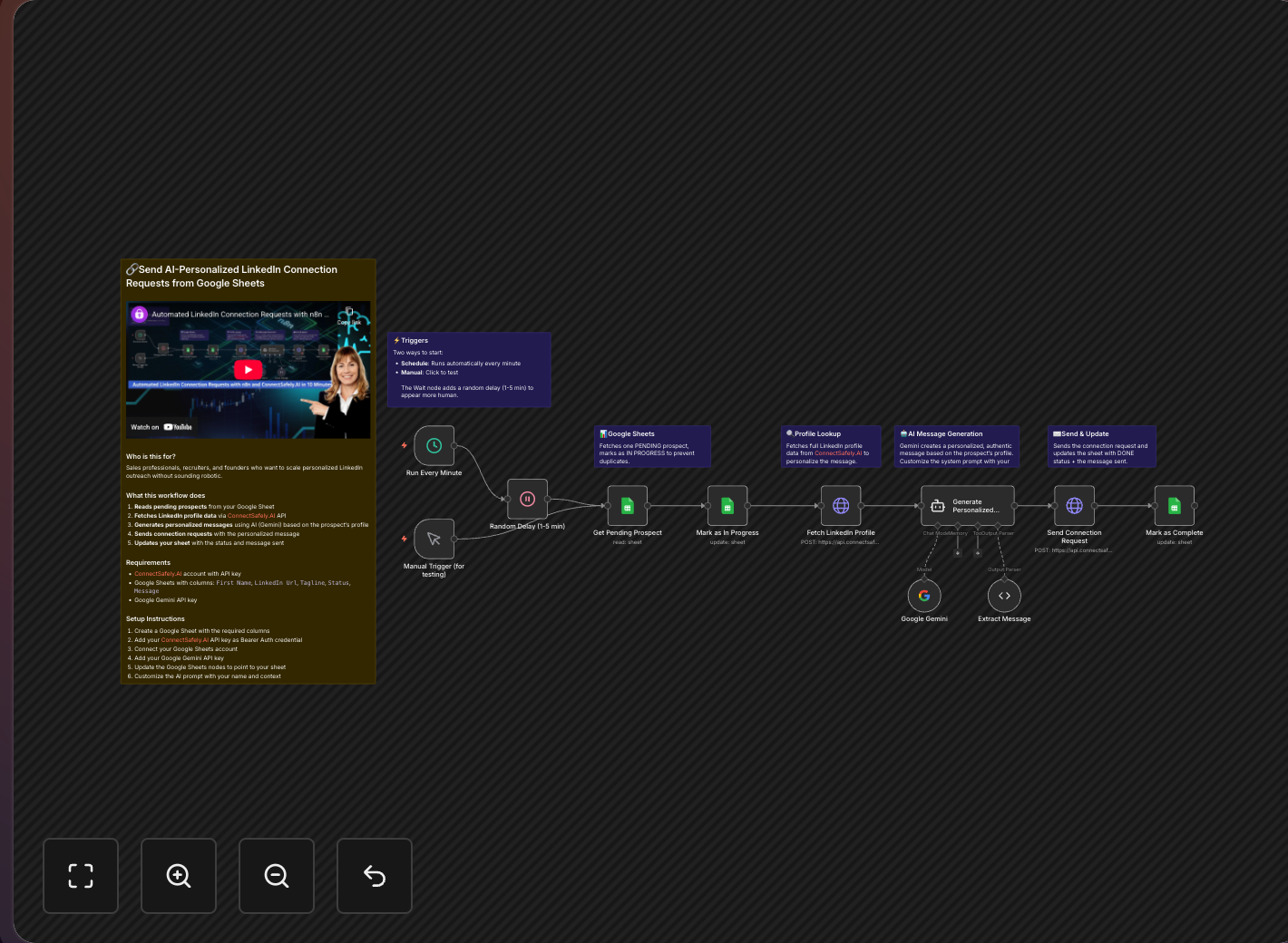
n8nAI LinkedIn Connections with n8n + Gemini
Send AI-personalized LinkedIn connection requests at scale using n8n and Google Gemini. Achieve 40-60% acceptance rates with automated personalization.



 n8n
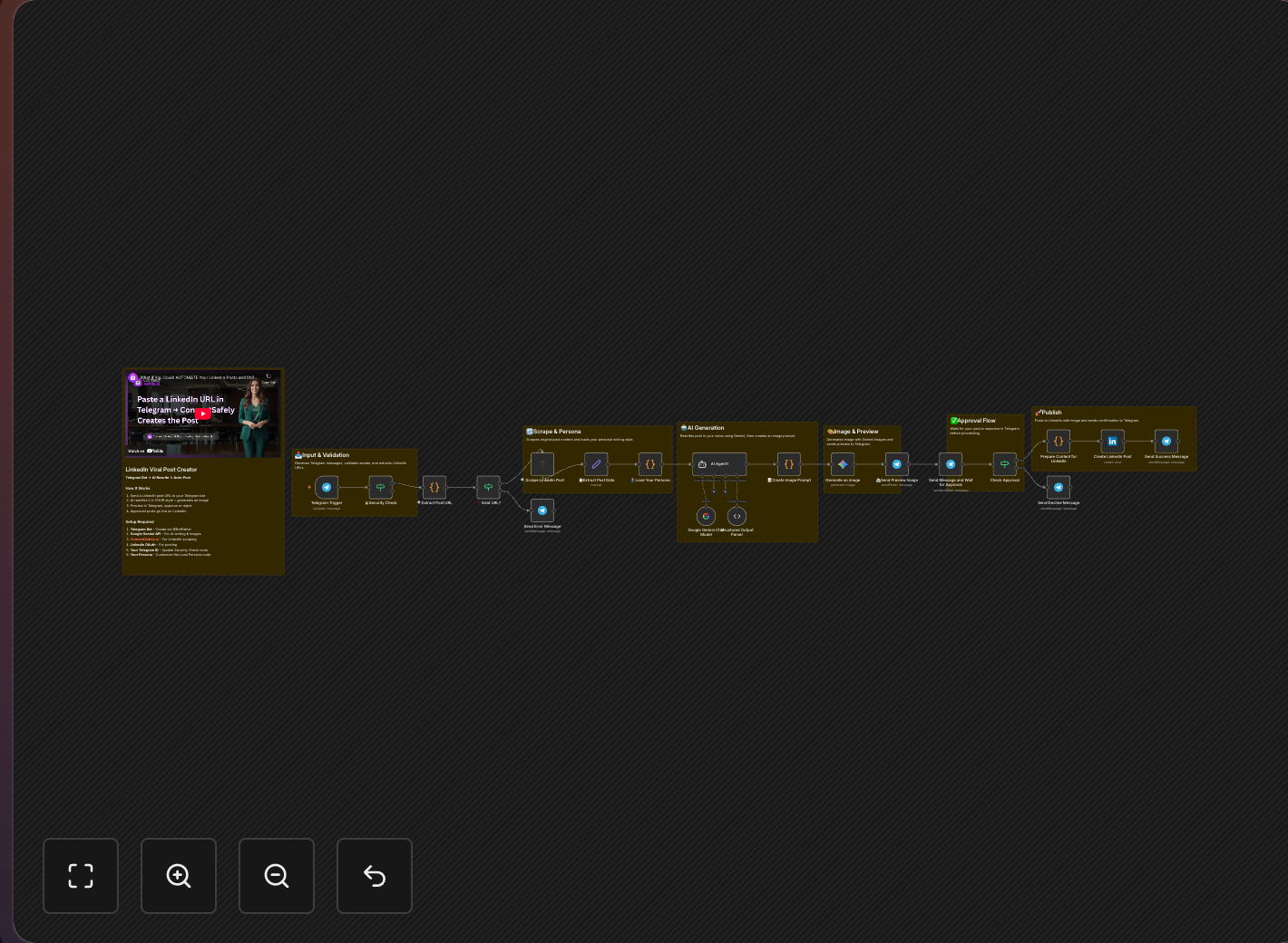
n8nAI Post Rewriter | n8n + Gemini
Rewrite viral LinkedIn posts in your voice using Gemini AI. Includes Telegram approval workflow before auto-publishing.

 n8n
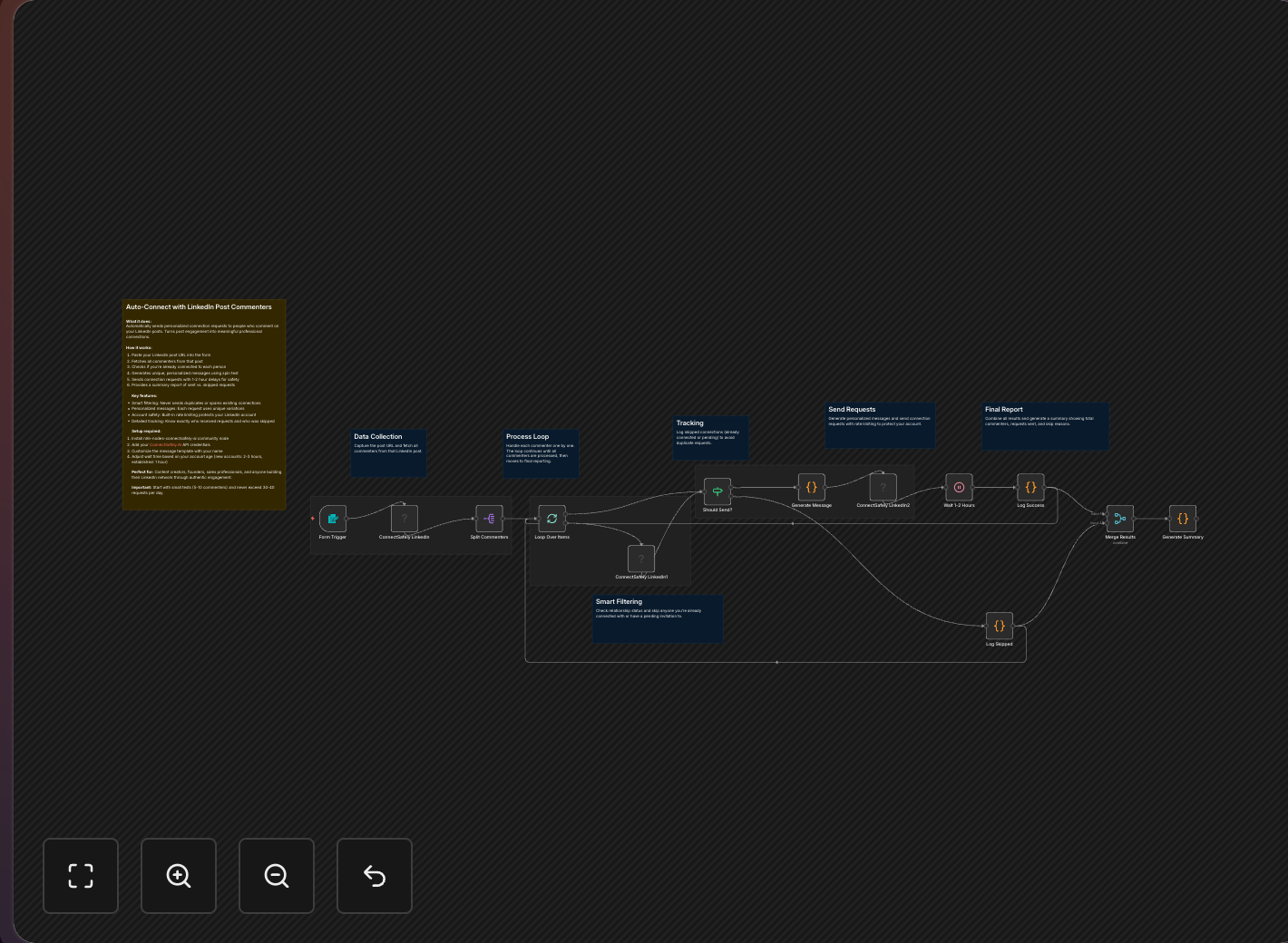
n8nAuto-Connect with Commenters | n8n
Send automated connection requests to LinkedIn post commenters. Get 3-5x higher acceptance rates by connecting with engaged users.
 n8n
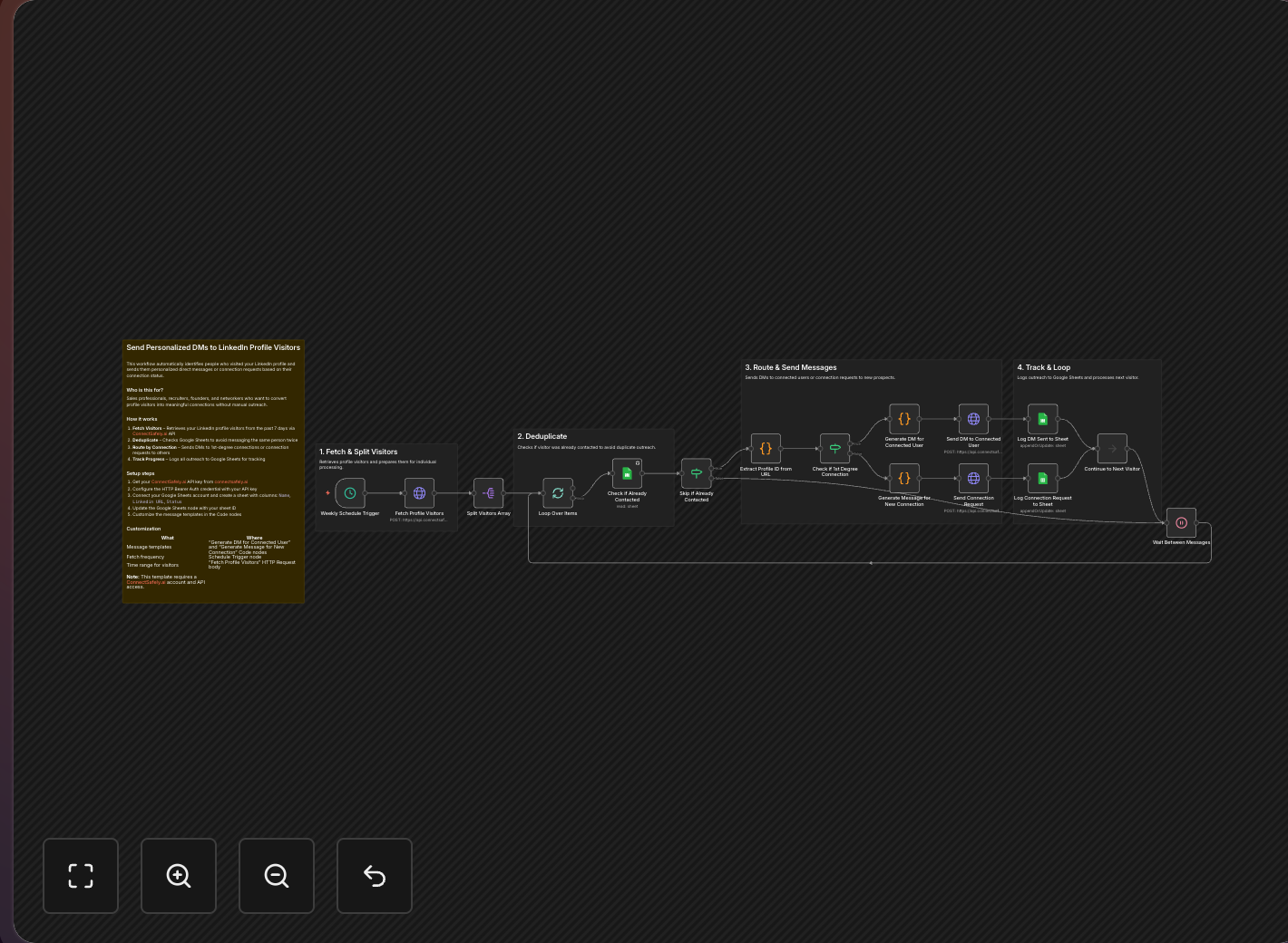
n8nAuto-DM Profile Visitors | n8n LinkedIn
Auto-message LinkedIn profile visitors with n8n. Route DMs to connections and requests to non-connections for 3x better response rates.
 n8n
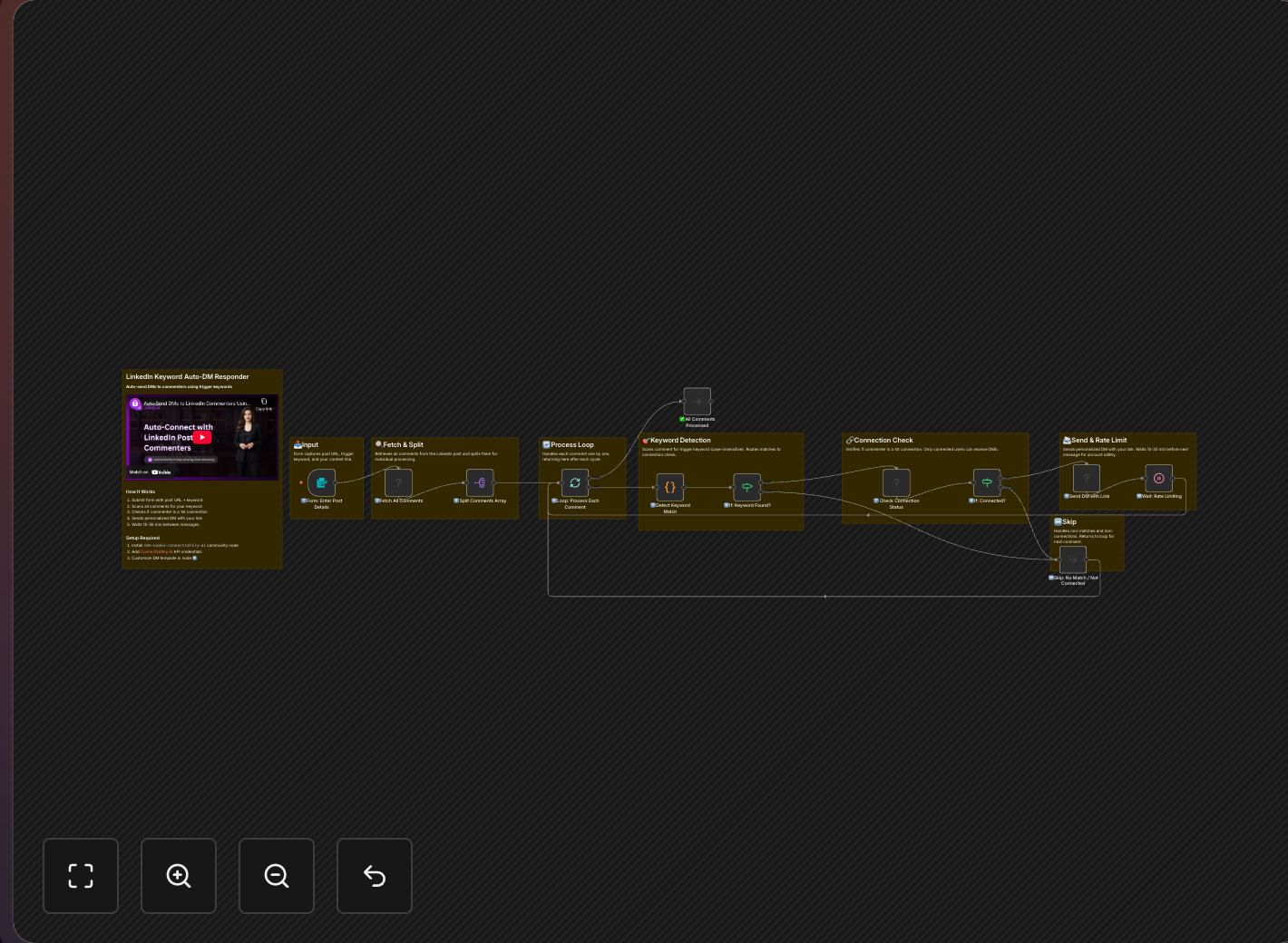
n8nKeyword Comment to DM | n8n LinkedIn
Automate 'comment X to get Y' on LinkedIn with n8n. Send DMs to keyword commenters automatically and deliver lead magnets at scale.
 n8n
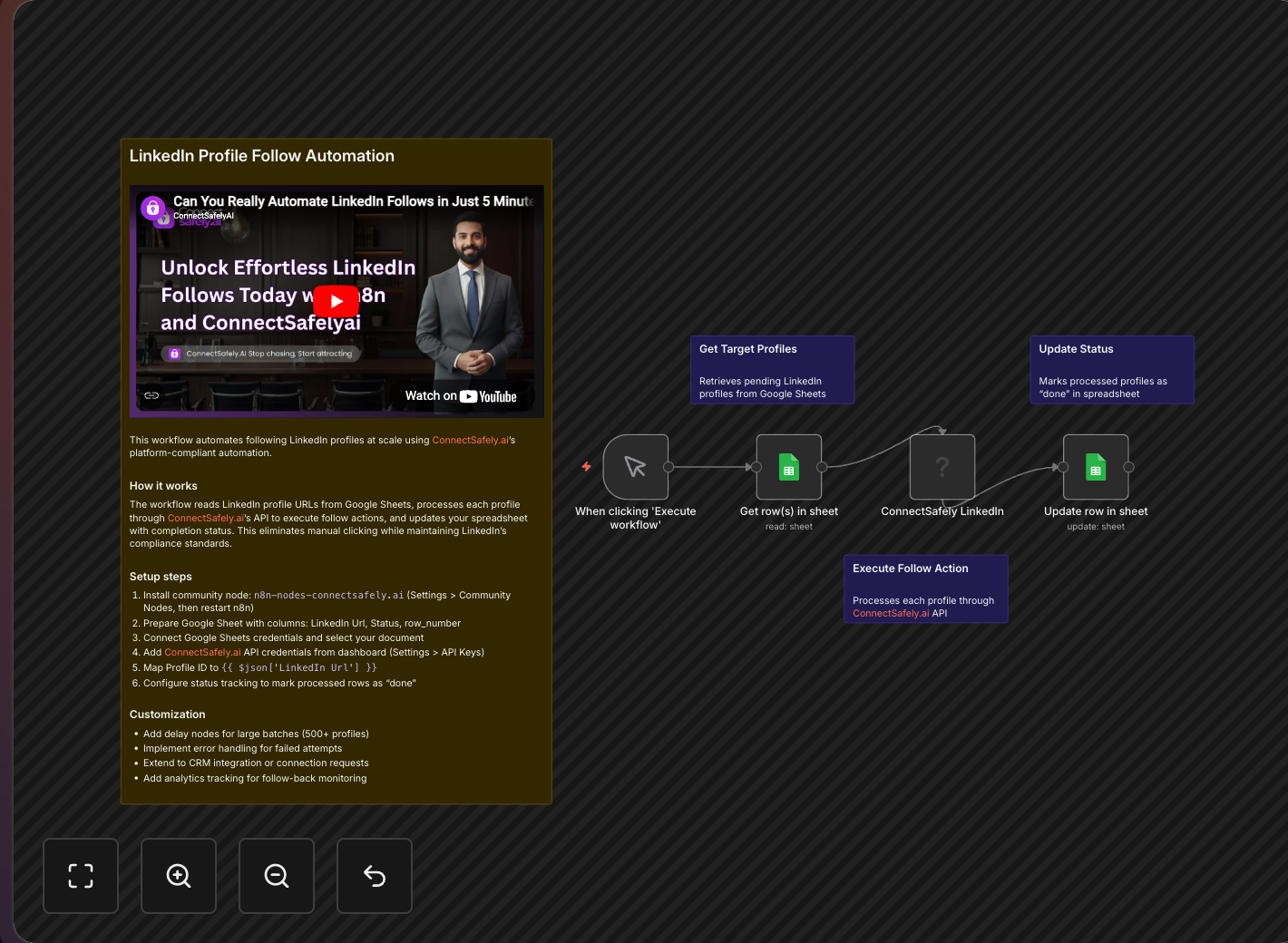
n8nLinkedIn Auto-Follow from Sheets | n8n
Automate LinkedIn profile following with n8n and Google Sheets. This 4-node workflow follows users from your spreadsheet automatically.
 n8n
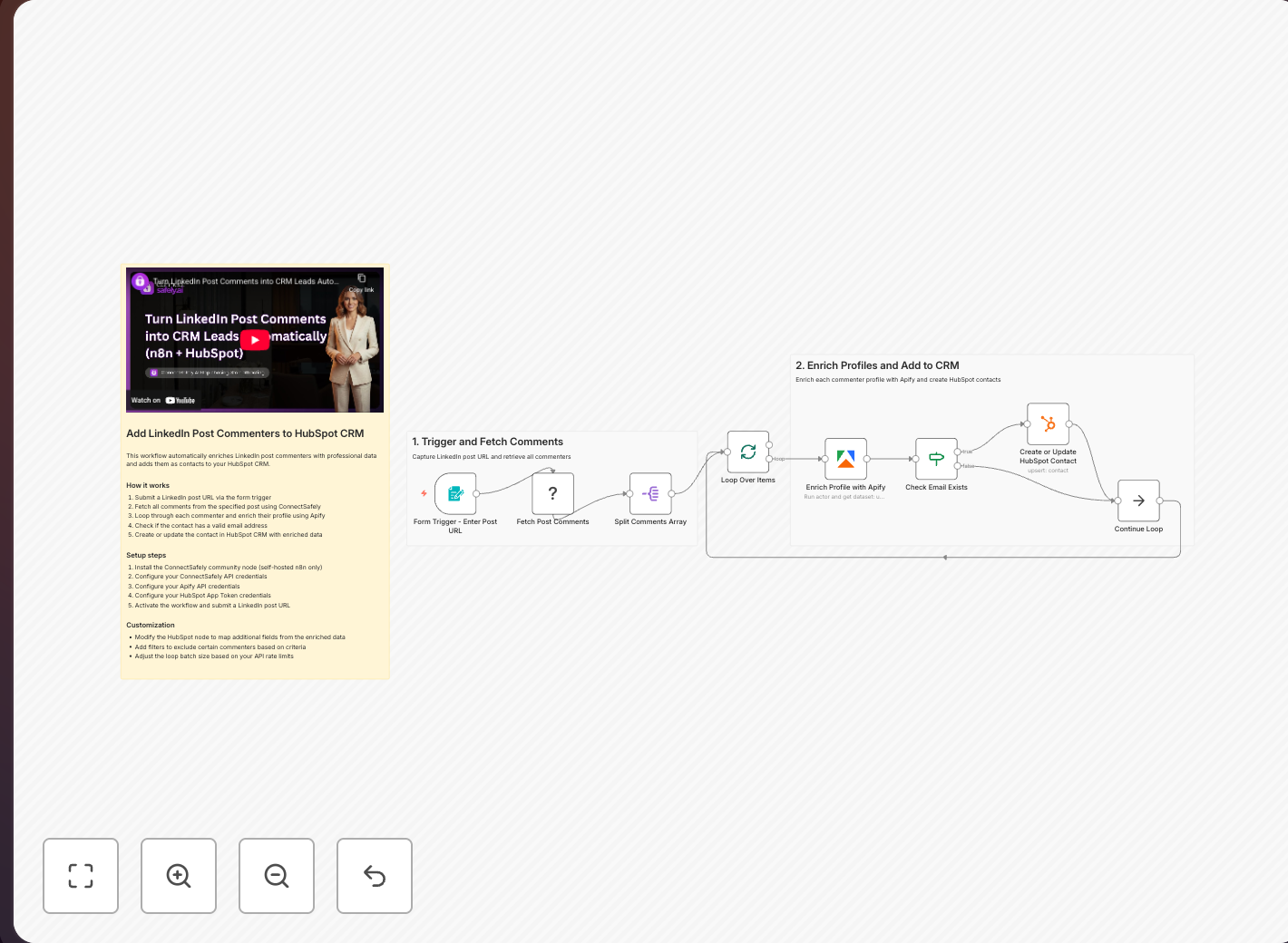
n8nLinkedIn Commenters to HubSpot | n8n
Capture LinkedIn post commenters and sync them to HubSpot CRM automatically. Enrich contacts with email and company data using Apify.

 n8n
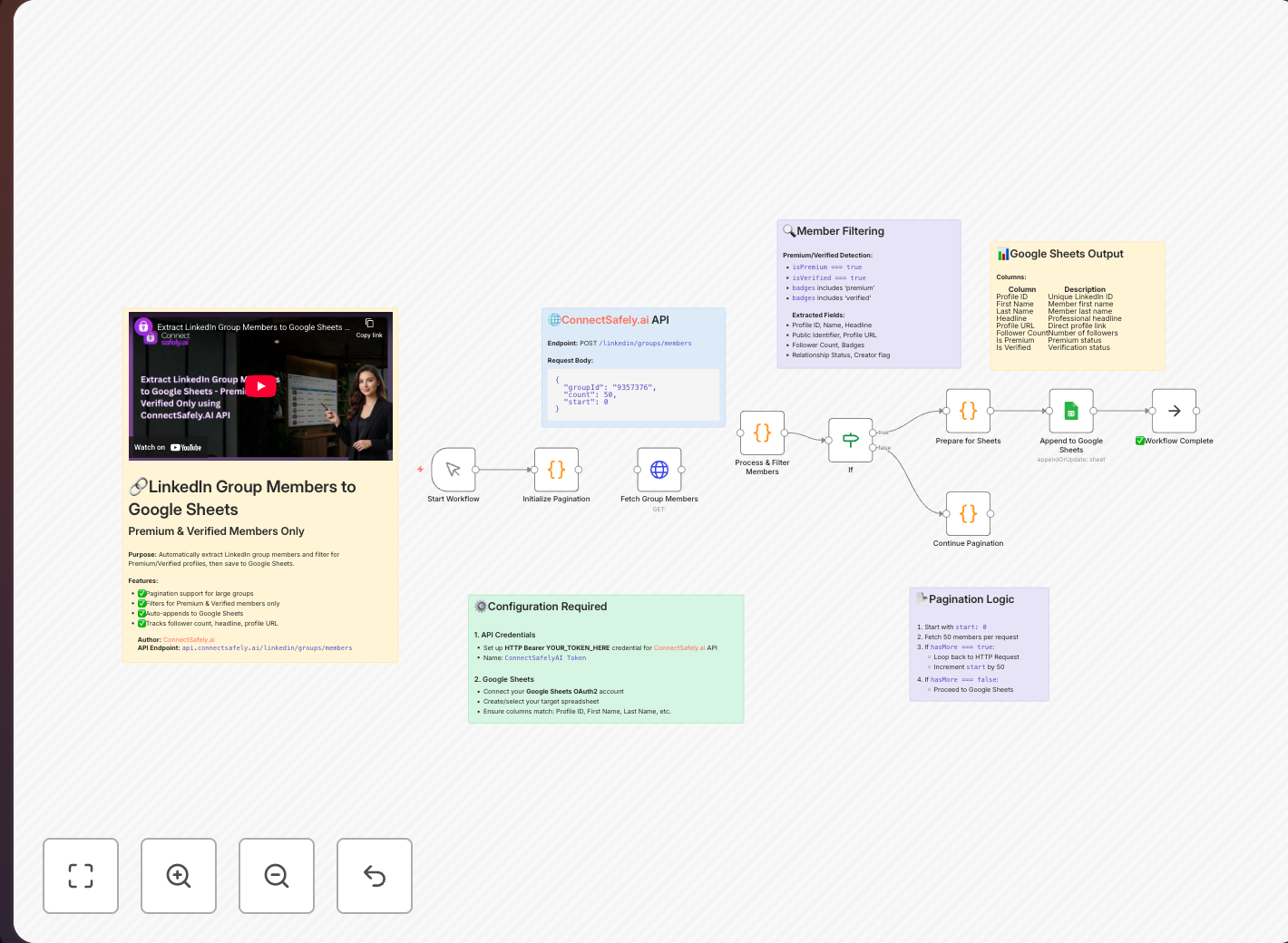
n8nLinkedIn Group Members to Sheets | n8n
Extract LinkedIn group members to Google Sheets with n8n. Filter for premium members and export prospect lists automatically.
 n8n
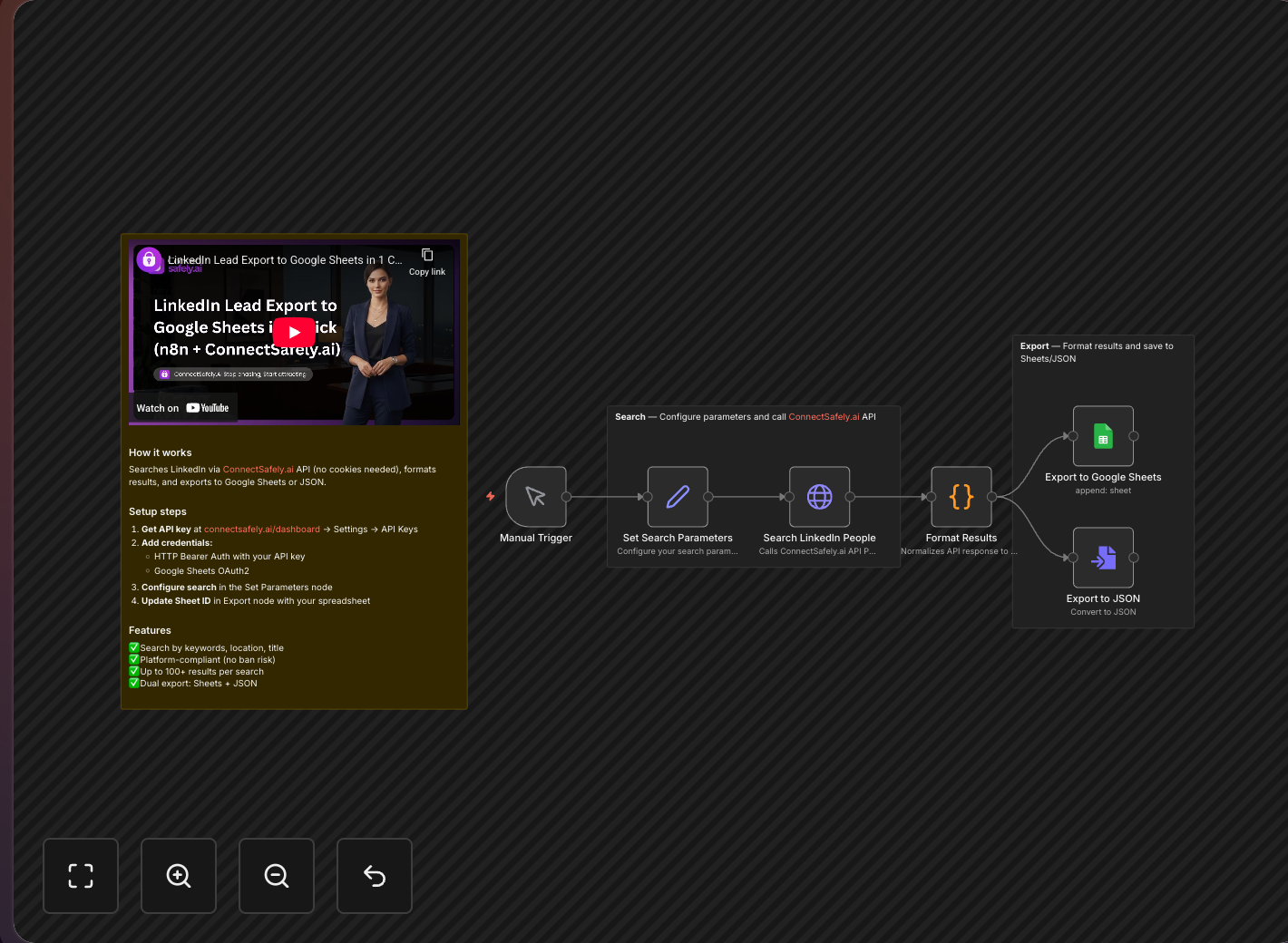
n8nLinkedIn Search to Sheets | n8n 2026
Export LinkedIn search results to Google Sheets with n8n. Build prospect lists automatically with this simple 3-node workflow.
 n8n
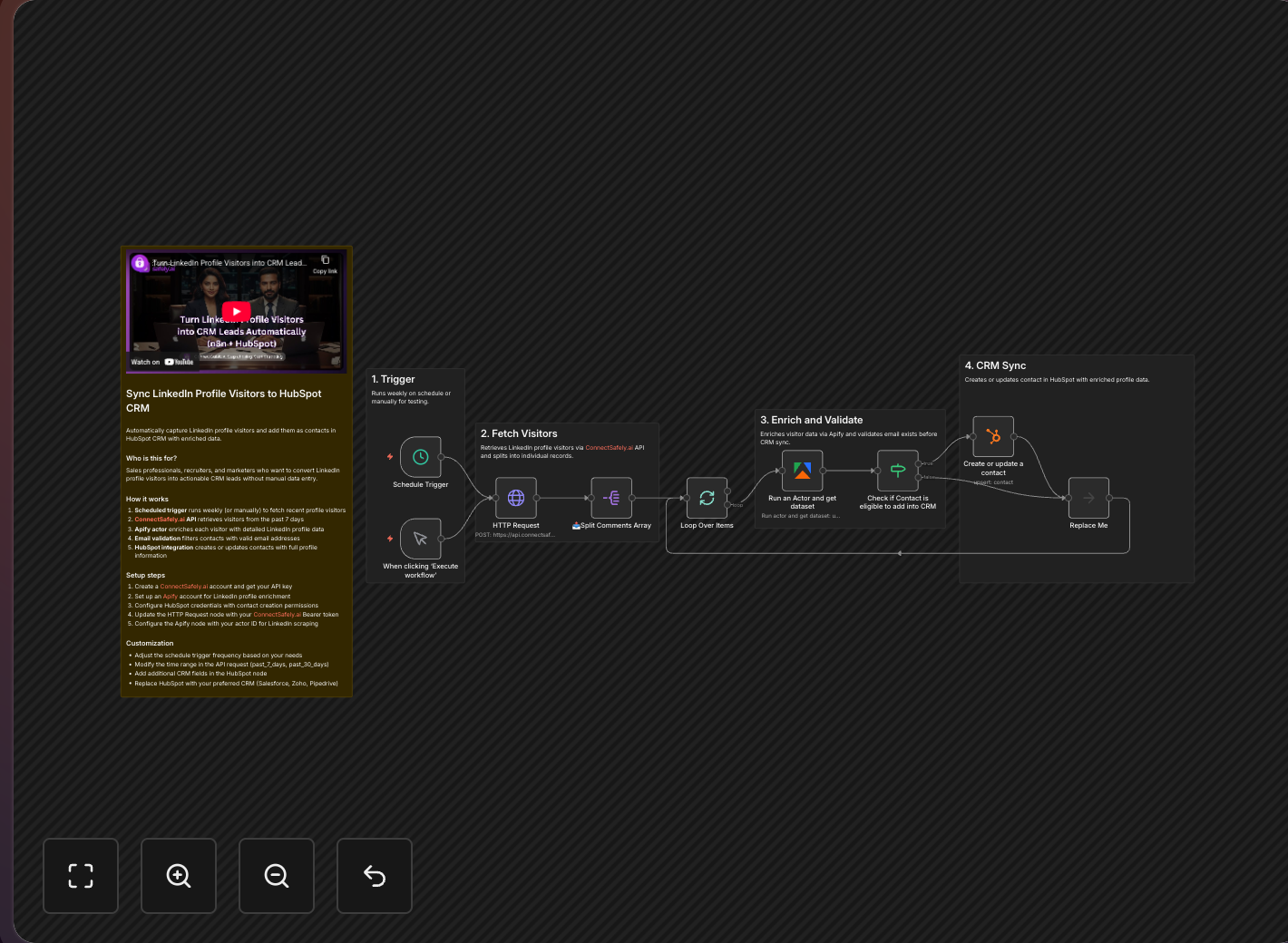
n8nLinkedIn Visitors to HubSpot | n8n
Auto-sync LinkedIn profile visitors to HubSpot CRM with n8n. Enrich leads with email and company data using Apify.
Why use ConnectSafely with n8n?
Build powerful automation workflows without writing code.
Low-code building blocks
Use native ConnectSafely nodes to launch campaigns, sync metrics, and keep systems aligned.
Multi-app orchestration
Combine CRM, enrichment, email, and LinkedIn steps inside a single n8n workflow.
Scalable governance
Standardize outreach flows with reusable sub-workflows and version control.
Powerful workflow features
Everything you need to orchestrate LinkedIn automation with n8n.
Official node actions
Launch campaigns, add prospects, and pull performance metrics via n8n nodes.
- Trigger comment and connection sequences from any data source
- Update ConnectSafely audiences dynamically
- Sync reporting to your warehouse or BI tools
Event-driven automation
Kick off LinkedIn workflows when enrichment completes, deals move, or leads take action.
Error handling & retries
Catch failures, branch logic, and keep mission-critical outreach running smoothly.
Real-world use cases
See how teams use ConnectSafely + n8n to automate their growth stack.
Inbound routing
Trigger personalized LinkedIn follow-up when new ICP demo requests hit your CRM.
Lifecycle cadences
Blend email, Slack, and LinkedIn nurturing steps based on lead engagement signals.
Data quality sync
Automatically refresh prospect data and pause outreach when enrichment fails.
n8n Integration FAQs
Common questions about using ConnectSafely with n8n workflow automation.
How do I install ConnectSafely nodes in n8n?
To install ConnectSafely in n8n: 1) Open your n8n instance, 2) Go to Settings > Community Nodes, 3) Search for 'connectsafely' or install from npm using n8n-nodes-connectsafely, 4) Add your ConnectSafely API key in credentials. The nodes will then be available in your workflow editor. API & MCP Access plan required ($10/month per LinkedIn account).
What LinkedIn actions can I automate with n8n and ConnectSafely?
ConnectSafely's n8n nodes support all LinkedIn automation actions: send connection requests, direct messages, InMails, follow users, post comments, boost posts, and manage campaigns. You can trigger these based on any n8n event - webhooks, schedules, CRM updates, form submissions, or data from 400+ other integrations.
Can I build multi-step LinkedIn sequences in n8n?
Yes! n8n's visual workflow builder makes it easy to create complex LinkedIn sequences. Combine ConnectSafely actions with delays, conditions, and other integrations. For example: trigger on new lead → wait 2 days → send connection request → wait for acceptance → send personalized message → log to CRM. Our platform-compliant automation ensures your account stays safe.
Does ConnectSafely work with self-hosted n8n?
Yes, ConnectSafely's n8n community nodes work with both n8n Cloud and self-hosted n8n instances. Install the package via npm and configure your API credentials. Self-hosted users get the same functionality as cloud users. Check out our other integrations too.
How do I connect n8n workflows to my CRM with ConnectSafely?
n8n makes it easy to connect ConnectSafely with any CRM. Use native n8n nodes for HubSpot, Salesforce, Pipedrive, or Airtable alongside ConnectSafely nodes. Example: When a deal stage changes in your CRM, automatically trigger LinkedIn outreach through ConnectSafely and log the activity back to the CRM. Track results with our analytics dashboard for lead generation insights.
What plan do I need for the ConnectSafely n8n integration?
The n8n integration requires the ConnectSafely API & MCP Access plan — $10/month per LinkedIn account. This includes API access, unlimited n8n workflow executions, access to all ConnectSafely nodes and triggers, and priority support for integration setup. n8n itself has both free self-hosted and paid cloud options.
Need help with n8n workflows?
Contact supportReady to get started with n8n?
Install the ConnectSafely package and start building automation workflows today. Available on the API & MCP Access plan — $10/mo per LinkedIn account.