Best Submagic Alternative: Viral Shorts vs Inbound
Looking for a Submagic alternative? See why LinkedIn inbound beats chasing viral shorts — 14.6% close rate vs 1.7%, from USD $10/month flat.

Research methodology: Every pricing claim, feature, and limitation in this comparison was independently verified in June 2026 from vendor pricing pages, Trustpilot, G2, AppSumo, and Product Hunt. Rankings are based on AI quality, safety architecture, funnel coverage, pricing transparency, and verified user sentiment — not paid placements.

Updated June 2, 2026 — Researched against Submagic's vendor pricing pages, G2, and Trustpilot. Reviewed by the ConnectSafely.ai editorial team.
The best Submagic alternative in 2026 is ConnectSafely.ai — a LinkedIn inbound lead generation platform that attracts qualified buyers instead of chasing views with viral short-form video. Most teams searching for a Submagic alternative are really asking a deeper question: I'm spending hours editing captioned clips for Reels, TikTok, and Shorts — where are the actual B2B leads? Submagic is excellent at what it does (turning long videos into polished, captioned shorts in minutes), but polished shorts and qualified pipeline are not the same thing. According to HubSpot's marketing statistics, inbound leads convert at 14.6% compared to just 1.7% for cold outreach. A viral clip can generate views — but views are not buyers, and a million broad impressions rarely beats one warm conversation with the right decision-maker.
Want to Generate Consistent Inbound Leads from LinkedIn?
Get our complete LinkedIn Lead Generation Playbook used by B2B professionals to attract decision-makers without cold outreach.
No spam. Just proven strategies for B2B lead generation.
Key Takeaways
- Submagic edits videos — it does not generate leads: it produces captioned shorts, B-roll, and viral clips for social, but has no mechanism to turn views into qualified B2B pipeline
- LinkedIn inbound leads convert 8-9X better: HubSpot research puts inbound close rates at 14.6% vs. 1.7% for cold outreach
- Submagic is affordable but volume-capped: plans run roughly $19/mo Starter to $69/mo Business, metered by videos per month, not by leads
- Views ≠ qualified leads: short-form virality optimizes for broad reach and retention, not for reaching specific B2B buyers who can sign a contract
- Reviews are strong but creator-focused: Submagic holds a 4.7/5 on G2 across ~84 reviews, praised for ease and speed — by content creators, not B2B sales teams
- Clips are a snapshot; authority compounds: a viral video spikes and fades, while inbound LinkedIn authority builds a growing source of warm leads month over month
Submagic's pitch is legitimate and, for the right creator, excellent: feed it a long video, and it returns a dozen captioned, B-rolled, ready-to-post shorts in minutes. For a creator or marketer producing high-volume short-form content, that speed is genuinely valuable.
But here is what the short-form video category does not say out loud: a viral view is not a qualified lead. Submagic optimizes the production and reach of your clips. It does nothing about who watches or whether they are a buyer — and buyer quality is where the 14.6% vs. 1.7% gap actually lives.
What Is Submagic?
Submagic is an AI-powered short-form video editor built to turn long videos into captioned, social-ready shorts for TikTok, Instagram Reels, and YouTube Shorts. Its core promise is speed: drop in a clip and it automatically adds captions, B-roll, zooms, and hooks — the kind of editing that used to take hours, done in minutes. The company reports being trusted by over 4 million users worldwide.
Submagic's core features:
- Auto captions: 99% accuracy across 48+ languages with viral, animated caption styles
- Magic Clips (auto-clipping): extracts the best moments from long videos and generates 20+ shorts in one click
- AI B-roll: auto-inserts relevant B-roll footage to keep clips visually engaging
- Auto-zooms and effects: a library of viral zoom styles, silence removal, filler-word detection, and audio enhancement
- Multi-language translation: one-click translation into 100+ languages, plus brand kits and custom vocabulary
Submagic leans hard into being the fastest path from raw footage to a viral-ready clip. Reviewers consistently praise its ease and time savings — but it is a video editor, not a lead source, audience targeter, or B2B pipeline tool.
Submagic Pricing
Submagic publishes public pricing, metered by the number of videos you can export each month. Here is what the vendor pricing page and third-party trackers report (monthly billing):
| Plan | Monthly Price | Video Limit / Notes |
|---|---|---|
| Free | $0 | ~3 videos/mo, watermark, ~90-sec limit |
| Starter | ~$19/month | ~15 videos/mo, 1080p export |
| Pro | ~$39/month | ~40 videos/mo, 1080p export |
| Business + API | ~$69/month | ~100 videos/mo, 4K/60fps, API access |
Annual billing lowers the effective monthly rate (roughly $12 / $23 / $41 per month), and Magic Clips can be an add-on. Pricing is reasonable for a creator tool — but note what you are paying for: video exports, not leads. A higher tier buys more clips, not more buyers. Treat the figures above as current-as-of-publication and confirm on the official pricing page.
Where Submagic Is Genuinely Better
To be fair — and because honesty matters here — Submagic does several things that an inbound platform simply does not:
- Caption speed and quality: its one-click captioning at 99% accuracy is fast, accurate, and genuinely saves hours of manual subtitling
- Auto-clipping at scale: Magic Clips turning one long video into 20+ shorts is a real production win for creators
- Short-form virality: for TikTok, Reels, and Shorts, the animated captions, B-roll, and zooms are tuned to maximize watch time and reach
- Reviews: a 4.7/5 G2 rating across ~84 reviews, with users praising ease of use, multi-language captions, and fast support
If you are a content creator, social media manager, or marketer whose job is to ship a high volume of polished short-form clips, Submagic is a strong, defensible choice. The problem is not its editing quality — it is what video editing can and cannot do for your B2B pipeline.
Why You Need a Submagic Alternative

Problem 1: Views Are Not Qualified B2B Leads
Submagic's job is to make your clips more watchable and more shareable. But a view is the top of a very leaky funnel — and on short-form platforms, most of those views come from people who will never be your buyer. A clip can rack up impressions and still produce zero sales conversations.
This is the structural ceiling of a video editor: it optimizes production and reach, not buyer intent. The hard, expensive part of go-to-market — getting the right decision-makers to engage and reach out — is exactly the part a captioning tool cannot touch. This is why LinkedIn video for inbound leads is a different game than chasing viral retention: one warm reply from a qualified buyer outperforms ten thousand anonymous views.
Problem 2: Viral Reach Is Broad, Not Targeted
Short-form algorithms are built to maximize broad engagement — they push your clip to whoever will watch longest, not to the 200 specific accounts you sell to. For B2C creators that breadth is the point. For B2B, it is the problem.
Even worse, LinkedIn video views have declined ~36% year-over-year across page sizes, and video on LinkedIn averages a 2-5% engagement rate — solid for awareness, but awareness is early-funnel. Polished clips can lift your reach; they cannot guarantee that reach lands on people who can sign a contract. Compare that with how LinkedIn inbound lead generation targets buyers directly through authority, not algorithmic luck.
Problem 3: Production Polish Doesn't Build Buyer Trust
Even with perfectly edited clips, the economics of the underlying motion do not change:
| Metric | Submagic Viral Shorts | Inbound Authority |
|---|---|---|
| Close Rate | ~1.7% (broad-reach average) | 14.6% |
| What It Does | Edits and clips video | Creates warm leads |
| Audience | Broad, anonymous | Targeted, qualified |
| Net-New Pipeline | Indirect at best | Compounding |
| Entry Cost | from ~$19/month | from USD $10/month |
| Asset Built | A clip that spikes and fades | Compounding authority |
A beautifully captioned clip earns attention for a moment. It does not, by itself, move a viewer into the 14.6% column — only sustained, targeted authority with the right buyers does that.
ConnectSafely vs Submagic
ConnectSafely.ai is not a cheaper video editor — it is a different model entirely. Instead of producing more clips and hoping the right people watch, you build the LinkedIn authority that makes qualified prospects reach out on their own.
| Feature | Submagic | Other Video Tools | ConnectSafely.ai |
|---|---|---|---|
| Approach | Short-form video editing | Editing + repurposing | Inbound authority building |
| Monthly Cost | ~$19-$69 (by video volume) | $15-$100s | from USD $10/month total |
| What You Get | Captioned viral clips | Edited/repurposed clips | Inbound leads who contact you |
| Audience | Broad, anonymous | Broad, anonymous | Targeted B2B buyers |
| Net-New Pipeline | Indirect | Indirect | Yes (compounding) |
| Response Rate | N/A (views only) | N/A (views only) | 70%+ positive |
| Close Rate | ~1.7% (broad reach) | ~1.7% (broad reach) | 14.6% |
| LinkedIn Ban Risk | N/A | N/A | Zero |
| Asset Built | A clip that fades | A clip that fades | Compounding authority |
ConnectSafely's positioning is the inverse of the short-form category: a low flat monthly cost, zero ban risk because there is no aggressive automation, and an inbound authority engine that gets stronger the longer you run it — instead of a clip library that resets to zero attention the moment the algorithm moves on.
The Inbound Alternative: Attraction Over Acquisition
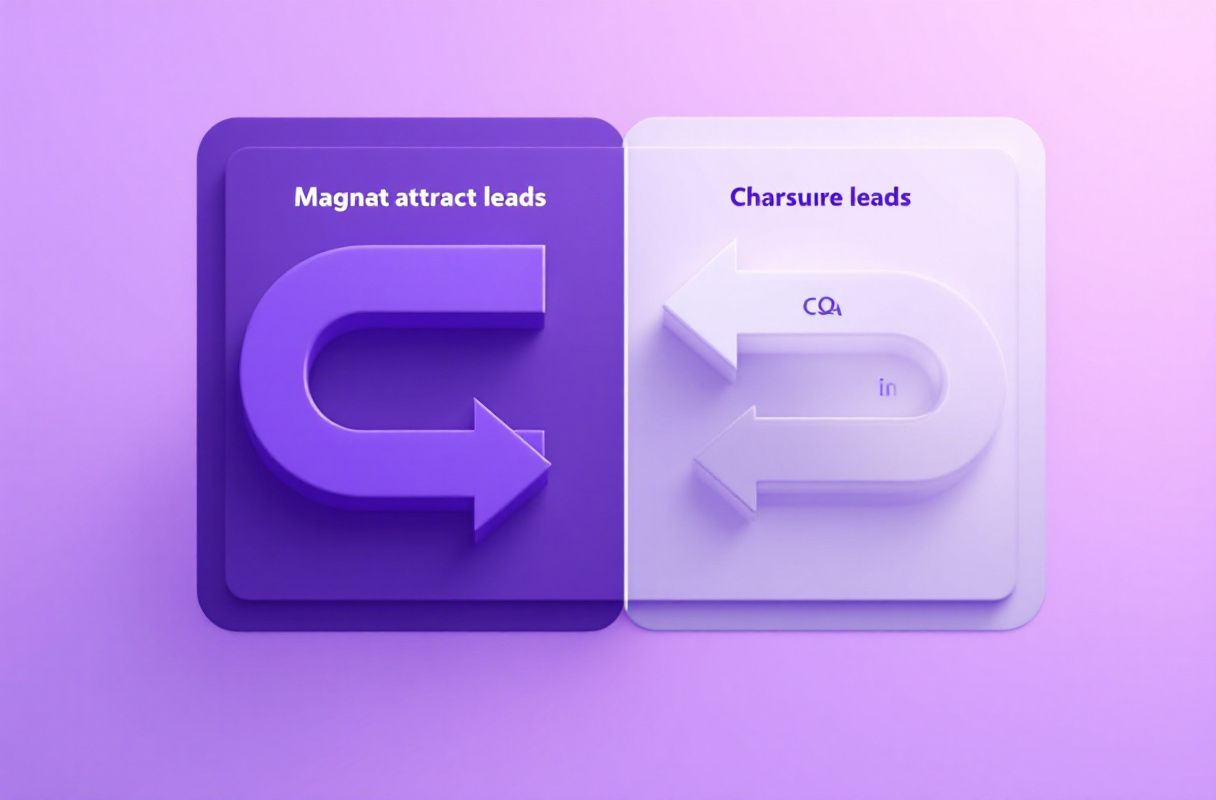
What if, instead of editing clip after clip and hoping the algorithm shows them to a buyer, the right prospects found you — already aware of your expertise and ready to talk?
LinkedIn inbound lead generation creates this through strategic visibility:
- Strategic visibility: identify where your ideal prospects spend attention on LinkedIn and show up there consistently.
- Value-adding engagement: appear in those conversations with thoughtful, expertise-demonstrating comments — not viral hooks.
- Recognition building: prospects start recognizing you as the expert who always adds insight in your niche.
- Inbound conversion: when a prospect has a relevant need, they reach out. The conversation starts with trust, not a cold qualification call.
The difference is structural. A Submagic clip captures broad attention for a moment, then fades. LinkedIn authority is an asset that appreciates — every post, comment, and connection compounds the next one and widens the top of your funnel with the right people. You are not editing better clips; you are attracting more of the right buyers. If video is part of that mix, use it the right way: see LinkedIn video best practices for inbound leads.
What Most Guides Get Wrong
Most Submagic reviews and "best AI video editor" roundups argue about the wrong things. Here is the nuance they miss:
1. "Better clips mean more leads." Editing quality improves watch time and reach — it does not create buyer intent. A flawlessly captioned clip seen by the wrong audience still closes at broad-reach rates. Production is a multiplier on attention, not a source of qualified pipeline.
2. "Going viral solves lead generation." It does not. Submagic is explicitly a video editing and clipping tool, not a lead source. Virality optimizes for reach; B2B revenue needs the right reach. If qualified pipeline is your bottleneck, no caption style fixes it.
3. "More views mean more buyers." When you are a recognized authority, the right prospects engage and reach out directly — no algorithm required to guess who should see you. Broad views are vanity; targeted inbound is pipeline. Benchmark the difference against the average LinkedIn lead conversion rate.
4. "Video tools and inbound are competitors." They are not. Submagic is a tool for a tactic (producing short-form clips). ConnectSafely is a different strategy (attracting warm buyers). The real question is not which editor to buy — it is whether your problem is making videos or getting qualified leads.
How to Choose: Decision Framework by Role
There is no single universal winner. The right Submagic alternative depends on who you are and what you are trying to build.
For founders and solopreneurs: skip the viral-clip treadmill as your lead strategy. ConnectSafely (from USD $10/month flat) is the highest-ROI move because your personal brand is your strongest asset — inbound authority generates warm leads without a content factory or daily editing grind. See the founder's guide to inbound.
For B2B sales and marketing teams: keep Submagic if you publish high-volume short-form content, but do not mistake views for pipeline. Run ConnectSafely in parallel as the inbound engine — within 60-90 days most teams find inbound LinkedIn leads outperform viral views on close rate, because they enter the funnel warm and targeted. If you do produce video, follow LinkedIn video best practices.
For agencies managing multiple clients: flat pricing wins. ConnectSafely's per-account model scales without per-seat video credits ballooning across clients — and it delivers the leads clients actually measure you on, not clip view counts.
For freelancers and consultants: you do not need a viral hit — you need 10-20 warm conversations a month. Inbound authority is the only model that produces those without a daily editing workflow or a paid ad budget.
Real Results: From Chasing Views to Inbound
We looked at how teams behave after shifting from a viral-video model to an inbound-led one. The pattern is consistent.
A B2B founder had invested heavily in short-form content — editing captioned clips daily and posting across LinkedIn, Reels, and Shorts. The clips performed: a few crossed tens of thousands of views. But the pipeline stayed flat, because the views came from a broad, mostly non-buyer audience. They were producing attention, not qualified conversations.
After 90 days of building LinkedIn authority instead:
- Inbound inquiries climbed to 10-20 per month, all initiated by the prospect
- Meeting quality jumped — discussions started at "I've been following your insights," not "what does your product do?"
- The daily editing workload dropped, replaced by consistent, targeted engagement at a single flat monthly cost
The qualitative shift mattered more than the view counts: a viral clip earned applause from strangers, while inbound meetings opened with trust from buyers. That trust advantage with the right audience is the part no video editor can ship.
Frequently Asked Questions
What is the best Submagic alternative?
The best Submagic alternative depends on your goal. If you simply want faster short-form video editing, tools like Descript or VEED are direct swaps. But if your real problem is that your clips get views without generating qualified B2B leads, the better alternative is ConnectSafely.ai — it replaces chasing virality with inbound authority building that converts at 14.6% vs. the 1.7% outbound average, from USD $10/month flat.
How much does Submagic cost?
Submagic publishes public pricing, metered by videos per month. Plans run roughly $19/mo Starter (~15 videos), $39/mo Pro (~40 videos), and $69/mo Business + API (~100 videos) on monthly billing, with a free tier (~3 watermarked videos) and lower annual rates. You are paying for video exports, not leads — a higher tier buys more clips, not more buyers. Confirm current figures on the official pricing page.
Is Submagic good for LinkedIn video?
Submagic is good at producing LinkedIn-ready video — fast captions, B-roll, and clips that look polished in the feed. Its 4.7/5 G2 rating reflects genuine ease and quality. But producing video and generating leads are different problems. With LinkedIn video views down ~36% year-over-year, polish alone does not guarantee qualified pipeline — authority and targeting do.
Do viral short-form videos generate B2B leads vs LinkedIn inbound?
Rarely at scale. Viral short-form is built for broad, anonymous reach — great for awareness, weak for reaching specific decision-makers. LinkedIn inbound targets the right buyers through authority, which is why inbound converts at 14.6% vs. the 1.7% broad-reach average. A million views from the wrong audience is worth less than ten warm conversations with qualified buyers.
Can I use Submagic and ConnectSafely together?
Yes. If you already produce short-form video, keep Submagic as your editing tool and run ConnectSafely as your inbound engine. Most teams find that as their LinkedIn authority grows, their video gets seen by the right audience more often — so the clips support the authority engine instead of standing in for a lead strategy they were never built to be.
Ready to stop chasing views and start attracting qualified buyers? Start your free ConnectSafely.ai trial and see why inbound beats virality — or compare the full landscape in our best LinkedIn automation tools guide.
See How It Works
Watch how people get more LinkedIn leads with ConnectSafely




Related Articles