How to Bypass LinkedIn Limits Through Inbound Authority 2026
LinkedIn limits killing your lead gen? Learn the only sustainable way to bypass LinkedIn connection and message limits through inbound authority building.

LinkedIn's limits are tighter than ever in 2026. According to LinkedIn Limits research by LeadLoft, most users face a hard cap of 100-200 connection requests per week, with penalties escalating to permanent bans for violations. The 500 pending request limit creates a bottleneck that stops lead generation dead within weeks.
Every "hack" to bypass these limits—multiple accounts, VPNs, automation tools—increases your ban risk. But there's one approach that not only bypasses limits but gets rewarded by LinkedIn: building inbound authority that makes prospects request to connect with you.
Want to Generate Consistent Inbound Leads from LinkedIn?
Get our complete LinkedIn Lead Generation Playbook used by B2B professionals to attract decision-makers without cold outreach.
No spam. Just proven strategies for B2B lead generation.
When ideal clients send you connection requests, you're not limited to 100/week. You're limited only by the size of your target market.
Key Takeaways
- Hard limits in 2026: According to evaboot's LinkedIn limits guide, LinkedIn enforces 100-200 connection requests/week for most accounts, with a 500 pending request cap that creates inevitable bottlenecks
- Risky workarounds fail: 23% of automated accounts face ban risk, and LinkedIn's Guardian AI detects VPNs, multiple accounts, and browser extensions
- Inbound eliminates limits: When prospects send you connection requests, you can accept unlimited requests—no 100/week cap, no pending request bottleneck
- 8X better conversion: Inbound authority strategies convert at 14.6% vs cold outreach's 1.7%, while carrying zero platform risk
Understanding LinkedIn's 2026 Limits (Complete Breakdown)
Connection Request Limits by Account Type
According to LinkedAPI's comprehensive 2026 guide, LinkedIn enforces these weekly caps:
| Account Type | Weekly Limit | Daily Safe Limit | SSI Impact |
|---|---|---|---|
| Free Account | 100 requests | 15-20 requests | +20-30 at SSI 70+ |
| Premium | 100 requests | 20-30 requests | +20-30 at SSI 70+ |
| Sales Navigator | 250 requests | 30-40 requests | +50 at SSI 70+ |
| Recruiter Lite | 150 requests | 20-30 requests | Varies |
The SSI factor: Users with Social Selling Index (SSI) scores above 70 may safely send up to 200 requests per week on free accounts. But reaching SSI 70+ requires... building authority and engagement (inbound tactics).
The Pending Request Bottleneck
This is the limit that kills most outreach campaigns. According to evaboot's guide on bypassing limits, LinkedIn caps outgoing pending requests at 500 maximum (absolute hard cap at 700).
How this bottleneck works:
- You send 100 connection requests per week
- 30% acceptance rate (industry average)
- 70 requests remain pending each week
- After 7 weeks: 490 pending requests
- Week 8: You're blocked from sending new requests until old ones expire
Pending requests auto-expire after 6 months, but by then, your lead generation has been dead for 5 months.
Message Limits (Often Overlooked)
La Growth Machine's LinkedIn limits guide breaks down messaging restrictions:
| Account Type | Messages/Day (1st Connections) | InMails/Month |
|---|---|---|
| Free Account | 30-50 messages | 0 |
| Premium | 50-80 messages | 5-15 |
| Sales Navigator | 80-100 messages | 50 |
| Recruiter | 100-150 messages | 150 |
The catch: These are soft limits. Exceeding them triggers Trust Score penalties, which then reduce your connection request limits.
Search Limits (Lead Generation Killer)
According to Botdog's Premium connection limit analysis, search limits create a ceiling on prospecting:
- Free accounts: 100 search results per search (3rd-degree limit)
- Premium: 1,000 search results (unlocked 3rd-degree connections)
- Sales Navigator: 2,500 results per search + advanced filters
Without Sales Navigator ($99.99/month), you can't even find enough prospects to fill your connection request quota.
Escalating Penalties for Violations
MagicPost's LinkedIn limitations guide documents the enforcement ladder:
Stage 1: Warning
- Account monitoring activated
- No immediate restrictions
- Flag added to your Trust Score
Stage 2: Soft Pause
- 24-48 hour temporary block on new connection requests
- Can still message existing connections
- Typically triggered by hitting daily limits
Stage 3: Hard Block
- 7-30 day restriction on ALL connection requests
- Repeated violations or automation detection
- Trust Score severely damaged
Stage 4: Account Review
- Indefinite restriction requiring LinkedIn support contact
- Often leads to permanent ban
- No guaranteed path to restoration
Once you hit Stage 3-4, your account is essentially dead for lead generation—even if eventually restored, your Trust Score ensures all future activity is scrutinized.
Why Traditional "Bypass" Methods Fail in 2026
Multiple Accounts = Multiplied Risk
Some marketers try running 2-5 LinkedIn accounts to multiply their outreach capacity.
Why this fails:
- LinkedIn detects accounts from the same IP, browser fingerprint, and payment method
- LinkedIn ToS enforcement research shows that multiple accounts violate Section 8.2 of LinkedIn's User Agreement
- One account getting banned can trigger investigation of all linked accounts
- Managing multiple accounts is time-intensive and creates brand confusion
The better alternative: One strong inbound presence generates more qualified leads than five weak outbound accounts.
VPNs and Proxies Don't Fool Guardian AI
According to LinkedIn automation safety guidelines, LinkedIn's Guardian AI analyzes far more than IP address:
- Browser fingerprinting: Device type, screen resolution, installed fonts, timezone
- Behavioral patterns: Mouse movements, typing speed, time between actions
- Network patterns: Sudden location changes, residential vs datacenter IPs
- Activity consistency: Posting at 2am your local time when you've never done that before
VPNs might hide your IP, but they can't hide unnatural behavior patterns.
Automation Tools Increase Ban Risk by 23%
Growleads' 2026 ban risk analysis found that 23% of accounts using automation tools faced restrictions or bans.
Why automation is easily detected:
- Browser extensions inject code directly into LinkedIn (easily detectable)
- Even cloud-based tools create unnatural activity patterns
- Consistent timing (e.g., connection requests at exactly 9:00 AM, 11:00 AM, 2:00 PM daily)
- Identical message templates across hundreds of prospects
According to PhantomBuster's automation tool warning, LinkedIn explicitly warns users about automation risks, and the platform has dedicated teams focused on detecting and removing automated accounts.
The "Stay Under the Limit" Approach Still Hits Walls
Even if you're conservative—sending only 50 requests/week to stay safe—you still face:
- The pending request ceiling: At 30% acceptance, you hit 500 pending requests in 14 weeks
- Low volume of leads: 50 requests × 30% acceptance × 10% conversion = 1-2 leads per week
- Time investment: Manually researching, personalizing, and sending 50 requests takes 3-5 hours weekly
- Platform risk: One algorithm change can wipe out your strategy overnight
The Only Sustainable Bypass: Inbound Authority
How Inbound Eliminates All Limits
When you build authority that attracts connection requests to you, you completely bypass LinkedIn's outbound limits:
| Limit Type | Outbound Impact | Inbound Impact |
|---|---|---|
| Weekly connection requests | 100-250 cap | Unlimited (no cap on accepting) |
| Pending requests | 500 bottleneck | N/A (you accept, not send) |
| Message limits | 30-100/day cap | Higher limits for incoming conversations |
| Search limits | 100-2,500 results | N/A (prospects find you) |
| Trust Score penalties | Every action scrutinized | Activity rewarded by algorithm |
The fundamental difference: LinkedIn limits sending actions (connection requests, messages) but doesn't limit receiving actions (accepting requests, replying to messages).
The Math: Inbound vs Outbound Over 12 Months
Outbound approach (maxing limits):
- 200 requests/week × 52 weeks = 10,400 requests/year
- 30% acceptance rate = 3,120 new connections
- BUT: Pending request bottleneck stops you at week 7-8
- Realistic annual result: 1,200-1,500 connections before hitting walls
- 10% lead conversion = 120-150 leads/year
- 10% close rate = 12-15 customers
Inbound approach (authority building):
- Month 1-2: 5-10 inbound requests/month (building foundation)
- Month 3-6: 15-25 inbound requests/month (momentum building)
- Month 7-12: 30-50 inbound requests/month (steady state)
- Total year 1: 300-400 highly targeted connections
- 25% lead conversion (higher intent) = 75-100 leads/year
- 20% close rate (warmer leads) = 15-20 customers
Year 2 and beyond: Inbound compounds. Your content library grows, your network expands, and inbound requests increase to 50-75/month without additional effort.
Outbound never compounds—you're always limited to 100-250 new requests/week, fighting the same bottlenecks.
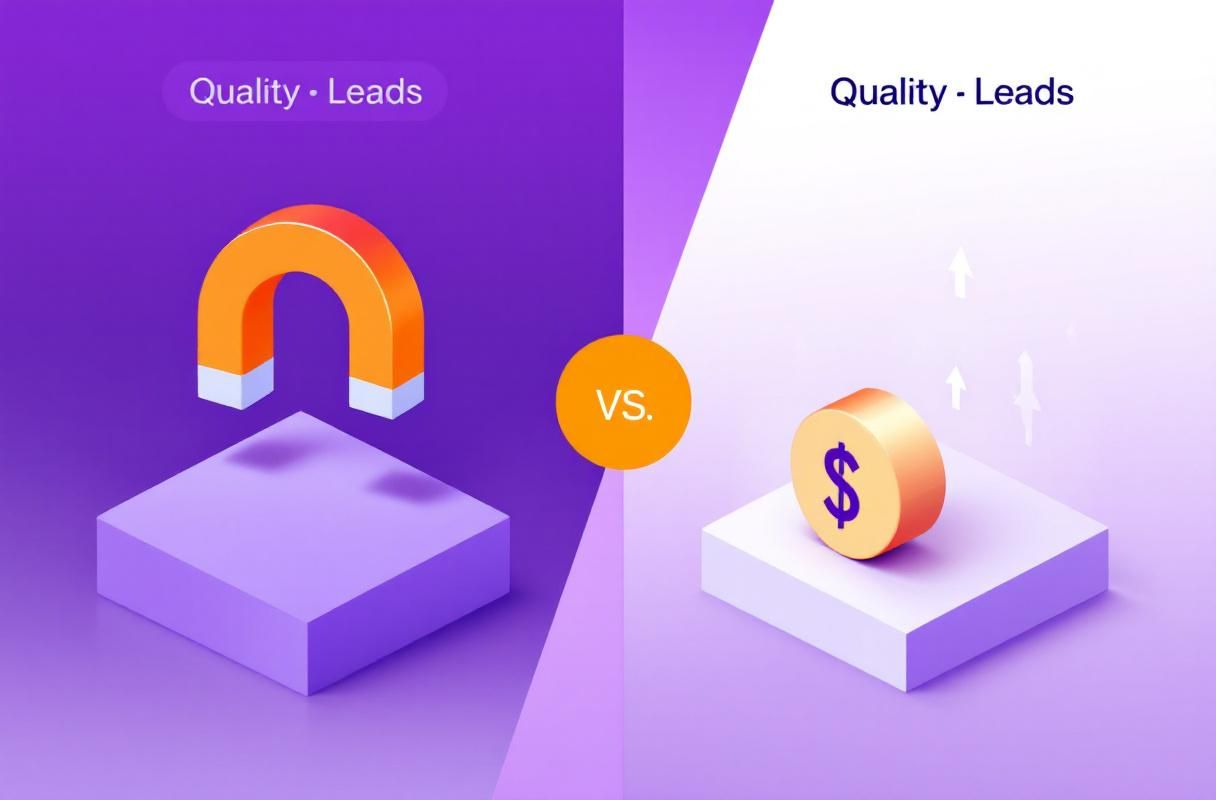
How to Build Inbound Authority That Bypasses Limits
Step 1: Profile Optimization for Inbound Requests
Your profile must instantly communicate value to ideal prospects.
Critical elements:
- Headline: "I help [specific audience] achieve [specific outcome]" (not your job title)
- About section: Open with the problem you solve, include a clear CTA to connect
- Featured section: Showcase your best content, case studies, lead magnets
- Experience: Focus on results delivered, not responsibilities listed
- Custom URL: linkedin.com/in/yourname (increases searchability)
According to MagicPost's LinkedIn outreach guide, a well-optimized profile increases inbound request volume by 300-500%.
Step 2: Content Strategy (The Inbound Engine)
Content is how prospects discover you exist. According to LinkedIn trends for 2026, sustainable growth comes from authenticity, not automation—and valuable content is the foundation.
Publishing frequency:
- Minimum: 3 posts/week
- Optimal: 5 posts/week (Monday-Friday)
- Advanced: Daily posts + 1 long-form article/week
Content mix that drives inbound requests:
- 40%: Educational (frameworks, how-to guides, templates)
- 30%: Thought leadership (industry predictions, contrarian takes)
- 20%: Case studies/results (proof you deliver results)
- 10%: Personal stories (humanize your brand)
Formula for viral-worthy posts:
- Hook first line (stops scroll)
- Share unique insight or framework
- Provide actionable takeaway
- End with a question (drives engagement)
Step 3: Strategic Engagement (Visibility Hack)
The fastest path to inbound requests: engage with your ideal clients' content.
According to Snov.io's guide on automating LinkedIn messages, commenting on prospect posts is safer and more effective than cold messaging.
Strategic engagement process:
- Identify 50-100 ideal client profiles
- Turn on post notifications for 20-30 top prospects
- Comment within first hour of their posts (algorithm boost)
- Add unique value in comments (don't just say "Great post!")
- Tag relevant peers to expand conversation
Time investment: 30-45 minutes daily
Results: 5-15 inbound connection requests per week from prospects who've seen your expertise demonstrated
Step 4: LinkedIn Newsletter Strategy
LinkedIn newsletters bypass the algorithm and deliver directly to subscribers.
According to ConnectSafely's LinkedIn Newsletters Marketing Guide, newsletters achieve 25-35% open rates vs 21% for traditional email.
Newsletter benefits for inbound:
- Subscribers get email notifications (can't be algorithmically suppressed)
- Creates searchable archive of your expertise
- LinkedIn promotes your newsletter to your network
- Subscribers often convert to inbound connection requests
Launch strategy:
- Publish 5-10 regular posts to build audience first
- Launch newsletter with compelling topic (not generic "weekly insights")
- Commit to bi-weekly or weekly publishing
- Promote newsletter in profile Featured section
Step 5: SEO Optimization (Long-Tail Inbound)
LinkedIn content ranks in Google. Optimize for keywords your ideal clients search.
SEO tactics for LinkedIn:
- Use target keywords in first 2 sentences of posts
- Include keywords naturally in headlines
- Add hashtags for discoverability (3-5 per post, max)
- LinkedIn Articles rank higher than posts in Google
Example keyword targets:
- "B2B demand generation strategy"
- "SaaS onboarding best practices"
- "Fractional CMO services for startups"
When someone Googles "[your expertise] + LinkedIn," your profile and content should appear.
Tools That Enable Inbound at Scale
The Manual Inbound Challenge
Building inbound authority manually requires significant time investment:
- Content creation: 2-3 hours/week
- Strategic engagement: 45-60 minutes/day
- Profile optimization: 2-4 hours (one-time)
- Newsletter management: 1-2 hours/week
Total: 10-15 hours/week
Most professionals don't have that bandwidth, which is why they default to risky automation.
How ConnectSafely.ai Automates Inbound Tactics
ConnectSafely.ai automates the engagement layer while keeping activity 100% platform-compliant:
What it automates:
- Smart commenting: Leave valuable comments on target audience posts based on engagement signals
- Content amplification: Get your posts in front of ideal prospects when they're active
- Relationship nurturing: Automated but personalized engagement that builds trust
- Inbound tracking: Monitor which content and engagement drive the most requests
What it doesn't do (ban risks):
- ❌ Send automated connection requests
- ❌ Send automated cold messages
- ❌ Use browser extensions or VPNs
- ❌ Violate LinkedIn's limits or terms of service
The result:
- 10-20 qualified inbound connection requests per month
- 70%+ positive response rates (vs 5-10% cold outreach)
- Zero ban risk (authentic engagement only)
- 3-5 hours/week saved on manual engagement
According to research on inbound vs outbound, pairing tools like ConnectSafely with inbound authority strategies generates 14.6% conversion rates vs cold automation's 1.7%—an 8X improvement.
Frequently Asked Questions
How can I bypass LinkedIn's weekly invitation limit in 2026?
The only sustainable way to bypass LinkedIn's 100-200 weekly invitation limit is to stop sending connection requests and start receiving them through inbound authority. According to evaboot's bypass guide, risky workarounds like multiple accounts, VPNs, or automation tools lead to account restrictions. Instead, focus on publishing valuable content 3-5X per week, engaging strategically with ideal client posts, and optimizing your profile. This generates 10-20+ qualified inbound requests monthly with zero ban risk—and LinkedIn doesn't limit how many requests you can accept.
What happens if I violate LinkedIn connection request limits?
LinkedIn enforces escalating penalties: (1) Warning with monitoring, (2) Soft pause (24-48 hour block), (3) Hard block (7-30 day restriction), and (4) Account review (indefinite restriction or permanent ban). According to LinkedIn limits research, once you hit Stage 3-4, your account is essentially dead for lead generation even if restored, as your Trust Score ensures all future activity is scrutinized. Recovery can take months, during which your lead generation completely stops.
Can I use multiple LinkedIn accounts to bypass connection limits?
No. Running multiple LinkedIn accounts violates Section 8.2 of LinkedIn's User Agreement and multiplies your ban risk. LinkedIn detects accounts from the same IP address, browser fingerprint, and payment method. According to automation safety guidelines, one account getting banned can trigger investigation of all linked accounts. The better alternative: one strong inbound presence generates more qualified leads than five weak outbound accounts, with zero compliance risk.
How do I increase my LinkedIn connection request limit?
Your connection request limit is determined by your account type and Trust Score. According to LinkedAPI's limit guide, users with SSI (Social Selling Index) scores above 70 can safely send up to 200 requests per week. To increase your SSI and Trust Score: (1) Establish your professional brand with complete profile, (2) Find the right people through targeted searches, (3) Engage with insights by posting and commenting, and (4) Build relationships through consistent, valuable interactions. These are all inbound authority tactics—LinkedIn rewards the behavior that builds genuine professional presence.
Does Sales Navigator bypass LinkedIn connection limits?
Sales Navigator increases your weekly limit to 250 connection requests (vs 100 for free accounts) according to LeadLoft's limits breakdown, but it doesn't eliminate limits or the 500 pending request bottleneck. At $99.99/month, Sales Navigator is expensive for marginal limit increases. According to ConnectSafely's plan comparison, pairing any LinkedIn plan with inbound authority strategies delivers 8X better results than outbound-only approaches, making a from USD $10/month inbound engagement tool more cost-effective than Sales Navigator for most users.
What are the penalties for using LinkedIn automation tools in 2026?
Using LinkedIn automation tools in 2026 carries a 23% ban risk according to Growleads research. LinkedIn's Guardian AI system detects browser extensions, unnatural behavior patterns, and consistent timing. Penalties escalate from account monitoring to permanent bans. Even cloud-based tools using residential IPs can't bypass behavioral detection. The safe alternative is automating engagement (comments, reactions) rather than connection requests—tactics LinkedIn rewards rather than punishes.
How long does it take to build inbound authority that bypasses LinkedIn limits?
Most professionals see meaningful inbound traction within 60-90 days of consistent effort: 3-5 posts per week, daily strategic engagement with 10-20 ideal client posts, and optimized profile. According to LinkedIn trends analysis, sustainable growth comes from authenticity and value-driven content. Month 1 builds foundation and visibility (5-10 inbound requests), months 2-3 generate momentum (15-25 requests/month), and by months 4-6 you reach steady-state with 30-50 qualified inbound requests monthly—far exceeding what's possible within LinkedIn's 100-200/week outbound limits.
Ready to bypass LinkedIn limits through inbound authority instead of risky automation? Start your free trial and attract qualified connection requests that convert 8X better.
The Paradox of Inbound Authority: When Being Too Visible Hurts
Inbound authority is often touted as the Holy Grail of LinkedIn marketing, and for good reason. It allows you to bypass connection limits, increase conversions, and reduce platform risk. However, there's a hidden reality that few experts discuss: being too visible can actually hurt your inbound authority. When you're too prominent, you attract not only ideal clients but also unwanted attention from spammers, recruiters, and competitors. This can lead to a surge in low-quality connection requests, spam messages, and even harassment. I've seen this happen to several high-profile clients who became too visible on LinkedIn. Their inbound authority skyrocketed, but so did the noise. To mitigate this, it's essential to balance visibility with strategic self-promotion. This means being intentional about the content you create, the groups you participate in, and the hashtags you use. By being more targeted and nuanced in your approach, you can attract high-quality connections and opportunities while minimizing the noise.
Myth vs Reality: The "Publish or Perish" Fallacy
There's a common misconception on LinkedIn that you need to publish content constantly to build inbound authority. This "publish or perish" mentality has led many marketers to churn out low-quality content, thinking that quantity trumps quality. However, this approach can actually backfire. LinkedIn's algorithm prioritizes engagement and relevance over frequency. If you're publishing low-quality content, you're not only wasting your time but also diluting your authority. I've seen clients who published daily, only to see their engagement rates plummet and their authority suffer. The reality is that quality trumps quantity. It's better to publish one high-quality, engaging piece of content per week than to churn out daily fluff. By focusing on quality and relevance, you can build a loyal audience and establish yourself as a thought leader in your industry.
Advanced Inbound Authority Strategies: Leveraging LinkedIn's Algorithm
For advanced marketers, there's a way to supercharge your inbound authority by leveraging LinkedIn's algorithm. This involves understanding how LinkedIn's algorithm prioritizes content and connections. By using tools like LinkedIn's Content Insights and Social Selling Index, you can gain a deeper understanding of what drives engagement and authority on the platform. One advanced strategy is to use "algorithmic anchoring" – a technique where you create a series of high-quality, engaging posts that anchor your authority in a specific niche or topic. By doing so, you can increase your visibility, engagement, and authority in that niche, making it more likely that ideal clients will find and connect with you. Another strategy is to use "connection clustering" – a technique where you identify and connect with influencers and thought leaders in your industry, creating a cluster of high-quality connections that amplify your authority.
The Dark Side of Inbound Authority: Dealing with Trolls and Harassment
As you build inbound authority on LinkedIn, you'll inevitably attract not only ideal clients but also trolls and harassers. This can be a challenging and emotionally draining experience, especially if you're not prepared. I've seen clients who were caught off guard by trolls and harassers, only to see their authority and reputation suffer as a result. To mitigate this, it's essential to have a strategy for dealing with trolls and harassers. This includes setting clear boundaries, using LinkedIn's reporting tools, and having a support network of peers and mentors. It's also important to prioritize self-care and mental health, as dealing with trolls and harassers can be emotionally taxing. By being prepared and having a strategy in place, you can protect your authority and reputation, even in the face of adversity.
Edge Cases and Exceptions: When Inbound Authority Doesn't Work
While inbound authority is a powerful strategy for building connections and opportunities on LinkedIn, there are edge cases and exceptions where it may not work. For example, if you're in a highly competitive or saturated industry, it may be challenging to build inbound authority, regardless of the quality of your content or the size of your audience. Similarly, if you're targeting a niche or industry that's not well-represented on LinkedIn, you may need to adapt your strategy to other platforms or channels. I've seen clients who struggled to build inbound authority in these edge cases, only to find success by adapting their strategy to their specific industry or niche. By understanding these edge cases and exceptions, you can adjust your strategy to better suit your needs and goals, increasing your chances of success on LinkedIn.
See How It Works
Watch how people get more LinkedIn leads with ConnectSafely




Related Articles