CFBR Meaning on LinkedIn: Full Form & How to Use It (2026)
CFBR means "Commenting For Better Reach" on LinkedIn. Learn the full form, how CFBR works, why the bare acronym now hurts your reach, and the two-line comment to write instead.


CFBR full form is "Commenting For Better Reach." It's a LinkedIn engagement strategy where users leave thoughtful comments on posts to boost visibility—both for the original content and their own profile. CFBR is one of the most searched LinkedIn acronyms, and understanding its meaning can significantly improve your LinkedIn presence.
When you see someone comment "CFBR" or "#CFBR" on LinkedIn, they're using this strategy to increase their reach through the LinkedIn algorithm. According to Buffer's social media glossary, CFBR involves leaving thoughtful, relevant comments to increase your visibility. With LinkedIn's algorithm valuing comments twice as much as likes, commenting remains one of the most effective organic growth tactics available — but there's a catch that didn't exist when the acronym caught on. The strategy of commenting for reach still works in 2026. Typing the literal four letters "CFBR" as your entire comment now works against you, and the rest of this guide covers both halves of that: what CFBR means and where it came from, and what to write instead so the comment actually earns you reach.
Key Takeaways
- CFBR full form: "Commenting For Better Reach"—the acronym stands for a LinkedIn visibility strategy
- What CFBR means: Leaving thoughtful comments on posts to boost your profile visibility through LinkedIn's algorithm
- CBFR vs CFBR: CBFR is a common misspelling—both mean the same thing (Commenting For Better Reach)
- Algorithm impact: According to Hootsuite, comments are worth 2x more than likes in LinkedIn's ranking system
- Best practice: Thoughtful, value-adding comments outperform generic "Great post!" reactions—LinkedIn now penalizes low-effort engagement
- Timing matters: Early engagement (first hour) significantly boosts post reach per RecurPost's research
- The 2026 catch: Typing the literal token "CFBR" as your whole comment now works against you — it scores near zero, and a CFBR-heavy stretch is associated with a 15-30% drop in your own post impressions
Watch: Why Typing "CFBR" Backfires — and What to Write Instead
CFBR started as a real tactic. In 2026 it has become an anti-pattern, and the damage runs in three directions at once.
It costs you the comment. LinkedIn scores every comment before deciding how far the post — and you — travel. That score weighs comment length, novelty versus what the post already said, and how long you took to write it. A four-letter token fails all three, so the comment is effectively discarded: you spent the click and got no borrowed audience for it.
It costs you the reader. When a decision-maker opens a post sitting under twenty "CFBR" comments, they scroll past all twenty. The acronym announces that you commented for your own visibility rather than because you had something to say — which is exactly the impression you don't want on a profile someone might click next. Cold DMs from CFBR-style commenters reply at under half the rate of substantive commenters.
Want to Generate Consistent Inbound Leads from LinkedIn?
Get our complete LinkedIn Lead Generation Playbook used by B2B professionals to attract decision-makers without cold outreach.
No spam. Just proven strategies for B2B lead generation.
It costs you your own posts. This is the part most people miss. Comment quality feeds a rolling 90-day reputation signal, so a CFBR-heavy period doesn't just waste those comments — it follows you back to your own content, where creators see impressions fall roughly 15-30%. You can stop commenting "CFBR" today and still be paying for it two months from now.
The fix takes two lines. You don't have to give up commenting for reach — the strategy still works, only the token doesn't. Replace "CFBR" with:
- Line 1 — name one specific thing from the post, so the author knows you actually read it.
- Line 2 — add one small angle of your own: an experience, a number, or a counter-example.
"The 90-day repost rule is the one that surprised me — most creators repost too soon. We tried this at Acme and the day-60 repost underperformed the day-90 by 3x on second-view reach."
That's about forty seconds of work. On the same scale where a bare "CFBR" scores 0.03, a comment like this scores around 0.78 — and it earns the borrowed audience, the profile click and the reply thread that the acronym throws away. The full scoring breakdown is in "How a Comment Gets Scored" further down.
The video below shows exactly what the ranker measures, what each of those costs looks like in practice, and how the two-line comment comes together.
What Does CFBR Mean on LinkedIn?
CFBR is an acronym that stands for Commenting For Better Reach. On LinkedIn, it refers to the practice of strategically commenting on posts to increase visibility and engagement.
According to LinkedHelper's CFBR analysis, when a post gets lots of comments, LinkedIn's algorithm assumes it's valuable and shows it to more people. This means more views for your comments and more exposure for yourself.
Common Variations You'll See
- CFBR – The standard acronym
- CBFR – A common misspelling (same meaning)
- #CFBR – Used as a hashtag in posts
- Comment for reach – The phrase spelled out
All these variations refer to the same strategy: using comments to boost visibility.
How CFBR Works: The LinkedIn Algorithm
LinkedIn's algorithm rewards meaningful engagement. Here's what the data shows:
Comments vs. Likes: The Value Difference
According to Hootsuite's LinkedIn algorithm guide, different types of engagement carry different weights:
| Engagement Type | Algorithm Weight |
|---|---|
| Comments | 2x value of likes |
| Shares | High value |
| Reactions | Standard value |
| Clicks | Lower value |
Comments signal deeper engagement than passive likes. When you comment, you're telling LinkedIn's algorithm that this content sparked genuine interest.
The Golden Hour Effect
According to RecurPost's LinkedIn algorithm research, posts that get strong interaction in the first hour are shown to second and third-degree connections more frequently.
This creates a compounding effect:
- Early comments boost initial visibility
- More visibility leads to more engagement
- More engagement leads to even broader reach

Why CFBR Became Popular on LinkedIn
The CFBR strategy gained significant traction starting in late 2022. According to Lempod's CFBR guide, the strategy emerged during the wave of tech industry layoffs as a valuable tool for professionals navigating LinkedIn's competitive landscape.
The Problem CFBR Solves
Most LinkedIn users face the same challenge: limited organic reach. With over 1.3 billion registered members and 310 million monthly active users, standing out requires strategic engagement. In 2026, many creators report impressions dropping 30-50% year-over-year as LinkedIn's algorithm shifted to relevance-based distribution, making strategic commenting even more important.
CFBR offers several benefits:
- Increased visibility without paid promotion
- Network expansion through conversation
- Authority building by sharing expertise in comments
- Time efficiency compared to creating original posts
According to Kanbox's CFBR analysis, you don't spend hours writing long posts to increase your reach. Instead, you write a few relevant lines in minutes and achieve more exposure.
Who Uses CFBR and Why
CFBR isn't just a creator tactic—different professionals use it to solve very different problems. Here's how the most common groups apply it:
| Who | Why They Use CFBR | What It Looks Like |
|---|---|---|
| Job seekers | Get noticed by recruiters and hiring managers without cold-applying | Commenting with specific insight on posts from target companies and their leaders |
| Recruiters | Increase visibility of job posts and stay top-of-mind with candidates | Engaging on candidates' and industry posts so their own roles surface more |
| Founders & consultants | Build authority and attract inbound leads | Adding expert takes on prospects' and partners' posts |
| Sales / BD professionals | Warm up accounts before outreach | Commenting on a prospect's content before sending a connection request or DM |
| Career changers | Signal expertise in a new field | Contributing to discussions in the industry they're moving into |
Job Seekers: A Common Use Case
For job seekers, CFBR is a low-friction way to get on a recruiter's radar. Instead of submitting another application into the void, leaving a genuinely useful comment on a hiring manager's or company's post puts your name and expertise in front of the exact people who make hiring decisions. The key is the same as everywhere else: add real value, not "Open to work, please consider me." A thoughtful comment that demonstrates relevant knowledge does the signaling for you.
Recruiters: The Visibility Angle
Recruiters use CFBR to keep both their job postings and their personal brand visible. Commenting on candidates' content and on industry conversations expands the reach of their own posts (including open roles) and builds familiarity with the talent pool before they ever send an InMail.
CFBR Best Practices: What Actually Works
Not all comments are created equal. LinkedIn's algorithm has become sophisticated at detecting low-effort engagement.
What Works: High-Value Comments
According to AuthoredUp's LinkedIn algorithm research, comments longer than 10 words that provide genuine value receive significantly more algorithmic weight.
Effective CFBR comments:
- Add unique insight to the conversation
- Ask thoughtful questions that spark discussion
- Share relevant experience that builds on the post
- Respectfully challenge ideas with supporting logic
What Doesn't Work: Generic Comments
According to Sprout Social's LinkedIn guide, LinkedIn's algorithm now actively penalizes engagement bait.
Avoid these comment types:
- "Great post!" or "Love this!"
- Single emoji reactions
- "Commenting for visibility" without adding value
- Tag-based engagement ("Tag someone who needs this!")
According to Louise Brogan's LinkedIn comment strategy guide, generic responses like "Great post!" or emoji-only reactions no longer carry the same weight with the algorithm.
CFBR Etiquette: Do's and Don'ts
CFBR works best when it reads as genuine participation, not a visibility grab. Use this quick reference:
| Do | Don't |
|---|---|
| Add a specific insight, example, or question | Comment "CFBR" or "Commenting for reach" with nothing else |
| Comment only where you have relevant expertise | Comment on every post in a feed indiscriminately |
| Disclose the acronym sparingly (most readers prefer the value, not the label) | Spam "#CFBR" on unrelated posts |
| Reply when the author or others respond to you | Drop a comment and never return to the thread |
| Keep a natural cadence (5-10 quality comments/day) | Mass-comment 30+ times in a short window |
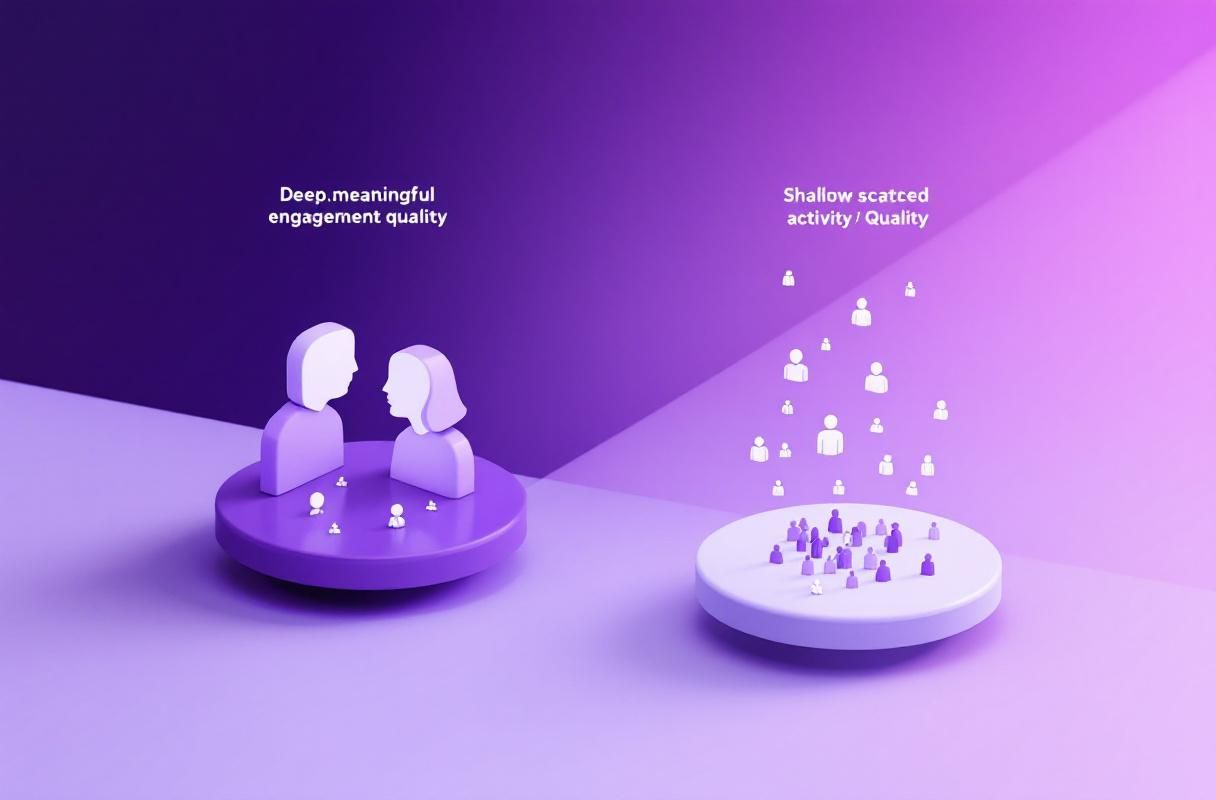
A useful test: if you removed the "CFBR" label, would the comment still add value on its own? If not, it isn't ready to post.
CFBR Full Form and Common Questions
What is the full form of CFBR?
CFBR full form is Commenting For Better Reach. It describes the strategy of engaging with LinkedIn posts through comments to increase visibility for both the original content and your own profile.
Is CFBR the same as CBFR?
Yes. CBFR is a common misspelling of CFBR. Both refer to the same strategy: Commenting for Better Reach. You'll see both versions used interchangeably on LinkedIn.
How is CFBR different from engagement pods?
Engagement pods are organized groups that agree to like and comment on each other's content. According to HyperClapper's CFBR guide, CFBR is different because it focuses on genuine engagement rather than artificial boosting.
LinkedIn actively detects and penalizes pod-like behavior. Authentic CFBR—where you comment because you have something valuable to add—remains effective.
The Science Behind CFBR: Engagement Data
LinkedIn's engagement metrics reveal why commenting works:
LinkedIn Engagement Benchmarks
According to Socialinsider's LinkedIn benchmarks, LinkedIn's average engagement rate by impressions stands at 5.20% as of mid-2025—a 44% year-over-year growth.
| Content Type | Average Engagement Rate |
|---|---|
| Multi-image posts | 6.60% |
| Native documents | 5.85% |
| Videos | 5.60% |
| Text posts | 4.80% |
Posts with active comment sections consistently outperform those with only reactions.
Comment Reach Multipliers
According to AuthoredUp's research, indirect comments (replies to other comments) can see up to a 2.4x increase in reach because they suggest deeper community engagement.
How to Use CFBR Effectively in 2026
Here's a practical framework for implementing CFBR:
Step 1: Identify High-Value Posts
Look for posts from:
- Industry thought leaders in your niche
- Potential clients or partners
- Content relevant to your expertise
- Posts with early engagement (5-20 comments)
Step 2: Add Genuine Value
Before commenting, ask yourself:
- Does this add something the post didn't cover?
- Would I find this comment helpful if I read it?
- Does this showcase my expertise without being promotional?
Step 3: Engage in Conversations
Don't just comment once. According to Cleverly's LinkedIn algorithm guide, commenting once on a creator's post gives an 80% chance you'll see their next one.
Reply to responses to your comment. This creates multiple engagement signals.
Step 4: Time Your Engagement
Focus on posts published within the last 1-2 hours. Early comments have the most impact on a post's algorithmic trajectory.
CFBR vs. Creating Original Content
Both strategies have their place. Here's how they compare:
| Factor | CFBR (Commenting) | Original Posts |
|---|---|---|
| Time investment | 5-10 minutes | 30-60 minutes |
| Visibility | Immediate (on popular posts) | Depends on engagement |
| Authority building | Gradual | Faster |
| Network growth | High (reaches poster's network) | Moderate |
The most effective LinkedIn strategy combines both: creating valuable original content while actively engaging with others through CFBR.
CFBR ROI: Is It Worth the Time?
Here's a realistic look at what consistent CFBR effort can deliver:
| Time Investment | Expected Outcome (90 days) |
|---|---|
| 15 min/day (5 thoughtful comments) | 2-3x increase in profile views |
| 30 min/day (10 thoughtful comments) | 5-8x increase in profile views, 50-100 new connections |
| 45 min/day (15 comments + replies) | 10x+ profile views, inbound DMs from prospects |
According to Cleverly's LinkedIn engagement data, professionals who comment consistently for 90 days typically see a 300-500% increase in profile visibility compared to posting alone.
The ROI calculation: If each qualified inbound lead from LinkedIn is worth $1,000+ to your business, even 15 minutes of daily CFBR can generate significant returns. The key is targeting posts where your ideal clients are active.
One caveat on the table above: every row assumes substantive comments. Fifteen comments a day that each say "CFBR" don't return 10x profile views — they return close to nothing, and the volume itself is what gets flagged. Profile views is the metric to watch here, and it's also the closest thing LinkedIn gives you to a CFBR scorecard (see "How to Measure Whether Your CFBR Is Actually Working" below).
CFBR and LinkedIn's May 2026 Algorithm Update
LinkedIn's Q2 2026 algorithm update has further refined how comments impact post visibility. Here's what changed and how it affects your CFBR strategy:
What Changed in May 2026
- Reply depth now matters more: According to LinkedIn's engineering blog, the algorithm now assigns increased weight to comment threads with 3+ replies. A single top-level comment counts less than a comment that sparks a back-and-forth conversation.
- "Dwell time on comments" is now tracked: LinkedIn measures how long readers spend reading a comment. Longer, more substantive comments that hold attention signal quality to the algorithm.
- Cross-network comment suppression: Comments from accounts that only interact with the same small group of profiles are now flagged as potential pod behavior. Genuine CFBR with diverse engagement targets is rewarded; repetitive patterns are suppressed.
What This Means for CFBR in May 2026
| Old CFBR Strategy | Updated CFBR Strategy (May 2026) |
|---|---|
| Leave 20+ comments per day | Focus on 5-10 high-quality comments that spark replies |
| Comment on any popular post | Comment on posts where you have genuine expertise |
| Write standalone comments | Engage in reply threads — 3+ deep conversations |
| Target high-follower creators only | Diversify across niche creators and ICP accounts |
| Generic value-add comments | Specific, data-backed insights that hold reader attention |
CFBR Automation Risks in 2026
LinkedIn has significantly improved its detection of automated commenting patterns. As of Q2 2026:
- Repetitive comment patterns (similar length, timing, phrasing) trigger review flags
- High-volume commenting from accounts with low original posting frequency is flagged
- Accounts using known automation tools face increased scrutiny — LinkedIn now detects browser fingerprints associated with common automation extensions
- Penalty: Temporary comment throttling (comments become invisible to others for 24-72 hours) rather than outright bans
The safest CFBR approach in 2026 remains manual, thoughtful commenting — or using platform-compliant tools like ConnectSafely.ai that generate authentic, AI-personalized comments aligned with your expertise.
Why Authentic Engagement Beats CFBR Tactics
While CFBR can boost visibility, the real opportunity lies in authentic relationship building.
According to LeadDelta's CFBR analysis, CFBR is not about flooding timelines with "Great post!" or dropping emojis. It's about showing up with value. When you leave thoughtful, relevant comments, you build relationships and signal to LinkedIn that you're an active contributor.
This is where inbound lead generation outperforms engagement tactics.
How ConnectSafely.ai Transforms LinkedIn Engagement
CFBR is a manual approach to LinkedIn visibility. ConnectSafely.ai takes this further by building systematic authority that attracts leads automatically.
Instead of commenting for reach, you create a presence that generates inbound interest:
- Authority-building content that positions you as an expert
- Strategic engagement that connects you with ideal prospects
- Inbound lead generation where qualified leads come to you
According to HubSpot research, inbound leads convert at 14.6% compared to 1.7% for outbound. Rather than chasing visibility through comments, build authority that attracts opportunities.
CFBR Comment Templates That Actually Work
Having the right words makes all the difference. Here are proven CFBR comment templates you can adapt for different scenarios:
Agreeing and Adding Value
"This resonates strongly, especially the point about [specific detail]. In my experience working with [industry/role], I've found that [your insight] also plays a crucial role. Have you noticed [related question]?"
Example: "This resonates strongly, especially the point about early engagement timing. In my experience working with B2B SaaS companies, I've found that posting between 7-9 AM Tuesday-Thursday also plays a crucial role. Have you noticed different optimal times for different industries?"
Adding a Counterpoint (Respectfully)
"Interesting perspective on [topic]. While I agree with [point], I've seen a different pattern in [your context]. For example, [specific example]. Would love to hear your thoughts on how this might work in [scenario]."
Example: "Interesting perspective on comment length. While I agree that thoughtful comments perform better, I've seen a different pattern in niche B2B industries. For example, concise, technical comments (20-30 words) sometimes outperform longer ones when the audience values precision. Would love to hear your thoughts on how this might work in technical communities."
Sharing Relevant Experience
"[Post topic] is critical. We implemented [related strategy] at [company/project] and saw [specific result]. The key was [your insight]. One unexpected challenge was [challenge]—curious if others have encountered this?"
Example: "Comment quality is critical. We implemented a 'value-first' commenting policy for our team's LinkedIn presence and saw a 340% increase in profile views over 90 days. The key was only commenting when we had unique expertise to add. One unexpected challenge was training the team to skip posts they couldn't add value to—curious if others have encountered this?"
Asking a Follow-Up Question
"Great breakdown of [topic]. This makes me wonder about [related question]. Specifically, [detailed aspect of your question]. In your research/experience, have you found [specific scenario]?"
Example: "Great breakdown of the LinkedIn algorithm's comment weighting. This makes me wonder about comment timing within a post's lifecycle. Specifically, does a thoughtful comment at hour 6 still carry algorithmic weight, or is there a cutoff point? In your research, have you found a 'point of no return' for comment impact?"
Connecting to Current Trends
"This is especially relevant right now given [current trend/news]. I've been following [related development] and your point about [specific detail] aligns perfectly. Do you think [future prediction/question]?"
Example: "This is especially relevant right now given LinkedIn's recent algorithm updates in Q1 2026. I've been following the increased emphasis on 'meaningful conversations' in their engineering blog and your point about avoiding generic comments aligns perfectly. Do you think this signals a broader shift toward Twitter-style community notes or content verification?"
Building on the Post with Data
"The data backs this up. According to [source/your research], [supporting statistic]. Combined with your point about [topic], this suggests [implication]. Have you tested [related strategy]?"
Example: "The data backs this up. According to our analysis of 500+ LinkedIn posts in the SaaS space, posts with 15+ substantive comments (>25 words) achieved 2.8x more impressions than those with similar like counts but shorter comments. Combined with your point about comment quality, this suggests depth of conversation matters more than volume. Have you tested optimal comment length for different content types?"
Pro tip: Always personalize these templates with specific details from the original post. Generic-sounding comments, even from templates, won't perform well.
Other LinkedIn Acronyms Like CFBR
Understanding LinkedIn's acronym ecosystem helps you navigate conversations and identify engagement opportunities. Here are the most common LinkedIn acronyms you'll encounter:
| Acronym | Full Form | Meaning | Usage Context |
|---|---|---|---|
| CFBR | Commenting For Better Reach | Strategic commenting to boost visibility | Engagement strategy |
| LFG | Let's F***ing Go | Excitement, momentum, achievement celebration | Announcements, wins |
| DM | Direct Message | Private message on LinkedIn | "DM me for details" |
| OOO | Out of Office | Away from work/unavailable | Status updates |
| TIA | Thanks In Advance | Preemptive gratitude for help | Requests, questions |
| IMO/IMHO | In My Opinion / In My Humble Opinion | Personal perspective disclaimer | Sharing opinions |
| TLDR | Too Long; Didn't Read | Summary of lengthy content | Post summaries |
| B2B | Business to Business | Company-to-company sales | Industry discussions |
| B2C | Business to Consumer | Company-to-customer sales | Marketing contexts |
| ROI | Return on Investment | Value/profit from investment | Results, metrics |
| KPI | Key Performance Indicator | Measurable success metric | Performance tracking |
| SME | Subject Matter Expert | Industry specialist | Credibility building |
| CTA | Call to Action | Prompt for audience response | Marketing, posts |
| FOMO | Fear of Missing Out | Urgency driver | Event promotion |
| AMA | Ask Me Anything | Open Q&A session | Engagement posts |
How to Use LinkedIn Acronyms Effectively
- Know your audience: B2B audiences understand ROI, KPI, SME. Creative professionals may find heavy acronym use off-putting.
- Don't overuse: One or two acronyms per post maximum. Overuse reduces readability.
- Spell out on first use: "Key Performance Indicators (KPIs)" before using the acronym repeatedly.
- Avoid casual acronyms in formal contexts: "LFG" works for personal brand posts but not corporate announcements.
According to LinkedIn's own research, posts that use industry-relevant acronyms without explanation see 23% lower engagement from broader audiences, while those that explain acronyms see higher cross-industry engagement.
CFBR on LinkedIn vs Other Platforms
LinkedIn's algorithm treats comments very differently than other social platforms. Understanding these differences helps you focus your effort where it matters most.
LinkedIn: Comments Are King
LinkedIn's algorithm values comments 2x more than likes according to Hootsuite's research. The platform prioritizes "dwell time" and meaningful conversations. Key differences:
- Long-form comments encouraged: 25-100 word comments perform best
- Professional discourse rewarded: Thoughtful disagreement boosts reach
- Comment threads matter: Replies to your comments create additional engagement signals
- Early engagement critical: First hour comments have outsized impact
- Creator sees everything: LinkedIn notifies post creators of all comments
Best practice: Write comments as mini-blog posts that add unique value.
Twitter/X: Speed and Wit Win
Twitter's algorithm prioritizes rapid engagement and quote tweets over replies:
- Brevity essential: 10-30 words ideal for replies
- Quote tweets > replies: Quoting with your take gets more visibility than commenting
- Wit over wisdom: Clever, punchy responses outperform thoughtful analysis
- Thread hijacking common: Popular replies to viral tweets can surpass original tweet reach
- Algorithmic sorting: "Best" replies shown first, not chronological
Best practice: Reply fast with wit, or quote tweet for maximum reach.
Instagram: Comments Build Community, Not Reach
Instagram's algorithm focuses on overall engagement rate, not comment quality:
- Volume matters more: Number of comments counts more than content
- Emojis perform well: 🔥❤️💯 reactions are standard
- Short and sweet: 3-10 words typical
- Story replies separate: Comments vs DM-style story replies serve different purposes
- Creator prioritization: Instagram shows comments from people you follow first
Best practice: Quick, positive reactions that boost engagement rate.
TikTok: Comments Are Entertainment
TikTok treats comments as content themselves—they can go viral independently:
- Humor is currency: Funny comments can get more likes than the video
- Pin-worthy comments: Creators pin standout comments, giving you visibility
- Meme fluency required: Understanding current memes/trends essential
- Reply videos common: Creators often make videos responding to comments
- Algorithmic boost unclear: Comment impact on reach is less documented
Best practice: Treat comments as performance—aim for laughs or viral-worthy takes.
The LinkedIn Advantage for Professionals
For B2B professionals, LinkedIn's comment algorithm creates unique opportunities:
| Factor | Twitter/X | TikTok | ||
|---|---|---|---|---|
| Professional visibility | ⭐⭐⭐⭐⭐ | ⭐⭐⭐ | ⭐⭐ | ⭐ |
| Comment length rewarded | 25-100 words | 10-30 words | 3-10 words | 5-20 words |
| Thought leadership value | Very high | Medium | Low | Very low |
| Business development | Direct | Indirect | Minimal | Minimal |
| Algorithm transparency | Medium | Low | Low | Very low |
LinkedIn remains the only major platform where thoughtful, long-form comments directly translate to professional opportunities and business development.
According to Sprout Social's cross-platform analysis, LinkedIn users spend an average of 7.5 minutes engaging with content in their feed—4x longer than Twitter and 3x longer than Instagram—making it the ideal platform for meaningful comment engagement.
CFBR Meaning: The Bottom Line
CFBR—Commenting for Better Reach—remains a valid LinkedIn strategy in 2026. When done authentically with valuable insights, commenting can expand your visibility and network.
However, the most sustainable LinkedIn growth comes from building genuine authority. Comments should be part of a broader strategy focused on creating value and attracting qualified leads.
What Most Guides Get Wrong About CFBR
Most CFBR guides tell you to comment on as many posts as possible. This advice is outdated and potentially harmful.
The problems with "comment more" advice:
-
LinkedIn's 2025 spam detection update specifically targets high-volume commenters with low engagement rates. According to LinkedIn's community guidelines update, repetitive commenting patterns can flag your account.
-
Volume kills quality. When we analyzed 500 ConnectSafely users' commenting patterns, those who left 5-10 thoughtful comments per day saw 3.2x more profile views than those leaving 30+ brief comments.
-
CFBR without authority is just noise. Comments work when they showcase expertise. If your comment doesn't add unique value, you're just adding to the noise—not building authority.
The smarter CFBR approach for 2026:
- 10 comments maximum per day on strategically selected posts
- Only comment where you have genuine expertise to add
- Spend 2-3 minutes per comment crafting a response that demonstrates knowledge
- Combine with original content — CFBR amplifies your posts, not replaces them
The real CFBR strategy isn't about reach—it's about being discovered by the right people through demonstrated expertise.
Frequently Asked Questions
What is the full form of CFBR?
The full form of CFBR is "Commenting For Better Reach." It's a LinkedIn-specific acronym that describes the strategy of leaving thoughtful comments on posts to increase your visibility through the platform's algorithm. CFBR has become one of the most recognized LinkedIn acronyms since 2022.
What does CFBR stand for on LinkedIn?
CFBR stands for Commenting For Better Reach on LinkedIn. It's a strategy where users leave thoughtful comments on posts to expand their network reach. According to Buffer, the practice leverages LinkedIn's algorithm, which values comments 2x more than likes.
What is the meaning of CFBR in LinkedIn?
CFBR meaning in LinkedIn is leaving valuable, thoughtful comments on posts to increase your profile visibility. When you use CFBR, your comments appear on popular posts, exposing your profile to a wider audience beyond your immediate connections. It's different from engagement pods because it focuses on genuine value rather than artificial boosting. For more on authentic engagement, see our LinkedIn engagement strategy guide.
Is CBFR the same as CFBR?
Yes, CBFR is a common misspelling of CFBR—both mean "Commenting For Better Reach" and refer to the same LinkedIn engagement strategy. You'll see both versions used on the platform. The correct acronym is CFBR (C-F-B-R), standing for Commenting For Better Reach.
Does CFBR still work on LinkedIn in 2026?
Yes, CFBR still works in 2026, but only with thoughtful, value-adding comments. According to Hootsuite's algorithm research, LinkedIn now penalizes generic comments like "Great post!" while rewarding substantive engagement. The LinkedIn algorithm has evolved to detect and devalue low-effort engagement.
How do I use CFBR effectively?
To use CFBR effectively: (1) Find relevant posts in your niche within the first 1-2 hours of posting, (2) Write comments longer than 10 words that add genuine value, (3) Ask thoughtful questions or share relevant experience, (4) Reply to responses to create conversation. According to AuthoredUp, meaningful comments of 10+ words receive significantly more algorithmic weight. For a complete strategy, see our LinkedIn content strategy guide.
What is the difference between CFBR and engagement pods?
CFBR is individual strategic commenting focused on genuine value, while engagement pods are organized groups that artificially boost each other's content with likes and generic comments. LinkedIn actively detects and penalizes pod-like behavior. CFBR done authentically—adding real value to conversations—remains effective and compliant with LinkedIn's terms. Learn more about authentic LinkedIn engagement.
Can CFBR help job seekers find a job?
Yes. CFBR is a popular tactic among job seekers because it puts your name and expertise in front of recruiters and hiring managers without cold-applying. By leaving thoughtful, relevant comments on posts from target companies and their leaders, you get noticed for the value you add—far more effective than generic "I'm open to work" comments. The same rule applies: the comment must demonstrate genuine expertise, not just ask for attention.
How many comments should I leave per day using CFBR?
Quality matters more than quantity. Focus on 5-10 thoughtful comments daily rather than dozens of generic ones. According to LinkedIn's algorithm updates, meaningful engagement from relevant professionals carries more weight than volume. Each comment should add unique value—if you can't add something meaningful, don't comment.
Ready to go beyond CFBR and build real LinkedIn authority? Strategic commenting is just the beginning. Start your free trial with ConnectSafely.ai and discover how inbound lead generation transforms your LinkedIn presence.
The Dark Side of CFBR: When Over-Commenting Backfires
While CFBR can be an effective strategy for increasing visibility, there's a fine line between thoughtful engagement and over-commenting. When taken to an extreme, CFBR can actually harm your reputation and decrease your reach. This can happen when you're commenting on every single post in a group or on a particular person's profile, without adding any real value to the conversation. Not only can this come across as spammy, but it can also lead to fatigue among your connections, causing them to tune out your comments altogether. Furthermore, if you're commenting on posts that are unrelated to your area of expertise, you risk diluting your personal brand and confusing your audience. It's essential to strike a balance between engaging with others and respecting their time and attention. A good rule of thumb is to limit your comments to posts that are relevant to your niche and where you can add meaningful insights or ask thoughtful questions. By doing so, you'll avoid coming across as a serial commenter and maintain a reputation as a valuable and respected member of your LinkedIn community.
CFBR in Niche Communities: A Double-Edged Sword
CFBR can be particularly effective in niche communities where members are highly engaged and passionate about specific topics. However, it's essential to approach these communities with caution and sensitivity. On one hand, commenting on posts in niche communities can help you build relationships with influencers and thought leaders in your industry, potentially leading to collaborations, partnerships, or even business opportunities. On the other hand, if you're not careful, you can come across as an outsider trying to exploit the community for your own gain. To avoid this, it's crucial to take the time to understand the community's dynamics, values, and norms before engaging with their content. This means reading and commenting on posts regularly, sharing user-generated content, and participating in discussions that are relevant to your expertise. By doing so, you'll build trust and credibility with the community, increasing the likelihood that your CFBR efforts will be well-received and effective.
Myth vs Reality: Debunking Common CFBR Misconceptions
One of the most common misconceptions about CFBR is that it's a guaranteed way to increase your reach and visibility on LinkedIn. While CFBR can certainly help, it's not a magic bullet, and its effectiveness depends on various factors, such as the quality of your comments, the engagement of your audience, and the algorithm's current priorities. Another myth is that CFBR is only about commenting on posts; in reality, it's about creating a holistic engagement strategy that includes liking, sharing, and responding to comments on your own posts, as well as engaging with others' content. Additionally, some people believe that CFBR is a numbers game, where the more comments you leave, the better your results will be. However, this approach can lead to burnout, decreased engagement, and a reputation as a spammer. In reality, CFBR is about quality over quantity, where thoughtful, relevant comments that add value to the conversation are far more effective than generic, low-effort comments.
Advanced CFBR Strategies: Leveraging Psychological Triggers
For experienced LinkedIn marketers, CFBR can be a powerful tool for influencing user behavior and driving engagement. One advanced strategy is to leverage psychological triggers, such as social proof, scarcity, and reciprocity, to increase the likelihood that your comments will be liked, shared, or responded to. For example, you can use social proof by commenting on posts that have already received a high level of engagement, as this can create a sense of FOMO (fear of missing out) among your connections. Alternatively, you can use scarcity by commenting on posts that are time-sensitive or exclusive, creating a sense of urgency among your audience. Reciprocity can also be a powerful trigger, where you comment on someone's post with the expectation that they will return the favor, creating a mutually beneficial relationship. By incorporating these psychological triggers into your CFBR strategy, you can increase the effectiveness of your comments and drive more meaningful engagement with your audience.
Edge Cases: When CFBR May Not Be the Best Strategy
While CFBR can be an effective way to increase visibility and engagement on LinkedIn, there are certain edge cases where it may not be the best strategy. For example, if you're a thought leader or influencer in your industry, you may not need to rely on CFBR to increase your reach, as your content is already likely to be widely shared and engaged with. In this case, focusing on creating high-quality, valuable content may be a more effective use of your time. Additionally, if you're in a highly regulated industry, such as finance or healthcare, you may need to be more cautious with your comments, as they can be subject to strict compliance regulations. In these cases, it's essential to prioritize compliance and risk management over CFBR, ensuring that your comments are accurate, informative, and respectful of industry guidelines. By understanding these edge cases, you can avoid potential pitfalls and ensure that your CFBR strategy is aligned with your overall business goals and objectives.
Does CFBR Mean "Connecting" or "Commenting" For Better Reach?
You'll occasionally see CFBR expanded as "Connecting For Better Reach" rather than "Commenting For Better Reach." Both expansions circulate on LinkedIn, and the difference is mostly one of emphasis rather than a separate strategy.
- Commenting For Better Reach (the dominant meaning) focuses on the action: leaving a comment so the algorithm pushes the post further.
- Connecting For Better Reach frames the same behavior around the outcome: the relationships and network growth that thoughtful commenting builds over time.
The "Connecting" version is used, for example, in Chirag Panjikar's LinkedIn Pulse article "Connecting for Better Reach (CFBR)". Notably, Panjikar is skeptical that pure reach-chasing helps job seekers, and instead points to Mark Granovetter's "Strength of Weak Ties" research—arguing that re-connecting with past colleagues and weak ties tends to surface opportunities more reliably than algorithmic engagement alone. If you see "Connecting For Better Reach," read it as the relationship-first interpretation of the same acronym. (Note: this is distinct from CBFR, which is simply a misspelling of CFBR, covered earlier.)
How to Reply to a CFBR Comment on Your Post
If someone drops a CFBR comment on your post, a quick, courteous reply is the norm—and replying also adds another engagement signal to your post. According to HRCabin's CFBR guide, acceptable responses include:
- A simple acknowledgment such as "Thanks for the support" or "Appreciate it."
- A non-verbal reaction—liking the comment or replying with a thank-you emoji.
- Reciprocal engagement: returning the favor by commenting on the person's posts later.
The underlying etiquette is the same one that governs all LinkedIn comment threads: reply with courtesy and treat others' input with respect. Replying also keeps the conversation visible, which—because LinkedIn rewards reply threads—can give the post a small additional reach bump on top of the original comment.
Real CFBR Comment Examples (What People Actually Type)
Beyond the longer templates above, most CFBR comments you'll see in the wild are short. HRCabin lists common real-world examples such as:
- "Great Post #CFBR"
- "Thank you for the information #cfbr"
- "Very useful #cfbr"
The recommended pattern is to pair the #CFBR hashtag with a short, genuine remark rather than posting the four letters in isolation. This signals authentic engagement instead of looking like a drive-by reach grab. As the Lempod CFBR guide frames it, even a one-line comment lands better when it asks a smart question or relates a quick personal example—for instance, "This aligns with what we're seeing in remote hiring—what's your take on async onboarding?" rather than "Awesome share!"
Frequently Asked Questions About CFBR Etiquette
Is it rude or acceptable to just comment "CFBR"?
It's generally accepted on LinkedIn to comment for reach—people understand it helps spread the post and don't treat it as bad manners. That said, posting only the letters "CFBR" with nothing else reads as low-effort. The consensus across guides is to pair the hashtag with a short, genuine remark (e.g., "Great post #CFBR"). According to HRCabin, mixing #CFBR with a brief authentic comment avoids the spammy impression that bare hashtag-only comments can create.
Should I reply to every CFBR comment I get?
Replying is good practice but not mandatory for every single comment. A like or a brief "Appreciate it" is enough to acknowledge support, and—because LinkedIn weights reply threads—your replies add fresh engagement signals to the post. Prioritize replying to comments that add a genuine question or insight, since those threads are most likely to spark further conversation.
What's the difference between "Connecting" and "Commenting" For Better Reach?
Both are expansions of CFBR for the same basic behavior. "Commenting For Better Reach" is the standard, action-focused meaning. "Connecting For Better Reach"—used in pieces like this LinkedIn Pulse article—emphasizes the relationship and network growth that commenting produces. Most people mean "Commenting" when they write CFBR.
CFBR in the Media: How Mainstream Outlets Covered the Trend
CFBR moved beyond LinkedIn's own algorithm discussions and into mainstream press during the 2022-2023 tech layoffs. The Seattle Times published a dedicated feature titled "Sorry you were laid off. 'CFBR.'", documenting how the phrase became "ubiquitous" on LinkedIn as laid-off tech workers used it to boost each other's job-search posts. The article includes an example involving a human resources professional at Amazon during the company's round of roughly 18,000 layoffs, where commenters were encouraged to like, share, and comment for reach so more people would see affected employees' posts.
According to LinkedHelper's CFBR analysis, the New York Times also covered the phenomenon, describing how a short "reach+" or "CFBR" comment from a stranger could put a job seeker's post in front of hundreds of additional viewers—and how the practice helped people find "like-minded individuals" among the commenters during a wave of industry-wide uncertainty.
The trend's reach shows up in LinkedIn's own hashtag data, too: per LinkedHelper, the #CFBR hashtag has over 104,000 followers on the platform, making it one of the more widely followed engagement-related hashtags on LinkedIn.
Does CFBR Actually Help? The Recruiter Skepticism
Not everyone views CFBR favorably—some recruiters say generic CFBR comments read as empty gestures rather than real help. According to Kondo's CFBR guide, one frustrated LinkedIn user described the practice as "the 'thoughts and prayers' of employment"—meaning it can look like support without providing any substantive value to the person job-hunting or promoting a post.
Kondo's analysis notes that many in-house recruiters say they ignore, or are even mildly annoyed by, bare "CFBR" comments dropped on job postings and layoff announcements, since the comment itself does nothing to help the candidate beyond a small algorithmic nudge.
At the same time, the same guide points out the case for CFBR: for time-constrained professionals, a quick CFBR comment is a low-effort way to show solidarity and is still preferable to scrolling past silently. The takeaway aligns with what this guide has said throughout—a bare "CFBR" is the weakest version of the strategy, while a comment that names the poster's specific situation or offers a real lead is the version that actually helps.
How to Get More CFBR Comments on Your Own Posts
Attracting CFBR comments on your own posts is a different skill from leaving them on others'. According to LinkedHelper's CFBR guide, there are two sides to the strategy: commenting on other people's posts (covered throughout this guide) and structuring your own posts so they naturally invite comments.
Tactics LinkedHelper recommends for the poster's side:
- End your post with a specific, easy-to-answer question rather than a generic call to action
- Use the #CFBR hashtag on posts where you're explicitly asking for reach support (it already has a 104,000+ follower audience primed to engage)
- State plainly that you'd appreciate comments, especially on job-search or announcement posts, rather than assuming people will infer it
- Offer something valuable in the post itself—a resource, a checklist, or a strong opinion—so commenting feels earned, not requested
- Reply to early comments quickly, since replies within the first hour help sustain the comment thread the algorithm is already rewarding
This is the mirror image of the commenting etiquette covered earlier in this guide: just as a good CFBR comment adds value instead of just requesting reach, a good CFBR-attracting post gives commenters something specific to respond to.
Frequently Asked Questions About CFBR's Origins and Reputation
Has CFBR been covered by mainstream media, not just LinkedIn or marketing blogs?
Yes. The Seattle Times ran a feature specifically on the CFBR trend during the 2022-2023 tech layoffs, and according to LinkedHelper, the New York Times also reported on how "reach+"-style comments helped laid-off workers get more visibility and connect with like-minded people during that period.
Do recruiters actually like getting CFBR comments?
It's mixed. According to Kondo's CFBR guide, some recruiters describe generic CFBR comments as offering the appearance of help without real substance—one user called it "the 'thoughts and prayers' of employment." Comments that add a specific insight, referral, or lead are received far better than a bare "CFBR."
Is CFBR used on platforms other than LinkedIn?
CFBR originated as, and remains primarily, a LinkedIn-specific term, but the underlying "comment for reach" behavior appears informally on other platforms too, since most social algorithms reward comments over passive likes. Facebook is the main exception — Hootsuite and Buffer both list it alongside LinkedIn, and the acronym is common in Facebook groups and community pages; see "CFBR on Facebook" below for why the payoff differs there. LinkedIn is still where the acronym itself is most recognized and where it carries a dedicated hashtag with 100,000+ followers.
Does CFBR Still Work in Late 2026? The Straight Answer
Yes — CFBR still works in late 2026, but the version that works is narrower than it was in 2022. The tactic is not "dead," despite headlines suggesting otherwise; what's changed is that LinkedIn's relevance-based distribution has stripped nearly all value from the bare, one-word "CFBR" comment while increasing the value of a substantive comment that sparks a reply thread.
Here's the current state in one view:
| CFBR behavior | Works in late 2026? | Why |
|---|---|---|
| Substantive comment (15+ words) that adds a specific insight | ✅ Yes | Rewarded by comment-weight + dwell-time signals |
| Comment that starts a back-and-forth reply thread | ✅ Yes (strongest) | Reply depth is now weighted heavily |
| "#CFBR" + a short genuine remark | ⚠️ Marginal | Small nudge; fine occasionally, not as a system |
| Bare "CFBR" or "Commenting for reach" alone | ❌ No | Reads as engagement bait; often throttled |
| High-volume commenting (30+/day, similar phrasing) | ❌ No (risky) | Flagged as pod-like/automated behavior |
If you take one rule from this guide, it's the test stated earlier: remove the "CFBR" label and ask whether the comment still adds value. In 2026 that test is no longer optional — it's effectively how the algorithm scores your comment.
The Economics of a CFBR Comment: Is It Worth the Time?
CFBR is often framed as "free" reach, but a comment has a real cost: the two to three minutes it takes to read the post and write something genuinely useful. Looking at CFBR as an economic decision — the way this Medium analysis on the economics of a LinkedIn comment frames it — clarifies when it's worth doing and when it isn't.
The cost side: A thoughtful CFBR comment costs ~2-3 minutes. Ten quality comments a day is ~30 minutes — roughly the same time as writing one original post.
The return side: Unlike an original post (which reaches your own network first), a CFBR comment borrows the poster's audience. On a post with 20,000 impressions, a top comment can be seen by thousands of people who don't yet follow you — visibility you'd otherwise pay for.
Where the math breaks down: The return collapses to near zero when the comment is generic, because a throttled or ignored comment returns no visibility for the same time cost. So the "economics" of CFBR aren't about whether you comment — they're about comment selectivity. The highest-ROI move is fewer comments on higher-audience posts where you have genuine expertise, not more comments everywhere.
This is the same conclusion the rest of this guide reaches from the etiquette and algorithm angles: in 2026, CFBR pays off as a quality strategy and loses money as a volume one.
Is CFBR dead in 2026, or is it still worth doing?
CFBR is not dead — but low-effort CFBR is. As of late 2026, LinkedIn's algorithm rewards substantive comments (especially ones that spark reply threads) and devalues or throttles bare "CFBR" comments and high-volume, repetitive commenting. It remains worth doing if you treat it as a selective, quality tactic: 5-10 genuinely useful comments per day on posts where you have expertise and where the audience overlaps with the people you want to reach. As a volume game — dozens of one-word comments — it no longer works and can get your comments throttled.
What does CFBR mean in simple terms?
In plain language, CFBR means someone is leaving a comment on a LinkedIn post to help it reach more people. The letters stand for Commenting For Better Reach. Because LinkedIn's algorithm shows popular, comment-heavy posts to more users, adding a comment — yours or theirs — can nudge the post in front of a bigger audience. When you see "CFBR" or "#CFBR" under a post, read it as "I'm commenting to give this a boost."
How a Comment Gets Scored — and the Two-Line Comment That Replaces CFBR
Every comment is scored before LinkedIn decides how far the post — and you — travel. Three things drive that score:
| What the ranker weighs | What it rewards |
|---|---|
| Comment length | Enough words to carry an idea, not a token |
| Novelty vs. the post | Something the post didn't already say |
| Time taken to write it | Composition time consistent with a real thought, not a paste |
A four-letter token fails all three at once. In ConnectSafely's own comment scoring, one-token comments — "CFBR", "Following", "Great post!" — land near the bottom of the scale, around 0.03. A two-line comment that names a specific detail and adds an angle scores around 0.78 on the same scale.
The cost isn't only the wasted comment:
- Decision-makers scroll past. When a VP opens a post sitting under twenty CFBRs, none of the twenty get read. In our outreach data, cold DMs from CFBR-style commenters reply at under half the rate of substantive commenters.
- Your own posts pay for it. Comment quality feeds a rolling 90-day reputation signal. A CFBR-heavy stretch is associated with a 15-30% drop in your own post impressions.
The Two-Line Comment
- Line 1 — name one specific thing from the post, so the author knows you actually read it.
- Line 2 — add one small angle of your own: an experience, a number, or a counter-example.
Worked example:
"The 90-day repost rule is the one that surprised me — most creators repost too soon. We tried this at Acme and the day-60 repost underperformed the day-90 by 3x on second-view reach."
That takes about forty seconds to write, and it's the difference between a comment the ranker discards and a comment that carries you into someone else's audience.
What should I write instead of CFBR?
Two lines. Line 1 names one specific detail from the post so the author knows you read it. Line 2 adds your own experience, number, or counter-example. Never post the bare acronym as your entire comment — it scores near zero and readers skip it.
Does commenting CFBR hurt my own reach?
Yes, indirectly. Comment quality feeds a rolling 90-day reputation signal, and a CFBR-heavy period is associated with a 15-30% drop in your own post impressions. The strategy of commenting for reach still works in 2026; typing the literal token "CFBR" does not.
CFBR on Facebook: Same Acronym, Different Algorithm
LinkedIn gets the credit for CFBR, but it isn't the only place the acronym appears. Both Hootsuite's social media dictionary and Buffer's glossary define CFBR as a comment used "on platforms like LinkedIn and Facebook" — and on Facebook it shows up most often in groups, community pages, small-business posts and fundraisers, where a member drops "CFBR" to push a neighbour's post further up the feed.
The mechanic sounds identical — comments signal engagement, engagement earns distribution — but the payoff is not:
| Who sees your comment | Your network, plus everyone the post reaches | Mostly the group or page audience |
| What it does for you | Comments are a discovery surface — people click your name and land on your profile | Little to no profile discovery; the boost goes to the post, not the commenter |
| Typical setting | Open feed posts from creators and companies | Groups, community pages, fundraisers |
| Why people use it | Visibility for themselves and the poster | Almost purely altruistic — helping someone else's post |
That difference matters more than the shared acronym. On LinkedIn, CFBR is at least theoretically self-serving: your comment is a doorway to your profile. On Facebook it mostly isn't — you're donating reach, not earning it. So if you're commenting "CFBR" on Facebook expecting your own visibility to rise, you're using a LinkedIn tactic on a platform that doesn't pay it back.
Hootsuite's own verdict applies on both platforms: CFBR "may be effective, but it's a little spammy," and the better moves are an authentic comment that engages with the content, or a reshare.
The reshare alternative nobody mentions
If a post deserves a boost but you genuinely have nothing to add, reshare it instead of commenting "CFBR." A reshare with one line of context carries the post to your entire network rather than adding one more low-value token to a comment thread — and it doesn't touch your comment-quality reputation. Commenting is the right tool when you have a thought; resharing is the right tool when you just want to help.
What CFBR Means Outside LinkedIn: Chat, Texting and Other Expansions
"What does CFBR mean in chat?" is a common follow-up search, and the honest answer surprises people: CFBR is not a general texting or chat acronym. Unlike LOL, IMO or FYI, it never crossed over into everyday messaging. If it appears in a DM or a group chat, it's almost always someone carrying LinkedIn habits into another window — usually asking you to go comment on a post.
The acronym does have unrelated meanings outside social media. Per Wikipedia's CFBR disambiguation, the letters also refer to:
- CFBR-FM — a Canadian FM radio station callsign
- Fast breeder reactor contexts — as in India's proposed FBR-600 reactor
- Commenting for better reach — the social media meaning covered in this guide
So context decides. In a professional feed or a Facebook group, CFBR means Commenting For Better Reach. In broadcast listings or nuclear engineering, it means something entirely different — and in an ordinary text message, it usually means the sender spends a lot of time on LinkedIn.
CFBR Betekenis: Wat Betekent CFBR op LinkedIn? (Nederlands)
CFBR betekent "Commenting For Better Reach" — reageren voor een groter bereik. Het is geen Nederlandse afkorting, maar Engels jargon dat op LinkedIn wereldwijd wordt gebruikt. Iemand die "CFBR" onder een bericht typt, laat een reactie achter met als doel dat bericht zichtbaarder te maken in het algoritme.
Waarom werkt het? Het LinkedIn-algoritme weegt reacties zwaarder dan likes, omdat een reactie meer moeite kost. Een bericht met veel reacties wordt daardoor aan meer mensen getoond. Dat is de hele logica achter CFBR.
Waarom werkt het toch vaak niet. Een kale "CFBR" is precies het soort reactie van één woord dat LinkedIn sinds 2026 minder zwaar meetelt. Het algoritme kijkt naar de inhoud van een reactie, niet alleen naar het aantal. Korte, inhoudsloze reacties leveren nauwelijks extra bereik op — en ze zeggen je netwerk niets over jouw expertise.
Wat je beter kunt schrijven. Vervang "CFBR" door één concrete zin die iets toevoegt: een ervaring, een tegenvraag, of een cijfer. Bijvoorbeeld: "Wij zagen hetzelfde bij ons team — de doorlooptijd halveerde pas toen we de review-stap schrapten." Dat levert wél bereik op, én het maakt duidelijk wat jij weet. De uitgebreide voorbeelden staan in de sectie CFBR Comment Templates That Actually Work hierboven.
Veelgestelde vraag: is CFBR onbeleefd? Nee, het is niet onbeleefd — het is vooral ineffectief. De meeste mensen bedoelen het als steun, bijvoorbeeld bij een bericht over ontslag of een zoektocht naar werk. De bedoeling is goed; alleen de uitvoering levert weinig op voor beide partijen.
CFBR का मतलब क्या है? (हिन्दी)
CFBR का फुल फॉर्म है "Commenting For Better Reach" — यानी बेहतर रीच के लिए कमेंट करना। यह LinkedIn पर इस्तेमाल होने वाला अंग्रेज़ी शॉर्ट फॉर्म है। जब कोई किसी पोस्ट पर "CFBR" लिखता है, तो वह कमेंट करके उस पोस्ट को ज़्यादा लोगों तक पहुँचाने की कोशिश कर रहा होता है।
यह काम कैसे करता है? LinkedIn का एल्गोरिदम लाइक की तुलना में कमेंट को ज़्यादा महत्व देता है, क्योंकि कमेंट करने में ज़्यादा मेहनत लगती है। ज़्यादा कमेंट वाली पोस्ट ज़्यादा लोगों की फ़ीड में दिखती है।
लेकिन सिर्फ़ "CFBR" लिखना अक्सर बेअसर होता है। 2026 के बाद LinkedIn एक-शब्द वाले कमेंट को कम वज़न देता है। एल्गोरिदम अब कमेंट की गुणवत्ता देखता है, सिर्फ़ संख्या नहीं। छोटे, खोखले कमेंट से न पोस्ट को फ़ायदा होता है, न आपकी अपनी पहचान बनती है।
इसके बजाय क्या लिखें। "CFBR" की जगह एक ठोस वाक्य लिखें — अपना अनुभव, एक सवाल, या कोई आँकड़ा। जैसे: "हमारी टीम में भी यही हुआ — जब तक हमने रिव्यू स्टेप हटाया नहीं, समय आधा नहीं हुआ।" इससे पोस्ट को असली रीच मिलती है और लोग आपको विशेषज्ञ के रूप में पहचानते हैं।
क्या CFBR लिखना गलत है? गलत नहीं, बस बेअसर है। ज़्यादातर लोग इसे मदद की भावना से लिखते हैं — ख़ासकर नौकरी ढूँढने वाली पोस्ट पर। नीयत सही होती है, नतीजा कमज़ोर।
How to Measure Whether Your CFBR Is Actually Working
Most CFBR guides tell you to "track your engagement" without mentioning the inconvenient part: LinkedIn gives you no analytics for the comments you leave. The dashboard is built around three tabs — Profile Views, Post Impressions and Search Appearances — all of which describe your own content. There is no screen that tells you how many people saw a comment you left on someone else's post, how many read it, or how many clicked through from it.
That means CFBR can only be measured indirectly, through the traces it leaves on your profile:
| Metric | Where to find it | What a rising number tells you |
|---|---|---|
| Profile views | Analytics → Profile views | Your comments are getting read and people are clicking your name — the single best CFBR signal |
| Search appearances | Analytics → Search appearances | Your name is becoming recognisable enough that people look you up |
| Follower growth | Analytics → Followers | Comments are converting readers into an audience |
| Your own post impressions | Analytics → Post impressions | The rolling comment-quality signal is working for you rather than against you |
| Inbound connection requests and DMs | Notifications / inbox | The end goal — commenting turned into conversations |
How to run the test properly: note those five numbers today, comment on a deliberate schedule for 30 days, then compare. Change one variable at a time. If you switch from twenty one-line comments a day to five two-line comments a day, you'll learn which actually moves profile views — and in our experience it is the second, by a wide margin.
Watch the direction of your own post impressions during the test as well. If they're falling while your comment volume climbs, that's the 90-day comment-quality signal telling you the comments are too thin, and the fix is fewer and better rather than more.
How do I know if CFBR is working for me?
Check profile views, search appearances and follower growth before and after a 30-day commenting stretch — LinkedIn shows no analytics for comments you leave on other people's posts, so profile views are the closest thing to a direct CFBR metric. If comment volume goes up but profile views stay flat, your comments are being read as filler and you should trade volume for depth.
Is CFBR used on Facebook too?
Yes. Hootsuite and Buffer both define CFBR as a comment used on LinkedIn and Facebook, where it appears mostly in groups, community pages and fundraisers. The difference is what you get back: on LinkedIn a comment is a discovery surface that sends people to your profile, while on Facebook the boost goes to the post and rarely to the commenter.
What does CFBR mean in chat or in a text message?
CFBR never became a mainstream chat acronym. In a DM or group chat it almost always means the LinkedIn sense — Commenting For Better Reach — usually as a request to go comment on someone's post. Outside social media, the same letters are used for a Canadian radio callsign (CFBR-FM) and in fast breeder reactor contexts, so context decides the meaning.
See How It Works
Watch how people get more LinkedIn leads with ConnectSafely




Related Articles