LinkedIn Groups Strategy: A Playbook for Lead Generation
Master LinkedIn Groups with this step-by-step playbook. Learn which groups to join, how to engage, and how to generate leads without spamming.


LinkedIn has 2.9 million groups—and most are wastelands. According to Martal Group's research, groups could be goldmines for targeted leads, but spam and inactivity have killed most of them. The professionals who understand which groups to join and how to participate are extracting real value while everyone else wastes time.
This isn't a "join groups and post your content" guide. This is a tactical playbook for using LinkedIn Groups strategically—to build authority, identify prospects, and generate inbound leads.
Want to Generate Consistent Inbound Leads from LinkedIn?
Get our complete LinkedIn Lead Generation Playbook used by B2B professionals to attract decision-makers without cold outreach.
No spam. Just proven strategies for B2B lead generation.
The LinkedIn Groups Reality Check
Before diving into tactics, let's be honest about the current state of LinkedIn Groups.
The Problems:
According to Evaboot's lead generation research, some experts aren't fans of LinkedIn groups because:
- Many are inactive with minimal engagement
- Spam is rampant in open groups
- The user experience is subpar compared to other community platforms
- Self-promotion drowns out valuable discussion
The Opportunity:
Despite these problems, groups offer something unique:
- Pre-qualified audience based on shared interests
- Built-in conversation starter ("We're both in X group")
- Lower competition (because most people have given up)
- Direct access to engaged niche communities
The strategy isn't to join any group—it's to find the 3-5 groups where your ideal clients actively participate.
Step 1: Find the Right Groups
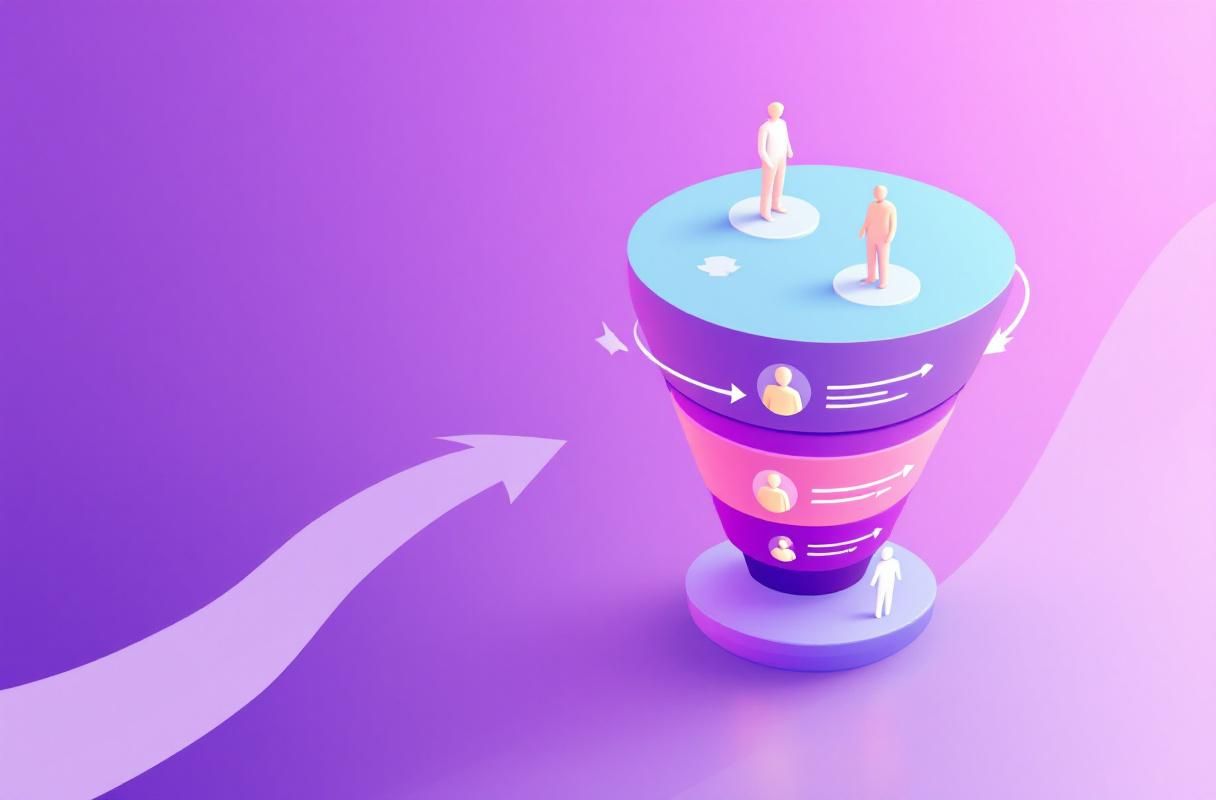
Not all groups deserve your time. According to Cleverly's lead generation guide, here's how to identify high-value groups:
The Group Evaluation Framework
| Criteria | Ideal | Red Flags |
|---|---|---|
| Member count | 1,000-10,000 | Under 500 or over 50,000 |
| Posts per week | 5-20+ | Under 1 or dominated by spam |
| Admin activity | Weekly moderation visible | Last admin post months ago |
| Member quality | Decision-makers, not just peers | Mostly vendors and salespeople |
| Post engagement | Comments and discussions | Only likes or nothing |
Where to Search
-
LinkedIn Search: Use keywords your ideal clients would use
- Industry terms: "CFO Forum," "SaaS Founders"
- Problem-based: "B2B Marketing Leaders," "Revenue Operations"
- Geographic: "Austin Tech Executives"
-
Competitor Analysis: What groups are your successful competitors active in?
-
Client Research: Ask current clients which groups they participate in
-
Influencer Following: What groups do industry thought leaders moderate or engage in?
The Goldilocks Zone: 1,000-10,000 Members
According to 310 Creative's guide:
- Under 1,000: Not enough activity to justify time investment
- 1,000-10,000: Large enough for reach, small enough for visibility
- Over 50,000: Your posts get buried, spam is uncontrollable
Group Type Selection
| Group Type | Best For | Watch Out For |
|---|---|---|
| Industry-specific | Building peer credibility | May be mostly competitors |
| Role-specific | Direct access to decision-makers | Can be very competitive |
| Problem-specific | Highly engaged discussions | Often smaller membership |
| Geographic + Industry | Local networking | Limited reach |
| Company alumni groups | Warm connections | Off-topic discussions |
Step 2: The Strategic Entry
Joining is just the beginning. How you enter determines your success.
First 7 Days: Observation Mode
Day 1-3: Listen
- Scroll through the past month of discussions
- Note who's actively engaging (potential prospects or allies)
- Identify the top contributors and moderators
- Understand the group's unwritten rules and culture
Day 4-7: Soft Engagement
- Like 5-10 posts daily
- Leave 2-3 thoughtful comments (not promotional)
- Save posts from potential prospects
- Note common questions and pain points
Week 2: Add Value
Now you can participate more actively:
- Answer questions thoroughly: When someone asks something in your expertise, provide a comprehensive answer
- Share relevant experiences: "I dealt with this at [Company]—here's what worked..."
- Ask thoughtful questions: Show genuine curiosity about others' challenges
- Curate content: Share valuable third-party content (not your own yet)
Week 3+: Establish Authority
After building goodwill:
- Share original insights (sparingly—one per week max)
- Start discussions on topics you're expert in
- Offer to help members with specific challenges
- Begin connecting with engaged members
Step 3: The Engagement Playbook
Comment Strategy (80% of Your Time)
According to CXL's B2B LinkedIn research, comments longer than 9 words boost the parent post's impressions by 3x. The same principle applies in groups.
High-Value Comment Formula:
- Acknowledge the poster's point
- Add a unique perspective or experience
- Extend with a question or additional insight
Example:
"Great point about discovery calls. I've found that starting with 'What made you take this call today?' cuts through the small talk. Have you tested any opening questions that work particularly well?"
What to Avoid:
- "Great post!" (adds no value)
- Links to your content
- Sales pitches disguised as advice
- Contrarian takes just for attention
Posting Strategy (20% of Your Time)
When you do post in groups, follow the Sprout Social best practices:
Post Types That Work in Groups:
| Post Type | Engagement Level | Example |
|---|---|---|
| Questions | Very High | "What's your biggest challenge with X?" |
| Tactical tips | High | "3 things I changed about our process..." |
| Industry observations | Medium-High | "Noticed a trend in client calls this month..." |
| Polls | High (but shallow) | Use sparingly for research |
Post Types to Avoid:
- Direct promotion of services
- Links to your website/blog (save for main feed)
- Self-congratulatory updates
- Generic motivational content
The 10:1 Rule
For every post you create, leave 10 valuable comments on others' posts. This ratio ensures you're building relationships, not just broadcasting.
Step 4: Converting Group Connections to Leads

The goal isn't to pitch in groups—it's to build relationships that lead to conversations.
The Member Extraction Strategy
According to Evaboot's research, one of the most valuable group tactics is extracting member lists for targeted outreach:
- Identify engaged members: Who comments thoughtfully on multiple posts?
- Review their profiles: Do they match your ideal client profile?
- Connect with context: Reference the group and shared interests
Connection Request Template:
"Hi [Name], I've enjoyed your comments in [Group Name], especially your point about [specific insight]. Would love to connect and continue the conversation."
This approach achieves the 80%+ acceptance rates that Growth Mak's guide reports for personalized connection requests.
The Conversation Bridge
After connecting, don't pitch immediately:
Week 1: Engage with their content in your main feed Week 2: Send a value-add message (article, tool, or insight) Week 3: Ask about a challenge mentioned in the group Week 4+: If rapport is built, suggest a conversation
Leveraging Group Membership as Social Proof
Shared group membership is a conversation starter:
- "I noticed we're both in [Group]..."
- "Your comment in [Group] about X resonated..."
- "Following the discussion in [Group], I thought you might find this useful..."
Step 5: Group Moderation (Advanced)
Starting Your Own Group (When It Makes Sense)
Consider creating a group if:
- You have a strong existing audience
- You can commit to daily moderation
- There's a gap in existing groups for your niche
- You want to build a community asset
Moderation Requirements:
- Daily monitoring for spam
- Weekly discussion prompts
- Monthly member quality reviews
- Quarterly member pruning
The Time Investment
Running a successful group requires 3-5 hours weekly minimum. For most professionals, joining existing groups is more efficient than creating new ones.
The 30-Day LinkedIn Groups Playbook
Week 1: Research and Join
- Identify 10 potential groups using the evaluation framework
- Join 5 that meet criteria
- Spend 15 minutes daily observing each
Week 2: Build Presence
- Comment on 3-5 posts daily across groups
- Like 10+ posts daily
- Narrow focus to 2-3 highest-quality groups
Week 3: Add Value
- Post one valuable discussion starter in each priority group
- Continue daily commenting
- Identify 10 potential prospects from engaged members
Week 4: Convert
- Send personalized connection requests to identified prospects
- Continue value-add engagement
- Track which groups generate the most meaningful connections
Monthly Maintenance
After the initial 30 days:
- Daily: 15 minutes of commenting (5-10 comments)
- Weekly: 1-2 posts in priority groups
- Monthly: Review member quality, connect with new engaged members
- Quarterly: Evaluate group ROI, consider adding/removing groups
Measuring Group ROI
Track these metrics to evaluate your group strategy:
| Metric | Target | How to Track |
|---|---|---|
| Connections from groups | 5-10 weekly | Tag connections with source |
| Conversations started | 2-5 weekly | Track inbound messages |
| Profile views from group activity | 20+ weekly | LinkedIn analytics |
| Content engagement in groups | 50%+ | Track likes/comments received |
| Leads generated | 1-2 monthly | CRM tracking |
If a group isn't generating any of these within 60 days, it's not worth continued investment.
Common Mistakes to Avoid
Mistake 1: Joining Too Many Groups
LinkedIn limits you to 100 groups, but you can only effectively engage in 3-5. Quality over quantity.
Mistake 2: Pitching in Discussions
Nothing kills group credibility faster than turning discussions into sales opportunities. Keep selling off the group platform.
Mistake 3: Ignoring Group Rules
Many groups have specific posting guidelines. Violating them gets you muted or removed.
Mistake 4: Expecting Immediate Results
Group authority takes 60-90 days to build. Patience is required.
Mistake 5: Posting Without Engaging
According to GaggleAMP's best practices, employees and individuals should engage before and after posting. The same applies in groups—engagement before posting builds credibility.
How ConnectSafely.ai Complements Group Strategy
While ConnectSafely.ai doesn't automate group engagement (that requires personal touch), it amplifies your overall LinkedIn authority:
The Synergy:
- AI-powered engagement on your main feed increases profile views
- Higher visibility makes your group contributions more credible
- Consistent presence across LinkedIn reinforces group reputation
- Time saved on general engagement = more time for strategic group participation
Groups require human engagement, but your overall LinkedIn presence doesn't have to.
LinkedIn Groups Best Practices: Community Health Checklist
Lead generation is the outcome of a healthy group. The work that produces that outcome is community management — and it's where most group owners and active members fall short. After auditing dozens of B2B groups inside the ConnectSafely network, the patterns are consistent. Use this checklist whether you run a group or are evaluating one to join:
Weekly Group Health Signals
| Signal | Healthy Group | Dying Group |
|---|---|---|
| New posts per week | 5–20 substantive posts | Mostly self-promo or zero |
| Comments per post (median) | 4+ | 0–1 |
| Admin replies visible | Yes, within 24–48h | None visible in 30 days |
| Active member ratio | 5–10% of members post monthly | <1% |
| Spam removal cadence | Daily or every other day | Spam left up for weeks |
| LinkedIn "Active Group" badge | Present | Absent |
The Active Group badge is LinkedIn's own quality signal — groups that maintain consistent monthly conversations earn it, and prospective members see it during discovery. If you run a group and don't have the badge after 90 days, you have an engagement problem, not a growth problem.
Running Your Own LinkedIn Group: The First-60-Days Playbook
If you decide to start a group instead of joining existing ones, treat the first 60 days like a product launch — because that's what it is. A group with 200 active members beats a group with 5,000 ghosts every time.
Define the Group's Promise in One Sentence
Before you create the group, write a one-sentence promise: "This group is for [specific role] who want to [specific outcome] by [specific method]." If you can't fill in those three blanks, don't create the group. Generic groups ("Marketing Professionals") get drowned in spam because they have no positioning to defend.
The First 30 Days: Seed the Conversation
LinkedIn doesn't surface empty groups in search. You need to seed activity manually:
- Invite 30–50 hand-picked members from your existing network. Don't mass-invite — every founding member sets the tone for the next 500.
- Post 3–4 discussion starters per week yourself. Questions, not announcements. "What's the worst piece of [X] advice you've ever taken?" outperforms "Welcome to the group."
- Reply to every comment within 24 hours. This is non-negotiable in the seed phase. Early members are watching for signals that the group is alive.
- DM 5 active members per week with a thank-you and a specific compliment on their contribution. This converts passive joiners into evangelists.
The Next 30 Days: Earn the Active Group Badge
Once you have ~150 members and consistent posting:
- Pin a weekly discussion prompt every Monday so members know there's a rhythm.
- Spotlight a member each Friday — quote a great comment, link to their profile, and ask them an expansion question. This is the single highest-ROI moderation move.
- Prune aggressively. Remove anyone who only posts links to their own newsletter. One spammer kills the trust of 50 quality members.
Joining vs Running: A Decision Framework
Most professionals overestimate the value of running their own group and underestimate the value of being the smartest commenter in three good ones.
| You should JOIN existing groups if... | You should RUN your own group if... |
|---|---|
| You have <2 hours/week for groups | You can commit 5+ hours/week |
| You don't have an existing audience | You have 5,000+ relevant followers |
| Your goal is lead generation | Your goal is community + authority |
| You're testing the channel | You've already validated the audience |
| You sell to a narrow vertical | You serve a broad horizontal need |
If you're a solo founder or small-team operator, joining 3 groups and being legendary in them beats running your own group by a wide margin in the first year. Revisit the question once you've crossed 10,000 followers.
What "Engaging a Community" Actually Means (vs Broadcasting)
The biggest misread of LinkedIn Groups is treating them like a distribution channel. They're not. They're conversation venues. The mental model shift that changes results:
- Broadcasting = "I posted my article in 12 groups." Result: zero leads, possible removal.
- Engaging = "I left thoughtful comments on 12 posts in 3 groups this week." Result: 5–10 profile views from decision-makers and 1–2 inbound DMs.
The math here is brutal but consistent. One 9+ word comment that adds a unique perspective on a popular group post will outperform ten of your own posts in the same group. Comments compound because they ride the post's distribution; your posts have to earn distribution from zero.
The "Add-Acknowledge-Ask" Comment Pattern That Works in Every Group
- Acknowledge the specific point the OP made (not "great post" — quote the line).
- Add one piece of evidence from your own work — a number, a client situation, a counterexample.
- Ask a question that pulls the conversation forward without recentering it on you.
Done correctly, this pattern earns you 10–20 profile views per comment from people who matter, plus a reputation as "the person who actually says something useful" — which is the entire game.
Frequently Asked Questions
Are LinkedIn Groups still worth it in 2026?
Yes, but selectively. According to Martal Group's data, there are 2.9 million groups on LinkedIn. Most are dead, but the active ones provide targeted access to engaged professionals you can't reach otherwise.
How many LinkedIn Groups should I join?
Focus on 3-5 high-quality groups maximum. You can effectively engage in no more than this while maintaining your main feed presence.
Should I post my content in LinkedIn Groups?
Rarely. Save promotional content for your main feed. Groups are for discussions and relationship-building, not content distribution.
How do I find active LinkedIn Groups?
Look for groups with 1,000-10,000 members, regular posts (5+ per week), visible moderation, and substantive discussions rather than just promotional posts.
Can I use groups to generate leads directly?
Not through direct pitching—that violates most group norms. Instead, use groups to build relationships and credibility that lead to inbound conversations.
Ready to build LinkedIn authority that generates inbound leads? Start your free trial and see how consistent engagement changes your pipeline.
The Dark Side of LinkedIn Group Engagement: When Participation Backfires
While engaging with LinkedIn groups can be a powerful way to build authority and generate leads, there are situations where participation can backfire. One such scenario is when you inadvertently become the "group police." This happens when you consistently point out mistakes, correct others, or argue with group members. While your intention might be to provide value and showcase your expertise, your actions can be perceived as condescending or confrontational. This can lead to a backlash, where group members begin to view you as a nuisance rather than a valuable contributor. To avoid this, it's essential to strike a balance between providing value and being respectful of others' opinions. It's also crucial to understand the group's dynamics and tone before diving in. If you're unsure, observe the group for a while, and then participate in a way that's constructive and respectful. Remember, the goal is to build relationships and establish yourself as a thought leader, not to prove a point or win an argument.
Myth vs Reality: The Truth About LinkedIn Group Size and Engagement
There's a common misconception that larger LinkedIn groups are more effective for lead generation. While it's true that bigger groups can provide more visibility, the reality is that size doesn't always matter. In fact, smaller, niche groups can be far more effective for generating high-quality leads. This is because smaller groups tend to be more engaged, with members who are genuinely interested in the topic. Additionally, smaller groups often have less noise and fewer spam posts, making it easier to stand out and build meaningful relationships. On the other hand, large groups can be overwhelming, with too many posts and too much competition for attention. To make matters worse, large groups often attract spam bots and self-promoters, which can dilute the quality of the group and make it harder to build genuine connections. So, when evaluating LinkedIn groups, don't just look at the size; consider the engagement, the quality of the members, and the overall tone of the group.
Advanced LinkedIn Group Strategy: Using Subgroups to Hyper-Target Your Audience
For advanced LinkedIn marketers, using subgroups can be a powerful way to hyper-target your audience and generate high-quality leads. Subgroups are smaller, niche groups within larger groups, and they can provide a more focused and engaged audience. To use subgroups effectively, start by identifying large groups that align with your target audience. Then, look for subgroups within those groups that are more specific to your niche. For example, if you're a marketing consultant, you might join a large group called "Marketing Professionals" and then look for subgroups like "B2B Marketing" or "Digital Marketing." By participating in these subgroups, you can build relationships with a highly targeted audience and establish yourself as a thought leader in your niche. Additionally, subgroups often have less competition and fewer spam posts, making it easier to stand out and generate leads. To take it to the next level, consider creating your own subgroup within a larger group, and invite targeted members to join. This can help you build a loyal following and generate high-quality leads.
The Importance of Group Administrator Relationships: How to Build Allies and Amplify Your Reach
When participating in LinkedIn groups, it's essential to build relationships with the group administrators. These individuals have the power to approve or reject your posts, and they can also help amplify your reach by sharing your content with their network. To build relationships with group administrators, start by engaging with their content and providing value to the group. Then, reach out to them directly and introduce yourself. Offer to help with group management or provide exclusive content to the group. By building a relationship with the group administrator, you can gain a powerful ally who can help you reach a wider audience. Additionally, group administrators often have a large following, and they can introduce you to other influencers and thought leaders in your niche. To take it to the next level, consider collaborating with group administrators on content projects or webinars, and offer to promote their work to your network. By building these relationships, you can amplify your reach and generate high-quality leads.
Navigating the Gray Area: When LinkedIn Group Rules Conflict with Your Lead Generation Goals
When participating in LinkedIn groups, it's essential to navigate the gray area between following group rules and achieving your lead generation goals. While group rules are in place to maintain a positive and respectful community, they can sometimes conflict with your marketing objectives. For example, some groups may prohibit self-promotion or linking to external content, but these activities can be essential for generating leads. To navigate this gray area, start by carefully reading the group rules and understanding the administrator's perspective. Then, look for creative ways to provide value to the group while still achieving your marketing goals. For example, you might share a valuable resource or provide exclusive content to the group, while also including a subtle call-to-action or link to your website. Additionally, consider reaching out to the group administrator and asking for permission to share your content or promote your work. By being transparent and respectful, you can build trust with the group administrator and find ways to achieve your lead generation goals while still following the group rules.
See How It Works
Watch how people get more LinkedIn leads with ConnectSafely




Related Articles