LinkedIn Private Messages: Complete Guide to DMs in 2026
Master LinkedIn private messages with tips on DM limits, privacy settings, and InMail strategies. Learn how inbound authority makes every message land.

Updated April 18, 2026 — Refreshed with the latest 2026 data, pricing, and examples. Reviewed by the ConnectSafely.ai editorial team.
LinkedIn private messages are direct, one-to-one conversations between LinkedIn members that remain visible only to the participants. Messages between 1st-degree connections are private and encrypted, meaning no one outside the conversation — including mutual connections — can see the exchange. However, LinkedIn can access message content for policy enforcement or legal compliance, per LinkedIn's Privacy Policy. Understanding how private messaging works on LinkedIn in 2026 is essential for anyone using the platform for relationship-building, sales conversations, or professional networking.
Want to Generate Consistent Inbound Leads from LinkedIn?
Get our complete LinkedIn Lead Generation Playbook used by B2B professionals to attract decision-makers without cold outreach.
No spam. Just proven strategies for B2B lead generation.
But here is the part most guides leave out: the effectiveness of any LinkedIn message depends far more on the authority you have built before sending it than on the message copy itself. Messages backed by consistent, valuable content get 2-3x more engagement because recipients already recognize and trust the sender. This guide covers the mechanics of LinkedIn DMs alongside the inbound strategy that makes every message you send welcome rather than ignored.
Key Takeaways
- LinkedIn messages between 1st-degree connections are private and encrypted, but LinkedIn retains access for policy and legal purposes, per LinkedIn's User Agreement
- Daily messaging limits sit around 50-100 messages per day — exceeding this range triggers spam detection and potential account restrictions
- InMail requires a Premium subscription, but Open Profile messages let you reach Premium members for free without using InMail credits
- Privacy controls let you disable read receipts and typing indicators, giving you more control over your messaging experience
- Inbound authority is the single biggest factor in message response rates — when recipients already know your name from their feed, your DM gets opened
How LinkedIn Private Messages Work in 2026
Who You Can Message Directly
LinkedIn's messaging permissions are tied to your connection level. Here is how it breaks down:
| Connection Level | Can You Message? | Method | Cost |
|---|---|---|---|
| 1st-degree connections | Yes | Direct message | Free |
| 2nd-degree connections | Limited | Connection request with note, or InMail | Free (request) or Premium (InMail) |
| 3rd-degree connections | No direct message | InMail only | Premium required |
| Open Profile members | Yes | Open Profile message | Free |
| Group members | Yes (same group) | Group message | Free |
According to LinkedIn Help, you can send free messages to your 1st-degree connections and to anyone who has enabled Open Profile. For everyone else, you need InMail credits, which come with LinkedIn Premium or Sales Navigator subscriptions.
Message Privacy and Encryption
LinkedIn messages are designed to be private conversations. According to LinkedIn's Privacy Policy, the platform uses encryption for messages between 1st-degree connections. That said, privacy on LinkedIn is not absolute:
- LinkedIn can access messages when investigating policy violations or responding to legal requests
- Screenshots are always possible — no platform can prevent a recipient from capturing your conversation
- Group messages are visible to all group participants
- Sponsored InMail content is managed differently from organic messages
For professionals using LinkedIn for B2B lead generation, understanding these boundaries helps you communicate with confidence while remaining appropriately cautious about sensitive information.
Privacy Settings You Should Know
LinkedIn gives you granular control over your messaging experience. Navigate to Settings > Communications > Messaging experience to configure:
- Read receipts — Toggle off to prevent senders from seeing when you have read their message
- Typing indicators — Disable so contacts cannot see when you are composing a reply
- Message filtering — Control who can send you messages and InMail
- Focused Inbox — Separates messages into "Focused" and "Other" tabs based on relevance
According to LinkedIn's Help Center, disabling read receipts is a two-way setting: you also lose the ability to see when others read your messages.
LinkedIn Message Limits and Restrictions in 2026
Daily and Weekly Limits
LinkedIn does not publicly disclose exact messaging limits, but extensive testing across the community and reporting from Expandi and Dripify reveals practical thresholds:
| Limit Type | Recommended Range | Risk Zone |
|---|---|---|
| Daily messages | 50–100 messages/day | 150+ triggers review |
| Weekly connection requests | ~100/week | 200+ risks restrictions |
| InMail credits (Premium) | 5–50/month (plan-dependent) | N/A (hard cap) |
| Connection request notes | 200 characters max | N/A |
| Message length | No hard limit | Very long messages reduce response rates |
These limits exist to protect the platform from spam. If you consistently hit the upper bounds, LinkedIn may temporarily restrict your messaging ability or flag your account for review, according to LinkedIn's Professional Community Policies.
How to Avoid Spam Flags
Staying within safe limits is about more than just numbers. LinkedIn's algorithm evaluates messaging patterns holistically:
- Vary your message content — Sending identical messages to many people is the fastest way to get flagged
- Space out your outreach — Distribute messages across the day rather than sending 50 in ten minutes
- Maintain a healthy acceptance rate — If too many recipients mark your messages as spam, restrictions follow quickly
- Warm up new accounts gradually — Start with 10-20 messages per day and increase over weeks
- Prioritize conversations over broadcasts — Two-way exchanges signal legitimacy to LinkedIn's systems
For a deeper dive into staying compliant while scaling outreach, see our guide on LinkedIn automation tools and their risks.
InMail vs. Direct Messages vs. Open Profile Messages
Understanding the difference between these three messaging types is critical for building an effective LinkedIn messaging strategy.
Direct Messages (Free)
Standard messages to 1st-degree connections. No limit on conversation length, support attachments, voice messages, and video messages. These are the foundation of LinkedIn communication and the most effective channel because both parties have already agreed to connect.
InMail Messages (Premium)
InMail lets you reach 2nd and 3rd-degree connections without sending a connection request first. According to LinkedIn, InMail messages have a 10-25% response rate when well-targeted — significantly higher than cold email. Key details:
- Credits refresh monthly and vary by subscription tier
- Replied InMail credits are returned — you get the credit back if the recipient responds within 90 days
- Subject lines are required, unlike regular messages
- Character limit is 1,900 for InMail body text
For a complete breakdown, read our InMail credits guide and our comparison of InMail vs. regular messages.
Open Profile Messages (Free)
Open Profile is a Premium feature that allows any LinkedIn member to message you for free, without using InMail credits. If your target prospect has Open Profile enabled, you can message them directly — even as a 3rd-degree connection — at no cost.
This is an underutilized channel. According to HubSpot's LinkedIn Marketing Guide, Open Profile messages are one of the most cost-effective ways to reach decision-makers.
What Most Guides Get Wrong
Most LinkedIn messaging guides focus exclusively on copywriting tactics — subject line formulas, template scripts, and follow-up cadences. While those matter, they miss the fundamental shift happening on LinkedIn in 2026.
The real differentiator is not what you say in the message. It is whether the recipient already knows who you are when they see it.
Consider two scenarios:
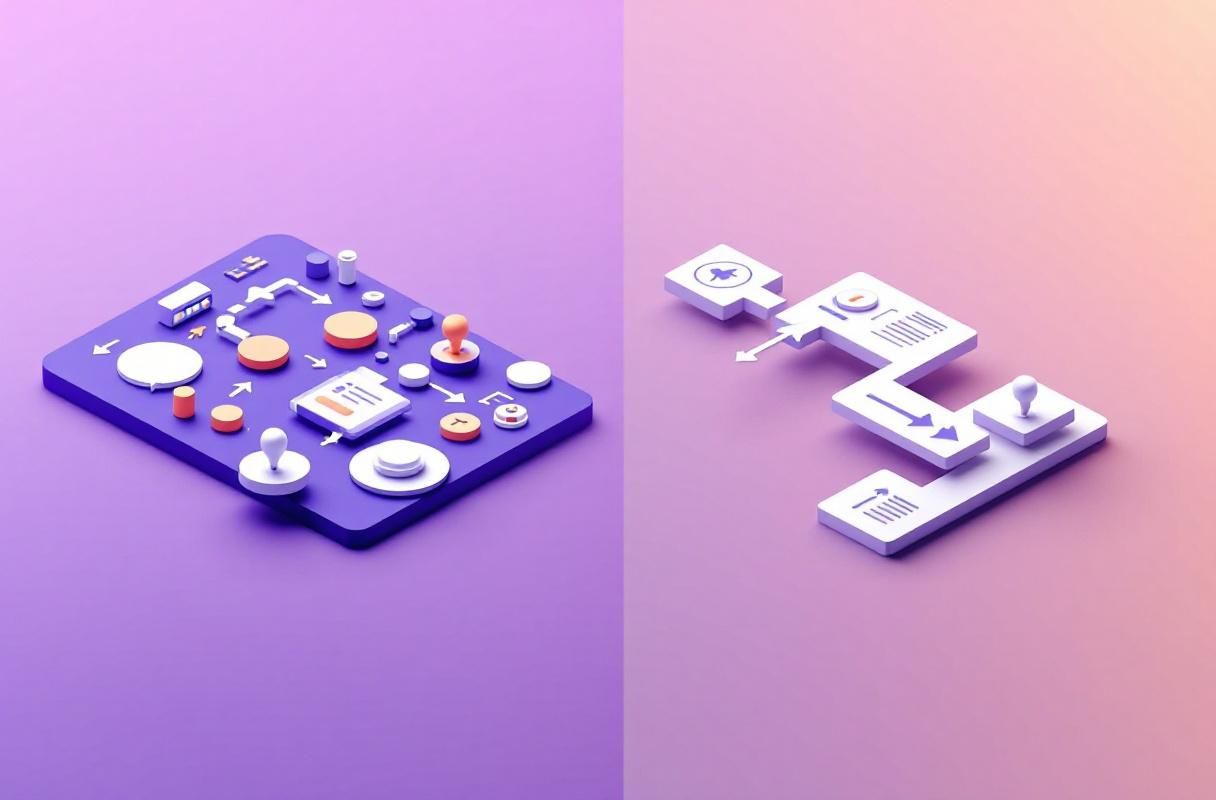
Scenario A: Cold outreach. You send a perfectly crafted InMail to a VP of Marketing. Your subject line is sharp. Your personalization is genuine. Your CTA is clear. But the VP has never seen your name, your content, or your company. Response rate: 5-10%.
Scenario B: Inbound authority. That same VP has seen three of your LinkedIn posts in their feed over the past month. They liked one. A mutual connection commented on your article. Now you send the same message. Response rate: 25-40%.
This is the principle behind inbound lead generation on LinkedIn. Your content does the heavy lifting before the conversation even begins. According to research from Edelman and LinkedIn, 64% of B2B decision-makers say thought leadership content directly influenced their willingness to engage with a salesperson.
The practical takeaway: before you optimize your message templates, invest in building a visible, consistent presence through LinkedIn content strategy. Posts with personalized, authority-building messages generate 2-3x more engagement than generic outreach from unknown senders.
Building the Authority That Makes Messages Land
Here is a practical framework for creating the inbound foundation that transforms your messaging results:
- Publish consistently — 3-5 posts per week on topics relevant to your target audience builds recognition, per Sprout Social
- Engage before you pitch — Comment on your prospect's posts before sending a DM. According to LinkedIn's own data, meaningful engagement signals are weighted heavily in feed visibility
- Reference shared context — When you do message, reference a post they published, a comment they made, or a mutual connection. This turns a cold DM into a warm conversation
- Let your profile do the selling — A well-optimized LinkedIn profile with a clear value proposition means your message does not need to carry the entire burden of persuasion
Best Practices for LinkedIn Private Messages
Writing Messages That Get Responses
The data consistently shows that shorter, more personalized messages outperform long pitches. According to Lavender's analysis of millions of sales messages, messages under 100 words see significantly higher response rates.
Follow these principles:
- Lead with relevance, not with yourself — Open with why you are reaching out, not who you are
- Keep it under 150 words — Respect the recipient's time
- Ask one clear question — Multiple CTAs reduce response rates
- Reference something specific — A recent post, a shared connection, or a company milestone
- Avoid attachments in first messages — They trigger spam filters and feel salesy
For templates that apply these principles, see our personalized LinkedIn message guide and follow-up message templates.
Timing Your Messages
When you send matters. According to our best time to send LinkedIn messages guide, Tuesday through Thursday between 8-11 AM in the recipient's local time zone yields the highest response rates.
Key timing principles:
- Send during business hours in the recipient's time zone
- Avoid Monday mornings and Friday afternoons when inboxes are either overwhelming or being ignored
- Follow up within 3-5 business days if you do not hear back — a single polite follow-up increases response rates by 21%, per Woodpecker
- Do not message on holidays or weekends unless you have an established relationship
LinkedIn Messaging Features in 2026
LinkedIn has expanded its messaging capabilities significantly. Here is what is available:
- Voice messages — Record and send audio clips up to 60 seconds directly in the message thread
- Video messages — Record short videos within LinkedIn messaging for a more personal touch
- GIF and emoji reactions — React to individual messages without sending a full reply
- Message scheduling — Schedule messages to send at optimal times (currently rolling out)
- AI-assisted replies — LinkedIn's AI can suggest contextual replies based on the conversation
- Focused Inbox — Automatic sorting separates important conversations from promotional messages
- Message requests — Messages from non-connections appear in a separate "Other" tab for review
These features make it easier than ever to have rich, human conversations at scale. But tools alone do not drive results — the strategy behind your messaging determines whether these features help or hurt your professional reputation.
Frequently Asked Questions
Are LinkedIn messages truly private?
Yes, LinkedIn messages between 1st-degree connections are private and encrypted. No other LinkedIn members — including mutual connections — can see your conversations. However, LinkedIn itself can access messages for policy enforcement or in response to legal requests, per LinkedIn's Privacy Policy. If absolute confidentiality is required, consider moving sensitive conversations to a more secure channel.
How many LinkedIn messages can I send per day?
LinkedIn does not publish an official daily limit, but the practical safe range is 50-100 messages per day. Sending more than 150 messages daily significantly increases your risk of triggering spam detection and temporary account restrictions. New accounts should start with 10-20 messages per day and gradually increase. For automated messaging through tools, the threshold is even lower — stay well under 50, as per guidance from Expandi.
Can I message someone on LinkedIn without connecting first?
You have several options. If the person has an Open Profile (a Premium feature), you can message them for free regardless of connection level. You can also use InMail credits, which come with LinkedIn Premium, Sales Navigator, or Recruiter subscriptions. Additionally, if you share a LinkedIn Group, you can message fellow group members directly. For a detailed comparison, see our InMail vs. message guide.
How do I turn off read receipts on LinkedIn?
Go to Settings & Privacy > Communications > Messaging experience > Read receipts and typing indicators. Toggle the setting off. Note that this is a mutual setting — when you disable read receipts, you also lose the ability to see when others have read your messages. According to LinkedIn Help, this setting applies to all conversations and cannot be configured per contact.
What is the difference between InMail and a regular LinkedIn message?
Regular LinkedIn messages are free and available for conversations with your 1st-degree connections. InMail is a paid feature that lets you reach 2nd and 3rd-degree connections without connecting first. InMail messages include a subject line, have a 1,900-character limit, and consume credits that refresh monthly. The key advantage of InMail is reach — you can contact anyone on LinkedIn. The key advantage of regular messages is that they go to connections who already know you, resulting in higher response rates. For our complete breakdown, read the InMail vs. message comparison.
Start Sending Messages That Actually Get Replies
The difference between a LinkedIn message that gets ignored and one that starts a real conversation comes down to one thing: whether you have built authority before you hit send. ConnectSafely.ai helps B2B professionals build that inbound authority systematically — so that when you message a prospect, they already know your name, trust your expertise, and want to hear from you.
Stop sending cold messages into the void. Start building the authority that makes every message land.
The Unintended Consequences of LinkedIn's Algorithmic Messaging Filters
When sending LinkedIn private messages, it's essential to consider the platform's algorithmic filters, designed to protect users from spam and unwanted communications. While these filters are intended to improve the user experience, they can sometimes have unintended consequences. For instance, if you're sending messages to a large number of connections in a short period, you may trigger LinkedIn's spam detection algorithms, even if your messages are genuinely personalized and relevant. This can lead to your account being flagged for review, potentially resulting in restrictions on your messaging capabilities. Furthermore, LinkedIn's filters can also affect the delivery of your messages, with some recipients not receiving your messages at all, or receiving them with a low priority status. To mitigate these risks, it's crucial to understand how LinkedIn's algorithms work and to adapt your messaging strategy accordingly. This may involve spacing out your messages, using more personalized and contextual language, and avoiding keywords or phrases that are commonly associated with spam.
Myth vs Reality: The Truth About LinkedIn InMail Credits
There's a common misconception that LinkedIn InMail credits are a guaranteed way to get your messages seen by potential customers or partners. However, the reality is more nuanced. While InMail credits can increase the visibility of your messages, they don't necessarily guarantee a response or even a view. In fact, many LinkedIn users, especially those with Premium subscriptions, have learned to ignore InMail messages or treat them with skepticism. Moreover, the cost of InMail credits can add up quickly, making them a potentially expensive way to reach a limited audience. A more effective approach might be to focus on building your inbound authority and establishing meaningful connections with your target audience. By creating valuable content and engaging with others on the platform, you can increase the likelihood of your messages being seen and responded to, without relying on paid credits. Ultimately, the key to successful LinkedIn messaging is to understand your audience, tailor your approach to their needs and preferences, and build trust and credibility over time.
Advanced-Level: Leveraging LinkedIn's Messaging APIs for Automated Outreach
For experienced LinkedIn marketers and developers, the platform's messaging APIs offer a powerful way to automate and scale outreach efforts. By integrating LinkedIn's APIs into your marketing stack, you can create customized messaging workflows, automate follow-up messages, and even use machine learning algorithms to optimize your messaging strategy. However, working with LinkedIn's APIs requires a deep understanding of the platform's terms of service, as well as the technical expertise to implement and maintain complex integrations. Moreover, there are potential risks associated with automated outreach, such as over-messaging or spamming, which can damage your reputation and harm your relationships with potential customers. To get the most out of LinkedIn's messaging APIs, it's essential to approach automation with caution, carefully testing and refining your workflows to ensure they align with your target audience's needs and preferences. By doing so, you can unlock the full potential of LinkedIn's messaging capabilities and drive meaningful results for your business.
The Hidden Risks of LinkedIn's Open Profile Messaging
LinkedIn's Open Profile messaging feature allows you to send messages to other users without using InMail credits, as long as they have opted-in to receive messages from anyone. While this feature can be a convenient way to reach a wider audience, it also carries some hidden risks. For instance, if you're messaging someone with an Open Profile, you may be competing with a large number of other users who are also trying to reach them. This can lead to your message getting lost in the noise, or worse, being perceived as spam. Moreover, Open Profile messaging can also make you more vulnerable to harassment or unwanted communications, as you're essentially opening up your inbox to anyone who wants to reach you. To mitigate these risks, it's essential to be cautious when using Open Profile messaging, carefully considering the potential consequences and taking steps to protect your time and attention.
The Importance of Contextualizing Your LinkedIn Messages for International Audiences
When sending LinkedIn messages to international audiences, it's essential to consider the cultural and linguistic nuances that can affect how your messages are received. What may be perceived as a friendly and personalized message in one culture may be seen as intrusive or insensitive in another. Moreover, language barriers can also create challenges, as machine translation tools may not always accurately convey the intended meaning of your message. To avoid unintentionally offending or alienating your international audience, it's crucial to contextualize your messages, taking into account the local customs, traditions, and communication styles of your target audience. This may involve using localized language and terminology, avoiding cultural references or humor that may not translate well, and being sensitive to differences in communication norms and expectations. By doing so, you can build stronger relationships with your international audience and avoid potential misunderstandings or miscommunications.
See How It Works
Watch how people get more LinkedIn leads with ConnectSafely




Related Articles