n8n Alternatives: Zapier vs Make vs n8n Compared (2026)
Compare the best n8n alternatives including Zapier, Make, and other workflow automation tools. Find the right platform for your needs.

Research methodology: Every pricing claim, feature, and limitation in this comparison was independently verified in August 2026 from vendor pricing pages, Trustpilot, G2, AppSumo, and Product Hunt. Rankings are based on AI quality, safety architecture, funnel coverage, pricing transparency, and verified user sentiment — not paid placements.
Updated April 18, 2026 — Refreshed with the latest 2026 data, pricing, and examples. Reviewed by the ConnectSafely.ai editorial team.
Looking for alternatives to n8n in April 2026? The three major workflow automation platforms—n8n, Zapier, and Make—each have distinct strengths, and the broader market of alternatives to n8n automation tools now includes Microsoft Power Automate, airSlate WorkFlow, Activepieces, Pipedream, and a handful of newer entrants. According to Zapier's own comparison, n8n offers the most flexibility, Zapier has the most integrations, and Make provides the best visual workflow builder. With n8n recently removing all active workflow limits and Zapier continuing to increase per-task pricing, the landscape of alternatives to n8n workflow automation tools has shifted meaningfully since early 2026—and choosing the right one now hinges on pricing model, hosting requirements, and how your team thinks about visual versus code-driven automation.
Key Takeaways
- Zapier: Best for non-technical users needing quick setup with 8,000+ integrations
- Make: Best balance of power and usability with visual scenario builder
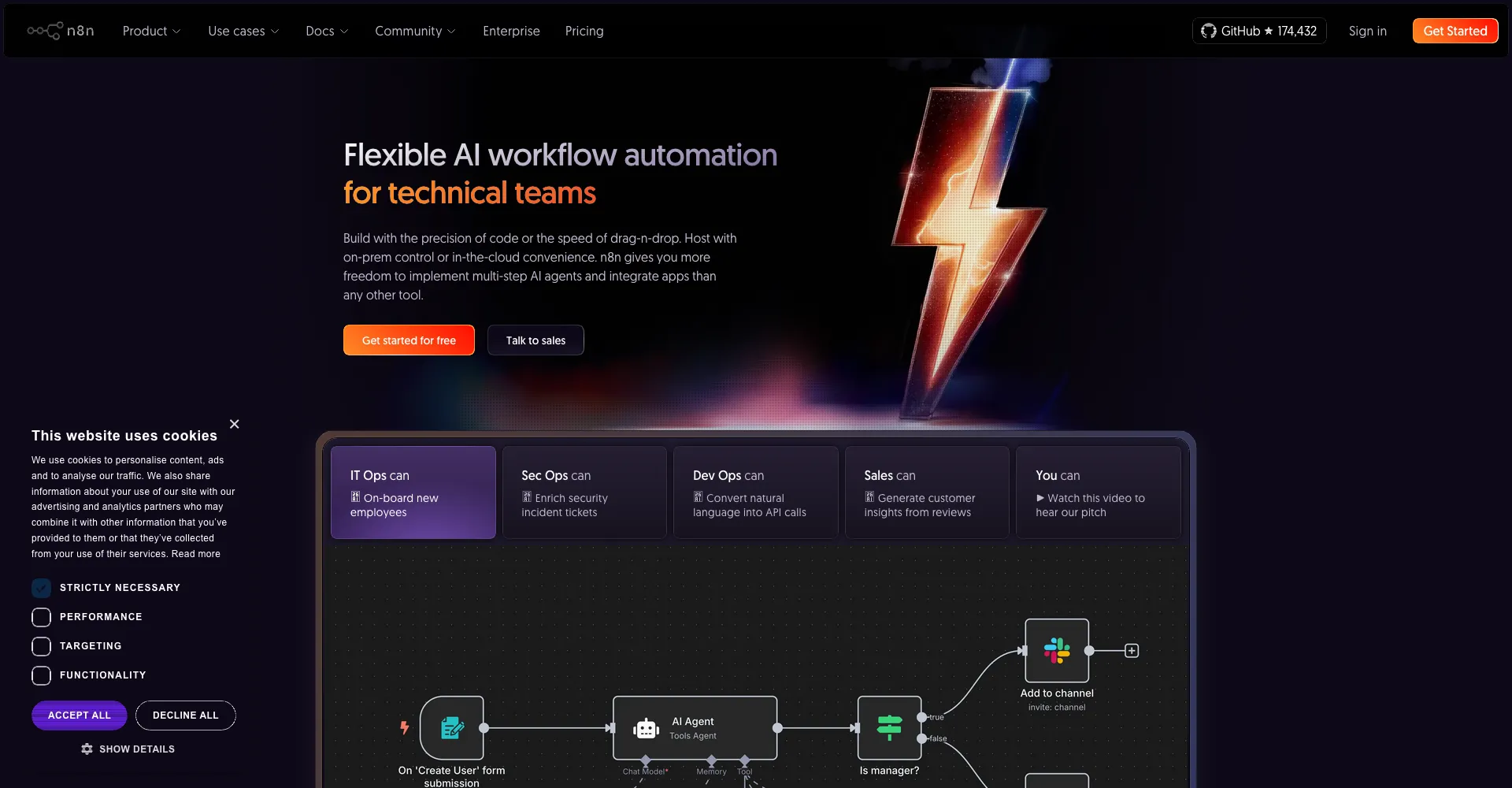
- n8n: Best for technical teams wanting self-hosting and fair-code flexibility
- Pricing differs significantly: n8n charges per execution, while Zapier/Make charge per operation
Quick Comparison: n8n vs Zapier vs Make
Want to Generate Consistent Inbound Leads from LinkedIn?
Get our complete LinkedIn Lead Generation Playbook used by B2B professionals to attract decision-makers without cold outreach.
No spam. Just proven strategies for B2B lead generation.
| Feature | n8n | Zapier | Make |
|---|---|---|---|
| Self-hosting | Yes | No | No |
| Open source | Yes (fair-code) | No | No |
| Integrations | 400+ | 8,000+ | 2,500+ |
| Pricing model | Per execution | Per task | Per operation |
| Free tier | Unlimited (self-host) | 100 tasks/month | 1,000 ops/month |
| Starting price | $24/month | $29.99/month | $10.59/month |
| Learning curve | Moderate | Easy | Moderate |
| AI features | Native nodes | Limited | Limited |
| Best for | Technical teams | Non-technical users | Visual builders |
n8n vs Zapier: Detailed Comparison
According to Zapier's official comparison, here's how they stack up:
Ease of Use
Zapier wins for simplicity. Launched in 2011, it was designed to enable users without technical skills to create automations in minutes. The interface is straightforward: trigger → action → done.
n8n has a steeper learning curve. According to HatchWorks, the platform is "built around a node-based architecture similar to development tools like Node-RED."
Winner: Zapier for beginners, n8n for power users
Integrations
Zapier dominates with 8,000+ integrations. If an app exists, Zapier probably connects to it.
n8n offers 400+ native nodes. However, according to Contabo's comparison, "any service with an API can be integrated using HTTP Request or Webhook nodes."
Winner: Zapier for breadth, n8n for flexibility
Pricing
This is where n8n shines. According to Parseur:
Zapier's model: Charges per "task"—any successful action counts. A 20-step Zap uses 20 tasks per run. This punishes complexity.
n8n's model: Charges per workflow execution, regardless of complexity. A 20-node workflow costs the same as a 2-node workflow.
Example cost comparison for 10,000 monthly operations:
- Zapier: ~$250-500/month
- n8n Cloud: $50/month
- n8n Self-hosted: $0 (hosting costs only)
Winner: n8n for cost-effectiveness
Self-Hosting & Control
n8n is the only option that can be self-hosted. According to n8n's documentation, benefits include:
- Full data control—nothing leaves your servers
- No execution limits
- Custom domain and branding
- Compliance with data residency requirements
Zapier is cloud-only with no self-hosting option.
Winner: n8n (Zapier doesn't compete here)
n8n vs Make: Detailed Comparison
Visual Workflow Builder
Make (formerly Integromat) excels at visual workflow design. According to Intuz, it "brilliantly balances accessibility and technical capability" with an intuitive drag-and-drop interface.
n8n also uses a visual builder but with a more technical, node-based approach.
Winner: Make for visual design, n8n for technical control
Pricing
Both use operation/execution-based models, but definitions differ:
Make: Charges per operation (each action = 1 operation) n8n: Charges per execution (entire workflow = 1 execution)
For complex workflows, n8n is significantly cheaper.
Winner: n8n for complex workflows, Make for simple ones
Integrations
Make: 2,500+ integrations n8n: 400+ native nodes + unlimited via HTTP/webhooks
Winner: Make for out-of-box integrations
Other n8n Alternatives Worth Considering
Activepieces
According to Voiceflow's analysis, Activepieces is an emerging open-source alternative with:
- MIT license (more permissive than n8n's fair-code)
- Modern UI
- Growing integration library
- Self-hosting support
Best for: Teams wanting fully open-source with modern design
Latenode
A newer platform focusing on:
- Visual programming approach
- AI-assisted workflow building
- Developer-friendly features
Best for: Developers wanting visual + code hybrid
Pipedream
Developer-focused platform offering:
- Free tier with 10,000 invocations/day
- Built-in code execution (Node.js, Python)
- Event-driven architecture
Best for: Developers building event-driven automations
Power Automate
Microsoft's automation tool with:
- Deep Microsoft 365 integration
- Enterprise security features
- RPA capabilities
Best for: Microsoft-heavy organizations
Node-RED
An open-source, flow-based development tool originally from IBM:
- Completely free and open source (Apache 2.0 license)
- Built on Node.js with a browser-based editor
- Strong IoT and hardware integration
- Large community with 4,000+ contributed nodes
Best for: IoT projects, hardware integration, technical developers
Gumloop
An AI-first automation platform:
- Purpose-built for AI agent workflows
- Visual builder optimized for LLM integrations
- Pre-built AI templates for common tasks
- Cloud-hosted with no self-hosting option
Best for: Teams building AI-powered automations and agents
monday.com: When Your Automation Lives Inside the Work Itself
Here's a pattern we keep running into. Someone goes hunting for an n8n alternative, wires up a gorgeous automation, and three weeks later realizes nobody on the team has ever opened it. The automation hums away in a corner while the actual work—the tasks, the approvals, the "wait, who owns this?"—happens somewhere else entirely.
That gap is exactly what monday.com is built to close.
Let's be honest about what it is, because pretending it's a drop-in n8n clone would be lying. n8n is an automation engine. monday.com is a work management platform—a "Work OS"—that happens to ship a genuinely good no-code automation engine baked into the boards where your team already runs projects, tracks deals, and plans campaigns. The automation isn't a separate tool you babysit. It lives where the work lives.
What it actually does well
- No-code rules anyone can build. 200+ pre-built templates—status changes, assignments, reminders, due-date escalations. Pick a trigger, pick an action, done. No node graph, no JavaScript.
- AI that writes the workflow for you. Describe what you want in plain English and monday.com's AI workflow generator builds it—smart conditions included.
- 200+ native integrations with two-way sync. Slack, Salesforce, HubSpot, Jira, GitHub, Google Drive. Updates flow both directions instead of rotting in a spreadsheet nobody updates.
- Everything in one window. Dashboards, docs, forms, and workload views sit right next to the automations—so the people doing the work and the automation running it share one source of truth.
Where n8n still wins (the honest version)
monday.com is not the tool for deep, technical pipelines, and you shouldn't force it to be. If you need to hit a dozen obscure APIs, transform nested JSON, run your own Python, or self-host for data-residency reasons, n8n wins outright.
There's also a pricing trap worth flagging. monday.com meters automations per action—250/month on Standard, 25,000 on Pro—so high-volume backend automation gets expensive in a way n8n's per-execution model simply doesn't. Run the math on your real volume before you commit.
| Dimension | n8n | monday.com |
|---|---|---|
| Primary purpose | Standalone automation/integration engine | Work management platform with automation built in |
| Builder style | Node-based canvas (technical) | No-code rules inside your boards |
| Automation pricing | Per execution | Per action (250 on Standard, 25,000 on Pro) |
| Best when | Building integrations is the job | Automation supports a team's day-to-day work |
| Self-hosting | Yes | No (cloud SaaS) |
Pricing: automations unlock on the Standard plan ($12/seat/month, 250 monthly actions) and scale on Pro ($19/seat/month, 25,000 actions). There's a free tier for up to 2 users, but automations need a paid plan.
The combo most teams actually want
You don't have to pick a side. n8n ships a native monday.com integration, and honestly that's the setup we'd point most teams toward: let n8n do the heavy, technical lifting in the background—APIs, AI processing, cross-tool syncing—then pipe the clean results into monday.com, where the team can actually see them and act. n8n becomes the engine. monday.com becomes the dashboard everyone lives in.
Quick gut check:
- Building integrations is the job (you're a developer or technical ops person)? → n8n.
- Need automation woven into how a project, sales, or marketing team runs every day? → monday.com.
- Want both? → n8n in the back, monday.com up front.
Security & Compliance Comparison
For enterprise teams, security certifications matter:
| Platform | SOC 2 | GDPR | Self-Hosted | Data Residency | SSO |
|---|---|---|---|---|---|
| n8n | ✅ (Enterprise) | ✅ | ✅ | ✅ (self-host) | ✅ (Enterprise) |
| Zapier | ✅ | ✅ | ❌ | US only | ✅ (Enterprise) |
| Make | ✅ | ✅ | ❌ | EU/US | ✅ (Enterprise) |
| Activepieces | ❌ | ✅ | ✅ | ✅ (self-host) | ✅ |
| Power Automate | ✅ | ✅ | ❌ | Multiple regions | ✅ |
| Pipedream | ✅ | ✅ | ❌ | US | ✅ |
| monday.com | ✅ | ✅ | ❌ | EU/US | ✅ (Enterprise) |
Key consideration: If data privacy regulations require you to keep data within specific geographic boundaries, self-hosted options (n8n, Activepieces) provide the most control.
Choosing the Right n8n Alternative
Choose n8n If You Need:
- Self-hosting capability
- Maximum cost efficiency
- Code customization (JavaScript/Python)
- AI workflow building
- Enterprise security with data control
Choose Zapier If You Need:
- Fastest setup time
- Maximum integrations (8,000+)
- Non-technical team usage
- Minimal learning curve
- Premium support
Choose Make If You Need:
- Visual workflow design
- European data hosting (GDPR)
- Balance of power and usability
- Mid-range pricing
- Complex branching logic
LinkedIn Automation: A Special Consideration
For LinkedIn-specific workflows, the automation platform matters less than the LinkedIn tool you connect.
ConnectSafely integrates with:
- n8n: Via community nodes
- Zapier: Via Zapier integration
- Make: Via HTTP/webhook connections
What makes the difference is platform-compliant automation that keeps your LinkedIn account safe. Whether you use n8n, Zapier, or Make, ConnectSafely ensures your LinkedIn engagement stays within guidelines.
Example: LinkedIn Lead Gen Across Platforms
Using n8n + ConnectSafely:
HubSpot Trigger → Filter → ConnectSafely (Send Connection) → Wait → ConnectSafely (Send Message) → HubSpot Update
Using Zapier + ConnectSafely:
HubSpot Trigger → ConnectSafely (Send Connection) → Delay → ConnectSafely (Send Message) → HubSpot Update
Both achieve the same result—your platform choice depends on pricing expectations and technical comfort.
Migration Considerations
Moving from Zapier to n8n
According to n8n's migration guide:
- Export Zapier workflows as documentation
- Rebuild in n8n using equivalent nodes
- Test thoroughly before switching
- Run parallel for a transition period
Challenges: No direct import—workflows must be rebuilt manually.
Moving from n8n to Zapier
Generally not recommended due to:
- Loss of self-hosting
- Increased costs for complex workflows
- Feature limitations
Most migrations go the other direction (Zapier → n8n).
Pricing Deep Dive: Real-World Scenarios
Scenario 1: Small Team (1,000 automations/month)
| Platform | Monthly Cost |
|---|---|
| n8n Self-hosted | $0 (+ hosting ~$5-20) |
| n8n Cloud Starter | $24 |
| Make Free | $0 |
| Zapier Free | Not enough (limit: 100) |
| Zapier Starter | $29.99 |
Best value: n8n self-hosted or Make free tier
Scenario 2: Growing Agency (10,000 automations/month)
| Platform | Monthly Cost |
|---|---|
| n8n Cloud Pro | $50 |
| Make Pro | ~$50-100 |
| Zapier Professional | ~$250+ |
Best value: n8n Cloud Pro
Scenario 3: Enterprise (100,000+ automations/month)
| Platform | Monthly Cost |
|---|---|
| n8n Self-hosted | Hosting costs only |
| n8n Enterprise | Custom pricing |
| Make Enterprise | Custom pricing |
| Zapier Enterprise | $1,500+/month |
Best value: n8n self-hosted (if you have DevOps)
airSlate WorkFlow vs Zapier vs Make vs Microsoft Power Automate vs n8n: Head-to-Head
When teams ask about alternatives to n8n workflow automation tools, the comparison almost always lands on the same five platforms: airSlate WorkFlow, Zapier, Make, Microsoft Power Automate, and n8n itself. Each one optimizes for a different buyer.
airSlate WorkFlow is built around document-heavy workflows—contracts, e-signatures, approval chains, and forms. Pricing starts around $19/user/month and climbs based on document volume. It is the strongest pick when your automation problem is "move a PDF through five approval steps" rather than "sync data between SaaS apps." Most engineering teams find it limited; most operations and legal teams find it perfect.
Zapier wins on breadth. With 8,000+ integrations and a no-code interface, it is the default for non-technical teams that need to wire SaaS tools together quickly. The downside is per-task pricing that punishes complex workflows—a 20-step Zap costs 20x what a 1-step Zap costs. Plans start at $29.99/month.
Make sits in the middle. Its visual scenario builder is the best-looking of the five, and operation-based pricing is friendlier than Zapier's task model for moderately complex workflows. Make integrates with 2,500+ apps and starts at $10.59/month, making it the value pick for teams that need more than Zapier free but less than enterprise tooling.
Microsoft Power Automate is the obvious choice for organizations already inside the Microsoft 365 ecosystem. Per-user licensing starts at $15/month, deep integration with SharePoint, Teams, Dynamics, and Azure is unmatched, and the RPA features handle desktop automation that none of the other four touch. Outside Microsoft shops, the learning curve and licensing complexity become real friction.
n8n is the technical-team pick. Self-hosting, fair-code licensing, per-execution pricing instead of per-task, native AI agent nodes, and the ability to drop in JavaScript or Python make it the most flexible of the five. Cloud plans start at $24/month; self-hosted is free aside from infrastructure costs.
A quick decision shortcut for choosing among these alternatives to n8n automation tools: pick airSlate for documents, Zapier for breadth, Make for visual mid-complexity, Power Automate for Microsoft shops, and n8n for technical teams that want control. Mixing two is common—for example, n8n for backend data pipelines plus Zapier for marketing-team self-service.
Best n8n Alternatives for Building AI Agents in 2026
If your search for an "n8n alternative" is really a search for a place to build AI agents, Lindy AI and Flowise are the two worth evaluating alongside Gumloop (covered above). Lindy ships pre-built agent behaviors out of the box, Flowise gives developers an open-source, self-hostable canvas built on LangChain, and Gumloop pairs an n8n-style visual builder with deeper native LLM integration. None of the three is a general-purpose iPaaS replacement for n8n—they're purpose-built for agentic workflows.
Lindy AI
Lindy is a personal AI work assistant rather than a general workflow builder—it focuses on inbox triage, meeting scheduling, and calendar coordination, with "approvals built in" so a human signs off before anything gets sent. According to Lindy's pricing page (verified July 2026), there is no free tier; a 7-day free trial (no credit card required) leads into paid plans: Plus at $49.99/month, Pro at $99.99/month (adds computer use), and Max at $199.99/month, with custom Enterprise pricing that adds SSO, SCIM, HIPAA, and audit logs.
Best for: teams that want an AI assistant handling inbox/calendar-style work rather than building general integration pipelines.
Flowise
Flowise is an open-source, self-hostable visual builder for LLM chains and AI agents (npm install -g flowise), positioned around "modular building blocks for you to build any agentic systems" rather than classic SaaS-to-SaaS automation. According to Flowise's own site (verified July 2026), the cloud version has a Free plan (2 flows, 100 predictions/month), a Starter plan at $35/month (unlimited flows, 10,000 predictions/month), and a Pro plan at $65/month (50,000 predictions/month). Flowise was acquired by Workday, which may shape its roadmap going forward.
Best for: developers who want a free, self-hosted AI-agent canvas instead of a hosted iPaaS.
| Tool | Free tier | Paid entry price | Open source | Best for |
|---|---|---|---|---|
| Lindy AI | No (7-day trial) | $49.99/month | No | AI assistant for inbox/calendar work |
| Flowise | Yes (2 flows/100 predictions) | $35/month (cloud) | Yes (self-hostable) | Developer-built LLM/agent chains |
| Gumloop | Yes | See vendor site | No | AI-first automation with native LLM nodes |
More n8n Alternatives: Open Source, Enterprise, and Budget-Friendly Options
Beyond Zapier, Make, Activepieces, and the tools already covered above, three more categories of n8n alternatives come up repeatedly in 2026 searches: fully open-source dev tools (Windmill, Temporal, Apache Airflow), enterprise iPaaS platforms (Workato, Tray.ai), and budget or free-forever tools (Pabbly Connect, IFTTT). Each closes a different gap n8n doesn't fully cover.
Open source, developer-focused
Windmill is a code-first alternative for engineers who want to write steps in Python, TypeScript, Go, Bash, or SQL rather than chain nodes visually. According to Windmill's pricing page (verified July 2026), the open-source self-hosted tier is free with unlimited executions, capped at 3 workspaces and 50 users; the Enterprise plan starts at $120/month plus per-seat developer/operator costs.
Temporal is built for durable, long-running workflows that need automatic retries and reliable state across days or weeks—a case n8n and Zapier don't handle well. The core is open source and free to self-host. Temporal Cloud (verified July 2026) starts at $100/month (Essentials, 1M actions) and $500/month (Business, 2.5M actions), with usage-based overages.
Apache Airflow is the standard for data-engineering ETL pipelines defined as Python DAGs. It's entirely free and open source (Apache 2.0)—you can self-host at no licensing cost, though production use requires your own infrastructure and ops time. Managed hosting from third-party vendors like Astronomer starts around $100/month.
Kestra is a declarative, YAML-first orchestration platform that shows up repeatedly in 2026 n8n-alternative round-ups (including OpenAlternative's open-source n8n list). Instead of dragging nodes on a canvas, you define workflows in a few lines of YAML in a built-in editor, which makes them easy to version-control and review like code. According to Kestra's pricing page (verified August 2026), the open-source edition is licensed under Apache 2.0 and is free to self-host with unlimited executions and 1,000+ plugins; a paid Pro plan starts at $25/month, with custom Enterprise pricing above that. Best for data and platform engineers who want git-style, config-as-code orchestration rather than a visual builder.
Automatisch is a smaller fully open-source alternative (AGPL-licensed) explicitly positioned as a self-hostable Zapier/n8n replacement for teams that want to keep data on their own servers. It has a narrower integration catalog than n8n but is genuinely free to self-host. Best for privacy-focused teams with simple integration needs who want an MIT/AGPL-style open-source tool they fully control.
Enterprise iPaaS
Workato and Tray.ai are the two enterprise iPaaS platforms that show up most often in n8n competitor round-ups for large organizations that need governance, SLAs, and white-label or embedded automation. Neither publishes self-serve pricing: Workato's pricing page and Tray.ai's pricing page (both verified July 2026) require a demo or sales conversation for a quote, though Tray.ai does offer a free trial to explore the platform first. Tray.ai also positions itself around "governed" AI agents and Model Context Protocol (MCP) support.
Best for: organizations that need compliance, governance, and dedicated support n8n's self-hosted model doesn't provide out of the box.
Budget and free options
Pabbly Connect is the pick most often cited for teams that find Zapier's per-task pricing too expensive but don't want to self-host. Its free plan includes 100 tasks/month, and paid plans (billed annually) start at roughly $16/month for 12,000 tasks, scaling to about $67/month for 300,000 tasks; one-time lifetime-deal pricing is also available starting around $249 (source: pabbly.com/connect, verified July 2026).
IFTTT is the simplest and most consumer-friendly option, useful for personal automations rather than business workflows. According to IFTTT's plans page (verified July 2026), the Free plan allows 2 applets forever at no cost, Pro is $2.99/month for 20 applets and webhook support, and Pro+ is $8.99/month for unlimited applets plus AI-services access.
| Tool | Category | Starting price | Open source |
|---|---|---|---|
| Windmill | Code-first automation | Free (self-hosted, unlimited executions) / $120/mo Enterprise | Yes |
| Temporal | Durable workflow orchestration | Free (self-hosted) / $100/mo Cloud | Yes |
| Apache Airflow | ETL/data pipeline orchestration | Free (self-hosted) / ~$100/mo managed | Yes |
| Kestra | Declarative YAML orchestration | Free (self-hosted, unlimited executions) / $25/mo Pro | Yes |
| Automatisch | Self-hosted Zapier-style automation | Free (self-hosted) | Yes |
| Workato | Enterprise iPaaS | Custom (sales-gated) | No |
| Tray.ai | Enterprise iPaaS + agent governance | Custom (sales-gated, free trial) | No |
| Pabbly Connect | Budget SMB automation | Free (100 tasks/mo) / $16/mo | No |
| IFTTT | Consumer/personal automation | Free (2 applets) / $2.99/mo | No |
Frequently Asked Questions
What are the best alternatives to n8n workflow automation tools in 2026?
The best alternatives to n8n workflow automation tools in 2026 are Zapier (for breadth and ease of use), Make (for visual workflows at a reasonable price), Microsoft Power Automate (for Microsoft 365 shops), airSlate WorkFlow (for document-heavy processes), and Activepieces (for fully open-source self-hosting). Each optimizes for a different buyer, so the right pick depends on technical comfort, hosting requirements, and integration needs.
What is the best alternative to n8n?
The best n8n alternative depends on your needs. Zapier is best for non-technical users needing 8,000+ integrations. Make is best for visual workflow builders. For self-hosting, Activepieces offers a fully open-source alternative. See our full comparison guide.
Is Zapier better than n8n?
Zapier is better for beginners and teams needing maximum integrations with minimal setup. n8n is better for technical teams, complex workflows, and cost-conscious scaling. According to Zapier's own comparison, n8n offers more flexibility while Zapier prioritizes ease of use.
Why choose n8n over Zapier?
Choose n8n over Zapier for: 1) Self-hosting and data control, 2) Lower costs at scale (per execution vs per task), 3) Code customization with JavaScript/Python, 4) Native AI workflow capabilities. According to Contabo, n8n is ideal for "technically proficient teams."
Is n8n completely free?
The self-hosted Community Edition is completely free with unlimited executions. You only pay for hosting infrastructure (~$5-50/month depending on scale). Cloud plans start at $24/month. See n8n's pricing page for current plans.
Can n8n replace Zapier for LinkedIn automation?
Yes. With ConnectSafely's n8n integration, you get all LinkedIn automation capabilities available in Zapier, often at lower cost. Our nodes support connection requests, messaging, profile engagement, and CRM syncing—all with platform-compliant safety.
Is monday.com a good n8n alternative?
monday.com is a strong alternative when your automation needs are anchored in project and work management rather than standalone integration pipelines. Unlike n8n's node-based canvas, monday.com builds no-code automations directly into the boards where your team already works, with 200+ pre-built templates, AI-generated workflows, and 200+ native integrations. Many teams run both—n8n for backend, cross-API automation and monday.com as the visual workspace where that data lands. Automations are available on monday.com's Standard plan ($12/seat/month) and up.
What is the easiest workflow automation tool?
Zapier is the easiest for complete beginners with its straightforward trigger-action model and 8,000+ one-click integrations. Make is slightly more complex but still accessible. n8n requires more technical knowledge but offers the most flexibility once learned.
Is there a free n8n alternative for personal or small-scale automations?
Yes. IFTTT offers a free-forever plan (2 applets) for personal automations, and Pabbly Connect offers a free plan with 100 tasks/month for small business use, alongside n8n's own free, unlimited self-hosted Community Edition. For heavier use, Windmill and Temporal are also free to self-host with no execution limits, though they require more technical setup than n8n.
What is the best open-source n8n alternative for developers?
Among open-source options, Windmill (AGPL-licensed, free self-hosted with unlimited executions, code in Python/TypeScript/Go/Bash/SQL) and Temporal (free to self-host, built for durable long-running workflows) are the strongest picks alongside Activepieces and Node-RED, which are already covered above. Apache Airflow is the standard choice specifically for data-engineering ETL pipelines rather than general SaaS automation. Kestra is another strong pick for engineers who prefer defining workflows as version-controlled YAML rather than a visual canvas.
Is Kestra a good n8n alternative?
Kestra is a good n8n alternative for data and platform engineers who want declarative, config-as-code orchestration instead of a drag-and-drop canvas. Workflows are written in YAML, which makes them easy to version-control and review. According to Kestra's pricing page, the open-source edition is Apache 2.0-licensed and free to self-host with unlimited executions and 1,000+ plugins, with a paid Pro plan from $25/month and custom Enterprise pricing. It's less approachable than n8n for non-technical users but appeals to teams already comfortable with infrastructure-as-code.
Are there fully open-source, self-hostable alternatives to n8n?
Yes. Beyond n8n's own free self-hosted Community Edition, fully open-source and self-hostable alternatives include Activepieces (MIT), Node-RED (Apache 2.0), Windmill, Kestra (Apache 2.0), Automatisch (AGPL, positioned as a self-hosted Zapier replacement), Temporal, and Apache Airflow. These let you keep all workflow data on your own infrastructure, which matters for data-residency and compliance requirements that cloud-only tools like Zapier and Make cannot meet.
What is the best n8n alternative for building AI agents?
Lindy AI, Flowise, and Gumloop are the three most commonly recommended for AI agent building rather than classic workflow automation. Lindy handles agent-style work like inbox and calendar management with built-in approvals; Flowise is a free, open-source, self-hostable canvas for LLM chains; Gumloop pairs an n8n-style builder with deeper native AI-model integration. n8n itself also added native AI Agent nodes with tool-calling and memory in its 2.0 release, so it remains a viable option if you want agent capabilities alongside traditional automation in one platform.
Are there enterprise iPaaS alternatives to n8n like Workato or Tray.ai?
Yes. Workato and Tray.ai are the two enterprise iPaaS platforms most often named as n8n competitors for large organizations that need governance, SLAs, and dedicated support beyond what n8n's self-hosted model provides. Both are sales-gated with custom pricing rather than published self-serve plans, though Tray.ai offers a free trial to evaluate the platform first.
Whichever platform you choose, ConnectSafely provides safe LinkedIn automation. Explore our n8n integration or connect via Zapier and Make.
Edge Cases in Workflow Automation: When n8n, Zapier, and Make Fail
When evaluating n8n, Zapier, and Make, most users focus on the typical use cases, such as automating social media posts, email marketing campaigns, or data entry tasks. However, there are edge cases where these platforms may not perform as expected. For instance, when dealing with complex data structures, such as nested JSON objects or large datasets, n8n's node-based architecture can become cumbersome, while Zapier's simplicity may not be enough to handle the complexity. Make's visual workflow builder, on the other hand, can become unwieldy when dealing with a large number of nodes and connections. In such cases, it's essential to consider the specific requirements of the automation task and choose the platform that best handles the edge case. Additionally, users should also consider the potential for errors and exceptions, such as network timeouts, API rate limits, or data validation issues, and how each platform handles these scenarios. By understanding the edge cases and limitations of each platform, users can make a more informed decision and avoid potential pitfalls.
Myth vs Reality: Debunking Common Misconceptions About n8n, Zapier, and Make
One common misconception about n8n, Zapier, and Make is that they are interchangeable, and the choice between them is solely based on personal preference. However, this is far from the truth. Each platform has its unique strengths, weaknesses, and use cases. For example, n8n is often considered the most flexible and customizable option, but it requires a significant amount of technical expertise to fully utilize its capabilities. Zapier, on the other hand, is known for its ease of use and large integration library, but it can become costly for large-scale automation tasks. Make is often seen as a balance between the two, offering a visual workflow builder and a wide range of integrations, but it may not be the best choice for complex data structures or custom coding requirements. Another myth is that these platforms are only suitable for small businesses or solo entrepreneurs. In reality, many large enterprises use these platforms to automate complex workflows and integrate multiple systems. By understanding the reality behind these misconceptions, users can make a more informed decision and choose the platform that best fits their specific needs.
Advanced Workflow Automation: Using n8n, Zapier, and Make with Custom Code and APIs
For advanced users, n8n, Zapier, and Make offer a range of options for customizing and extending their workflow automation capabilities using custom code and APIs. For example, n8n's fair-code license allows users to modify and extend the platform's core functionality, while Zapier's API and webhooks enable users to integrate custom applications and services. Make's API and SDKs provide a similar level of customization, allowing users to build custom nodes and integrations. However, working with custom code and APIs requires a significant amount of technical expertise and can be time-consuming and error-prone. Additionally, users must also consider the potential security risks and data validation issues that can arise when working with custom code and APIs. By understanding the advanced capabilities and limitations of each platform, users can unlock new possibilities for workflow automation and integration, but it's essential to approach these topics with caution and careful planning.
The Hidden Costs of Workflow Automation: Understanding the Total Cost of Ownership
When evaluating n8n, Zapier, and Make, many users focus solely on the upfront costs, such as subscription fees or licensing costs! However, there are many hidden costs associated with workflow automation that can add up quickly. For example, the cost of setting up and configuring the platform, the cost of maintaining and updating workflows, and the cost of troubleshooting and resolving errors. Additionally, users must also consider the potential costs of data storage, API usage, and network bandwidth, which can vary significantly depending on the platform and usage patterns. Furthermore, users should also consider the potential costs of vendor lock-in, where they become dependent on a specific platform or vendor, and the costs of migrating to a new platform if needed. By understanding the total cost of ownership, users can make a more informed decision and choose the platform that best fits their budget! and requirements.
It Depends: When to Choose n8n, Zapier, or Make Based on Specific Use Cases and Requirements
The choice between n8n, Zapier, and Make ultimately depends on the specific use case and requirements of the automation task. For example, if the task requires a high degree of customization and flexibility, n8n may be the best choice. If the task requires a simple and easy-to-use interface, Zapier may be the best choice. If the task requires a balance between power and usability, Make may be the best choice. However, there are many scenarios where the choice is not so clear-cut. For instance, if the task requires a high degree of security and compliance, n8n's self-hosting option may be the best choice. If the task requires a large number of integrations, Zapier's extensive library may be the best choice. If the task requires a high degree of scalability and reliability, Make's cloud-based infrastructure may be the best choice. By understanding the specific requirements and use cases, users can make a more informed decision and choose the platform that best fits their needs. Ultimately, the choice between n8n, Zapier, and Make depends on a nuanced evaluation of the specific requirements and trade-offs involved.
See How It Works
Watch how people get more LinkedIn leads with ConnectSafely




Related Articles