
Article Type: Technical Guide | Audience: Developers, technical teams | Goal: Provide comprehensive API documentation and usage examples
ConnectSafely API
The ConnectSafely API allows you to integrate ConnectSafely directly into your own applications, automation workflows, or outbound systems. Using the API, you can programmatically trigger actions, retrieve data, and build custom integrations tailored to your workflow.
This article provides an overview of what the API offers and when to use it.
👉 Official API Documentation: https://connectsafely.ai/docs/api
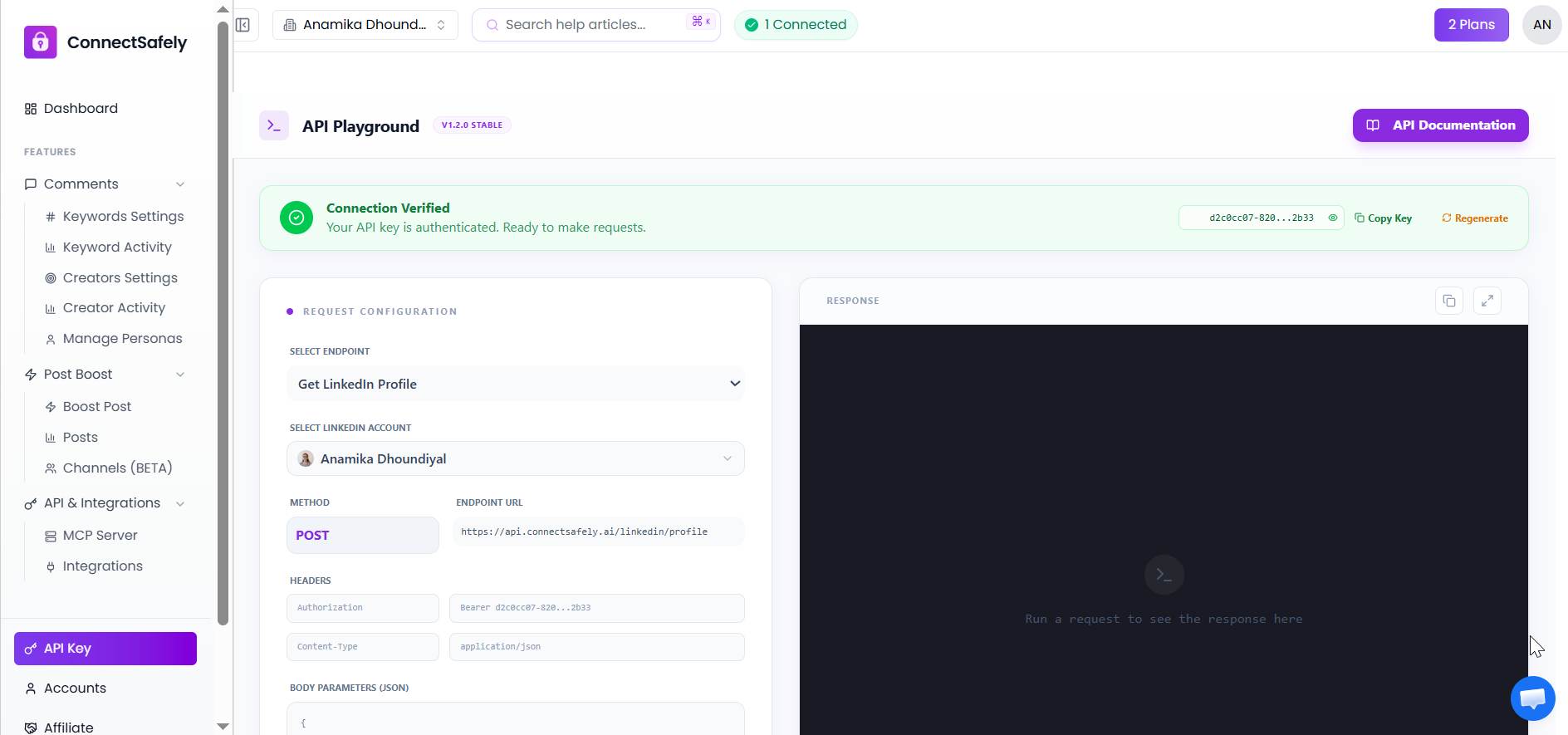
What Is the ConnectSafely API?
The ConnectSafely API is a REST-based interface that enables external systems to communicate securely with ConnectSafely.
It allows you to:
- Trigger automation from external tools
- Control ConnectSafely actions programmatically
- Fetch data related to accounts and activity
- Integrate ConnectSafely into custom outbound stacks
This is ideal for teams that need flexibility beyond built-in integrations.
When Should You Use the API?
Use the ConnectSafely API if you:
- Have custom automation requirements
- Want to integrate with internal tools
- Need fine-grained control over workflows
- Are building developer-led or engineering-driven systems
If you prefer no-code or low-code solutions, third-party integrations like n8n or HubSpot may be a better fit.
Authentication & API Keys
To use the API, you must generate an API key from your ConnectSafely dashboard.
Key points:
- Each API key is unique to your workspace
- API keys authenticate all requests
- Keys should be kept private and secure
Never expose API keys in public repositories or client-side code.
What You Can Do With the API
Using the ConnectSafely API, you can:
- Trigger ConnectSafely automation from external events
- Sync data between systems
- Build custom dashboards or reports
- Orchestrate outreach workflows programmatically
All available endpoints, request formats, and response details are documented in the official API reference.
API Documentation
For full technical details, including:
- Available endpoints
- Request and response examples
- Authentication headers
- Error handling
Refer to the official documentation:
🔗 https://connectsafely.ai/docs/api
This documentation is the source of truth for implementation.
Best Practices
- Test API calls in a development environment first
- Implement proper error handling
- Respect rate limits
- Rotate API keys periodically
- Monitor automation activity closely
Following these practices ensures stable and safe integrations.