
Best LinkedIn Marketing Tools: 12 Platforms Compared
Compare 12 best LinkedIn marketing tools for 2026. Content, engagement, and lead gen tools from $0-$99/mo. See why inbound at $39/mo outperforms.

Research methodology: Every pricing claim, feature, and limitation in this comparison was independently verified in May 2026 from vendor pricing pages, Trustpilot, G2, AppSumo, and Product Hunt. Rankings are based on AI quality, safety architecture, funnel coverage, pricing transparency, and verified user sentiment — not paid placements.

With 1.3 billion members on LinkedIn in 2026, choosing the right marketing tool is harder than ever. There are content schedulers, engagement boosters, lead scrapers, and outreach bots -- each promising to grow your pipeline. The short answer: the best LinkedIn marketing tool depends on whether you want to chase leads (outbound) or attract them (inbound). After testing 12 platforms across content creation, analytics, lead generation, and outreach, we found that inbound-focused tools deliver dramatically better results at lower cost and zero ban risk. For a full breakdown of automation approaches, see our best LinkedIn automation tools guide.
Key Takeaways
- Inbound leads close at 14.6% vs 1.7% for outbound, according to HubSpot's marketing statistics -- making tool choice a revenue decision, not just a convenience one
- Free tiers exist for Waalaxy, Snov.io, and Dux-Soup, but free outreach tools carry the highest account restriction risk
- Sales Navigator at $99/month is powerful for prospecting, but it generates leads you still have to chase manually
- Content and engagement tools (Taplio, Buffer, Linkmate) help build visibility, yet most lack a complete lead generation workflow
- ConnectSafely from USD $10/month combines content, engagement, and authority building into one inbound platform with zero ban risk
- LinkedIn's algorithm in 2026 favors native video and authentic engagement over automated connection requests
Quick Comparison: 12 LinkedIn Marketing Tools
| Tool | Category | Starting Price | Best For | Rating |
|---|---|---|---|---|
| ConnectSafely | Inbound / All-in-one | from USD $10/month | Authority-based lead gen | 9.2/10 |
| Taplio | Content Creation | $49/mo | LinkedIn-native scheduling | 8.0/10 |
| Buffer | Content Scheduling | $6/mo | Multi-platform scheduling | 7.5/10 |
| Hootsuite | Content Scheduling | $99/mo | Enterprise social management | 7.0/10 |
| Shield Analytics | Analytics | $25/mo | LinkedIn-specific analytics | 7.8/10 |
| Sales Navigator | Lead Generation | $99/mo | Advanced prospect search | 8.5/10 |
| Apollo | Lead Generation | Free/$49/mo | Contact database + outreach | 7.8/10 |
| Snov.io | Lead Generation | Free/$39/mo | Email finding + drip campaigns | 7.5/10 |
| Expandi | Outreach Automation | $99/mo | Smart outreach sequences | 7.2/10 |
| Dripify | Outreach Automation | $39/mo | Drip campaign automation | 6.8/10 |
| Waalaxy | Outreach Automation | Free/$56/mo | LinkedIn + email sequences | 7.0/10 |
| Linkmate | Engagement | $29/mo | Engagement pod management | 6.5/10 |
Content Creation and Scheduling Tools
Taplio
Best for: LinkedIn-focused content creation with AI assistance
Want to Generate Consistent Inbound Leads from LinkedIn?
Get our complete LinkedIn Lead Generation Playbook used by B2B professionals to attract decision-makers without cold outreach.
No spam. Just proven strategies for B2B lead generation.
Taplio is one of the most popular LinkedIn content tools in 2026. It offers AI-powered post generation, a viral post library for inspiration, and scheduling built specifically for LinkedIn's feed algorithm.
- Pricing: $49/month (Creator), $149/month (Team)
- Strengths: LinkedIn-specific AI writing, carousel creation, engagement analytics
- Limitations: Content often needs heavy editing to sound authentic; no lead generation workflow
- Best for: Solo creators who post 3-5 times per week and want scheduling plus inspiration
Taplio excels at content production speed but stops short of converting that visibility into pipeline. You still need a separate strategy for turning impressions into inbound leads.
Buffer
Best for: Simple multi-platform scheduling on a budget
Buffer remains one of the most affordable scheduling tools on the market. Its LinkedIn integration lets you queue posts, track basic analytics, and manage multiple social accounts from one dashboard.
- Pricing: Free (3 channels), $6/month per channel (Essentials)
- Strengths: Clean interface, affordable, reliable scheduling
- Limitations: Limited LinkedIn-specific features; analytics are surface-level
- Best for: Marketers managing LinkedIn alongside other social platforms
Hootsuite
Best for: Enterprise teams managing multiple social accounts
Hootsuite supports LinkedIn alongside every major social platform. For larger teams, it offers approval workflows, team member management, and enterprise-grade analytics.
- Pricing: $99/month (Professional), custom pricing (Enterprise)
- Strengths: Team collaboration, approval workflows, comprehensive reporting
- Limitations: Expensive for solo users; LinkedIn features lag behind dedicated tools
- Best for: Marketing teams with 3+ social platforms and a need for centralized management
Analytics and Reporting Tools
Shield Analytics
Best for: Deep LinkedIn content performance tracking
Shield Analytics focuses exclusively on LinkedIn analytics, offering content performance data that goes far beyond what LinkedIn provides natively. It tracks post reach, engagement rates, follower growth, and audience demographics over time. For a deeper comparison, see our LinkedIn analytics tools roundup.
- Pricing: $25/month (Individual), $50/month (Team)
- Strengths: LinkedIn-exclusive analytics, historical data tracking, audience insights
- Limitations: Analytics only -- no content creation, scheduling, or lead gen features
- Best for: Creators who want detailed performance data to refine their content strategy
LinkedIn Native Analytics
Best for: Basic performance tracking at zero cost
LinkedIn has improved its built-in analytics in 2026, especially after retiring Creator Mode and integrating those features platform-wide. You now get follower demographics, post impressions, and engagement metrics directly from your profile dashboard.
- Pricing: Free (included with any LinkedIn account)
- Strengths: No setup required, real-time data, profile visitor insights
- Limitations: Limited historical data, no competitor benchmarking, no export options
- Best for: Anyone who wants baseline performance data without paying for a third-party tool
Lead Generation Tools
LinkedIn Sales Navigator
Best for: Advanced prospect filtering and account targeting
Sales Navigator remains the gold standard for finding prospects on LinkedIn. Its advanced filters -- company size, job title, years in role, recent activity -- let you build highly targeted lead lists. According to LinkedIn's own data, Sales Navigator users see 45% more opportunities.
- Pricing: $99/month (Core), $149/month (Advanced)
- Strengths: Unmatched search filters, lead recommendations, InMail credits
- Limitations: Expensive; leads still require manual outreach; no content or engagement features
- Best for: Sales teams with dedicated SDRs who do high-volume prospecting
The core limitation of Sales Navigator is that it finds people for you to chase. It does not help them find you. That distinction matters: HubSpot reports inbound leads close at 14.6% compared to 1.7% for outbound.
Apollo
Best for: Contact database combined with outreach sequences
Apollo offers a massive B2B contact database alongside email sequencing, call tracking, and LinkedIn integration. It has grown rapidly as an all-in-one outbound platform.
- Pricing: Free (limited), $49/month (Basic), $99/month (Professional)
- Strengths: Large contact database, email verification, multi-channel sequences
- Limitations: LinkedIn integration relies on browser extensions that risk account flags; outbound-heavy approach
- Best for: Sales teams running multi-channel outbound campaigns across email and LinkedIn
Snov.io
Best for: Email finding and drip campaign automation
Snov.io specializes in finding verified email addresses from LinkedIn profiles and running automated email drip sequences. Its free tier makes it accessible for solo prospectors.
- Pricing: Free (50 credits/month), from USD $10/month (Starter), $99/month (Pro)
- Strengths: Accurate email verification, drip campaign builder, Chrome extension
- Limitations: Primarily email-focused; LinkedIn integration is limited to data extraction
- Best for: Outbound-focused marketers who prioritize email over LinkedIn messaging
Outreach Automation Tools
Expandi
Best for: Smart LinkedIn outreach with safety features
Expandi is a cloud-based LinkedIn automation tool that sends connection requests, follow-up messages, and InMail sequences. It uses dedicated IP addresses and human-like delays to reduce detection risk.
- Pricing: $99/month per seat
- Strengths: Cloud-based (no browser extension), smart sequences, A/B testing
- Limitations: Still violates LinkedIn's Terms of Service; account restrictions remain possible despite safety features
- Best for: Growth teams willing to accept some platform risk for automated outreach
Dripify
Best for: LinkedIn drip campaigns on a budget
Dripify automates LinkedIn connection requests and follow-up messaging through pre-built drip sequences. It is one of the more affordable outreach automation tools.
- Pricing: from USD $10/month (Basic), $59/month (Pro), $79/month (Advanced)
- Strengths: Affordable, visual campaign builder, basic analytics
- Limitations: Lower daily sending limits; relies on browser-based automation that LinkedIn can detect
- Best for: Small teams testing LinkedIn outreach automation for the first time
Waalaxy
Best for: Combined LinkedIn and email outreach with a free tier
Waalaxy offers a free plan that includes basic LinkedIn prospecting, making it an entry point for those exploring automation. Paid plans add email integration and higher sending limits.
- Pricing: Free (80 invitations/month), $56/month (Advanced), $80/month (Business)
- Strengths: Free tier available, LinkedIn + email multi-channel, visual workflow builder
- Limitations: Free plan is severely limited; automation approach still carries account restriction risk
- Best for: Budget-conscious marketers who want to test LinkedIn outreach before committing
Engagement Tools
Linkmate and Engagement Pods
Best for: Boosting post visibility through coordinated engagement
Linkmate and similar pod tools coordinate likes and comments from groups of users to boost post visibility in the LinkedIn feed. While they can increase impressions, the engagement is often shallow and rarely converts to pipeline.
- Pricing: $29/month (Linkmate), varies for other pod services
- Strengths: Quick visibility boost, simple to set up
- Limitations: LinkedIn actively detects and penalizes pod activity; engagement is low-quality; no lead generation value
- Best for: Not recommended -- the risk-to-reward ratio is poor for serious marketers
Pricing Comparison Table
| Tool | Free Tier | Starter | Pro/Growth | Enterprise |
|---|---|---|---|---|
| ConnectSafely | -- | from USD $10/month | from USD $10/month | Custom |
| Taplio | -- | $49/mo | $149/mo | Custom |
| Buffer | 3 channels | $6/mo/channel | $12/mo/channel | Custom |
| Hootsuite | -- | $99/mo | $249/mo | Custom |
| Shield Analytics | -- | $25/mo | $50/mo | Custom |
| Sales Navigator | -- | $99/mo | $149/mo | Custom |
| Apollo | 150 credits | $49/mo | $99/mo | Custom |
| Snov.io | 50 credits | $39/mo | $99/mo | Custom |
| Expandi | -- | $99/mo | -- | Custom |
| Dripify | -- | $39/mo | $59/mo | $79/mo |
| Waalaxy | 80 invites/mo | $56/mo | $80/mo | Custom |
| Linkmate | -- | $29/mo | -- | -- |
The pricing spread is wide, from free to $249/month. But cost alone does not tell you which tool generates revenue. A $99/month tool that gets your account restricted costs far more than its sticker price.
Hidden Risks of Outbound Marketing Tools
Most LinkedIn marketing tool roundups skip the risk conversation entirely. Here is what they leave out.
Account restrictions are real and increasing. LinkedIn has tightened enforcement in 2026 against automated connection requests, bulk messaging, and scraping. According to LinkedIn's Professional Community Policies, using automation that mimics human behavior violates their Terms of Service. Tools like Expandi, Dripify, and Waalaxy all operate in this gray area.
The hidden cost of a restricted account. If LinkedIn restricts or bans your account, you lose access to your entire professional network, content history, and inbound lead pipeline. For many B2B professionals, that network represents years of relationship building.
"Cloud-based" does not mean safe. Some outreach tools market cloud-based automation as undetectable. LinkedIn's detection systems analyze behavioral patterns, not just IP addresses. Sending 50 connection requests per day with templated messages triggers flags regardless of where the automation runs.
Browser extensions are the highest risk category. Tools that operate as Chrome extensions (Dux-Soup, Octopus CRM free tier) inject code directly into LinkedIn's interface. LinkedIn can detect these modifications and restrict accounts with minimal warning.
What Most Guides Get Wrong
Most LinkedIn marketing tool roundups rank tools by feature count or pricing tiers. They miss the strategic question that actually determines ROI: are you building a system that attracts leads, or are you paying for faster ways to chase them?
The feature-list trap. A tool with 50 features is not better than a tool with 10 if those 10 features align with how LinkedIn's algorithm actually distributes content. In 2026, LinkedIn rewards authentic engagement, native video, and consistent thought leadership. No amount of automation features can replicate that.
Confusing activity with results. Sending 100 connection requests per day feels productive. But if only 1.7% of those outbound leads ever convert (per HubSpot), you are burning through your addressable market for minimal return. Meanwhile, a single well-positioned authority post can generate 10-20 qualified inbound conversations.
Ignoring the compound effect. Outbound tools deliver linear results: more messages in, slightly more responses out. Inbound authority building compounds. Every post, every thoughtful comment, every piece of value you share builds a body of work that attracts leads while you sleep. The right tool should accelerate this compounding, not bypass it.
Why Inbound Outperforms All LinkedIn Marketing Tools
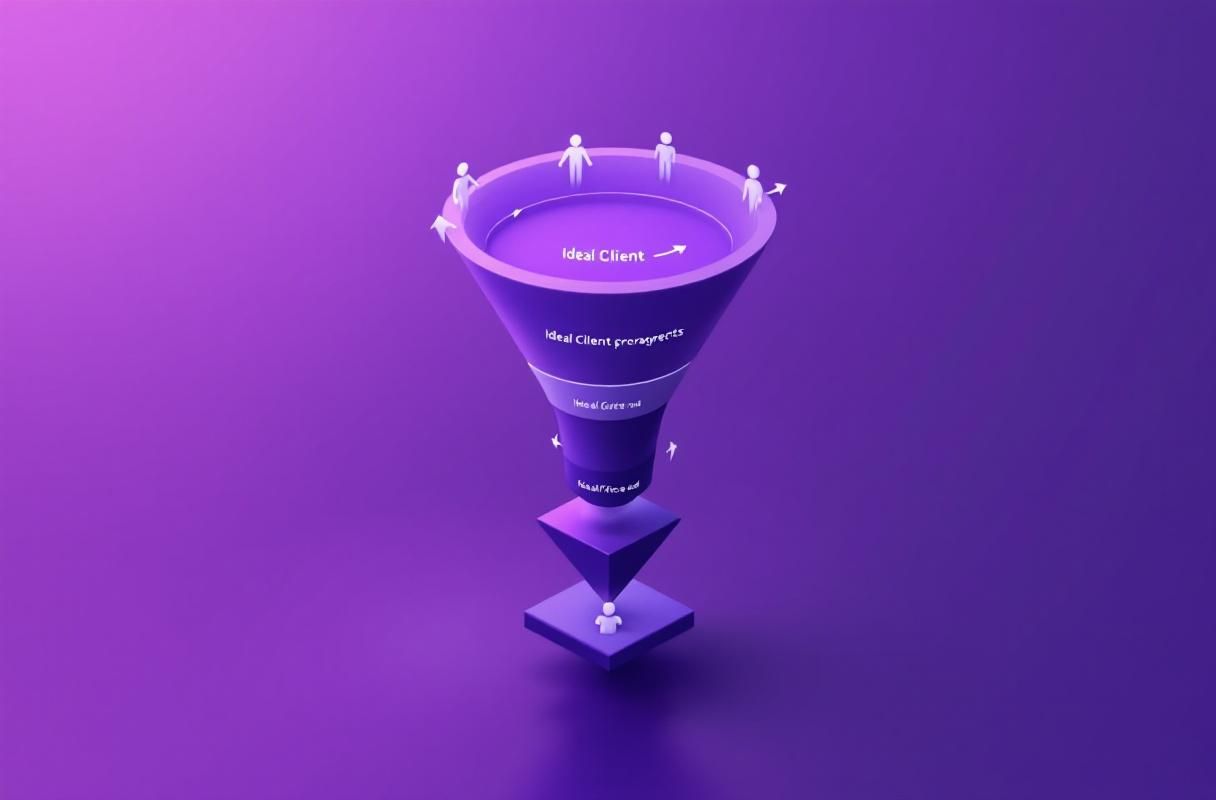
The data is clear: inbound leads close at 14.6% compared to 1.7% for outbound. That is not a marginal difference. It is an 8.5X multiplier on your conversion rate.
ConnectSafely is built for this reality. Starting from USD $10/month, it combines content optimization, strategic engagement targeting, and authority-building workflows into a single platform. There are no connection request bots. No bulk messaging. No browser extensions that risk your account.
Here is what ConnectSafely does differently:
- Content strategy engine: Identifies topics and formats that resonate with your target audience, aligned with LinkedIn's 2026 algorithm preferences for native video and thought leadership
- Engagement targeting: Surfaces high-value conversations where your expertise adds genuine value, building relationships that convert to inbound leads
- Authority metrics: Tracks the signals that predict inbound lead generation -- profile views from decision-makers, engagement quality, and content reach within your target market
- Zero ban risk: Operates fully within LinkedIn's Terms of Service because it enhances human behavior rather than replacing it
The result: ConnectSafely users generate 10-20 qualified inbound leads per month. These are prospects who reach out to you because your content and engagement demonstrated expertise they need. That is fundamentally different from cold outreach, and it is why the close rate is 8.5X higher.
For the complete comparison of automation approaches, read our best LinkedIn automation tools pillar guide.
FAQ
What is the best free LinkedIn marketing tool in 2026?
Buffer's free tier (3 channels) is the most reliable free option for content scheduling. For outreach, Waalaxy offers a free plan with 80 invitations per month, though automated outreach carries account restriction risk. LinkedIn's own native analytics provide free performance tracking that has improved significantly since Creator Mode was retired.
Which LinkedIn marketing tool generates the most leads?
Sales Navigator finds the most prospects, but finding leads and generating them are different. ConnectSafely from USD $10/month generates 10-20 qualified inbound leads per month through authority building. Inbound leads close at 14.6% vs 1.7% for outbound (HubSpot), making inbound tools more effective per dollar spent.
Are LinkedIn automation tools safe to use in 2026?
LinkedIn has increased enforcement against automation in 2026. Cloud-based tools like Expandi are lower risk than browser extensions, but any tool that automates connection requests or messaging violates LinkedIn's Terms of Service. Inbound tools like ConnectSafely operate within platform rules because they enhance human engagement rather than automating it.
How much should I spend on LinkedIn marketing tools?
Most professionals can get strong results spending $39-$99/month. The key is choosing one tool that aligns with your strategy rather than stacking three or four tools that overlap. If your strategy is inbound, ConnectSafely from USD $10/month covers content, engagement, and lead generation in one platform. If outbound, expect $99-$150/month for Sales Navigator plus an outreach tool.
Can I replace Sales Navigator with a cheaper LinkedIn tool?
For pure prospect search, no tool matches Sales Navigator's filters. But if your goal is lead generation rather than lead finding, inbound tools are more cost-effective. ConnectSafely from USD $10/month generates leads who come to you, eliminating the need for advanced search filters. Many users find they can cancel Sales Navigator entirely after building an inbound authority presence.
Start Generating Inbound Leads on LinkedIn
The best LinkedIn marketing tool is the one that turns your expertise into a lead generation engine. Instead of chasing prospects with automated messages, build the authority that makes them reach out to you.
ConnectSafely combines content strategy, engagement targeting, and authority metrics from USD $10/month -- less than half the cost of Sales Navigator, with zero ban risk and higher-converting leads.
See pricing and start your inbound strategy
The Hidden Dangers of Over-Automating LinkedIn Outreach
While automation can be a powerful tool for streamlining LinkedIn outreach, there's a fine line between efficiency and over-reliance. Many marketers fall into the trap of automating every aspect of their outreach, from connection requests to follow-up messages. However, this approach can backfire in several ways. For one, LinkedIn's algorithm is designed to detect and penalize automated behavior, which can lead to account restrictions or even bans. Moreover, over-automating outreach can come across as insincere or spammy, damaging your personal brand and reputation. It's essential to strike a balance between automation and personal touch, using tools to augment your efforts rather than replacing human interaction entirely. A better approach is to use automation for routine tasks, such as scheduling posts or tracking engagement, while reserving personal outreach for high-value connections or strategic partnerships. By finding this balance, you can harness the power of automation without sacrificing the authenticity and nuance that's essential for building meaningful relationships on LinkedIn.
Debunking the Myth: "More Connections = More Opportunities"
One of the most pervasive myths in LinkedIn marketing is that having a large number of connections is a guaranteed path to success. While it's true that having a strong network can be beneficial, the reality is more complex. Simply accumulating connections without any strategy or engagement is unlikely to yield meaningful results. In fact, having a large number of low-quality connections can even harm your visibility and credibility. LinkedIn's algorithm prioritizes engagement and relevance, so having a small but highly engaged network can be more valuable than a large but dormant one. Furthermore, the quality of your connections matters far more than the quantity. Focus on building relationships with people who are relevant to your industry, niche, or target audience, and prioritize engagement and value exchange over mere connection numbers. By doing so, you'll be able to leverage your network effectively and avoid the common pitfall of mistaking quantity for quality.
Advanced LinkedIn Marketing: Leveraging Employee Advocacy and Amplification
For experienced marketers looking to take their LinkedIn strategy to the next level, employee advocacy and amplification offer a powerful opportunity for growth. By empowering your employees to become brand ambassadors on LinkedIn, you can tap into their personal networks and expand your reach exponentially. This approach requires careful planning and execution, however. It's essential to provide employees with the training, resources, and incentives they need to become effective advocates, as well as to establish clear guidelines and protocols for content sharing and engagement. Additionally, you'll need to leverage advanced analytics and tracking tools to measure the impact of employee advocacy and identify areas for improvement. By doing so, you can unlock the full potential of your employee network and create a robust, multi-channel marketing strategy that drives real results. One key strategy is to identify and empower "super-advocates" – employees who have a strong personal brand and a large, engaged following on LinkedIn. By providing these individuals with exclusive content, training, and support, you can create a network effect that amplifies your brand's message and reaches new audiences.
The Contrarian Approach: Why You Should Focus on Niche Audiences Rather Than Broad Reach
Conventional wisdom in LinkedIn marketing emphasizes the importance of casting a wide net and reaching the largest possible audience. However, this approach can be misguided. By targeting niche audiences and tailoring your content and outreach to their specific needs and interests, you can achieve far greater engagement and conversion rates. This contrarian approach requires a deep understanding of your target audience and their pain points, as well as the ability to craft highly targeted and relevant content. Additionally, you'll need to leverage advanced targeting options, such as LinkedIn's matching algorithms and audience segmentation tools, to ensure that your content reaches the right people. By focusing on niche audiences, you can create a loyal and engaged community that drives real results for your business, rather than simply chasing vanity metrics like reach and impressions. One key strategy is to use LinkedIn's "audience insights" tool to identify and target specific job titles, industries, or company sizes, and then tailor your content and outreach to their unique needs and challenges.
Myth vs Reality: The Truth About LinkedIn's Algorithm and "Native" Content
One of the most enduring myths in LinkedIn marketing is that the platform's algorithm favors "native" content – i.e., content that's created and published directly on LinkedIn, rather than shared from other platforms. While it's true that LinkedIn's algorithm prioritizes content that's engaging, relevant, and high-quality, the reality is more nuanced. In fact, LinkedIn's algorithm is designed to prioritize content that's relevant and valuable to the user, regardless of whether it's native or shared from another platform. What's more important is the quality and engagement of the content, rather than its origin. Additionally, LinkedIn's algorithm is constantly evolving, with new updates and changes being rolled out regularly. To stay ahead of the curve, marketers need to focus on creating high-quality, engaging content that resonates with their target audience, rather than simply chasing the latest algorithmic trends. By doing so, you can create a sustainable and effective content strategy that drives real results, rather than simply trying to game the system. One key strategy is to use LinkedIn's "content insights" tool to track engagement and performance, and then adjust your content strategy accordingly.
See How It Works
Watch how people get more LinkedIn leads with ConnectSafely




Related Articles