ChatGPT for LinkedIn: AI Engagement That Builds Authority
Learn how to use ChatGPT for LinkedIn posts, comments, and engagement. Build authentic authority with AI-assisted content that attracts inbound leads.

ChatGPT can transform your LinkedIn presence from invisible to influential—but only when used strategically. According to LinkedIn's 2024 B2B Marketing Benchmark, two in three marketers now use generative AI in their workflows, with adoption rising 20% year over year. The key is using AI to amplify your unique expertise, not replace your authentic voice.
Why AI-Assisted LinkedIn Engagement Works
With over 1 billion users on LinkedIn, standing out requires strategy. ChatGPT helps you create more content, faster—but the real advantage is consistency. Professionals who post regularly build authority that attracts inbound opportunities.
Want to Generate Consistent Inbound Leads from LinkedIn?
Get our complete LinkedIn Lead Generation Playbook used by B2B professionals to attract decision-makers without cold outreach.
No spam. Just proven strategies for B2B lead generation.
The AI advantage for LinkedIn:
- Generate content ideas when creativity runs dry
- Draft posts faster without sacrificing quality
- Create thoughtful comments that start conversations
- Maintain consistent posting even during busy periods
LinkedIn's algorithm now explicitly favors meaningful conversation over likes. ChatGPT helps you show up consistently—the foundation of authority building.
How to Use ChatGPT for LinkedIn Posts

The Right Way: Enhance Your Voice
ChatGPT works best as a writing partner, not a replacement. Start with your ideas, experiences, and insights—then use AI to structure and refine them.
Effective prompt structure:
I want to write a LinkedIn post about [topic].
My key insight is [your unique perspective].
My audience is [target professional].
Keep it conversational and add a question at the end.
What makes AI-assisted posts work:
- Your genuine expertise and experiences
- Specific examples from your work
- Opinions that differentiate you
- A consistent voice across posts
The Wrong Way: Generic AI Content
LinkedIn's algorithm now rewards human expertise and originality over low-quality, generic writing. Posts that obviously come from AI templates get less reach.
Avoid these AI content mistakes:
- Posting AI output without editing
- Using the same prompt templates as everyone else
- Removing personality to sound "professional"
- Ignoring your unique perspective
Best ChatGPT Prompts for LinkedIn Content
According to Podawaa's research, these prompt frameworks generate the best results:
For thought leadership posts:
Write a LinkedIn post sharing my contrarian take on [topic].
My position: [your opinion]
Include a specific example and end with a question.
For storytelling posts:
Help me turn this experience into a LinkedIn story:
[describe your experience]
Focus on the lesson learned and make it relevant to [audience].
For educational posts:
Create a LinkedIn post teaching [concept] to [audience].
Include 3-5 actionable steps.
Keep each point to one sentence.
ChatGPT for LinkedIn Comments
Comments drive more visibility than posts alone. According to LinkedIn's algorithm updates, the platform now shows impression counts on comments—reinforcing that interaction matters.
Why Strategic Comments Build Authority
When you comment thoughtfully on others' posts:
- You appear in their followers' feeds
- You demonstrate expertise to new audiences
- You build relationships with industry voices
- You attract profile visits from ideal prospects
Using ChatGPT for Better Comments
Prompt for generating comment ideas:
I'm commenting on a post about [topic].
The author's main point is [summary].
Generate 3 thoughtful comments that:
- Add a new perspective or example
- Ask a meaningful question
- Are 2-3 sentences each
Daily comment routine:
- Spend 10-15 minutes on targeted engagement
- Comment on 5-10 posts from your industry
- Write substantive comments (2-3 sentences minimum)
- Reply to all comments on your posts within 2 hours
This approach supports authentic engagement that builds real connections.
ChatGPT for LinkedIn Messages
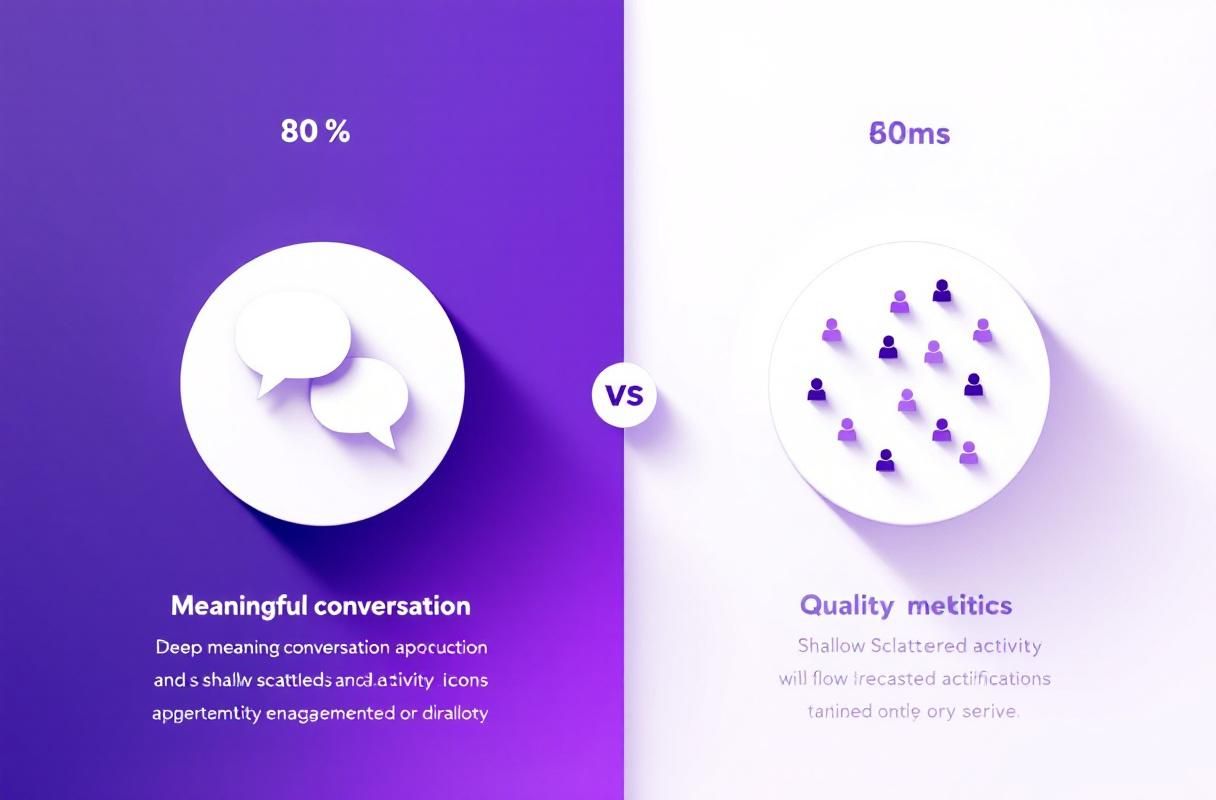
AI can help craft personalized connection requests and messages—but personalization must be genuine, not templated.
Connection Request Best Practices
Effective AI-assisted approach:
Write a connection request for [name], a [title] at [company].
Reference their recent post about [topic].
Keep it under 300 characters.
Don't ask for anything—just connect.
What to avoid:
- Generic "I'd like to add you to my network" messages
- Immediate pitches after connecting
- Templates that feel automated
The goal is starting relationships, not cold outreach that damages your reputation.
Limitations of ChatGPT for LinkedIn
AI tools have clear limitations for professional networking:
What AI Cannot Do
Build genuine relationships. ChatGPT generates text, but relationships require human connection. Your unique experiences, opinions, and personality create trust—AI cannot replicate that.
Understand your audience deeply. You know your prospects' challenges, language, and priorities. AI provides generic insights; you provide specific relevance.
Guarantee engagement. AI-generated content still needs your strategic thinking about timing, audience targeting, and content pillars.
The Human Elements That Matter
According to Monaco Tribune's LinkedIn analysis, professionals embracing authenticity—using storytelling and personal experiences—build deeper trust than those posting polished corporate content.
What only you can provide:
- Real client stories and outcomes
- Lessons from your specific failures
- Contrarian opinions in your industry
- Behind-the-scenes of your work
Beyond ChatGPT: Dedicated LinkedIn AI Tools
While ChatGPT requires manual prompting, dedicated LinkedIn tools offer automation that scales your presence.
ConnectSafely.ai for LinkedIn Authority
ConnectSafely.ai automates strategic LinkedIn engagement while maintaining authenticity:
AI-Powered Commenting: Generate personalized comments that sound like you—not generic bot responses. Build visibility on target creators' content without the daily time investment.
Consistent Engagement: Maintain active presence even when you're busy. The platform engages authentically on your behalf, following LinkedIn's guidelines.
Authority Building: Focus your AI assistance on activities that compound—strategic visibility that attracts inbound leads who already trust you.
When to Use ChatGPT vs. Dedicated Tools
| Use Case | ChatGPT | Dedicated LinkedIn Tool |
|---|---|---|
| Drafting posts | Good | Better (trained on LinkedIn) |
| Strategic comments | Manual | Automated |
| Consistent presence | Requires effort | Built-in |
| Voice consistency | Variable | Trained on your style |
| Compliance | Your responsibility | Built-in safeguards |
Best Practices for AI-Assisted LinkedIn Growth
1. Start With Strategy, Not Tools
Before using any AI tool, define your content pillars and target audience. AI amplifies your strategy—it doesn't create one.
2. Edit Everything
Never post AI-generated content without editing. Add your personality, specific examples, and authentic voice. The goal is AI-assisted, not AI-generated.
3. Focus on Engagement, Not Just Posts
According to LinkedIn's algorithm, comments and conversations matter more than posting frequency. Use AI to help you engage more thoughtfully across the platform.
4. Maintain Authenticity
Your unique perspective is your competitive advantage. Use AI to express your ideas more clearly—not to generate ideas you don't actually have.
5. Measure What Matters
Track inbound conversations and opportunities, not just impressions. AI should help you build authority that converts, not vanity metrics.
Frequently Asked Questions
Can I use ChatGPT to write LinkedIn posts?
Yes, ChatGPT can help draft LinkedIn posts faster. The key is using it as a writing partner: start with your unique insights and experiences, then use AI to structure and refine. According to LinkedIn's 2024 data, 66% of marketers use generative AI—the advantage goes to those who blend AI efficiency with authentic voice.
How do I use ChatGPT for LinkedIn comments?
Generate comment ideas by providing context: the post topic, author's main point, and your perspective. Ask ChatGPT for 2-3 sentence comments that add value, ask questions, or share relevant examples. Then edit for your voice before posting. Strategic comments on others' posts expand your visibility beyond your follower base.
Will LinkedIn penalize AI-generated content?
LinkedIn doesn't ban AI-assisted content, but its algorithm rewards human expertise and originality. Generic, obviously-AI posts get less reach. Posts that combine AI efficiency with your authentic perspective and unique insights perform well.
Is there a better alternative to ChatGPT for LinkedIn?
Dedicated LinkedIn AI tools like ConnectSafely.ai offer advantages over general-purpose ChatGPT: they're trained on LinkedIn-specific content, automate strategic engagement, learn your voice, and include built-in compliance safeguards. ChatGPT requires more manual effort for consistent LinkedIn presence.
How often should I post on LinkedIn using AI?
Quality beats quantity. Aim for 3-5 posts per week where AI helps you maintain consistency without sacrificing authenticity. Focus more on strategic engagement and comments than posting frequency alone.
ChatGPT can accelerate your LinkedIn growth—but the professionals attracting inbound opportunities use AI strategically, not as a crutch. Your expertise, personality, and genuine relationships remain irreplaceable. AI just helps you show up consistently.
Ready to build LinkedIn authority with AI-powered engagement? Start your free ConnectSafely.ai trial and see how strategic automation attracts qualified prospects.
Navigating the Gray Area: When AI-Assisted Content Blurs the Line Between Authenticity and Automation
As we delve deeper into the realm of AI-powered engagement on LinkedIn, it's essential to acknowledge the gray area that exists between authenticity and automation. While ChatGPT can be a valuable tool for enhancing our content and streamlining our workflow, it's crucial to recognize when the line between human touch and machine-generated output becomes blurred. This ambiguity can lead to a phenomenon known as "AI creep," where the over-reliance on automated content creation slowly erodes the unique personality and voice that makes our online presence truly distinctive. To avoid this pitfall, it's vital to maintain a keen sense of self-awareness, regularly assessing our content to ensure that it still reflects our genuine perspectives, experiences, and values. By doing so, we can harness the benefits of AI-assisted content creation while preserving the authenticity that underpins our authority and influence on LinkedIn.
Myth vs Reality: Debunking Common Misconceptions About AI-Generated Content on LinkedIn
One of the most pervasive myths surrounding AI-generated content on LinkedIn is that it's inherently spammy or low-quality. This misconception stems from the early days of AI content creation, when the output was often stilted, generic, and lacking in depth. However, with the advent of more sophisticated AI models like ChatGPT, the reality is that AI-generated content can be highly engaging, informative, and contextually relevant. Another myth is that AI-generated content is only suitable for mundane or repetitive tasks, such as data entry or basic research. In reality, AI can be a powerful tool for creative tasks like content ideation, outlining, and even drafting. By recognizing and challenging these myths, we can unlock the full potential of AI-assisted content creation on LinkedIn and leverage it to build our authority, expand our reach, and drive meaningful engagement.
The Dark Side of AI-Assisted Engagement: When Over-Reliance on Automation Backfires
While AI-assisted engagement can be a game-changer for LinkedIn marketers, there's a darker side to this phenomenon that's often overlooked. When we become too reliant on automation, we risk sacrificing the very essence of what makes our online presence human: empathy, nuance, and emotional intelligence. Over-reliance on AI can lead to a kind of "emotional detachment," where our interactions become sterile, formulaic, and lacking in depth. This can have serious consequences, including decreased engagement, diminished trust, and a loss of credibility. Furthermore, when we prioritize automation over human touch, we may inadvertently create a "content echo chamber," where our messaging becomes repetitive, predictable, and ultimately, irrelevant. To avoid this trap, it's essential to strike a balance between automation and human intuition, recognizing that the most effective engagement strategies are those that harmoniously blend the strengths of both.
Advanced Strategies for AI-Driven Content Optimization on LinkedIn
For experienced LinkedIn marketers looking to push the boundaries of AI-driven content optimization, there are several advanced strategies worth exploring. One such approach is to leverage AI-powered topic modeling to identify emerging trends, patterns, and themes in our niche. By analyzing large datasets and identifying correlations between keywords, hashtags, and engagement metrics, we can uncover hidden opportunities for content creation and optimization. Another strategy is to use AI-driven sentiment analysis to fine-tune our content's emotional resonance and tone. By analyzing the emotional undertones of our audience's responses, we can adjust our messaging to better align with their values, concerns, and aspirations. Additionally, AI-powered content clustering can help us identify and group related content pieces, enabling us to create cohesive, structured narratives that resonate with our audience and reinforce our authority.
Edge Cases and Uncommon Scenarios: When AI-Assisted Engagement Requires a Human Touch
While AI-assisted engagement can be highly effective in many scenarios, there are certain edge cases and uncommon situations where a human touch is essential. One such example is when dealing with sensitive or emotionally charged topics, such as crisis management, conflict resolution, or social justice issues. In these situations, AI-generated content can come across as insensitive, tone-deaf, or even offensive, highlighting the need for human empathy, nuance, and emotional intelligence. Another example is when engaging with high-value or high-influence individuals, such as thought leaders, industry experts, or potential partners. In these cases, a personalized, humanized approach is often more effective, as it allows us to build trust, establish credibility, and foster meaningful relationships. By recognizing these edge cases and uncommon scenarios, we can ensure that our AI-assisted engagement strategies are complemented by a human touch, allowing us to navigate complex situations with sensitivity, empathy, and finesse.
See How It Works
Watch how people get more LinkedIn leads with ConnectSafely




Related Articles