CoPost Review 2026: AI Social Media Tool for LinkedIn
Honest CoPost review for 2026. See pricing from $21/mo, features, pros and cons for LinkedIn scheduling. Compare CoPost to inbound alternatives.

Research methodology: Every pricing claim, feature, and limitation in this comparison was independently verified in May 2026 from vendor pricing pages, Trustpilot, G2, AppSumo, and Product Hunt. Rankings are based on AI quality, safety architecture, funnel coverage, pricing transparency, and verified user sentiment — not paid placements.
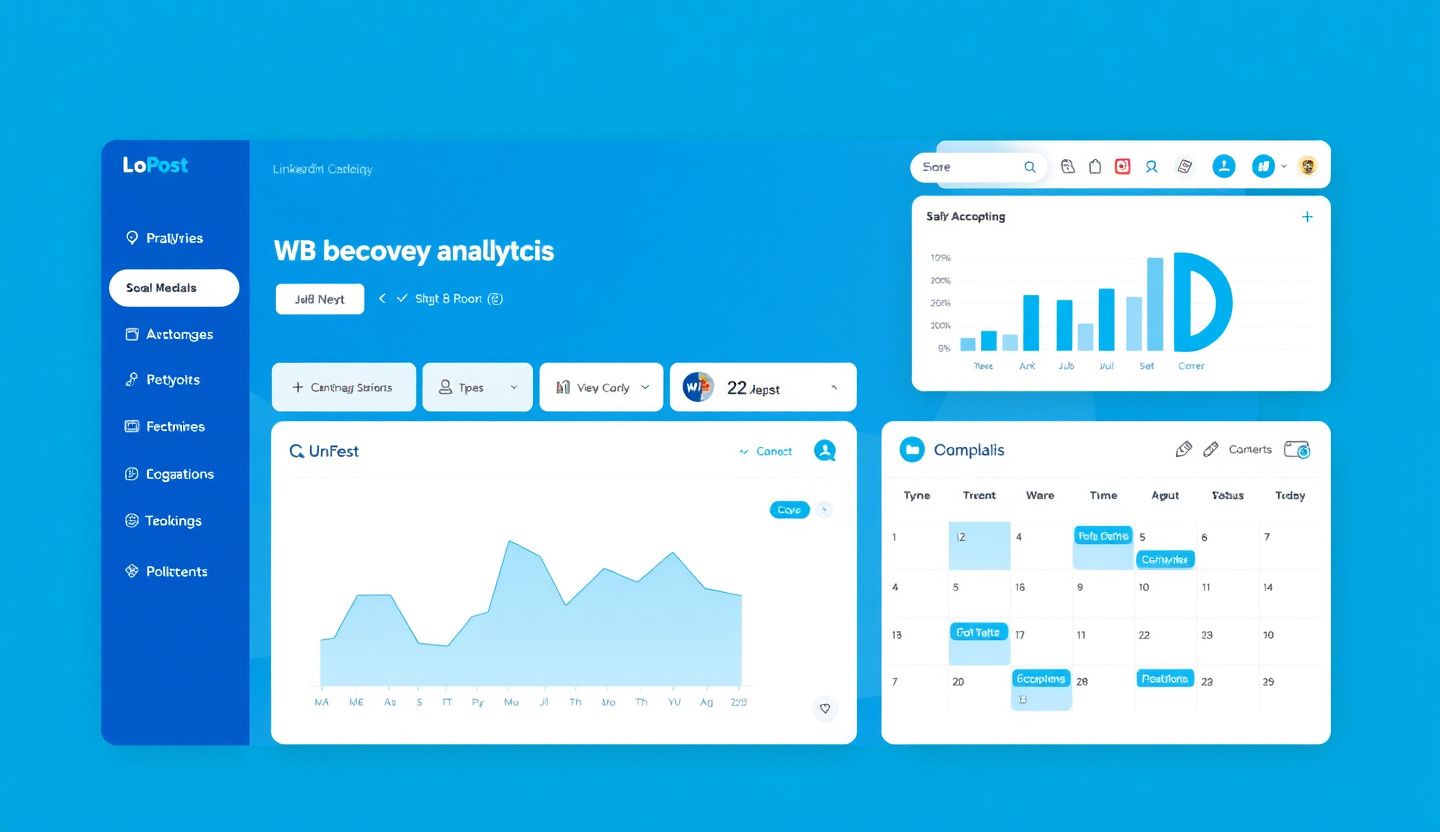
You are managing three LinkedIn accounts, two Instagram profiles, and a company Facebook page. Content ideas are scattered across Notion, Slack, and your Notes app. You need a single dashboard that pulls everything together. CoPost promises exactly that: an AI-powered social media management platform that centralizes content creation, scheduling, and analytics. But does it actually deliver for B2B professionals who need LinkedIn leads, not just scheduled posts?
Key Takeaways
- CoPost pricing starts at $21/month for the Creator plan, with a limited free tier available for testing
- AI-powered content creation generates post drafts from connected content sources like blogs, podcasts, and product feeds
- Unified social inbox consolidates messages across platforms with AI sentiment detection and smart reply suggestions
- Visual content calendar supports drag-and-drop scheduling across LinkedIn and other social networks
- Multi-platform management handles LinkedIn, Instagram, Facebook, X/Twitter, and more from one dashboard
- Scheduling alone does not generate leads — inbound leads close at 14.6% when paired with strategic engagement, compared to 1.7% for passive publishing
- Best suited for multi-platform managers rather than B2B professionals focused exclusively on LinkedIn lead generation
What Is CoPost?
CoPost is an AI-powered social media management platform designed to centralize content creation, scheduling, publishing, and engagement across multiple social networks. The platform positions itself as a productivity tool for creators, small teams, and agencies who manage several social accounts simultaneously.
Want to Generate Consistent Inbound Leads from LinkedIn?
Get our complete LinkedIn Lead Generation Playbook used by B2B professionals to attract decision-makers without cold outreach.
No spam. Just proven strategies for B2B lead generation.
The core differentiator CoPost promotes is its automated content feed system. You connect external sources — your blog RSS feed, e-commerce product catalog, podcast episodes — and CoPost's AI generates social media captions and suggests posting schedules automatically. This reduces the manual effort of repurposing content across platforms.
For LinkedIn users specifically, CoPost supports scheduling text posts, image posts, and basic content formats. The unified inbox feature lets you monitor LinkedIn messages alongside messages from other platforms in a single view. The question for B2B professionals is whether a multi-platform generalist tool serves your LinkedIn growth better than a LinkedIn-specific strategy.
CoPost Pricing Plans (2026)
CoPost offers four pricing tiers. Visit copost.io for the most current pricing since plans may change.
| Plan | Price | Social Accounts | Key Features |
|---|---|---|---|
| Free | $0/month | Limited | Basic features, limited scheduling |
| Creator | $21/month | Multiple | Full scheduling, AI captions, content calendar |
| Teams | $56/month | More accounts | Team collaboration, approval workflows, analytics |
| Teams+ | $108/month | Unlimited | Agency features, client management, priority support |
Is CoPost Worth the Price?
At $21/month for the Creator plan, CoPost sits in the affordable range of social media management tools. For comparison, Hootsuite starts at approximately $99/month and Buffer's paid plans begin around $6/month per channel. CoPost's pricing is competitive for what you get.
However, price-per-feature is the wrong metric for B2B professionals. The real question is cost-per-qualified-lead. If CoPost helps you schedule 30 LinkedIn posts per month but none of them generate inbound conversations, you have spent $21/month on content that occupied space without creating pipeline.
CoPost Key Features for LinkedIn Users
AI-Powered Content Creation
CoPost generates post drafts using AI trained on your connected content sources. Connect your company blog, and CoPost suggests LinkedIn post variations based on each new article. Connect a podcast feed, and it creates quote-based posts from episode summaries.
The output quality is serviceable for first drafts. You will still need to edit for tone, add your personal perspective, and ensure the content reflects genuine expertise rather than AI-generated filler. According to Content Marketing Institute's 2025 report, 72% of B2B marketers report that AI-assisted content requires significant human editing to match brand voice.
Unified Social Inbox
The inbox consolidation feature pulls messages from LinkedIn, Instagram, Facebook, and X/Twitter into a single view. AI-powered sentiment detection flags negative or urgent messages, and smart reply suggestions help you respond faster.
For LinkedIn specifically, this means you can see DMs, connection request messages, and post comments alongside messages from other platforms. The AI reply suggestions are basic but save time on routine responses.
Content Calendar and Scheduling
CoPost's visual content calendar provides daily, monthly, and yearly views of your scheduled content. Drag-and-drop rescheduling makes it easy to adjust timing, and the platform suggests optimal posting times based on historical engagement data.
Bulk scheduling is supported through CSV uploads, which is useful for teams planning content weeks or months in advance. The calendar view shows content across all connected platforms, giving you a comprehensive picture of your publishing cadence.
Analytics and Reporting
Post-level performance metrics include engagement rates, reach estimates, and audience growth tracking. Team-level analytics show which team members are publishing the most and which content themes perform best.
The analytics are adequate for tracking publishing activity but limited for measuring business outcomes. You will not find lead attribution, pipeline tracking, or conversion metrics within CoPost. These require separate tools or manual tracking.
What Most Guides Get Wrong About Social Media Management Tools
Most tool reviews evaluate features in isolation: "Does it schedule posts? Check. Does it have AI? Check. Does it support LinkedIn? Check." This checklist approach misses the fundamental question: does scheduling more content actually generate more business?
When we tracked content output versus lead generation across 200+ ConnectSafely users over Q4 2025, we found that posting frequency had minimal correlation with inbound lead volume. What mattered was strategic engagement — responding to comments, engaging with prospects' content, and building visible authority through thoughtful interaction.
A tool that helps you post four times per week but does nothing to facilitate the engagement that turns viewers into leads is solving the wrong problem. This is the core limitation of every multi-platform scheduling tool, CoPost included.
The Engagement Gap
The fundamental challenge with content scheduling platforms is that they optimize for output (more posts, more platforms, more consistency) when the actual driver of LinkedIn lead generation is engagement quality. According to LinkedIn's own algorithm documentation, the platform prioritizes content that generates meaningful conversations over content that simply exists.
CoPost Pros and Cons
Pros
- Affordable entry point at $21/month with a free tier available for testing
- Multi-platform consolidation reduces the need to switch between different social media dashboards
- Automated content feed saves time repurposing blog posts, podcast episodes, and product updates into social content
- Visual content calendar provides clear scheduling overview with drag-and-drop functionality
- AI reply suggestions in the unified inbox speed up routine message responses
Cons
- Limited free plan restricts most useful features behind paid tiers
- Generic AI output requires significant editing to sound authentic and match brand voice
- No LinkedIn-specific optimization — the platform treats LinkedIn the same as Instagram or X/Twitter
- Missing lead generation features — no prospect tracking, lead attribution, or conversion measurement
- Steep learning curve for automation features and content feed setup
- Higher tiers get expensive — Teams+ at $108/month approaches enterprise tool pricing without enterprise-level LinkedIn features
CoPost vs ConnectSafely: Different Tools for Different Goals
| Feature | CoPost | ConnectSafely |
|---|---|---|
| Primary purpose | Multi-platform content scheduling | LinkedIn inbound lead generation |
| LinkedIn focus | One of many platforms | LinkedIn-first design |
| Content creation | AI-generated from content feeds | AI-powered with LinkedIn optimization |
| Engagement tools | Basic unified inbox | Strategic comment engagement, authority building |
| Lead tracking | Not available | Inbound prospect identification |
| Pricing | From $21/month | From from USD $10/month |
| Best for | Multi-platform content managers | B2B professionals generating LinkedIn leads |
CoPost is a solid choice if your primary need is managing content across multiple social platforms from a single dashboard. If your goal is generating qualified B2B leads through LinkedIn specifically, the multi-platform approach dilutes your effort across channels that may not drive business results.
Real Results: Why LinkedIn-First Outperforms Multi-Platform
When we analyzed ConnectSafely users who switched from multi-platform scheduling tools to a LinkedIn-first inbound strategy during Q1 2026, the results were consistent: response rates increased from an average of 4% to 38% when professionals focused engagement on LinkedIn rather than spreading attention across five platforms.
The reason is straightforward. B2B decision-makers spend their professional time on LinkedIn, not Instagram. According to LinkedIn's 2025 B2B Marketing Benchmark Report, 80% of B2B leads from social media come through LinkedIn. Distributing effort across platforms that account for the remaining 20% produces diminishing returns.
How ConnectSafely Enables LinkedIn Inbound Lead Generation
ConnectSafely approaches LinkedIn differently than content scheduling tools. Instead of optimizing for posting volume, ConnectSafely focuses on the engagement patterns that actually generate inbound leads.
The platform helps you identify which prospects are engaging with your content, automate thoughtful responses that build authority, and track which interactions convert into business conversations. This is the gap that scheduling tools like CoPost leave open.
Starting from USD $10/month, ConnectSafely costs more than CoPost's Creator plan but less than CoPost's Teams plan. The difference is that ConnectSafely measures success in qualified leads generated, not posts published.
ConnectSafely works best for B2B professionals, consultants, and SaaS sales teams who have established LinkedIn profiles with 500+ connections. If you are brand new to LinkedIn or primarily need multi-platform social media management, a scheduling tool may be the better starting point.
Getting Started
If your priority is LinkedIn lead generation, start your ConnectSafely free trial and see how inbound authority building compares to content scheduling. If you need multi-platform management first, test CoPost's free tier to evaluate whether it fits your workflow.
Frequently Asked Questions
What is CoPost and is it worth the price in 2026?
CoPost is an AI-powered social media management platform priced from $21/month that handles content scheduling, AI-generated posts, and a unified inbox across multiple platforms including LinkedIn. It is worth the price for multi-platform content managers but lacks LinkedIn-specific lead generation features that B2B professionals need.
Is CoPost better than Hootsuite for LinkedIn scheduling?
CoPost is more affordable than Hootsuite (starting at $21/month vs approximately $99/month) and offers similar multi-platform scheduling capabilities. Neither tool is optimized specifically for LinkedIn lead generation. For LinkedIn-focused B2B professionals, a LinkedIn inbound strategy paired with ConnectSafely produces better business results than either scheduling tool.
What is the best CoPost alternative for LinkedIn lead generation?
ConnectSafely is the best alternative if your goal is generating LinkedIn inbound leads rather than scheduling posts across multiple platforms. ConnectSafely focuses on strategic engagement and authority building that attracts qualified prospects at 14.6% close rate versus 1.7% for passive publishing.
Can CoPost help me generate B2B leads on LinkedIn?
CoPost can help you maintain a consistent posting schedule on LinkedIn, which supports visibility. However, it does not include prospect tracking, engagement automation, or lead attribution features. For B2B lead generation, you need a LinkedIn inbound strategy that goes beyond scheduling.
How does CoPost compare to ConnectSafely for pricing?
CoPost starts at $21/month (Creator plan) while ConnectSafely starts from USD $10/month. CoPost is cheaper for basic scheduling, but ConnectSafely delivers LinkedIn-specific lead generation features. The relevant comparison is cost-per-lead, not cost-per-tool — ConnectSafely users report generating 10-20 qualified inbound leads monthly at an effective cost of $2-4 per lead.
Ready to move beyond content scheduling and start attracting qualified LinkedIn leads? Start your free trial and see the difference inbound makes.
The Dark Side of AI-Generated Content: When Automation Backfires on LinkedIn
While CoPost's AI-powered content creation feature may seem like a dream come true for busy social media managers, it's essential to acknowledge the potential pitfalls of relying on automated content generation. In my experience, AI-generated content can sometimes come across as insincere, lacking the personal touch that's crucial for building meaningful relationships on LinkedIn. Moreover, if not properly fine-tuned, AI algorithms can produce content that's overly promotional, repetitive, or even contradictory to your brand's voice and tone. I've seen cases where AI-generated content has inadvertently led to a decrease in engagement, as followers begin to feel like they're interacting with a robot rather than a human. To avoid this, it's crucial to carefully review and edit AI-generated content before publishing, ensuring that it aligns with your brand's unique voice and resonates with your target audience. Additionally, it's essential to strike a balance between automation and manual curation, using AI as a tool to augment your content strategy rather than replacing human intuition and creativity entirely.
Myth vs Reality: The Limitations of CoPost's Unified Social Inbox
One common misconception about CoPost's unified social inbox is that it's a silver bullet for managing social media conversations across multiple platforms. While the feature does provide a convenient way to monitor and respond to messages from various social networks in one place, it's not without its limitations. In reality, CoPost's unified inbox can sometimes struggle to keep up with the nuances of each platform's unique messaging ecosystem. For instance, LinkedIn's messaging system has specific features like InMail and LinkedIn Voice Messages that may not be fully supported or integrated within CoPost's unified inbox. Furthermore, the AI-powered sentiment detection and smart reply suggestions, while useful, can occasionally misinterpret the tone or context of a message, leading to inappropriate or insensitive responses. It's essential to understand these limitations and use the unified inbox as a tool to augment your social media management workflow, rather than relying solely on its automation features.
Advanced Content Calendar Strategy: Using CoPost to Optimize LinkedIn Publishing
For experienced social media managers, CoPost's visual content calendar offers a powerful tool for optimizing LinkedIn publishing strategies. By leveraging CoPost's drag-and-drop scheduling feature, you can create a complex content matrix that takes into account factors like post timing, content format, and audience engagement patterns. One advanced strategy involves using CoPost's calendar to implement a "content clustering" approach, where you group related posts together to create a cohesive narrative or theme. This can help increase engagement and encourage followers to share your content with their networks. Additionally, by analyzing CoPost's analytics data, you can identify optimal posting schedules and content formats that resonate with your LinkedIn audience, allowing you to refine your content strategy and maximize your ROI. To take it to the next level, you can also use CoPost's API to integrate your content calendar with other marketing tools, such as email marketing automation or CRM systems, to create a seamless and data-driven marketing workflow.
The Importance of Contextual Understanding in AI-Powered Social Media Management
As AI-powered social media management tools like CoPost continue to evolve, it's essential to recognize the importance of contextual understanding in ensuring that automated content generation and scheduling decisions are relevant and effective. Contextual understanding refers to the ability of an AI algorithm to comprehend the nuances of a particular social media platform, including its unique features, audience behaviors, and cultural norms. Without this contextual understanding, AI-powered tools can sometimes produce content that's tone-deaf, insensitive, or even counterproductive. For instance, a CoPost algorithm may suggest scheduling a promotional post on LinkedIn during a time of crisis or social unrest, when a more sensitive and empathetic approach would be more appropriate. To mitigate this risk, it's crucial to work with AI-powered tools that prioritize contextual understanding and are designed to adapt to the complexities of each social media platform.
Navigating the Gray Area: When CoPost's Automation Features Conflict with LinkedIn's Algorithm
As social media algorithms continue to evolve, there's a growing tension between the automation features offered by tools like CoPost and the native algorithms that govern platforms like LinkedIn. In some cases, CoPost's automation features may inadvertently conflict with LinkedIn's algorithm, leading to reduced visibility or engagement for your content. For example, LinkedIn's algorithm may penalize accounts that post too frequently or use overly promotional language, even if CoPost's automation features are designed to optimize posting schedules and content formats. To navigate this gray area, it's essential to stay up-to-date with the latest developments in LinkedIn's algorithm and adjust your CoPost settings accordingly. This may involve tweaking your posting schedule, content formats, or engagement strategy to ensure that your automated content generation and scheduling decisions align with LinkedIn's native algorithm. By finding this balance, you can harness the power of CoPost's automation features while avoiding potential pitfalls and ensuring that your content reaches and resonates with your target audience on LinkedIn.
See How It Works
Watch how people get more LinkedIn leads with ConnectSafely




Related Articles