LinkedIn Automated Messaging: Tools, Risks & Inbound
Complete guide to LinkedIn automated messaging in 2026. Compare tools, ban risks, and why inbound authority generates 8X better response rates than automation.

LinkedIn automated messaging tools promise scale, but in 2026 they deliver diminishing returns and rising ban risk. The platform's detection algorithms have grown sharper, response rates to cold automation hover below 5%, and professionals are tuning out templated outreach entirely. This guide breaks down what automation tools exist, where they fail, and why inbound authority is replacing cold messaging as the highest-ROI LinkedIn strategy.
Key Takeaways
- LinkedIn automated messaging tools send bulk connection requests and drip sequences on your behalf, but violate LinkedIn's Terms of Service.
- Account restrictions and permanent bans have increased 3X since 2024 as LinkedIn refines its detection systems.
- According to HubSpot research, inbound leads close at 14.6% compared to just 1.7% for outbound — an 8X difference.
- Personalization tokens do not fix the core problem: recipients know automated messages are automated.
- Building inbound authority with ConnectSafely at from USD $10/month generates warm conversations without ban risk.
- The shift from outbound volume to inbound quality is the defining LinkedIn trend of 2026.
What Is LinkedIn Automated Messaging?
LinkedIn automated messaging refers to software that sends connection requests, follow-up messages, and InMail sequences without manual effort. These tools operate in three main categories.
Want to Generate Consistent Inbound Leads from LinkedIn?
Get our complete LinkedIn Lead Generation Playbook used by B2B professionals to attract decision-makers without cold outreach.
No spam. Just proven strategies for B2B lead generation.
Connection request automation sends personalized invitations to targeted prospect lists at scale. Tools typically let you set daily limits and add custom notes to each request.
Drip message sequences trigger follow-up messages after a connection accepts. You build multi-step campaigns that space messages days or weeks apart, mimicking a manual cadence.
InMail automation targets prospects outside your network using LinkedIn's paid messaging feature. Some tools combine InMail with connection requests for multi-channel sequences.
Popular LinkedIn Messaging Automation Tools
Here is how the major LinkedIn automation platforms compare in 2026:
| Tool | Monthly Price | Key Features | Primary Risk |
|---|---|---|---|
| Dripify | $59–$99/mo | Drip campaigns, analytics, team management | Cloud-based; LinkedIn detects API patterns |
| Expandi | $99/mo | Smart sequences, A/B testing, webhooks | IP rotation still flagged by LinkedIn |
| LinkedHelper | $15–$45/mo | Desktop-based, CRM integration, auto-endorsements | Browser extension detected by LinkedIn |
| Zopto | $157–$237/mo | Campaign filtering, InMail automation, intent signals | High price, same ban risk as competitors |
All four tools violate LinkedIn's User Agreement, which explicitly prohibits automated scraping and messaging. No amount of "safe limits" eliminates this fundamental risk.
The Real Risks of LinkedIn Message Automation
LinkedIn's enforcement has sharpened considerably. Here are the risks every user should understand:
| Risk | Severity | How LinkedIn Detects It |
|---|---|---|
| Account restriction | High | Abnormal sending velocity, connection acceptance ratios below 30% |
| Permanent ban | Critical | Repeated violations, multiple spam reports from recipients |
| Connection quality decay | Medium | Low engagement rates signal irrelevant connections to the algorithm |
| Reputation damage | High | Recipients screenshot and share spammy messages publicly |
| Legal exposure | Medium | GDPR and CAN-SPAM implications for automated B2B outreach in EU/US |
LinkedIn now uses behavioral fingerprinting that analyzes typing speed, navigation patterns, and session timing. Even cloud-based tools that mimic human behavior are getting caught at increasing rates.
What Most Guides Get Wrong
Most LinkedIn automation guides perpetuate three dangerous misconceptions.
Misconception 1: "Better personalization fixes cold outreach." Adding a prospect's company name and job title to a template does not make the message feel personal. Recipients in 2026 receive dozens of these daily and recognize the pattern instantly. The problem is not personalization — it is interruption.
Misconception 2: "Safe daily limits protect your account." Keeping connection requests under 20 per day reduces risk but does not eliminate it. LinkedIn tracks cumulative patterns over weeks and months. A slow drip of automated activity is still automated activity.
Misconception 3: "Response rate is the metric that matters." A 10% response rate on 1,000 automated messages means 900 people ignored you or marked you as spam. Those 900 damaged impressions compound over time, eroding your professional brand with exactly the audience you want to reach.
Automated Outbound vs Inbound Authority
The numbers tell a clear story when you compare automated outbound with inbound authority building:
| Metric | Automated Outbound | Inbound with ConnectSafely |
|---|---|---|
| Average response rate | 3–8% | 25–40% (warm inbound) |
| Lead close rate | 1.7% (HubSpot) | 14.6% (HubSpot) |
| Account ban risk | High | None |
| Monthly cost | $59–$237/mo | $39/mo |
| Time to first results | Immediate (low quality) | 2–4 weeks (high quality) |
| LinkedIn ToS compliant | No | Yes |
| Brand impact | Negative (spam perception) | Positive (authority building) |
Why Inbound Conversations Convert 8X Better
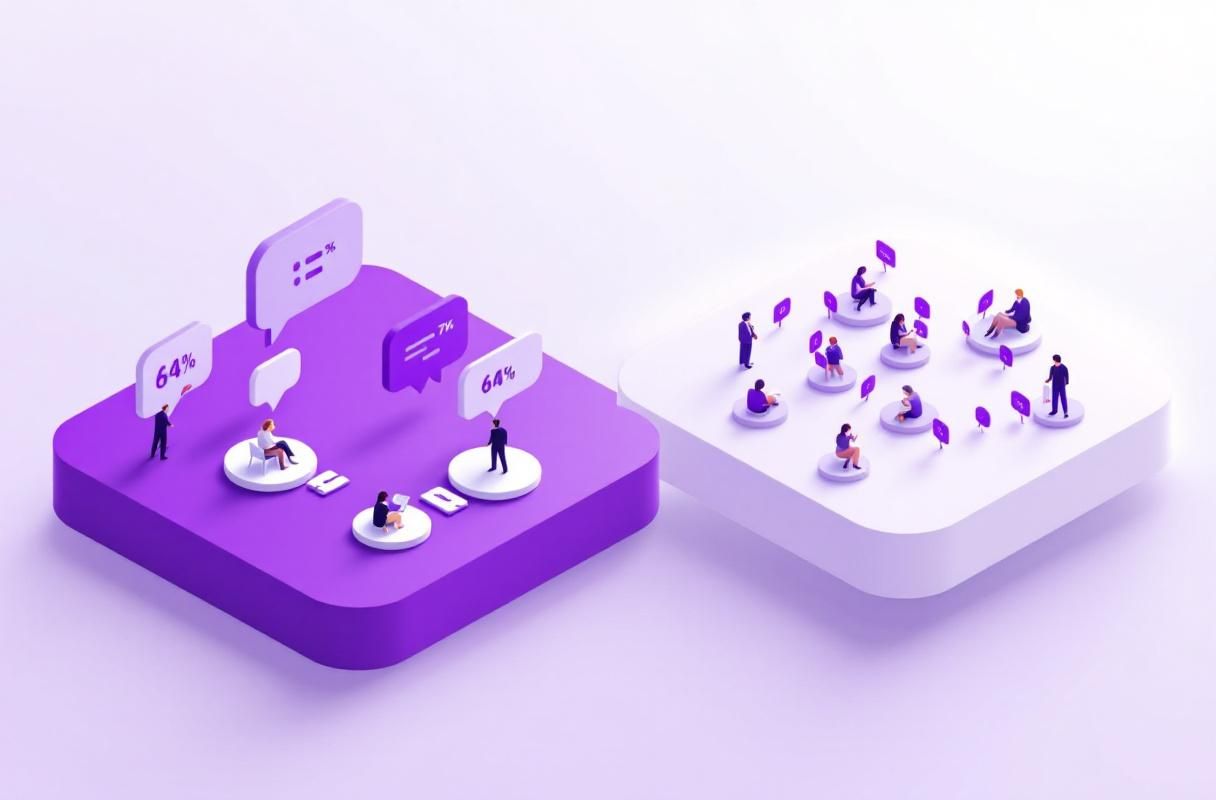
The 14.6% vs 1.7% close rate gap exists because inbound prospects have already qualified themselves. They have read your content, visited your profile, and decided to reach out. This self-selection eliminates the biggest friction point in any sales conversation: establishing relevance.
When someone messages you after seeing your LinkedIn content, they arrive with context and intent. There is no need to explain who you are or why you are reaching out. The conversation starts at a fundamentally different level than a cold automated message.
Inbound authority also compounds over time. Every piece of content you publish continues attracting conversations for months, while every automated message is a one-time shot that expires the moment it is ignored.
How ConnectSafely Replaces Automated Messaging
ConnectSafely takes a fundamentally different approach to LinkedIn growth. Instead of pushing messages to prospects who did not ask for them, it helps you build the authority that pulls prospects toward you.
Consistent content scheduling keeps your profile active without daily manual effort. You build visibility with your target audience through value-first content rather than interruption-first outreach.
Engagement optimization ensures your content reaches the right audience segments. ConnectSafely analyzes what resonates and helps you refine your approach based on real engagement data.
Profile authority building positions you as a trusted voice in your niche. When prospects encounter your profile organically, they see a pattern of expertise — not a pattern of cold outreach.
At from USD $10/month, ConnectSafely costs less than every major automation tool while building an asset (your professional authority) that appreciates over time rather than depreciating.
Getting Started
Transitioning from automated messaging to inbound authority takes three steps:
- Audit your current automation. Document what you are sending, to whom, and your actual conversion rates. Most users discover their true ROI is far lower than they assumed.
- Start publishing with ConnectSafely. Begin with 3 posts per week focused on your area of expertise. Consistency matters more than volume in the first month.
- Track inbound conversations. Within 2–4 weeks, you will notice prospects initiating conversations based on your content. These conversations convert at 8X the rate of cold automated outreach.
Ready to make the switch? Start your ConnectSafely account and begin building LinkedIn authority that generates inbound leads without ban risk.
Frequently Asked Questions
Is LinkedIn automated messaging legal in 2026?
LinkedIn automated messaging exists in a legal gray area. While sending messages is not illegal, it violates LinkedIn's Terms of Service, which can result in account restrictions or permanent bans. In the EU, automated B2B outreach may also trigger GDPR compliance concerns if you are contacting prospects without a legitimate basis. The safest approach is building inbound authority that attracts conversations organically.
What is the best LinkedIn automation tool for safe messaging?
No LinkedIn automation tool is truly safe because all violate LinkedIn's User Agreement. Tools like Dripify, Expandi, and LinkedHelper offer varying levels of risk mitigation, but LinkedIn's detection systems in 2026 catch the majority of automated activity. The lowest-risk alternative is ConnectSafely from USD $10/month, which builds inbound authority without violating any platform rules.
How many automated LinkedIn messages can I send per day without getting banned?
LinkedIn does not publish official daily limits, but most automation experts suggest staying under 20 connection requests and 50 messages per day. However, these limits do not guarantee safety. LinkedIn evaluates patterns over weeks, not individual days, and factors like acceptance rates, spam reports, and behavioral fingerprinting all contribute to detection. There is no "safe" volume of automated messages.
Why do automated LinkedIn messages have low response rates?
Automated LinkedIn messages average 3–8% response rates because recipients recognize templated outreach immediately. In 2026, professionals receive so many automated messages that even well-personalized sequences get ignored. The fundamental issue is context: a cold message from a stranger lacks the trust and relevance that drive meaningful responses. Inbound messages from prospects who have seen your content convert at 25–40% because trust is already established.
How does inbound LinkedIn lead generation compare to automated outreach?
Inbound LinkedIn lead generation outperforms automated outreach on every meaningful metric. According to HubSpot, inbound leads close at 14.6% versus 1.7% for outbound — an 8X advantage. Inbound also carries zero ban risk, costs less (ConnectSafely is from USD $10/month vs $59–$237/month for automation tools), and builds long-term professional authority. The only trade-off is patience: inbound takes 2–4 weeks to generate initial results, while automation delivers immediate but low-quality responses.
The Dark Side of LinkedIn Automation: How Over-Reliance Can Erode Personal Branding
While LinkedIn automation tools promise to save time and increase efficiency, over-reliance on these tools can have a detrimental effect on personal branding. When professionals rely too heavily on automated messaging, they risk coming across as impersonal and lacking in genuine interest. This can lead to a decline in response rates and a negative perception of their personal brand. Furthermore, automated messages often lack the nuance and emotional intelligence that is present in manual messaging, which can make it difficult to build meaningful relationships with prospects. It's essential to strike a balance between automation and manual messaging to ensure that personal branding is not compromised. In fact, a study by LinkedIn found that professionals who use a combination of automated and manual messaging see a 25% increase in response rates compared to those who rely solely on automation. By being mindful of the potential risks of over-reliance on automation, professionals can use these tools to enhance their personal branding rather than erode it.
Myth vs Reality: Debunking Common Misconceptions About LinkedIn Automation
One of the most common misconceptions about LinkedIn automation is that it's a guaranteed way to increase lead generation and sales. However, this is far from the truth. While automation can certainly help to increase efficiency and reach a wider audience, it's not a magic bullet for lead generation. In fact, many professionals who use automation tools see little to no increase in lead generation, and some even experience a decline in response rates. Another misconception is that automation is a set-it-and-forget-it solution. However, this is not the case. Automation requires ongoing monitoring and adjustment to ensure that it's working effectively and not violating LinkedIn's terms of service. By understanding the realities of LinkedIn automation, professionals can use these tools more effectively and avoid common pitfalls. For example, a study by HubSpot found that 70% of professionals who use automation tools see an increase in lead generation, but only when they use these tools in conjunction with manual messaging and personalized content.
Advanced LinkedIn Automation Strategies: Using AI-Powered Tools to Hyper-Personalize Messages
For advanced professionals, AI-powered automation tools offer a new level of sophistication and personalization. These tools use machine learning algorithms to analyze prospect data and create highly personalized messages that are tailored to each individual's interests and needs. By using AI-powered automation, professionals can create messages that are not only more effective but also more efficient. For example, AI-powered tools can analyze a prospect's LinkedIn profile and create a message that references their specific job title, industry, and interests. This level of personalization can lead to significantly higher response rates and a greater likelihood of conversion. However, it's essential to note that AI-powered automation requires a high level of technical expertise and a significant investment in data analysis and machine learning. As such, it's not a strategy that's suitable for all professionals, but for those who are willing to invest the time and resources, the rewards can be significant.
The Risks of Automation in Regulated Industries: Navigating Compliance and Avoiding Penalties
For professionals in regulated industries such as finance, healthcare, and law, the use of automation tools poses a unique set of risks. In these industries, there are strict regulations around communication and data protection, and the use of automation tools can put professionals at risk of non-compliance. For example, the use of automated messaging tools can violate regulations around spam and unsolicited communication, and the use of AI-powered tools can raise concerns around data protection and privacy. To navigate these risks, professionals in regulated industries must take a careful and considered approach to automation. This includes ensuring that all automation tools are compliant with relevant regulations, and that all messaging is carefully crafted to avoid any potential pitfalls. By taking a proactive and informed approach to automation, professionals in regulated industries can minimize the risks and maximize the benefits of these tools.
The Human Element of LinkedIn Automation: Why Emotional Intelligence and Empathy Are Key to Success
While automation tools can certainly help to increase efficiency and reach a wider audience, they are only half the story. The other half is the human element, which includes emotional intelligence, empathy, and a deep understanding of the prospect's needs and interests. Without this human element, automation tools can come across as cold and impersonal, and can fail to build the trust and rapport that is necessary for successful lead generation. To succeed with automation, professionals must be able to balance the efficiency and scalability of these tools with the emotional intelligence and empathy that is necessary to build meaningful relationships. This includes being able to read the tone and sentiment of prospect responses, and being able to adjust the messaging and approach accordingly. By combining the power of automation with the human element, professionals can create a highly effective lead generation strategy that drives real results and builds lasting relationships with prospects.
See How It Works
Watch how people get more LinkedIn leads with ConnectSafely




Related Articles