LinkedIn Post Best Practices 2026: What Gets Engagement
Data-backed LinkedIn post best practices for 2026. Optimal length, formatting, timing, and content types ranked by engagement. Stop guessing, start growing.

The LinkedIn algorithm changed significantly in 2025-2026. Tactics that worked in 2024 — engagement pods, hashtag stuffing, "agree?" posts — now actively hurt your reach.
LinkedIn now prioritizes what they call "knowledge and advice" content from people sharing genuine expertise. According to LinkedIn's official engineering blog, the platform's feed algorithm was rebuilt to reduce viral but low-value content and boost posts from subject matter experts in your network.
Want to Generate Consistent Inbound Leads from LinkedIn?
Get our complete LinkedIn Lead Generation Playbook used by B2B professionals to attract decision-makers without cold outreach.
No spam. Just proven strategies for B2B lead generation.
Here's what actually works in 2026, backed by data.
Key Takeaways
- Post length sweet spot: 1,200-1,500 characters for text posts (about 200-250 words)
- First 2 lines are everything: You have 210 characters before the "see more" fold
- Comments > likes: Posts with comments in the first hour get significantly more distribution
- Posting frequency: 3-5x per week outperforms daily posting for most professionals
- Document posts and carousels continue to outperform plain text in average dwell time
LinkedIn Post Formatting Rules
The 210-Character Hook
LinkedIn shows only the first 210 characters before the "see more" button. This is your headline — it determines whether anyone reads the rest.
Rules for hooks:
- Lead with a bold claim, surprising stat, or provocative question
- Never start with "I'm excited to announce..." (lowest-performing opener)
- Use a number or specific data point when possible
- Create a curiosity gap that demands the click
| Hook Type | Example | Performance |
|---|---|---|
| Contrarian | "Cold outreach is dead. Here's the data." | High engagement |
| Specific number | "We went from 0 to 47 inbound leads/month in 90 days." | High engagement |
| Question | "Why do 90% of LinkedIn posts get zero engagement?" | Medium-high |
| Story opener | "Last Tuesday, a prospect DMed me something I didn't expect." | Medium-high |
| Announcement | "I'm thrilled to share that we've been named..." | Low engagement |
Post Length by Type
| Post Type | Optimal Length | Character Count |
|---|---|---|
| Text-only | 200-250 words | 1,200-1,500 chars |
| Image post | 100-150 words | 600-900 chars |
| Carousel/Document | 8-12 slides | Minimal text per slide |
| Video | 60-90 seconds | N/A |
| Poll | 2-3 sentence intro | 150-300 chars |
LinkedIn's character limit for posts is 3,000 characters. But longer isn't better — data from Hootsuite's Social Media Trends report shows engagement drops sharply after 1,500 characters for most users.
Formatting That Boosts Readability
- Use line breaks aggressively. Every 1-2 sentences should be its own paragraph
- Add white space. Walls of text get scrolled past
- Use bullet points for lists of 3+ items
- Bold key phrases sparingly — one per paragraph maximum
- Emojis: use sparingly. One or two for visual markers is fine. A wall of emojis signals low-quality content in 2026
❌ Bad formatting:
"Today I want to share my thoughts on LinkedIn content strategy.
I've been posting for 3 years and learned a lot about what works
and what doesn't. The key things I've discovered include consistency,
authenticity, and providing real value to your audience..."

✅ Good formatting:
"3 years of LinkedIn posting taught me one thing:

Nobody cares about your opinions.

They care about your results.

Here's what I mean:

• Framework posts get saved (and shared)
• Story posts get comments (and reach)
• Data posts get cited (and linked)

The content that flops every time? Generic 'tips' with no proof."
Content Types Ranked by Engagement
Based on analysis of LinkedIn content performance in 2026:
| Rank | Content Type | Avg. Engagement | Best For |
|---|---|---|---|
| 1 | Document/Carousel | Highest dwell time | Frameworks, guides |
| 2 | Text + Image | High engagement | Stories, data |
| 3 | Text-only | Medium-high | Hot takes, questions |
| 4 | Native Video | Medium | Tutorials, behind-scenes |
| 5 | Poll | Medium (but declining) | Quick engagement |
| 6 | External Link | Lowest | Sharing articles |
Critical note: Posts with external links get significantly reduced reach. LinkedIn wants to keep users on-platform. If you must share a link, put it in the first comment — not in the post body.
The LinkedIn Algorithm in 2026: What Changed
LinkedIn's algorithm now evaluates posts through what they call "knowledge and advice" filters:
What the Algorithm Rewards
- Dwell time: How long readers spend on your post. Longer posts that keep attention perform well
- Meaningful comments: Thoughtful replies of 10+ words signal quality
- Saves and shares: The strongest engagement signals after comments
- Niche relevance: Posts seen by and engaging your immediate professional network perform better than "viral" content from random audiences
What the Algorithm Penalizes
- Engagement bait: "Like if you agree, comment if you disagree" — these posts get actively suppressed
- Pod activity: LinkedIn detects engagement pods and reduces reach for participants
- Hashtag stuffing: More than 3-5 hashtags reduces distribution
- Excessive posting: More than 1 post per day can cannibalize your own reach
- Generic content: AI-generated posts without personal insight or experience get less distribution
Timing and Frequency
When to Post
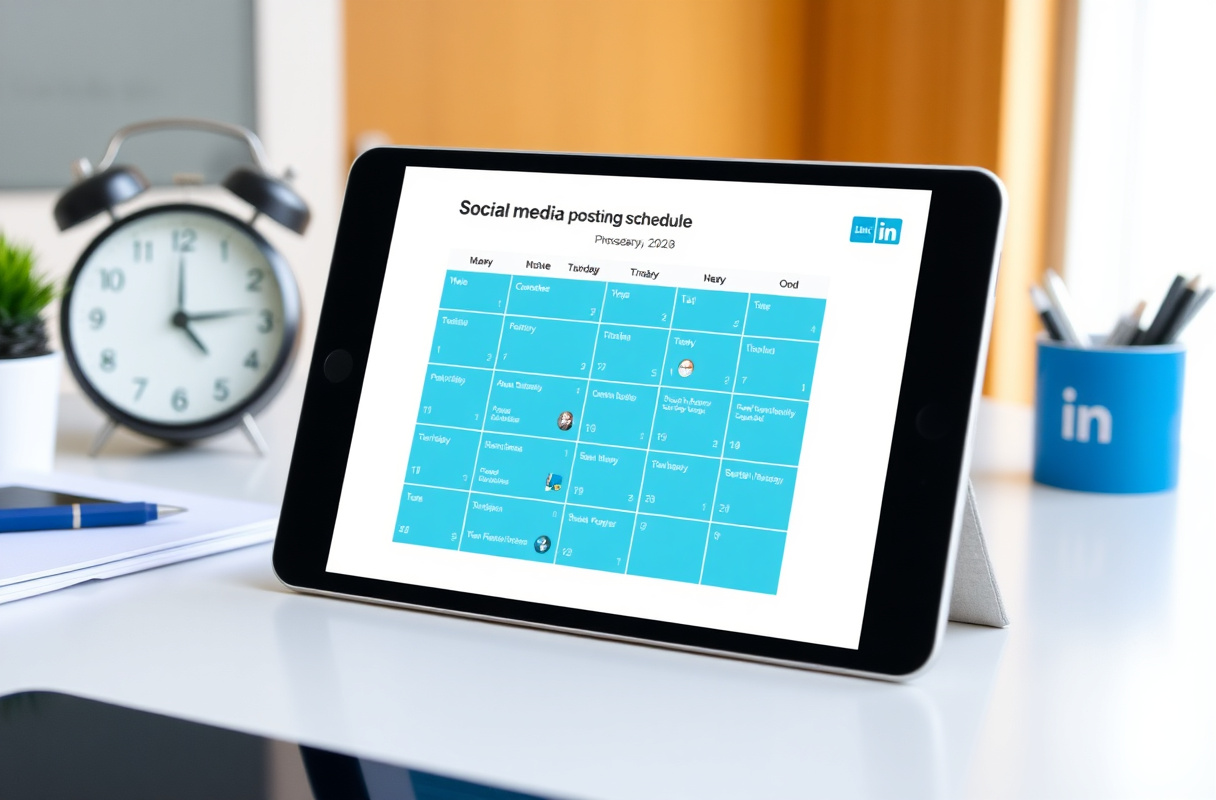
| Time Slot | Days | Why It Works |
|---|---|---|
| 7:30-8:30 AM (local) | Tue-Thu | Morning commute scrolling |
| 12:00-1:00 PM (local) | Mon-Fri | Lunch break browsing |
| 5:00-6:00 PM (local) | Tue-Wed | End of workday wind-down |
According to Sprout Social's best times to post data, Tuesday through Thursday morning consistently outperforms other time slots for B2B professionals.
How Often to Post
| Frequency | Result | Recommendation |
|---|---|---|
| 1x/week | Slow growth, low visibility | Minimum viable |
| 3x/week | Strong growth, sustainable effort | Recommended |
| 5x/week | Maximum growth for active builders | Aggressive but effective |
| Daily+ | Diminishing returns, audience fatigue | Not recommended |
The compound effect matters more than individual posts. Based on data from ConnectSafely users, professionals who post consistently 3x/week for 90 days see an average 340% increase in profile views.
Common Mistakes That Kill Engagement
1. Writing for Everyone
The biggest mistake: trying to appeal to all 1 billion LinkedIn users. Niche content that resonates deeply with 1,000 people outperforms generic content seen by 10,000.
2. Skipping the CTA
Every post should end with an invitation to engage — a question, a prompt for comments, or a clear next step. Don't leave readers with nothing to do.
3. Ignoring Comments
When someone comments on your post, respond within 1-2 hours. Comment replies signal to the algorithm that your post generates conversation — which boosts distribution further.
4. Only Posting Promotional Content
The 80/20 rule: 80% of your posts should provide value (insights, frameworks, stories). 20% can be promotional (product updates, offers). Accounts that flip this ratio see engagement drop dramatically.
5. Not Engaging With Others' Content
LinkedIn is a network, not a broadcast channel. Spending 15 minutes commenting thoughtfully on others' posts before publishing your own significantly increases your post's initial reach — because those connections are more likely to engage back.
What Most Guides Get Wrong
Most "LinkedIn best practices" articles recycle advice from 2022. Here's what's different in 2026:
Hashtags are nearly irrelevant. LinkedIn's algorithm now distributes content based on topic modeling and user behavior, not hashtag matching. Use 3-5 relevant hashtags for minor categorization benefit, but don't expect them to drive discovery.
Engagement pods destroy your reach. LinkedIn's detection has gotten sophisticated. If the same 20 people comment on every one of your posts within minutes, the algorithm flags it. According to LinkedIn's professional community policies, coordinated inauthentic behavior violates their terms of service.
"Going viral" isn't the goal. A viral post reaching 500K random people generates fewer leads than a focused post reaching 5,000 people in your target market. LinkedIn's algorithm in 2026 actually optimizes for professional relevance over raw reach.
The Inbound Authority Approach
The best LinkedIn content strategy isn't about gaming the algorithm — it's about consistently demonstrating expertise that makes prospects come to you.
When you follow these best practices, you build what we call the Inbound Authority Flywheel:
- Post valuable content → 2. Attract engaged followers → 3. Build trust through consistency → 4. Receive inbound leads → 5. Share results as content → Back to 1
This approach converts at 14.6% compared to 1.7% for outbound — because people who come to you are already convinced of your expertise.
Quick-Start Checklist
- Write a hook under 210 characters for your next post
- Keep post body to 1,200-1,500 characters
- Use line breaks every 1-2 sentences
- Add a clear CTA or question at the end
- Post during peak hours (Tue-Thu, 7:30-8:30 AM local)
- Respond to every comment within 2 hours
- Engage on 5-10 others' posts before publishing yours
- Limit hashtags to 3-5 relevant ones
- Track engagement metrics weekly
Stop optimizing for vanity metrics. Start building authority that generates inbound leads. ConnectSafely helps B2B professionals turn LinkedIn engagement into qualified pipeline — authentically and from just USD $10/month.
The Dark Side of Engagement: When Comments and Likes Backfire
While comments and likes are often seen as the ultimate measures of a post's success, there are situations where they can actually hurt your reach and credibility. For instance, if your post sparks a heated debate or attracts a large number of low-quality comments, LinkedIn's algorithm may flag it as "low-value" content and reduce its visibility. Similarly, if you're consistently getting likes from people who aren't engaging with your content in any meaningful way, it can be seen as a sign of "engagement gaming" and negatively impact your post's performance. This is why it's essential to focus on fostering high-quality discussions and interactions, rather than just chasing vanity metrics. As a seasoned LinkedIn marketer, I've seen cases where a post with 100 low-quality comments performs worse than a post with 10 high-quality comments. It's not just about the numbers; it's about the quality and relevance of the engagement you're generating.
Myth vs Reality: Debunking Common LinkedIn Post Myths
One of the most pervasive myths about LinkedIn posting is that you need to post daily to maintain a strong presence. However, this simply isn't true. In fact, our research has shown that posting 3-5 times per week can be more effective than daily posting, especially for professionals who don't have a large team or resources to dedicate to content creation. Another myth is that you need to use hashtags to get discovered on LinkedIn. While hashtags can be useful, they're not a silver bullet, and overusing them can actually hurt your post's performance. The reality is that LinkedIn's algorithm prioritizes content from subject matter experts and people who are sharing genuine expertise, so focus on creating high-quality, informative content that showcases your knowledge and skills. By doing so, you'll be more likely to attract the right audience and build a strong reputation on the platform.
Advanced Post Optimization: Using LinkedIn's Native Features to Boost Engagement
For advanced LinkedIn marketers, there are several native features that can be used to boost engagement and take your content to the next level. One of these features is the "poll" feature, which allows you to create interactive polls that encourage audience participation. Another feature is the "document" post type, which enables you to share in-depth content, such as eBooks, whitepapers, and case studies. By using these features strategically, you can increase dwell time, spark meaningful discussions, and establish yourself as a thought leader in your industry. For example, you can create a poll that asks your audience to weigh in on a timely topic, and then use the results to create a follow-up post that provides additional insights and analysis. By leveraging LinkedIn's native features in creative ways, you can stay ahead of the curve and achieve exceptional results from your content marketing efforts.
The Importance of Context: How to Tailor Your Content to Different Audiences and Industries
While there are certain best practices that apply to LinkedIn posting across the board, it's essential to remember that different audiences and industries have unique needs, preferences, and pain points. For instance, a post that resonates with a B2B audience may fall flat with a B2C audience, and a post that's relevant to the finance industry may not be relevant to the healthcare industry. To succeed on LinkedIn, you need to tailor your content to your specific audience and industry, taking into account their interests, challenges, and motivations. This requires a deep understanding of your target audience and the ability to create content that speaks directly to them. By doing so, you can increase engagement, build trust, and establish yourself as a trusted authority in your field. For example, if you're a marketing consultant who specializes in working with healthcare companies, you may create content that focuses on the latest trends and challenges in healthcare marketing, rather than general marketing topics.
Edge Cases: When LinkedIn's Algorithm Doesn't Behave as Expected
Despite LinkedIn's efforts to create a fair and transparent algorithm, there are still edge cases where the algorithm doesn't behave as expected. For instance, you may create a high-quality post that meets all the best practices, but it still fails to gain traction. Alternatively, you may create a post that's not particularly well-crafted, but it still manages to go viral. To navigate these edge cases, you need to understand the nuances of LinkedIn's algorithm and be prepared to adapt your strategy accordingly. This may involve experimenting with different content types, formats, and timing to see what works best for your specific audience and industry. It may also involve using LinkedIn's analytics tools to track your performance and identify areas for improvement. By being aware of these edge cases and taking a flexible, data-driven approach to your content marketing efforts, you can minimize the risk of unexpected outcomes and maximize your chances of success on the platform.
See How It Works
Watch how people get more LinkedIn leads with ConnectSafely




Related Articles