
LinkedIn Skills: Optimize Your Profile for Inbound Leads
LinkedIn allows up to 100 skills on your profile. Learn which skills to add, how endorsements work, and why skill optimization drives inbound lead generation.


LinkedIn allows you to add up to 100 skills to your profile, but the skills section is far more than a checklist—it is a searchable index that directly affects whether prospects, recruiters, and potential clients find you. According to LinkedIn's own data, profiles with 5+ skills receive up to 17X more profile views than those without. Skills also feed LinkedIn's recommendation algorithm, influencing who appears in search results, "People You May Know" suggestions, and content feed placement. For B2B professionals focused on inbound lead generation, strategic skill optimization is one of the highest-ROI profile improvements you can make in under 15 minutes.
Key Takeaways
- LinkedIn profiles with 5+ skills get up to 17X more views than profiles without skills listed
- You can add up to 100 skills, but your top 3 pinned skills receive the most visibility and endorsement activity
- Tagging skills to experience entries validates your expertise contextually—LinkedIn's algorithm evaluates skill clusters alongside your job history for relevance scoring
- Skills directly impact LinkedIn search ranking: recruiters and prospects filter searches by skills, making your skill selection a discoverability lever
- Members who add 5+ skills are messaged up to 31X more by recruiters, making skill selection a direct lead generation lever
- Strategic skill optimization takes 15 minutes but can dramatically increase inbound profile visits and connection requests from your target audience
Video Guide
Your profile shows three skills; the rest are a click away that most visitors never make. This shows how to drag the three you want seen into those slots:
How LinkedIn Skills Work in 2026
Adding and Managing Skills
LinkedIn's skills system operates on three levels:
- Self-declared skills: You add skills manually from LinkedIn's standardized taxonomy of 41,000+ skills
- Endorsements: Your connections can endorse your skills with one click, adding social proof
- Skills tagging: You can tag skills to specific jobs, projects, certifications, and education entries to validate expertise contextually
Where Skills Appear
Your skills influence multiple areas of LinkedIn's platform:
| Location | Impact |
|---|---|
| Profile Skills Section | Visible to anyone viewing your profile, with endorsement counts |
| LinkedIn Search Results | Skills are searchable—prospects filter by skill keywords |
| People You May Know | LinkedIn recommends connections based on shared and complementary skills |
| Job Recommendations | Skills match you with relevant opportunities |
| Content Feed Algorithm | Skills influence which content LinkedIn shows you and who sees yours |
| Sales Navigator Filters | Prospects using Sales Navigator can filter by specific skills |
Want to Generate Consistent Inbound Leads from LinkedIn?
Get our complete LinkedIn Lead Generation Playbook used by B2B professionals to attract decision-makers without cold outreach.
No spam. Just proven strategies for B2B lead generation.
The Three Pinned Skills
LinkedIn lets you pin your top 3 skills, which appear prominently at the top of your skills section. These pinned skills receive the most visibility and are the first endorsements visitors see. Choose these strategically based on:
- What your target audience is searching for
- Your strongest areas of expertise
- The skills most relevant to the problems you solve
How to Optimize LinkedIn Skills for Inbound Lead Generation
Step 1: Audit Your Current Skills
Before adding new skills, evaluate what you have:
- Go to your profile → Skills section → click "Show all skills"
- Review each skill for relevance to your current professional positioning
- Remove outdated or irrelevant skills (e.g., a software you no longer use, entry-level skills that undermine senior positioning)
- Note gaps between your listed skills and what your ideal clients search for
Step 2: Research What Your Audience Searches For
Your skills should match the search terms your prospects use to find professionals like you. Research methods:
- LinkedIn search bar: Type your expertise area and note LinkedIn's autocomplete suggestions—these reflect real search behavior
- Sales Navigator filters: See which skill filters your target audience uses
- Competitor profiles: Review the skills listed by competitors who attract your target audience
- Job descriptions: Look at the skills required in roles your prospects hire for
Step 3: Select and Prioritize Skills
Follow this framework for maximum inbound visibility:
| Priority | Skill Type | Examples | Number |
|---|---|---|---|
| P1: Core Expertise | Your primary professional competencies | "B2B Marketing", "Lead Generation", "Sales Strategy" | 3-5 skills |
| P2: Industry-Specific | Skills specific to your target industry | "SaaS Sales", "Financial Services Marketing" | 3-5 skills |
| P3: Tools & Platforms | Software and platforms you use professionally | "Salesforce", "HubSpot", "LinkedIn Sales Navigator" | 5-10 skills |
| P4: Methodology | Frameworks and approaches you practice | "Inbound Marketing", "Account-Based Marketing", "Content Strategy" | 3-5 skills |
| P5: Complementary | Related skills that broaden discoverability | "Public Speaking", "Data Analysis", "Strategic Planning" | 5-10 skills |
Step 4: Pin Your Top 3 Strategically
Your three pinned skills should answer this question: If a prospect saw only three words about your expertise, what should they be?
For B2B sales professionals, strong pin choices include:
- "Lead Generation" + "B2B Sales" + "LinkedIn Marketing"
- "Sales Strategy" + "Account-Based Marketing" + "Business Development"
- "Content Marketing" + "Inbound Marketing" + "Thought Leadership"
Step 5: Tag Skills to Experience and Certifications
Since LinkedIn retired Skills Assessments in late 2023, tagging skills to specific roles, projects, and certifications is now the primary way to validate expertise. LinkedIn's algorithm evaluates skills as clusters alongside your professional history—listing "Content Marketing" without connecting it to a role where you practiced it signals less credibility than a tagged, contextual skill.
Why skill tagging matters for inbound:
- Tagged skills carry more algorithmic weight than standalone skills in your skills section
- LinkedIn's unified AI model evaluates whether your claimed skills align with your documented experience
- Third-party certifications (HubSpot, Google, Coursera) linked to skills add external validation that strengthens your authority positioning
What Most Guides Get Wrong About LinkedIn Skills
Most LinkedIn skills guides focus on adding as many skills as possible and collecting endorsements. This advice misses two critical points.
First, skill quantity without strategy dilutes your positioning. If you list 100 skills spanning marketing, engineering, design, and finance, LinkedIn's algorithm cannot categorize you effectively. Prospects searching for a "B2B sales expert" are less likely to find you if your skills suggest you are also a web developer, graphic designer, and project manager. Strategic specificity beats broad coverage.
Second, endorsements from irrelevant connections carry little weight. An endorsement for "Sales Strategy" from a college friend who works in graphic design does not build credibility with your B2B prospects. What builds credibility is being endorsed by people your prospects recognize and respect in your industry.
The professionals generating the most inbound leads through LinkedIn do not have the most skills or endorsements. They have strategically curated skills that precisely match what their target audience searches for, combined with authority-building content that demonstrates those skills in practice.
Skills Optimization + ConnectSafely: The Compound Effect
Optimized skills make you findable. ConnectSafely makes you undeniable.
When a prospect discovers your profile through a LinkedIn search filtered by skills, they land on your profile. What happens next determines whether they become a lead:
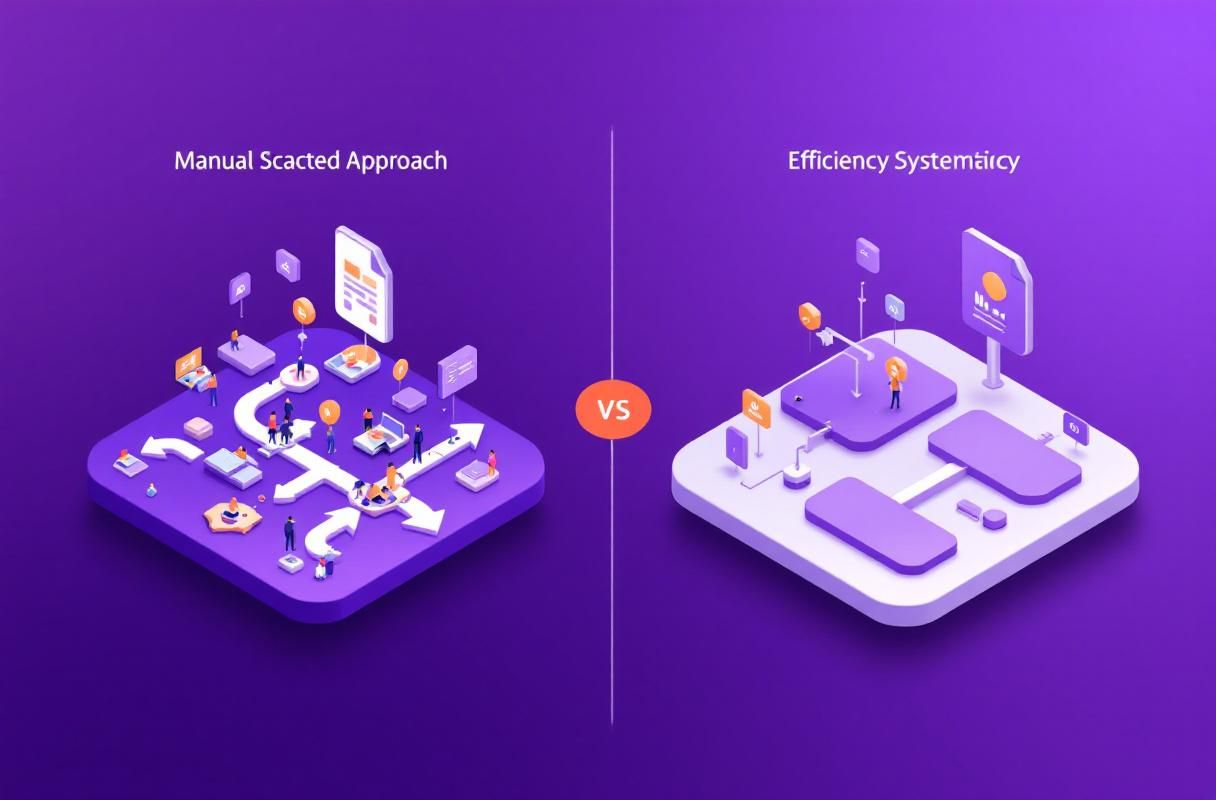
| Profile Element | Without ConnectSafely | With ConnectSafely |
|---|---|---|
| Skills Section | Lists competencies | Lists competencies backed by published content demonstrating expertise |
| Activity Feed | Sporadic posts or shares | Consistent authority-building content on your core topics |
| Engagement | Occasional comments | Strategic engagement with target audience posts |
| Profile Visits → Leads | 1-2% conversion | 10-15% conversion (visitors become inbound leads) |
| Monthly Effort | Manual, inconsistent | 30-45 minutes/day with AI-powered strategy |
Skills optimization gets prospects to your profile. ConnectSafely's inbound authority building converts profile visitors into qualified leads. The combination creates a flywheel: better skills → more profile views → authority content creates trust → inbound leads reach out → your network grows → your content reaches more people.
LinkedIn Skills Best Practices for 2026
Do
- Pin your 3 most strategic skills aligned with what your target audience searches for
- Tag skills to experience entries and certifications for algorithmic validation
- Update skills quarterly to reflect current expertise and market terminology
- Request endorsements strategically from clients and industry peers whose names carry weight
- Align skills with your headline and About section for consistent positioning
Don't
- Don't add irrelevant skills that dilute your professional positioning
- Don't chase endorsement quantity over endorsement quality and relevance
- Don't leave default skill ordering untouched—pin your top 3 intentionally
- Don't leave skills untagged—connect them to roles and certifications for maximum algorithmic weight
- Don't treat skills as a one-time setup—your positioning should evolve with your expertise
The 20-30 Skill Sweet Spot (Senior SME Walkthrough)
After auditing dozens of B2B profiles in 2026, the data is consistent: profiles with 20-30 carefully selected skills outperform profiles using all 100 slots. The ceiling of 100 is a technical limit, not a target. Once a profile crosses roughly 40 skills, search relevance starts to decay because LinkedIn's algorithm interprets the breadth as topical dilution rather than expertise.
Here is the pragmatic distribution we recommend for inbound-focused founders, consultants, and operators:
| Skill Bucket | Count | Purpose |
|---|---|---|
| Core hard skills (top 3 pinned) | 3 | Direct match for what prospects type in search |
| Supporting hard skills | 7-12 | Adjacent expertise that reinforces your pillar |
| Soft skills | 5-8 | Communication, leadership, negotiation — these surface in recruiter filters |
| Tool/platform skills | 3-5 | Specific software your buyer recognises (Salesforce, HubSpot, Figma) |
| Industry/vertical skills | 2-3 | Healthcare, FinTech, SaaS — verticals act as qualifying filters |
This gives you 20-31 skills total, with enough density for LinkedIn's relevance scoring to associate you with a clear topical cluster, but not so much breadth that you appear unfocused.
If you currently sit above 40 skills, the highest-leverage action is removal, not addition. Prune anything you would not confidently demo on a sales call, then re-pin the top three.
Why Hirers Use Skills as the Primary Filter
Nearly half of all LinkedIn hirers (48%) filter candidate searches by skills first, before job title or location, according to LinkedIn's own talent research. The same behavior applies on the buyer side: B2B buyers running supplier searches in Sales Navigator filter by skill keywords to find subject-matter experts before reading any profile body copy.
The implication is direct: your skills section is functionally a SEO keyword index for your profile. If a buyer searches "demand generation," you appear if and only if that exact LinkedIn-recognised skill is on your profile. Custom phrasing in your headline ("I help SaaS founders scale demand") does not match the skill index.
Three operational rules follow:
- Match exact skill phrasing. Use LinkedIn's autocomplete dropdown rather than typing custom variations. "Demand Generation" matches; "Demand Gen" does not.
- Mirror your ICP's vocabulary. If your prospects describe what they need as "RevOps," that exact term must be a skill — regardless of whether you prefer "Revenue Operations."
- Refresh skills quarterly. New skills enter LinkedIn's taxonomy constantly. A skill that was niche in 2024 (Generative AI Strategy, Prompt Engineering, AI Governance) is now a core filter for many buyer searches in 2026.
Hard Skills vs Soft Skills: The Mix That Actually Converts
A common mistake is loading a profile with only technical skills. The data tells a different story — profiles that include a deliberate mix of hard and soft skills perform better in both recruiter searches and inbound buyer searches.
- Hard skills (60-70% of your total): Specific, demonstrable expertise. Examples: SEO, Python, Financial Modeling, Account-Based Marketing, Kubernetes. These match exact-intent search queries.
- Soft skills (30-40% of your total): Cross-functional capabilities. Examples: Stakeholder Management, Cross-Functional Leadership, Negotiation, Public Speaking. These match buyer searches when the prospect is screening for fit at the executive or partnership level.
The trap most creators fall into is treating soft skills as filler. They aren't. A founder profile listing only "B2B SaaS" and "Growth Marketing" will lose to an equivalent profile that also lists "Executive Coaching" and "Strategic Partnerships" when a CMO is searching for a fractional advisor. The soft skills signal the seniority of conversation the prospect can expect.
When Common Skills Advice Backfires
The standard advice — "fill all 100 slots, get endorsements on everything" — actively damages inbound profiles in three scenarios we see repeatedly:
- Career pivots. Listing all skills from your previous industry alongside new ones creates a confused profile. Buyers don't know which version of you they are hiring. Solution: prune the previous-industry skills aggressively, keep only transferable ones.
- Niche specialist positioning. A "Klaviyo Expert" with 100 skills covering every marketing discipline appears less credible than the same profile with 18 skills tightly clustered around email, lifecycle, and ecommerce. Specialists win on focus, not breadth.
- Multi-product founders. Listing skills for every product line dilutes the strongest one. Pick the product you most want inbound for, build skills around that, and let your "About" section reference the rest.
The rule of thumb: when your skill list reads like a resume of everything you've ever done, you've built a generalist profile in a market that pays specialists.
Frequently Asked Questions
How many skills should I have on LinkedIn?
LinkedIn allows up to 100 skills, but quality matters more than quantity. Aim for 20-50 strategically selected skills that accurately reflect your expertise and match what your target audience searches for. Your top 3 pinned skills receive the most visibility, so focus your optimization effort there first. Having 25 well-chosen, relevant skills outperforms 100 randomly added ones for inbound lead generation.
Do LinkedIn endorsements still matter in 2026?
LinkedIn endorsements still contribute to search ranking and profile credibility, but their impact is nuanced. Endorsements from connections in your industry carry more weight than random endorsements from unrelated contacts. A profile with 50 endorsements for "B2B Sales" from actual sales professionals and clients signals more authority than 200 endorsements from personal contacts. Focus on earning endorsements from people your target audience would recognize and respect.
What happened to LinkedIn Skills Assessments?
LinkedIn retired Skills Assessments in late 2023 and removed all skill badges from profiles in 2024. LinkedIn cited that hiring managers found examples of how candidates applied skills more valuable than quiz results. The replacement approach is tagging skills to specific experience entries, certifications, and projects on your profile. Third-party certifications from platforms like HubSpot, Google, and Coursera now serve as the primary way to validate skills externally and strengthen your inbound positioning.
How do LinkedIn skills affect search results?
LinkedIn skills directly affect search discoverability. When prospects, recruiters, or potential clients search for specific skills, LinkedIn's algorithm matches their search terms against your listed skills. Profiles with matching skills rank higher in search results, especially when those skills are endorsed and verified through Skills Assessments. Sales Navigator users can filter prospects by specific skills, making your skill selection a direct lead generation lever.
Can I remove LinkedIn skills?
Yes. Go to your profile → Skills section → click the pencil icon → select any skill → click "Delete." Removing outdated or irrelevant skills is recommended because it sharpens your professional positioning and helps LinkedIn's algorithm categorize you more accurately. A focused skill set aligned with your inbound lead generation strategy outperforms a bloated list of tangentially related competencies.
Turn Skills Into a Lead Generation Engine
Optimized LinkedIn skills make you visible. Authority content makes you trusted. The combination makes you the obvious choice.
ConnectSafely turns your optimized LinkedIn profile into an inbound lead generation machine. Starting from USD $10/month, you get AI-powered content strategy, authentic engagement tools, and a proven framework that converts profile visitors into 10-20 qualified inbound leads per month.
Start your ConnectSafely free trial and discover why the right skills combined with the right strategy attracts leads that come to you.
The Hidden Dangers of Over-Optimization: When Skill Clustering Goes Wrong
While strategic skill optimization is crucial for inbound lead generation, there's a fine line between optimization and over-optimization. Clustering too many skills can lead to a phenomenon known as "skill clustering noise," where your profile becomes overly broad and loses relevance in LinkedIn's algorithm. This can happen when you try to cram too many skills into your profile, hoping to appeal to a wide range of prospects. However, this approach can backfire, making your profile appear spammy or insincere. For instance, if you're a marketing professional with expertise in both digital marketing and data science, it's tempting to add a plethora of skills to cover all aspects of these fields. But, if you add too many skills that are only tangentially related, you risk diluting your profile's focus and decreasing your visibility in search results. It's essential to strike a balance between showcasing your diverse skill set and maintaining a clear, concise profile that accurately reflects your expertise.
Myth vs Reality: Debunking Common Misconceptions About LinkedIn Skills
One of the most pervasive myths about LinkedIn skills is that having more skills endorsed means you're more likely to appear in search results. While endorsements do provide social proof and can increase your visibility, they're not the sole determining factor in LinkedIn's algorithm. In reality, the quality and relevance of your skills, combined with your overall profile completeness and engagement, play a much more significant role in determining your search ranking. Another misconception is that you should only add skills that are directly related to your current job or industry. However, this approach can limit your visibility and make it harder for prospects to find you. In reality, adding skills that are adjacent to your primary expertise can help you appear in search results for related topics and attract a broader range of prospects. For example, a software engineer with expertise in Java might also add skills related to agile development, cloud computing, or cybersecurity to increase their visibility and appeal to a wider range of employers.
Advanced Skill Optimization Techniques: Leveraging Entity Disambiguation and Skill Graphs
For advanced LinkedIn users, there are opportunities to optimize your skills using entity disambiguation and skill graphs. Entity disambiguation refers to the process of distinguishing between different concepts or entities with the same name. On LinkedIn, this means ensuring that your skills are accurately linked to the correct concept or topic. For instance, if you have expertise in "Python" as a programming language, you'll want to ensure that your skill is linked to the correct entity, rather than a different concept with the same name, such as the Python programming framework. Skill graphs, on the other hand, refer to the network of relationships between different skills and concepts on LinkedIn. By analyzing these graphs, you can identify clusters of related skills and optimize your profile to appear in search results for these topics. This requires a deep understanding of LinkedIn's taxonomy and the ability to analyze complex networks of relationships between skills. However, for those willing to invest the time and effort, the rewards can be significant, with improved visibility and increased inbound lead generation.
The Impact of Skill Redundancy and Skill Obsolescence on Your LinkedIn Profile
As industries and technologies evolve, skills can become redundant or obsolete, impacting your LinkedIn profile's relevance and visibility. Skill redundancy occurs when multiple skills are essentially duplicates, providing little additional value to your profile. For example, having both "SEO" and "Search Engine Optimization" as separate skills is redundant, as they refer to the same concept. Skill obsolescence, on the other hand, occurs when skills become outdated or no longer relevant. For instance, expertise in Flash development is no longer as valuable as it once was, given the rise of HTML5 and other technologies. It's essential to regularly review your skills and remove any redundant or obsolete skills to ensure your profile remains relevant and focused. This not only improves your visibility in search results but also helps to maintain a strong, credible reputation on LinkedIn.
Navigating the Gray Areas: When Common Advice on Skill Optimization Doesn't Apply
While there are many best practices for optimizing your LinkedIn skills, there are also situations where common advice doesn't apply. For instance, if you're a freelancer or consultant with a diverse range of clients and projects, it may be challenging to pinpoint a specific set of skills that accurately reflect your expertise. In such cases, it's essential to focus on the skills that are most relevant to your target audience and the services you offer, rather than trying to showcase a broad range of skills. Another example is when you're transitioning between industries or roles, and your skills may not be directly applicable to your new career path. In these situations, it's crucial to highlight transferable skills, such as communication, project management, or problem-solving, which can be valuable across multiple industries and roles. By acknowledging these gray areas and adapting your approach to skill optimization, you can create a stronger, more effective LinkedIn profile that showcases your unique strengths and expertise.
See How It Works
Watch how people get more LinkedIn leads with ConnectSafely




Related Articles