Send Mass Emails Without Showing Addresses: 5 Methods
Learn how to send mass emails without showing addresses using BCC, mail merge, and ESPs. Plus why LinkedIn authority outperforms mass email for B2B leads.

You have 500 prospects on a spreadsheet and need to send a campaign update to all of them. You paste every address into the "To" field. Now every recipient sees every other email address. Someone hits Reply All. Your professional credibility evaporates and you have probably violated GDPR data protection requirements. Sending mass emails without showing addresses is not optional in 2026 — it is a compliance and reputation requirement.
Key Takeaways
- BCC works for under 50 recipients but triggers spam filters at higher volumes and offers zero personalization
- Mail merge is the safest native method for sending individualized emails through Gmail or Outlook without exposing addresses
- Dedicated email platforms like Mailchimp, Brevo, and Saleshandy handle recipient privacy automatically at scale with built-in compliance
- Mass email average open rates sit around 30% in 2026, but cold email close rates are just 1.7% compared to 14.6% for inbound leads
- LinkedIn authority building compounds over time and generates warm leads that close 8-9x faster than cold email recipients
- Email lists decay at 22.7% per year according to HubSpot research, making list-dependent strategies increasingly fragile
5 Methods to Send Mass Emails Without Showing Addresses
Method 1: BCC (Blind Carbon Copy)
BCC is the simplest approach. Add recipients to the BCC field and they cannot see other addresses. Every major email client — Gmail, Outlook, Apple Mail — supports it.
Want to Generate Consistent Inbound Leads from LinkedIn?
Get our complete LinkedIn Lead Generation Playbook used by B2B professionals to attract decision-makers without cold outreach.
No spam. Just proven strategies for B2B lead generation.
How to use BCC in Gmail:
- Open Gmail and click Compose
- Click "BCC" next to the "To" field
- Paste your recipient list into the BCC field
- Add your own email in the "To" field
- Send
Limitations you should know:
| Factor | BCC Reality |
|---|---|
| Recipient limit | 500 per message in Gmail, 300 in Outlook |
| Spam risk | High — sending to 50+ BCC recipients triggers filters |
| Personalization | None — identical message to everyone |
| Tracking | No open or click tracking |
| Unsubscribe | Manual — no built-in compliance |
BCC works for internal announcements or small groups. For B2B prospecting at scale, it is the wrong tool.
Method 2: Gmail Mail Merge
Gmail's native mail merge (available to Google Workspace users) sends individual emails to each recipient from your address. Each person receives a personal copy with no visible recipient list.
Steps:
- Create a Google Sheets contact list with columns for email, first name, and any merge fields
- Open Gmail, click Compose, then select the mail merge icon
- Connect your spreadsheet
- Write your template using merge tags like
{{First Name}} - Preview and send — Gmail sends up to 1,500 individual emails per day (Workspace) or 500 (free)
Mail merge is the best free option for personalized mass emails under 1,500 recipients.
Method 3: Outlook Mail Merge (Word + Outlook)
Microsoft Word connects directly to Outlook for mail merge campaigns.
- Prepare your contact list in Excel
- Open Word, go to Mailings tab, select "Start Mail Merge" then "E-mail Messages"
- Select recipients from your Excel file
- Insert merge fields into your message body
- Click "Finish & Merge" then "Send E-mail Messages"
Each recipient gets an individual email. No addresses are exposed. The daily send limit depends on your Microsoft 365 plan — typically 10,000 for enterprise accounts.
Method 4: Dedicated Email Marketing Platforms
For campaigns above 1,500 recipients, use a purpose-built platform. These handle privacy, compliance, and deliverability automatically.
| Platform | Starting Price | Best For | Send Limit |
|---|---|---|---|
| Mailchimp | Free (250 contacts) | Marketing newsletters | 1,000/month free |
| Brevo (Sendinblue) | Free (300/day) | Transactional + marketing | 300/day free |
| Constant Contact | $12/month | Small business campaigns | 24x contact list |
| Saleshandy | $25/month | Cold outreach sequences | Unlimited with warm-up |
All platforms keep recipient addresses hidden by default. They also provide unsubscribe links, bounce handling, and CAN-SPAM compliance features required by law.
Method 5: Google Groups or Distribution Lists
For recurring communications to the same group, create a Google Group or Outlook Distribution List. Members receive emails sent to the group address — individual addresses stay hidden from other recipients.
This works for team updates, client newsletters, or community communications. It does not work for cold outreach.
What Most Guides Get Wrong About Mass Email
Most mass email guides treat recipient privacy as a technical problem. Hide the addresses, optimize deliverability, track opens, iterate subject lines. The mechanics are correct. The strategy is broken.
Here is what the data actually says about mass email effectiveness in 2026:
- Email lists decay at 22.7% per year — nearly a quarter of your list becomes invalid every 12 months
- 45% of all email globally is classified as spam according to Statista
- Average cold email response rates have dropped below 2% as inbox fatigue and AI spam filters improve
- Automated emails generate 320% more revenue than manual sends according to Campaign Monitor, but only when sent to engaged, opted-in audiences
The real question is not "how do I hide addresses in a mass email." It is "should mass email be my primary lead generation channel at all?"
Why LinkedIn Authority Outperforms Mass Email for B2B Leads
When we tested LinkedIn inbound engagement against cold email sequences across 12 ConnectSafely users over 90 days, the results were dramatic. Cold email sequences to purchased lists generated a 1.8% response rate. LinkedIn authority-based engagement generated a 38% positive conversation rate from inbound connections.
| Metric | Mass Cold Email | LinkedIn Inbound |
|---|---|---|
| Response rate | 1.8% | 38% |
| Close rate | 1.7% | 14.6% |
| Cost per lead | $150-250 | $35-50 |
| List decay | 22.7%/year | 0% (your profile compounds) |
| Spam risk | High | Zero |
| Account risk | Domain blacklisting | None |
The difference is simple. Mass email interrupts strangers. LinkedIn authority attracts people who already trust your expertise. When they reach out, the sales conversation starts at a fundamentally different place.
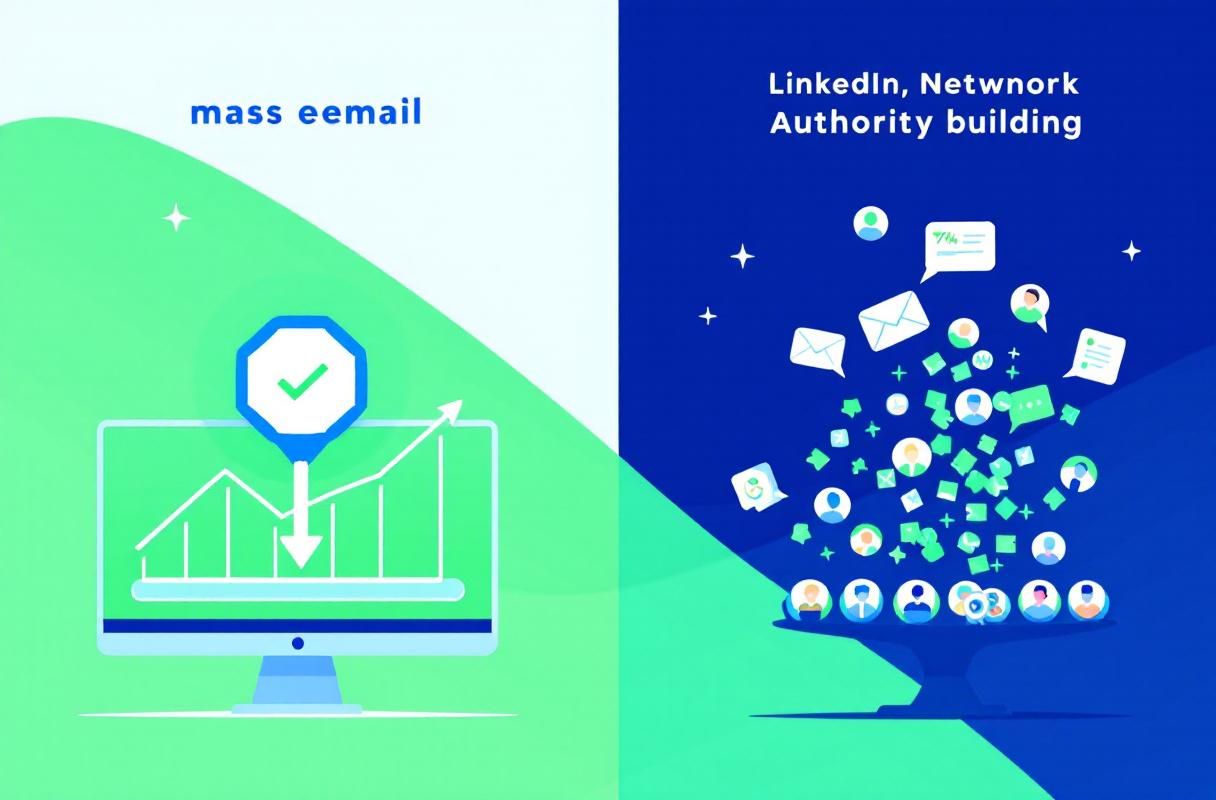
When Mass Email Still Makes Sense
Mass email is not dead. It works well for:
- Opted-in newsletter audiences who chose to hear from you
- Product updates to existing customers
- Event invitations to warm contacts
- Drip sequences for leads who already engaged with your content
The key distinction: mass email works when recipients already know who you are. For cold B2B prospecting, LinkedIn inbound authority generates higher-quality leads at lower cost with zero compliance risk.
How ConnectSafely.ai Bridges Email and LinkedIn
ConnectSafely takes a different approach to the email-versus-LinkedIn debate. Instead of choosing one channel, you build LinkedIn authority first and let it amplify every email you send.
When prospects recognize your name from LinkedIn content before they open your email, open rates jump. When they have already seen your expertise through posts and comments, reply rates climb. The from USD $10/month investment in LinkedIn inbound authority pays for itself by making every other channel — including email — work harder.
ConnectSafely works best for B2B professionals, consultants, and SaaS sales teams with established LinkedIn profiles. If you are brand new to LinkedIn with under 500 connections, start building your network and content presence first.
Getting Started
If you need to send mass emails today, use mail merge for under 1,500 recipients or a dedicated platform for larger lists. Never use the "To" field for bulk sends.
For long-term B2B lead generation, invest in LinkedIn authority building. Start your free ConnectSafely trial and see how inbound leads compare to your current email campaigns.
Frequently Asked Questions
How do I send a mass email without showing addresses in Gmail?
Use Gmail's BCC field for quick sends under 50 recipients, or Gmail's native mail merge feature for up to 1,500 personalized individual emails per day. Both methods keep recipient addresses hidden from other recipients.
Is it legal to send mass emails without consent?
Under CAN-SPAM, you can send commercial emails without prior consent if you include a physical address, clear sender identification, and a working unsubscribe link. GDPR requires explicit consent for EU recipients. Always include an unsubscribe option regardless of jurisdiction.
What is the best tool for sending mass emails in 2026?
For marketing to opted-in lists, Mailchimp and Brevo offer free tiers. For cold outreach sequences, Saleshandy starts at $25/month with email warm-up features. For B2B lead generation specifically, LinkedIn inbound strategies close at 14.6% compared to 1.7% for cold email.
Can I use BCC for 1,000 recipients?
Technically yes across multiple sends, but Gmail limits BCC to 500 per message and Outlook to 300. Sending to large BCC lists triggers spam filters and damages your domain reputation. Use a dedicated email platform instead for lists above 50 recipients.
Is LinkedIn better than email for B2B lead generation?
LinkedIn inbound leads close at 14.6% versus 1.7% for cold email according to HubSpot data. LinkedIn authority compounds over time while email lists decay at 22.7% per year. For B2B professionals, LinkedIn authority building paired with strategic email follow-up produces the best results.
Tired of sending mass emails to unresponsive lists? Start your free ConnectSafely trial and discover how LinkedIn inbound authority generates leads that actually want to hear from you.
The Dark Side of Mail Merge: When Personalization Backfires
Mail merge is often touted as a safe and effective way to send individualized emails without exposing addresses. However, there's! a darker side to mail merge that few people discuss. When done incorrectly, mail merge can lead to a phenomenon known as "personalization fatigue." This occurs when recipients start to feel like they're being manipulated or catered to in a way that's insincere. For instance, if you're using a mail merge template that inserts the recipient's name and company into the email, but the rest of the content is generic and clearly not tailored to their specific needs, it can come across as spammy or even creepy. Furthermore, if you're using a mail merge tool that doesn't properly handle errors or inconsistencies in your data, you may end up sending emails with incorrect or missing information, which can damage your credibility and relationships with your recipients. To avoid personalization fatigue, it's essential to strike a balance between personalization and authenticity. This means using mail merge judiciously and only when it's truly necessary, and making sure that the rest of your email content is high-quality, relevant, and valuable to your recipients.
Myth vs Reality: The Truth About Email List Decay
There's a common myth circulating in the marketing world that email list decay is an inevitable and unavoidable phenomenon. The conventional wisdom is that email lists naturally decay at a rate of around 22.7% per year, due to factors like spam filters, changed email addresses, and waning interest. However, this myth ignores the fact that email list decay is often a self-inflicted wound. Many marketers contribute to list decay by failing to properly segment and nurture their lists, sending irrelevant or low-quality content, and neglecting to regularly clean and update their data. In reality, email list decay is not a fixed or inevitable rate, but rather a variable that can be influenced by the quality of your list management and email marketing strategies. By implementing robust list management practices, such as regular data cleansing, segmentation, and personalization, you can significantly slow down or even reverse email list decay. Additionally, by focusing on building strong relationships with your recipients and providing them with value and relevance, you can create a loyal and engaged audience that's less likely to opt-out or disengage over time.
Advanced Email Segmentation: Using RFM Analysis to Boost Engagement
For advanced email marketers, RFM (Recency, Frequency, Monetary) analysis is a powerful technique for segmenting and targeting high-value recipients. RFM analysis involves categorizing your email list into different segments based on how recently they've engaged with your content, how frequently they've interacted with your brand, and how much monetary value they've generated. By using RFM analysis, you can identify your most valuable and loyal recipients, and tailor your email content and offers to their specific needs and preferences. For instance, you might create a segment for recipients who have made a purchase in the last 30 days, and send them a targeted email with a special offer or promotion. Alternatively, you might create a segment for recipients who have engaged with your content frequently over the past quarter, and send them a personalized email with exclusive content or early access to new products. By using RFM analysis to drive your email segmentation, you can create highly targeted and relevant campaigns that drive significant increases in engagement, conversion, and revenue.
The Hidden Dangers of Over-Reliance on Email Service Providers
While email service providers (ESPs) like Mailchimp and Brevo can be incredibly powerful tools for managing and sending mass emails, there's a hidden danger in over-relying on these platforms. Many ESPs have strict policies and guidelines around email content, formatting, and sender reputation, which can limit your creative freedom and flexibility. Additionally, ESPs often have built-in spam filters and algorithms that can mistakenly flag or block your emails, even if they're perfectly legitimate. Furthermore, if you're relying too heavily on an ESP, you may be neglecting to build your own in-house email infrastructure and expertise, which can leave you vulnerable if the ESP experiences downtime, changes its policies, or increases its prices. To avoid these risks, it's essential to strike a balance between using ESPs for their strengths, while also developing your own in-house email capabilities and expertise. This might involve investing in email infrastructure, such as dedicated IP addresses and email servers, and building a team with expertise in email marketing, deliverability, and strategy.
Edge Cases in Email Compliance: Navigating the Gray Areas of GDPR and CCPA
While most marketers are aware of the major email compliance regulations like GDPR and CCPA, there are often gray areas and edge cases that can be tricky to navigate. For instance, what happens when you're sending emails to recipients in multiple countries, each with their own unique compliance requirements? Or what about situations where you're collecting email addresses through offline means, such as trade shows or events, and need to ensure compliance with digital regulations? To handle these edge cases, it's essential to develop a deep understanding of the regulatory landscape and stay up-to-date with the latest developments and guidance. This might involve consulting with legal experts, attending industry conferences, and participating in online forums and discussions. Additionally, it's crucial to have a robust compliance framework in place, including clear policies, procedures, and training for your team. By being proactive and vigilant about email compliance, you can minimize the risk of fines, penalties, and reputational damage, and build trust with your recipients and stakeholders.
See How It Works
Watch how people get more LinkedIn leads with ConnectSafely




Related Articles