Viral LinkedIn Post Generator: 10 AI Tools Compared (2026)
Best viral LinkedIn post generator tools for 2026. Compare 10 free and paid AI tools that write engaging posts, plus templates and viral formulas that work.


You just spent 45 minutes writing a LinkedIn post, hit publish, and watched it collect 12 likes from the same people who always engage. Sound familiar? According to Hootsuite's 2026 Social Media Trends report, LinkedIn engagement rates dropped 25% year-over-year for generic content, while posts using data-driven hooks and strategic formatting saw a 3x increase in reach. The gap between forgettable posts and viral ones has never been wider, and AI tools are how smart creators bridge it.
But here is the thing most guides skip: a viral LinkedIn post generator will not save a weak content strategy. The tool matters far less than how you use it. This guide compares 10 AI tools for creating viral LinkedIn posts, explains the formulas that actually drive engagement, and shows you why content strategy beats content volume every time.
Want to Generate Consistent Inbound Leads from LinkedIn?
Get our complete LinkedIn Lead Generation Playbook used by B2B professionals to attract decision-makers without cold outreach.
No spam. Just proven strategies for B2B lead generation.
Key Takeaways
- LinkedIn's algorithm in 2026 prioritizes dwell time, comments, saves, and shares over simple likes, making quality writing more important than posting frequency
- The first 60 minutes after publishing are critical for algorithmic distribution, so timing and hook quality determine whether your post goes viral or dies
- Free tools like Taplio's generator and AI Carousels deliver surprisingly strong results for creators on a budget
- MagicPost and EasyGen lead the freemium category by analyzing actual viral posts rather than generating generic AI content
- No AI tool replaces authentic expertise; the best results come from pairing AI efficiency with original insights and personal branding
- ConnectSafely combines AI content creation with strategic engagement, turning posts into inbound lead magnets rather than vanity metric collectors
10 Viral LinkedIn Post Generators Compared
Before diving into individual reviews, here is how all 10 tools stack up:
| Tool | Free/Paid | Price | Key Feature | Best For |
|---|---|---|---|---|
| Taplio | Freemium | Free generator; $49-149/mo paid | Viral post library + AI generation | Data-driven creators wanting viral inspiration |
| MagicPost | Freemium | Free tier; Pro plans available | Analyzes viral posts for hooks/formats | Understanding what makes posts go viral |
| Hootsuite | Free generator | Free (standalone tool) | Quick AI post generation | Fast inspiration when you are stuck |
| AI Carousels | Free | Free, no signup | 150+ carousel templates | Visual content without design skills |
| EasyGen | Freemium | 7-day trial; paid plans | Voice-matched AI writing | Maintaining your authentic tone at scale |
| RedactAI | Freemium | Free tier; paid plans | Personalized content from your data | Teams needing multiple content variations |
| SocialPilot | Freemium | Free generator; paid plans | Tone customization controls | Creators who need precise voice control |
| AuthoredUp | Paid | $19.95/mo | Post formatting + analytics | LinkedIn-native writing and previewing |
| SuperGrow | Paid | $19-49/mo | AI ghostwriting + scheduling | Solo creators wanting an all-in-one tool |
| Jasper | Paid | $49/mo+ | Enterprise-grade AI writing | Marketing teams with multi-channel needs |
Top 5 Viral LinkedIn Post Generators (In-Depth Reviews)
1. Taplio
Best for: Creators who want viral inspiration backed by real data
Taplio stands out because it does not just generate posts from thin air. It maintains a library of millions of high-performing LinkedIn posts that you can filter by topic, industry, and format. The AI then uses these proven frameworks to generate content tailored to your niche.
The free generator requires no credit card and produces usable drafts. The paid tiers ($49/month Creator, $149/month Team) unlock the full viral content library, AI that learns your writing style over time, carousel creation, and scheduling.
What works well: The viral post library gives you a concrete understanding of what performs on LinkedIn, not just AI guesses. You can study hooks, formats, and structures that have already proven themselves.
Where it falls short: AI-generated content still requires editing to sound like you. The free tier is limited to basic generation without the analytics that make Taplio powerful. For a deeper comparison, see our Taplio alternatives review.
2. MagicPost
Best for: Understanding the anatomy of viral posts before you write
MagicPost takes a different approach from most generators. Instead of simply producing text, it reverse-engineers viral LinkedIn posts to show you which hooks, formats, and structures drive engagement. This means you learn the patterns rather than just consuming AI output.
The tool converts URLs, topics, and ideas into LinkedIn-ready posts, but its real value is the 500K+ viral post inspirations filterable by industry. The post scoring feature predicts performance before you publish, which helps you refine content before wasting a post slot.
What works well: The educational approach helps you internalize viral patterns over time, making you a better writer even without the tool. URL-to-post conversion saves hours when repurposing existing content.
Where it falls short: Posts can feel formulaic if you rely on templates without adding personal context. The tool teaches viral mechanics but cannot inject the original expertise that builds real authority.
3. EasyGen
Best for: Maintaining your authentic voice while scaling content production
EasyGen solves the biggest problem with AI content: it sounds like AI. By analyzing your existing LinkedIn posts, EasyGen learns your tone, vocabulary, sentence structure, and style. The result is generated content that reads like you wrote it, not a chatbot.
The 7-day free trial gives you enough time to evaluate voice matching quality. Paid plans unlock unlimited generation, performance analytics, and a content calendar.
What works well: Voice matching is genuinely impressive after the AI trains on 20+ of your existing posts. The content calendar integration helps maintain consistency, which LinkedIn's algorithm rewards.
Where it falls short: You need substantial existing content for the AI model to learn from. New LinkedIn users or those with fewer than 20 posts will get generic results.
4. Hootsuite (Free LinkedIn Post Generator)
Best for: Quick inspiration when you are staring at a blank screen
Hootsuite's free LinkedIn post generator does one thing well: it gives you a starting point fast. Enter a topic, select a tone, and get a draft in seconds. No account required, no credit card, no friction.
This is not a full content strategy tool. It is a writer's block breaker. Use it to generate three or four rough drafts, then rewrite the best one in your voice with your expertise layered in.
What works well: Zero barrier to entry. The tone selection (professional, casual, witty) produces meaningfully different outputs. Ideal for brainstorming hooks and angles you had not considered.
Where it falls short: No learning, no analytics, no scheduling. The output is generic by design. Treat it as a starting point, never a finished product.
5. AI Carousels
Best for: Creating visual LinkedIn content without design tools
AI Carousels fills a specific gap: LinkedIn carousel posts consistently outperform text-only posts in engagement, but most professionals lack the design skills or time to create them. This tool offers 150+ templates with no signup required.
Enter your content, choose a template, customize colors and branding, and export a ready-to-post carousel. The AI handles layout, formatting, and visual hierarchy.
What works well: The template variety covers nearly every LinkedIn content format, from listicles to case studies to how-to guides. No design experience needed, and the output looks professional.
Where it falls short: Carousels still need strong content underneath the design. A beautifully formatted carousel with weak insights will still underperform. Pair this with a content tool like MagicPost or Taplio for best results.

More Tools Worth Considering
RedactAI
RedactAI generates three different post versions for each request, letting you pick the strongest option. The personalized content engine pulls from your profile data and past posts. Paid plans add team collaboration features. Best for teams that need multiple variations quickly.
SocialPilot
SocialPilot's free AI generator differentiates itself with granular tone customization. You can adjust formality, humor, directness, and technical depth independently. This makes it useful for professionals who write for different audiences or switch between educational and promotional content.
AuthoredUp
AuthoredUp at $19.95/month is built specifically for LinkedIn post creation and formatting. The real-time preview shows exactly how your post will appear in the LinkedIn feed, including line breaks and emoji rendering. The analytics dashboard tracks which formats and topics drive your best engagement over time.
SuperGrow
SuperGrow ($19-49/month) positions itself as an AI ghostwriter for LinkedIn. It combines post generation, carousel creation, scheduling, and analytics in a single platform. The AI suggests content ideas based on trending topics in your industry, making it useful for creators who struggle with ideation.
Copy.ai and Jasper
For marketing teams with multi-channel needs, Copy.ai (free tier available, $49/month+ for teams) and Jasper ($49/month+) offer enterprise-grade AI writing that extends beyond LinkedIn. Both produce solid LinkedIn drafts but are not LinkedIn-specific. They work best when you already have a strong content strategy and need to execute across platforms.
What Most Guides Get Wrong About LinkedIn Post Generators
Here is what I have learned after testing dozens of AI post generators and helping hundreds of professionals build LinkedIn authority: the tool is never the bottleneck. The strategy is.
I have seen users pay $149/month for Taplio and generate posts that get 50 impressions. I have also seen users with the free Hootsuite generator consistently hit 10,000+ impressions. The difference is not the tool. It is understanding three things most guides completely ignore.
First, AI cannot generate original expertise. Every viral LinkedIn post that drives real business results contains something the AI did not write: a personal story, a proprietary data point, a contrarian opinion born from experience. If you are copying and pasting AI output without adding your unique perspective, you are competing against every other person using the same tool with the same prompts. According to LinkedIn's own algorithm documentation, the platform actively suppresses content that lacks original thought.
Second, virality without targeting is vanity. A post that reaches 100,000 people outside your ideal customer profile generates impressions, not revenue. The professionals who turn LinkedIn into a lead generation channel focus on resonance with a specific audience rather than reach to everyone. Our guide on going viral on LinkedIn explains why the right 500 views beat the wrong 50,000.
Third, engagement in the first 60 minutes determines everything. LinkedIn's algorithm tests your post with a small audience first. If that initial group engages heavily, comments, shares, saves, and spends time reading, the algorithm pushes it wider. No AI tool controls this. Your network quality, posting time, and reply speed do. See our ideal post length guide for formatting that maximizes dwell time.
The Viral LinkedIn Post Formula: Templates That Actually Work
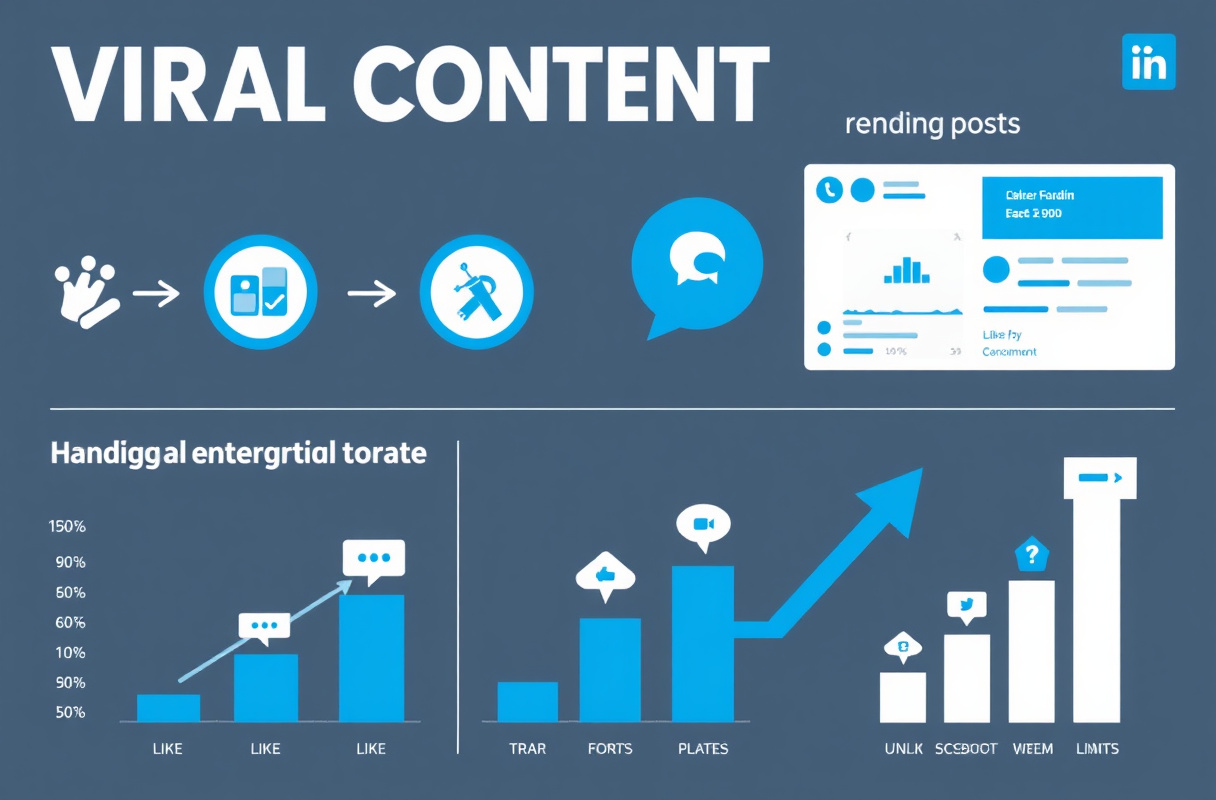
Understanding viral mechanics matters more than any tool. LinkedIn's algorithm in 2026 favors dwell time (how long readers spend on your post), comments, saves, and shares, in that order. Likes carry the least algorithmic weight. Source: Buffer's LinkedIn Algorithm Analysis
Here are three proven formulas you can use with any generator or write from scratch:
Formula 1: The Contrarian Hook
[Controversial statement that challenges conventional wisdom]

Here's why everyone is wrong about [topic]:

[Short paragraph with data or personal experience]

[Short paragraph with the counterintuitive insight]

[Short paragraph with the practical implication]

The real lesson?
[One-line takeaway that reframes the reader's thinking]

---
[CTA question that invites comments]
Why it works: Controversy stops the scroll. Short paragraphs increase dwell time. The CTA drives comments, which carry 8x more algorithmic weight than likes.
Formula 2: The Personal Story Framework
[Date] changed everything for me.

[One sentence describing the moment]

[2-3 short paragraphs telling the story with specific details]

Here's what I learned:

1. [Lesson with brief explanation]
2. [Lesson with brief explanation]
3. [Lesson with brief explanation]

[Vulnerable or surprising conclusion]

What's a lesson that changed your career? Drop it below.
Why it works: Personal stories trigger emotional engagement. Numbered lessons create scannable value. The question at the end generates comments from readers who want to share their own experiences.
Formula 3: The Data-Driven Insight
I analyzed [specific number] of [thing] and found something surprising:

[The surprising finding in one sentence]

Here's the breakdown:

[Stat 1] - [Brief interpretation]
[Stat 2] - [Brief interpretation]
[Stat 3] - [Brief interpretation]

The biggest takeaway?
[Insight that the reader can act on immediately]

Save this for later. You'll need it.
Why it works: Specific numbers build credibility. "Save this" explicitly asks for saves, which LinkedIn's algorithm heavily rewards. The actionable takeaway gives readers a reason to engage rather than just scroll past.
For more examples of high-performing formats, see our LinkedIn post examples guide.
How ConnectSafely Turns AI-Generated Posts Into Inbound Leads
Most viral LinkedIn post generators stop at content creation. You write a post, hit publish, and hope for the best. ConnectSafely takes a fundamentally different approach by combining AI-powered content with strategic engagement that turns visibility into qualified conversations.
Here is what that looks like in practice:
AI-assisted content creation helps you generate posts using proven viral frameworks, but with your authentic voice and expertise embedded. Unlike standalone generators, ConnectSafely's content tools are designed to attract your specific ideal customer profile, not just anyone with a LinkedIn account.
Strategic engagement automation ensures your posts get seen by the right people. ConnectSafely identifies high-value prospects who are already engaging with content in your niche and helps you build relationships through authentic interactions, not cold outreach.
Authority building over time is where the real compounding happens. Each post builds on your established expertise, and ConnectSafely tracks which topics, formats, and hooks resonate most with your target audience. The result is a content engine that improves with every post.
The difference between using a standalone post generator and ConnectSafely is the difference between writing into the void and writing to a strategically built audience that is ready to buy. For a complete overview of AI tools that drive LinkedIn growth, see our comprehensive comparison.
FAQ
What is the best free viral LinkedIn post generator in 2026?
Taplio's free generator delivers the strongest results among completely free tools because it draws from a library of proven viral posts. For carousel content, AI Carousels offers 150+ templates with no signup. Hootsuite's free generator is the fastest option for quick text post drafts. None of these require a credit card or account creation.
Can AI-generated LinkedIn posts actually go viral?
AI-generated posts can go viral, but only when combined with original expertise and strategic timing. The AI handles structure, hooks, and formatting. You provide the unique insight, personal story, or data point that makes the post worth engaging with. Posts that are purely AI-generated without human editing rarely break through because LinkedIn's algorithm detects and suppresses low-originality content.
How does LinkedIn's algorithm decide which posts go viral in 2026?
LinkedIn uses a multi-stage distribution process. Your post first reaches a small test audience. If that group engages heavily within the first 60 minutes through comments, saves, and shares, the algorithm expands distribution to a wider audience. Dwell time (how long people spend reading your post) is the most important signal, followed by comments, saves, and shares. Simple likes carry the least weight. Source: SocialBee's LinkedIn Algorithm Guide
What is the ideal length for a viral LinkedIn post?
Posts between 1,200 and 1,600 characters (roughly 200-250 words) tend to perform best for engagement. Short enough to read without clicking "see more" on mobile, long enough to provide real value. However, long-form posts (1,800-2,500 characters) can outperform if the hook is strong enough to earn the "see more" click. Formatting matters as much as length: use single-sentence paragraphs, line breaks between ideas, and a clear visual structure. Read our complete post length guide for data-backed recommendations.
Should I use multiple LinkedIn post generators or stick with one tool?
Using two tools strategically outperforms relying on one. Pair a content research tool (like MagicPost for viral pattern analysis) with a writing tool (like EasyGen for voice-matched generation). This gives you both the "what to write" and the "how to write it." Avoid using more than two or three tools, as the overhead of switching between platforms eats into the time saved by using AI in the first place.
Start Creating LinkedIn Posts That Actually Convert
The best viral LinkedIn post generator is the one you pair with a real content strategy. Pick a tool from this guide, apply the viral formulas above, and commit to adding your original expertise to every post. That combination of AI efficiency plus human insight is what separates posts that collect likes from posts that generate leads.
Ready to turn your LinkedIn content into a consistent source of qualified inbound leads? Try ConnectSafely free and see how AI-powered authority building transforms your LinkedIn results.
For more on building a complete LinkedIn content engine, explore our guides on LinkedIn content strategy for 2026 and high-engagement post examples.
The Dark Side of Viral LinkedIn Posts: When Going Viral Backfires
While the allure of a viral LinkedIn post is undeniable, there's a lesser-discussed reality: going viral can sometimes backfire. This can happen when a post resonates with the wrong audience or is misinterpreted, leading to a barrage of negative comments, messages, or even a backlash against your personal brand. I've seen this happen to well-intentioned creators who inadvertently tapped into a sensitive topic or used a tone that was perceived as insensitive. In such cases, the sudden influx of attention can become a nightmare to manage, damaging your reputation and undermining your authority. It's crucial to consider the potential risks and consequences of going viral, especially if you're discussing controversial or polarizing topics. A viral post generator can't anticipate these nuances, which is why human judgment and a deep understanding of your audience are essential. Before hitting publish, ask yourself: Are you prepared for the potential fallout? Do you have a crisis management plan in place? And are you certain that your post will resonate with your intended audience, rather than inadvertently alienating them?
Myth vs Reality: The Limitations of AI-Generated Content
There's a common misconception that AI-generated content is inherently better or more engaging than human-written content. While AI tools can certainly streamline the content creation process and provide valuable insights, they are not a replacement for authentic, high-quality writing. The reality is that AI-generated content often lacks the nuance, empathy, and personal touch that human writers bring to the table. It can come across as formulaic, generic, or even robotic, which can be a major turnoff for readers. Furthermore, AI tools are only as good as the data they're trained on, which means they can perpetuate biases, inaccuracies, or outdated information. As a content strategist, I've seen many creators rely too heavily on AI-generated content, only to find that it fails to resonate with their audience. The truth is that AI tools should be used to augment and support human writers, not replace them. By combining the efficiency of AI with the creativity and expertise of human writers, you can create content that truly stands out and drives meaningful engagement.
Advanced LinkedIn Post Optimization: Leveraging Psychological Triggers
For experienced creators looking to take their LinkedIn post game to the next level, it's time to dive into the realm of psychological triggers. These are subtle, evidence-based techniques that can significantly boost engagement and drive more meaningful interactions. One such trigger is the use of "social proof" – highlighting the achievements, testimonials, or endorsements of others to build credibility and trust. Another is the "Zeigarnik effect," which involves leaving a question or problem unresolved, encouraging readers to engage with your content to find the solution. You can also use "scarcity" to create a sense of urgency, or "reciprocity" to encourage readers to share their own experiences or insights. By incorporating these psychological triggers into your LinkedIn posts, you can create a more immersive and engaging experience that resonates with your audience on a deeper level. However, it's essential to use these techniques judiciously and authentically, as readers can quickly spot manipulative or insincere tactics.
The Importance of Contextual Relevance in LinkedIn Post Generation
When using AI tools to generate LinkedIn posts, it's easy to get caught up in the pursuit of viral formulas and attention-grabbing headlines. However, there's a critical factor that often gets overlooked: contextual relevance. This refers to the extent to which your post is relevant, timely, and meaningful to your specific audience and industry. A post that's optimized for virality but lacks contextual relevance is unlikely to drive meaningful engagement or resonate with your target audience. To illustrate this point, consider a post that uses a popular meme or trending topic, but fails to connect it to the specific challenges or interests of your industry. Such a post may generate some initial attention, but it will ultimately fall flat and fail to drive any lasting impact. By prioritizing contextual relevance and ensuring that your posts are tailored to the unique needs and concerns of your audience, you can create content that truly adds value and drives meaningful conversations.
It Depends: When to Use AI-Generated Content, and When to Go Manual
While AI-generated content can be a powerful tool for streamlining your content creation process, there are certain situations where it's better to go manual. For instance, if you're writing about a highly technical or complex topic, AI-generated content may struggle to capture the nuances and subtleties involved. Similarly, if you're looking to establish a strong personal brand or showcase your unique voice and perspective, human-written content is often the better choice. On the other hand, AI-generated content can be ideal for situations where you need to produce high-volume, low-risk content – such as social media updates, news summaries, or product descriptions. Ultimately, the decision to use AI-generated content or go manual depends on your specific goals, audience, and context. By understanding the strengths and limitations of each approach, you can make informed decisions about when to leverage AI tools and when to rely on human writers. As a content strategist, I always advise creators to take a hybrid approach, combining the efficiency of AI with the creativity and expertise of human writers to achieve the best possible results.
See How It Works
Watch how people get more LinkedIn leads with ConnectSafely




Related Articles