The ConnectSafely Dashboard provides a centralized hub for monitoring your LinkedIn engagement activity, managing your workspace settings, and tracking key metrics.
When you log in, the dashboard gives you a clear overview of:
- Your setup progress
- Key features you need to configure
- Account safety and warm-up status
- Quick access to all core sections
What you'll see on the dashboard
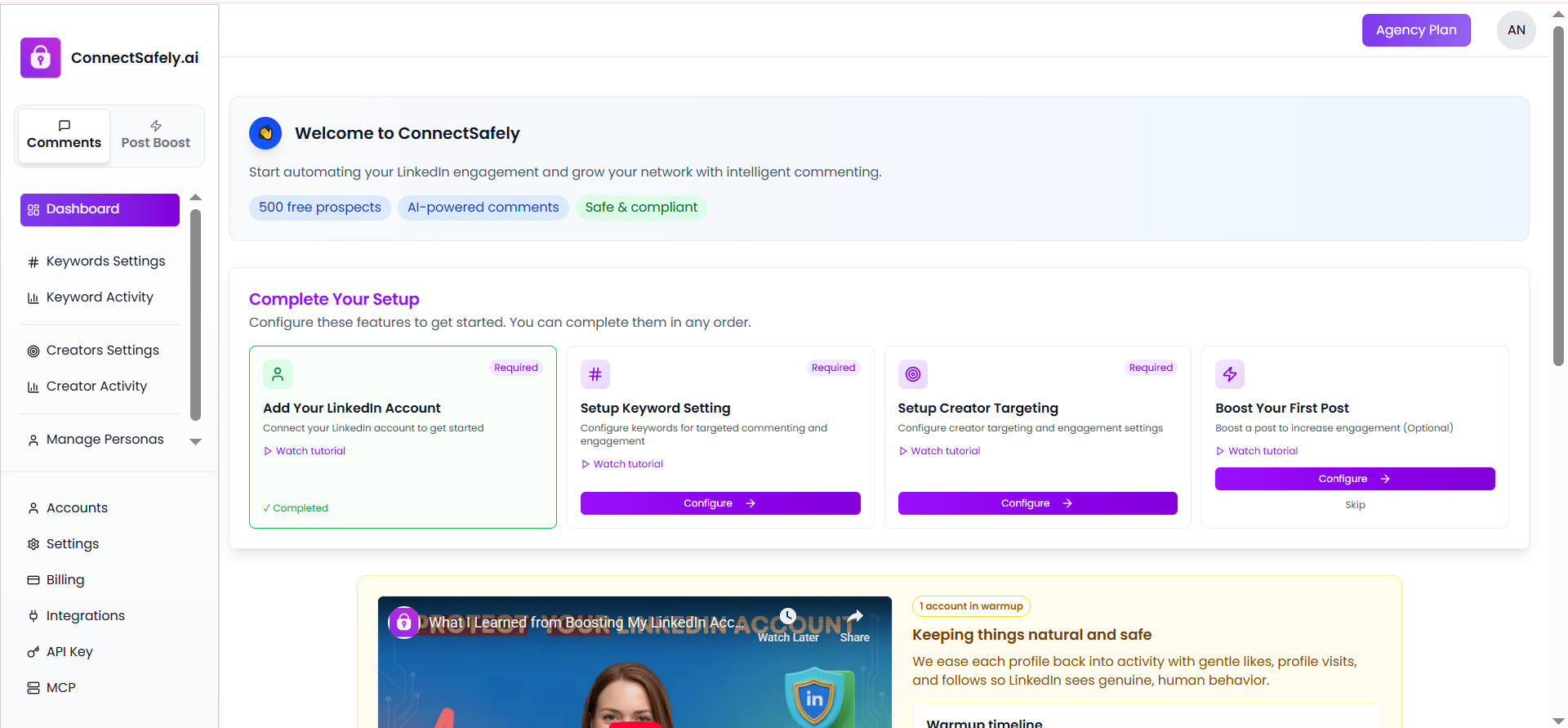
ConnectSafely Dashboard showing setup steps, navigation, and account status.
Welcome section
A quick introduction highlighting AI-powered comments, free prospects, and safe, compliant automation.
Complete Your Setup
Step-by-step setup cards to:
- Connect your LinkedIn account
- Configure keyword settings
- Set up creator targeting
- Optionally boost your first post
Each step shows its status so you always know what's completed and what's pending.
Left sidebar navigation
Easy access to Dashboard, Comments, Keywords, Creators, Accounts, Settings, Billing, and more.
Account safety & warm-up information
Visual indicators showing how ConnectSafely keeps your activity natural and LinkedIn-safe.
Why this dashboard matters
The dashboard helps you get started quickly, understand what to do next, and manage everything from one place—without overwhelming details.
This is the first page you should explore after logging in to ConnectSafely.