Best Lindy Alternative 2026: LinkedIn Inbound
Lindy builds AI agents that automate your busywork — but automating outreach doesn't create demand. Inbound closes 14.6% vs 1.7%, from $10/mo, zero ban risk.

Research methodology: Every pricing claim, feature, and limitation in this comparison was independently verified in September 2026 from vendor pricing pages, Trustpilot, G2, AppSumo, and Product Hunt. Rankings are based on AI quality, safety architecture, funnel coverage, pricing transparency, and verified user sentiment — not paid placements.

Updated September 2026 — Researched against Lindy's (lindy.ai) vendor/pricing pages, third-party reviews (Zapier, No Code MBA, G2), and HubSpot statistics. Reviewed by the ConnectSafely.ai editorial team.
If you're shopping for a Lindy alternative, the first thing to get straight is what Lindy actually is — because it's easy to mistake it for a lead-generation tool when it isn't one. Lindy is a genuinely impressive no-code AI agent builder: you describe a workflow in plain English ("triage my inbox, draft replies, and update the CRM"), and it assembles an autonomous assistant wired into 3,000+ integrations, with voice agents and even browser "computer use" for apps that have no API. That's a real capability. But an agent that does your tasks faster is not the same as a system that makes qualified buyers come to you. Inbound leads close at 14.6% versus 1.7% for cold outreach (HubSpot), so if your bottleneck is pipeline rather than admin, the tool to compare Lindy against is a demand engine like ConnectSafely — not another automation layer.
Want to Generate Consistent Inbound Leads from LinkedIn?
Get our complete LinkedIn Lead Generation Playbook used by B2B professionals to attract decision-makers without cold outreach.
No spam. Just proven strategies for B2B lead generation.
Here's the distinction that matters. Lindy answers how do I do the work I already have with less manual effort. It does not answer where do the qualified conversations come from. If you point a Lindy agent at cold outreach, you've automated the sending of messages nobody asked for — you've made a 1.7% motion cheaper to run, not a better motion. Automating a low-intent channel scales the low intent along with it.
That's the ceiling. Lindy is horizontal automation: it will happily research prospects, draft sequences, and fire them off across email and, if you wire it up, LinkedIn. But volume of automated outreach is exactly what LinkedIn's systems are built to detect and penalize, and none of that activity generates demand — it just moves more cold messages, faster.
So if your real bottleneck is "not enough of the right people know or trust me," the honest comparison isn't Lindy versus another agent builder. It's Lindy versus a system that builds the presence that makes buyers reach out in the first place.
Why people search for a Lindy alternative
- It automates tasks, not demand. Lindy makes existing work cheaper to run — inbox, CRM updates, research, drafting. It creates zero top-of-funnel pull, so if the gap is pipeline volume, it doesn't touch it.
- Credit-based costs are hard to predict. Lindy runs on a usage-meter: tasks cost 1–3 credits on basic models and up to 10 on advanced ones, with overages billed at double. Heavy agents can get expensive fast, and the exact per-credit cost isn't published.
- Automated outreach carries real account risk. Point an agent at high-volume LinkedIn messaging and you're running exactly the pattern LinkedIn flags — the efficiency gain comes with ban exposure.
- Wrong layer for a demand problem. The most important reason: if buyers don't know you, a faster way to send cold messages doesn't fix it. That's a different job — one no general-purpose automation agent performs.
Key Takeaways
- Lindy is a genuinely strong no-code AI agent builder. For automating inbox triage, meeting prep, research, and CRM hygiene, it's a real productivity unlock across 3,000+ integrations (Lindy).
- But it's horizontal automation, not a demand engine. Lindy makes the work you already do cheaper; it does not generate qualified conversations. Automating cold outreach just scales a 1.7% motion.
- Inbound closes at 14.6% vs 1.7% for cold (HubSpot) — the biggest lever for most teams is whether the right people come to you at all, not how efficiently you fire off messages.
- ConnectSafely starts from $10/month and builds LinkedIn inbound authority, so buyers find you, engage, and reach out — filling the funnel an automation agent can only help you process.
- Zero ban risk — ConnectSafely is engineered to keep your LinkedIn account safe, unlike high-volume automated outreach an agent can be pointed at.
What Is Lindy?
Lindy (lindy.ai) is a no-code platform for building autonomous AI agents — "AI employees," in its own framing. Instead of writing code or wiring rigid Zapier-style flows, you describe what you want in natural language and Lindy assembles an agent that can act on your behalf: read and draft email, prep for meetings, research leads, update records, and trigger multi-step workflows across the tools you already use.
Its standout features are breadth and autonomy. Lindy connects to 3,000+ integrations, offers voice agents, and includes a "Computer Use" mode that lets an agent operate web apps through the browser when there's no API to call. In practice that means a single Lindy agent can chain together steps a human would otherwise click through — pull a contact, enrich it, draft a personalized message, and log the result.
What's clear is the category it plays in: general-purpose workflow automation and AI assistants. It's a horizontal tool — you can aim it at customer support, recruiting, ops, or sales equally. That flexibility is the appeal, but it's also the tell: Lindy is a way to execute processes you define. It assumes you already know which conversations are worth having and simply want them run with less manual effort. It doesn't decide, or create, the demand those processes operate on.
Lindy Features
- No-code agent builder — describe a workflow in plain English and Lindy assembles the agent
- 3,000+ integrations — connects to the CRM, inbox, calendar, and tools you already run
- Computer Use — browser automation for web apps that expose no API
- Voice agents — AI agents that handle phone-style voice interactions
- Inbox & scheduling management — triage email, draft replies, prep for meetings
- Lead research & CRM updates — enrich contacts and keep records current automatically
- Multi-step workflows — chain actions across apps with conditional logic
- Enterprise controls — SSO, SCIM, audit logs, and a signed BAA on Enterprise plans
Lindy Pricing
Lindy publishes tiered subscription pricing plus a usage meter measured in credits. The figures below are confirmed on third-party reviews and Lindy's own pages, but the exact per-credit cost isn't disclosed, so treat heavy-usage math as estimate — confirm on the vendor page.
| Plan | Price | Notes |
|---|---|---|
| Plus | $49.99 / mo | Core features, up to 2 connected inboxes, standard usage allowance |
| Pro | $99.99 / mo | ~3x Plus usage, up to 3 inboxes, adds Computer Use |
| Max | $199.99 / mo | ~7x Plus usage, up to 5 inboxes, enhanced Computer Use |
| Enterprise | Custom / quote-only | SSO, SCIM, audit logs, BAA — reported, confirm on the vendor page |
There's a 7-day free trial of the paid features, after which a subscription is required (Zapier). Tasks consume 1–3 credits on basic models and up to 10 on advanced models, with overages billed at double the standard rate (No Code MBA) — which is why a research-and-outreach agent running at volume can cost far more than the headline subscription. Every figure here is reported — confirm on Lindy's pricing page.
Lindy Pros and Cons
| Pros | Cons |
|---|---|
| Powerful no-code agent builder from plain-English prompts | Automates existing work — creates no new demand |
| 3,000+ integrations and Computer Use for API-less apps | Credit-based usage costs are hard to predict at scale |
| Genuinely useful for inbox, ops, research, CRM hygiene | Pointed at LinkedIn outreach, it carries account-ban risk |
| Voice agents and multi-step autonomous workflows | Horizontal tool — not purpose-built for lead generation |
| Real time savings on repetitive knowledge work | Automating a cold channel just scales a 1.7% motion |
That last row is the one that matters most. Every other con is a budget or fit trade-off. The last row is a category limit: an automation agent, by definition, only accelerates work that already exists — it can't manufacture the qualified interest that work is supposed to serve.
Where Lindy Is Genuinely Better
Let's be fair, because this is important. If your problem is "my team wastes hours on repetitive knowledge work — triaging inbox, updating the CRM, prepping for meetings, chasing down research," Lindy does something ConnectSafely doesn't, and does it well.
For an operator buried in busywork, Lindy is a real force multiplier. An agent that reads your inbox and drafts sensible replies, keeps Salesforce or HubSpot current without anyone typing, and runs multi-step research on demand genuinely gives you hours back every week. The Computer Use feature — driving web apps that have no API — solves a class of automation problem most tools simply can't. If you want a flexible, no-code way to hand off recurring processes to an AI that actually executes them, Lindy is one of the best in that category.
ConnectSafely doesn't build general-purpose agents, automate your inbox, or drive your browser, and doesn't pretend to. These tools solve different problems. Lindy makes the work you already do faster and cheaper; ConnectSafely makes the right buyers aware of you so there's higher-value work to do. One is an execution layer; the other is the demand layer that feeds it. They're not rivals — they operate on different parts of the business.
What Most Guides Get Wrong
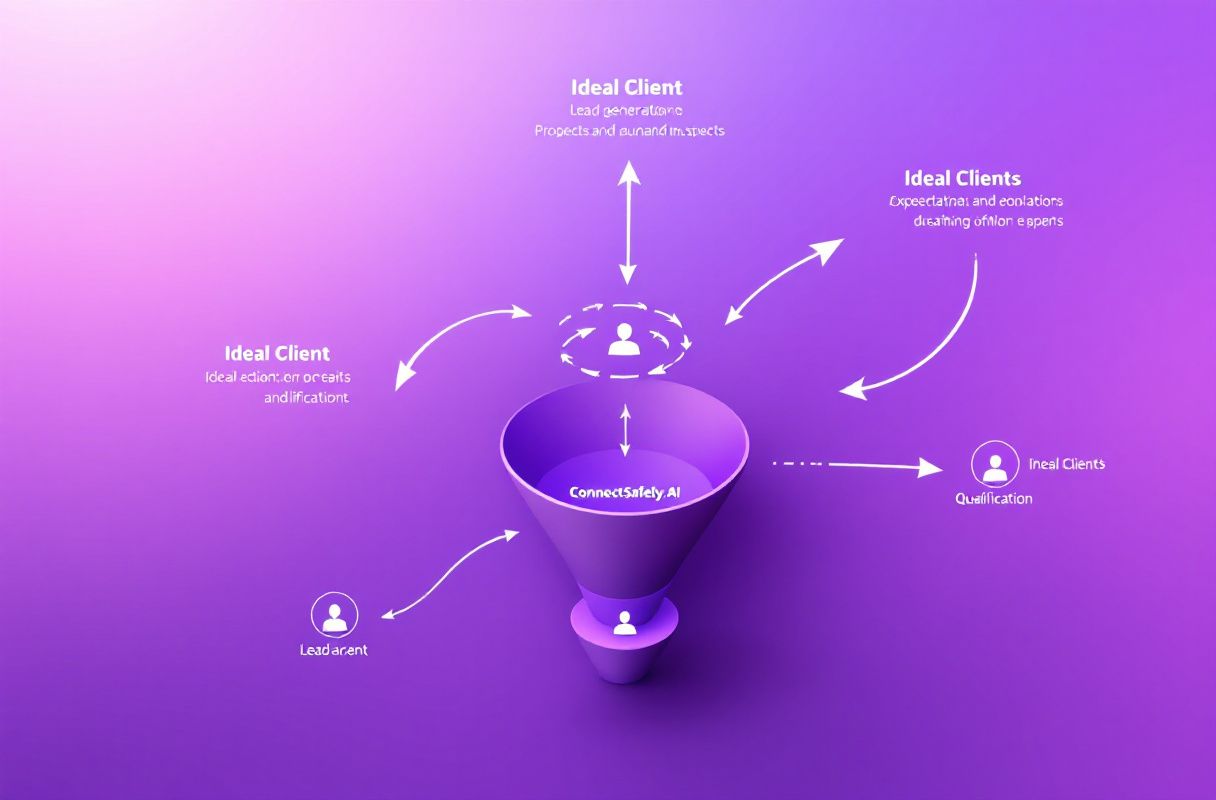
Most "Lindy alternative" articles line up other agent builders and automation platforms — Zapier, Make, n8n, Relevance AI, Bardeen — and compare integration counts, pricing, and how easily you can build a workflow. That's the right axis if your problem is "I need to automate a process." It's the wrong axis entirely if your real gap is that not enough qualified people know you exist.
Swapping one automation tool for another doesn't change the fundamental math: automation makes a defined process cheaper to run. If you point that saved effort at cold outreach, you've made a 1.7% channel more efficient — you're sending more messages nobody asked for, just with less manual labor. Efficiency on a low-intent motion still converts at low intent.
That's what inbound presence changes. When you've spent months showing up in your buyers' LinkedIn feeds with a genuine point of view, qualified people reach out and start the conversation themselves — at the 14.6% end of the funnel. An automation agent can then help you process those conversations faster. But the demand has to exist before there's anything worth automating. Widen the funnel first; automate the handling second. For the full landscape of tools in this space, see our LinkedIn automation tools guide.
Lindy vs ConnectSafely
These aren't head-to-head competitors — they work different layers of the go-to-market motion. The table shows where each one wins, and why the two can sit comfortably in the same stack.
| Dimension | Lindy | ConnectSafely | Winner |
|---|---|---|---|
| Core job | Automates defined tasks and workflows | Builds authority so buyers reach out to you | Depends on your bottleneck |
| Creates demand | No — accelerates existing work | Yes — fills the funnel with inbound | ConnectSafely |
| Layer of GTM | Horizontal execution / ops | Top of funnel — demand generation | Different layers |
| LinkedIn outreach | Can be pointed at it (ban risk) | Inbound authority, no cold spam | ConnectSafely |
| Entry price | $49.99/mo + credits | From $10/month | ConnectSafely |
| Account safety | Risky if used for volume outreach | Engineered for zero ban risk | ConnectSafely |
| Best fit | Teams drowning in repetitive busywork | Anyone who needs more qualified conversations | Complementary |
The distinction is simple. Lindy makes your existing work cheaper to run — inbox, research, CRM, ops. ConnectSafely makes your pipeline bigger — more of the right people arriving already warm, at the 14.6% end of the funnel. Build the demand with inbound; automate the handling with a tool like Lindy.
ConnectSafely builds inbound authority on LinkedIn — surfacing high-intent engagement signals, staying visible to your ICP, and turning them into conversations that come to you. Those inbound conversations convert at 14.6% instead of 1.7%. An automation agent is an excellent way to then handle the busywork around them — but it can only accelerate work that already exists; ConnectSafely creates the reason for the work.
A Lesson From the Trenches
I watched a founder wire up an ambitious agent stack — an AI assistant that scraped prospects, enriched them, drafted personalized cold emails and LinkedIn DMs, and fired everything on a schedule. It was genuinely clever automation. For about three weeks it felt like a growth hack: hundreds of messages out the door, near-zero manual effort. Then the replies that did come were "who are you?" and "please stop," his LinkedIn account got a warning for automated activity, and the pipeline number hadn't moved. He'd automated a 1.7% motion into a much larger 1.7% motion.
Then he changed the order of operations. He kept the agent for what it was actually good at — inbox triage, CRM hygiene, meeting prep — and stopped pointing it at cold outreach. Instead he started posting consistently, engaging with his buyers' content, and showing up in their feeds with a real opinion. Over the next quarter the calendar filled with inbound conversations he hadn't chased, from people who already knew who he was. The automation didn't get better; the funnel feeding it got wider. A thousand automated cold messages is a very efficient way to get ignored; one inbound reply from someone who came to you is a deal.
Which Should You Choose? A Role-Based Framework
Founder / early-stage: A no-code agent builder is a nice-to-have when your real problem is that almost nobody knows you exist. Automating cold outreach at this stage just scales the silence — and risks your account. Put your budget into ConnectSafely from $10/month to build inbound demand first, then automate the busywork around the conversations it creates. See inbound vs outbound for why order matters.
Established sales/ops team: You may well use both, and should. Lindy removes hours of repetitive knowledge work — inbox, research, CRM updates — while ConnectSafely keeps the funnel full of inbound conversations to run through it. Just don't mistake automating outreach for generating demand: the fix for a thin pipeline is upstream. Build the demand first, then let Lindy handle the process load.
Agency: You're selling pipeline and results, not cleaner internal automation. ConnectSafely's inbound authority model scales across client accounts and produces demand clients can measure. A horizontal agent builder is an internal efficiency tool — useful, but not the growth story you sell. Pair it with the tactics in our social selling guide.
Freelancer / solo consultant: Credit-metered agents can get pricey fast, and you don't need an army of automations — you need the right buyers to think of you and reach out. ConnectSafely from $10/month, zero ban risk, is the far higher-leverage spend. Build presence so qualified conversations come to you; automate the admin only once there's admin worth doing.
Frequently Asked Questions
What is the best Lindy alternative in 2026? It depends on what you actually need. If you want a no-code AI agent builder for internal automation, the usual head-to-head picks are Relevance AI, Bardeen, n8n, and Zapier. But if your real problem is that not enough qualified people know you, the best "alternative" isn't another automation tool — it's an inbound-demand engine like ConnectSafely, from $10/month, that fills the funnel an agent can only help you process.
Is Lindy worth it? For a team drowning in repetitive knowledge work — inbox triage, CRM updates, research, meeting prep — it can absolutely earn its keep; the time savings are real (Lindy). But it automates work you already have, so it's the wrong first spend if the gap is demand. Build presence first — see the 5 pillars of inbound.
How much does Lindy cost? Lindy runs tiered plans — Plus $49.99/mo, Pro $99.99/mo, Max $199.99/mo, and custom Enterprise — plus a credit-based usage meter where tasks cost 1–3 credits (up to 10 on advanced models) and overages bill at double (Zapier, No Code MBA). All figures are reported — confirm on Lindy's pricing page.
Can I use Lindy to automate LinkedIn outreach safely? You can point a Lindy agent at LinkedIn, but high-volume automated messaging is exactly the pattern LinkedIn's systems flag, so it carries real account-ban risk. More importantly, automating cold outreach scales a 1.7% motion — it doesn't create demand. ConnectSafely takes the inbound route by design: it builds authority so buyers reach out to you, with zero ban risk.
Do I still need an automation tool if I use ConnectSafely? They complement each other and solve different problems. ConnectSafely fills your funnel with inbound conversations; a tool like Lindy helps you handle the busywork around them — logging, follow-up drafts, scheduling. The mistake is buying the automation layer first and expecting it to generate pipeline. Build the demand, then automate the handling.
The Bottom Line
Lindy solves a genuinely real problem. If your team is buried in repetitive knowledge work — triaging inbox, updating the CRM, researching accounts, prepping for meetings — its no-code agents execute those processes with impressive autonomy across 3,000+ integrations, and even drive web apps that have no API. For an operator drowning in busywork, it earns its place.
But an automation agent makes the work you already do cheaper — it doesn't create the qualified interest that makes the work worth doing. Point it at cold outreach and you've scaled a 1.7% motion, added account-ban risk, and still not moved the pipeline. Automating a low-intent channel makes it a bigger low-intent channel.
That's the layer ConnectSafely owns: LinkedIn inbound authority that keeps you top of mind, so qualified buyers find you, engage, and reach out — from $10/month, with zero ban risk. It's not a better agent builder — it's the reason there are high-value conversations for an agent to help you handle. Build the demand with inbound, automate the busywork with Lindy. Start with ConnectSafely pricing, or explore the full category in our pillar guide, Best LinkedIn Automation Tools. Widen the funnel first — then every workflow you automate is one worth running.
See How It Works
Watch how people get more LinkedIn leads with ConnectSafely




Related Articles