Best LinkedCamp Alternative 2026: Safer Inbound
LinkedCamp automates LinkedIn outreach at ban risk. See why inbound closes at 14.6% vs 1.7% cold—from USD $10/month, zero account risk.

Research methodology: Every pricing claim, feature, and limitation in this comparison was independently verified in July 2026 from vendor pricing pages, Trustpilot, G2, AppSumo, and Product Hunt. Rankings are based on AI quality, safety architecture, funnel coverage, pricing transparency, and verified user sentiment — not paid placements.

Updated July 2026 — Researched against LinkedCamp's vendor pricing page, G2, third-party aggregators, and HubSpot's marketing statistics. Reviewed by the ConnectSafely.ai editorial team.
The best LinkedCamp alternative in 2026 is ConnectSafely.ai — for anyone who wants LinkedIn pipeline without wagering their account to get it. LinkedCamp is a capable cloud tool at what it does: it fires automated connection requests and personalized message sequences, runs multi-channel campaigns, and even offers an AI appointment-booking agent so a small team can touch thousands of prospects a month. But two problems ride along with that convenience. First, automating LinkedIn invites and messages runs against LinkedIn's User Agreement, which prohibits using bots or software to send invitations — so it carries genuine restriction and ban risk no matter how "human-like" the delays are marketed to be. Second, even when it works, you are playing the cold-outreach game, which converts at roughly 1.7%, versus inbound, where interested buyers arrive and close at around 14.6% (HubSpot's marketing statistics). If you would rather earn demand than automate interruption, start with the best LinkedIn automation tools guide.
Want to Generate Consistent Inbound Leads from LinkedIn?
Get our complete LinkedIn Lead Generation Playbook used by B2B professionals to attract decision-makers without cold outreach.
No spam. Just proven strategies for B2B lead generation.
Key Takeaways
- LinkedCamp is a cloud-based LinkedIn automation tool, not a demand engine. It sends automated invites and messages; it does not make buyers want to hear from you.
- Verified 2026 pricing starts around $69/month (Turbo, ~$56/month billed annually) for 2 campaigns and 1 LinkedIn account, scaling to an Agency tier near ~$99/month with unlimited campaigns, email, and AI agents (LinkedCamp). Tiers change often — confirm the live figures on the vendor page.
- A 14-day free trial with no credit card is offered. LinkedCamp reports 6,000+ users, but public reviews are genuinely mixed — praise for time-saving and ease alongside complaints about functionality (G2).
- The unavoidable catch is account risk. Automating invites and messages violates LinkedIn's User Agreement; LinkedIn's detection is behavioral, not just IP-based, so "dedicated IPs" and delays do not neutralize it.
- Automation optimizes a ~1.7% channel. It sends more cold touches faster; it cannot move you into the ~14.6% inbound game (HubSpot).
- ConnectSafely.ai starts at USD $10/month with zero ban risk — it builds inbound authority so prospects come to you, the opposite motion LinkedCamp runs.
What Is LinkedCamp?
LinkedCamp is a cloud-based LinkedIn outreach automation platform. You point it at a set of prospects — typically via a LinkedIn or Sales Navigator search — and it sends personalized connection requests and timed follow-up messages on your behalf, then layers on multi-channel campaigns and analytics (LinkedCamp).
Its core features include:
- Automated connection requests — personalized invites sent on autopilot, with the prospect's name and profile details merged into your template.
- Personalized message sequences — timed, multi-step follow-ups that run without manual sending.
- Multi-channel campaigns — combining LinkedIn touches with email on higher tiers to reach prospects in more than one place.
- AI appointment-booking agent — an automated agent that aims to qualify and book meetings from replies.
- Predictive analytics and integrations — campaign metrics plus third-party integrations to route data into the tools you already run.
LinkedCamp markets itself as replicating "human-like" behavior with time delays and country-based IP addresses, claiming this keeps it compliant with LinkedIn's terms. That claim deserves scrutiny, which is the heart of this comparison.
LinkedCamp Pricing in 2026
The figures below come from LinkedCamp's vendor pages and a third-party listing (ColdIQ) as of July 2026. Pricing changes frequently, so treat these as directional and confirm the live numbers before you buy.
| Tier | Listed price (monthly) | Accounts / campaigns | Highlights |
|---|---|---|---|
| Turbo | 1 LinkedIn account, 2 campaigns | Automated connection requests, personalized message sequences, campaign analytics | |
| Higher tiers | Between Turbo and Agency | More campaigns / channels | Adds multi-channel outreach and expanded automation (verify-on-vendor-page) |
| Agency | ~$99/month | Unlimited campaigns | Email outreach, AI agents, predictive analytics, priority support |
Figures above are drawn from LinkedCamp and ColdIQ. LinkedCamp offers a 14-day free trial with no credit card required. The exact middle-tier structure and inclusions shift between sources, so confirm both price and features directly with LinkedCamp before you commit — do not rely on any single blog figure, including ours.
One honest note on reviews: LinkedCamp reports 6,000+ users, and public feedback is genuinely mixed. Users praise the time savings and ease of setup, while others report friction and complaints about functionality (G2). Read any single star rating as a signal, not a verdict, and check the platform yourself.
Where LinkedCamp Is Genuinely Better
Let's be fair — for the job it sets out to do, LinkedCamp has real strengths:
- It saves genuine time on sequencing. Building lists and running multi-step follow-ups by hand is tedious; automating that mechanical work is a legitimate productivity win for teams set on outreach.
- The interface is approachable. Much of the praise centers on how quickly a non-technical user can get a campaign live — a decent UI matters when you are running several sequences.
- Multi-channel and AI booking are ambitious. Layering email onto LinkedIn touches and auto-qualifying replies can, in principle, reduce manual coordination for a busy team.
- Cloud-based means no local footprint. Nothing to install and run on your own machine, which some teams prefer operationally.
If you have already decided cold LinkedIn outreach is your channel and you accept the account risk, LinkedCamp executes that motion competently. This article is for everyone whose real bottleneck is demand — and who would rather not gamble their LinkedIn account to chase it.

The Account-Risk Reality of LinkedIn Automation
Here is the contrast that decides everything. LinkedCamp makes the sending faster. It does nothing to make the receiving wanted. An automated connection request landing in the inbox of someone who has never heard of you is still a cold interruption — you have only made the interruption more frequent, and more detectable.
The risk no automation vendor puts front-and-center is written plainly in LinkedIn's User Agreement: members agree not to use bots, automation, or third-party software to access the service, scrape data, or send invitations and messages. LinkedCamp's "human-like delays" and "country-based IP addresses" are marketed as a workaround, but LinkedIn's detection is behavioral, not merely IP-based — it models the pattern, velocity, and shape of activity, not just where the request originated. A dedicated IP does not change the fact that a script, not a person, is firing the invites.
Enforcement scales from a temporary restriction to a permanent ban. When the account you lose is the one carrying your professional network, that is not a tooling inconvenience — it is a strategic setback. Inbound sidesteps the entire question, because posting and engaging as yourself is exactly what LinkedIn is built for. See how that pipeline is built in building an inbound lead pipeline through LinkedIn authority.
Then there is the ceiling. Even when automation runs cleanly, it optimizes efficiency inside a ~1.7% channel — more invites, faster follow-ups. It cannot move you into the ~14.6% inbound game, because that requires the buyer to trust you before the first touch (HubSpot).
| LinkedCamp | Other automation tools (Expandi, Dripify, Octopus) | ConnectSafely.ai | |
|---|---|---|---|
| Primary job | Automate cold invites & DMs | Automate cold outreach | Build LinkedIn inbound demand |
| Creates demand? | No | No | Yes |
| Conversion ceiling | ~1.7% (cold outreach) | ~1.7% (cold outreach) | ~14.6% (inbound) |
| Trust at first touch | None (cold) | None | Pre-built via content |
| Ban / account risk | High (violates User Agreement) | High (violates User Agreement) | None |
| Entry price | ~$69/month | $39–$99+/mo | From USD $10/month |
| Best for | Volume cold outreach teams | Outbound-first teams | Founders, SMBs, consultants |
The point isn't that LinkedCamp is bad — it is that it answers a different question. If your problem is "I need to send more cold invites faster," LinkedCamp helps, at the price of account risk. If your problem is "not enough of the right people know or trust me," no automation tool can fix that. For a wider view of the category, see the best LinkedIn automation tools guide.
What Most Guides Get Wrong
Most "best LinkedCamp alternative" articles line up automation tools feature-for-feature and never question the motion itself. Here are five things they routinely get wrong:
- They treat "more touches" as "more pipeline." Automation multiplies volume inside a ~1.7% channel. Volume is not demand, and a bigger cold number rarely beats a smaller warm one.
- They bury the ban risk in the footnotes. Automating invites and messages breaches LinkedIn's User Agreement; the downside is not a refund, it is your account.
- They repeat the "human-like, dedicated IP" claim uncritically. Detection is behavioral. Delays and IPs do not change that a script is doing the sending.
- They confuse personalization with permission. Merging a first name into a template is not consent. The prospect still never asked to hear from you.
- They frame automation as fast and inbound as slow. Automation spends every month and can be switched off in an instant by a restriction. Inbound compounds — each post keeps working long after you publish it. See 7 LinkedIn inbound myths.
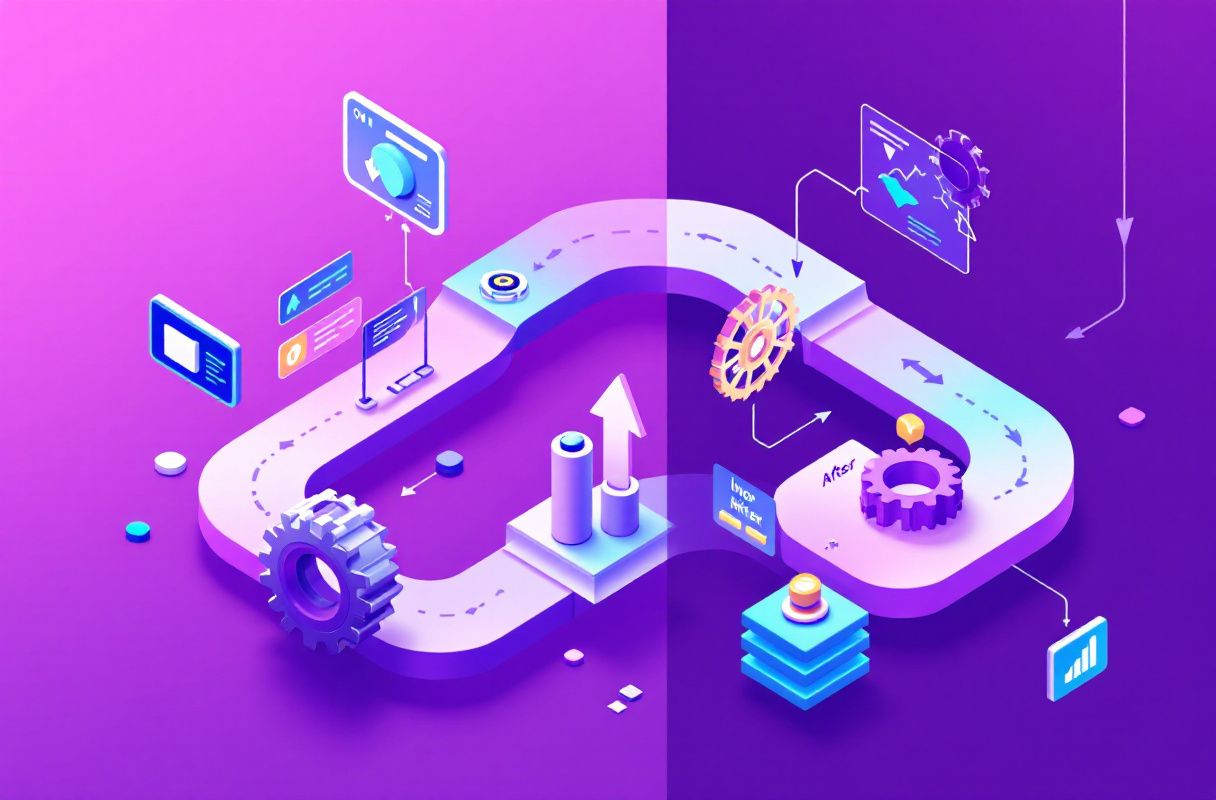
Real Results: From Automated Invites to Inbound Pipeline (Illustrative)
The following is an illustrative example. A four-person B2B services team had been running LinkedCamp campaigns at volume. The sequences were tidy and the inbox looked busy, yet accepted-connection replies hovered near the cold floor of ~1.7% — and one account picked up a temporary restriction that paused an entire campaign mid-quarter. Rather than buy more seats, they spent 90 days building inbound:
- Days 1–30: Each team member published a specific point of view twice a week and engaged daily in their buyers' conversations — no automation involved. Early signal: profile views from people in their target market, and two genuine replies that started as comments, not cold DMs.
- Days 31–60: Content compounded. Comments turned into connection requests initiated by prospects. The first inbound call came from a follower who had read several posts and reached out first — the team was responding, not chasing.
- Days 61–90: Inbound conversations closed far closer to the ~14.6% inbound benchmark than their old automated sends, consistent with the gap HubSpot reports — with no account risk hanging over the pipeline.
Total tooling cost for the demand engine: USD $10/month, zero ban risk — versus recurring automation fees feeding a ~1.7% channel that a single restriction can switch off. The change wasn't faster sending; it was a safer, higher-converting channel.
Why LinkedIn Inbound Is the Safer Alternative
The strategic case for inbound comes down to three things automation cannot give you.
It removes the account risk entirely. Posting, commenting, and engaging as yourself is precisely the behavior LinkedIn wants — there is no rule to break because you are not automating any LinkedIn action. Your credibility asset stays safe while it compounds. Compare the full motion in inbound vs outbound sales on LinkedIn.
It raises the conversion ceiling. When a prospect discovers you through your content, engages with your posts, and reaches out first, they arrive warm, pre-sold, and trusting — a fundamentally different lead than one hit with an automated invite. That is why inbound closes near ~14.6% versus ~1.7% cold (HubSpot).
It compounds instead of depleting. An automation subscription buys the same volume every month and stops the moment it is switched off. Every post you publish keeps working — attracting, qualifying, and warming buyers long after it goes live. The mechanics are laid out in the 5 pillars of LinkedIn lead generation.
ConnectSafely.ai is built for exactly this motion. Instead of automating cold LinkedIn actions, it helps you build the authority that makes the right prospects come to you — from USD $10/month, with zero ban risk.
Frequently Asked Questions
What is the best LinkedCamp alternative in 2026?
For teams that want LinkedIn pipeline without account risk, the best LinkedCamp alternative is ConnectSafely.ai. LinkedCamp automates cold invites and messages to feed outreach that converts at ~1.7% and carries ban risk; ConnectSafely.ai builds LinkedIn inbound demand (~14.6% conversion) from USD $10/month with zero account risk (HubSpot). They solve opposite problems — one automates interruption, the other earns attention. Compare the field in the best LinkedIn automation tools guide.
How much does LinkedCamp cost in 2026?
LinkedCamp's pages list a Turbo plan around $69/month (about $56/month billed annually) for 1 LinkedIn account and 2 campaigns, scaling up to an Agency tier near ~$99/month with unlimited campaigns, email, and AI agents (LinkedCamp, ColdIQ). A 14-day free trial with no credit card is offered. Tiers change often, so confirm both price and inclusions directly on the vendor page before purchasing.
Is LinkedCamp safe, or can it get my account banned?
There is real risk. Automating connection requests and messages — which is exactly what LinkedCamp does — runs against LinkedIn's User Agreement, which prohibits using bots or software to send invitations. LinkedCamp markets "human-like delays" and "country-based IP addresses," but LinkedIn's detection is behavioral, not just IP-based, so those measures do not neutralize the risk. Consequences range from temporary restrictions to permanent bans. No third-party automation tool can promise your account is safe.
Does LinkedCamp actually generate leads?
It generates activity — invites sent, sequences run, replies collected, meetings the AI agent attempts to book. Whether that becomes qualified pipeline depends on your channel: automated cold outreach converts at roughly 1.7% (HubSpot). LinkedCamp can make cold outreach faster and tidier, but it cannot make strangers want to hear from you. If demand is your bottleneck, more automated touches rarely fix it.
Is LinkedIn inbound better than LinkedIn automation?
For most small and mid-sized teams, yes — on two counts. Inbound closes at ~14.6% versus ~1.7% for cold automation, and it doesn't gamble your account against LinkedIn's terms (HubSpot). Automation buys speed inside a low-converting, terms-violating channel; inbound builds trust before the first touch and compounds each month. To make prospects come to you, see the 5 pillars of LinkedIn lead generation.
Ready to Build Demand, Not Just More Sends?
LinkedCamp is a capable tool for the job it does: automating cold LinkedIn outreach through a cloud interface. But automated invites are still interruptions — they convert at ~1.7% and they put your account on the wrong side of LinkedIn's rules, no matter how the "human-like" pacing is marketed. If your real problem is that not enough of the right people know and trust you, no automation plan will fix it, and the fastest sending in the world can be paused by a single restriction. Inbound fixes demand, and it compounds every month instead of depleting.
See ConnectSafely.ai pricing — from USD $10/month, zero ban risk. Or explore the best LinkedIn automation tools guide to compare your options.
See How It Works
Watch how people get more LinkedIn leads with ConnectSafely




Related Articles