Best Whalesync Alternative: Data Sync vs Inbound
Looking for a Whalesync alternative? See why LinkedIn organic inbound beats data-sync plumbing — 14.6% close rate vs 1.7%, from USD $10/month with warm leads not just synced records.

Research methodology: Every pricing claim, feature, and limitation in this comparison was independently verified in September 2026 from vendor pricing pages, Trustpilot, G2, AppSumo, and Product Hunt. Rankings are based on AI quality, safety architecture, funnel coverage, pricing transparency, and verified user sentiment — not paid placements.
Updated September 2, 2026 — Researched against Whalesync's vendor pricing pages, coldiq, and public reviews. Reviewed by the ConnectSafely.ai editorial team.
The best Whalesync alternative in 2026 is ConnectSafely.ai — a LinkedIn inbound lead generation platform that earns the attention of your target buyers organically instead of moving records between databases. Most teams evaluating a Whalesync alternative eventually notice the mismatch: Whalesync is excellent at keeping your data in sync across Airtable, Notion, Webflow, HubSpot, and Postgres — but syncing records is plumbing, not demand. According to HubSpot's marketing statistics, inbound leads convert at 14.6% compared to just 1.7% for cold outbound. Whalesync makes your data pipelines work; the real question is whether you also need something that puts warm, named decision-makers in front of you — which no sync tool can do.
Want to Generate Consistent Inbound Leads from LinkedIn?
Get our complete LinkedIn Lead Generation Playbook used by B2B professionals to attract decision-makers without cold outreach.
No spam. Just proven strategies for B2B lead generation.
Key Takeaways
- Whalesync moves and syncs data — it does not generate demand: its two-way, real-time sync keeps apps and databases aligned, but a synced record is not a warm lead
- LinkedIn inbound leads convert 8-9X better: HubSpot research puts inbound close rates at 14.6% vs. 1.7% for cold outbound
- Whalesync is a capable no-code infrastructure tool: it offers unlimited mappings and 2-way sync on every plan, with automated monitoring and enterprise-grade security
- Its programmatic SEO use case produces anonymous traffic: Whalesync can power pSEO pages from a database, but page views are not named buyers who reach out
- Reviews are positive for what it does: Whalesync earns praise on coldiq for deep real-time sync and programmatic SEO enablement
- Plumbing vs. pipeline: a sync tool keeps your systems consistent, while inbound authority produces warm conversations that compound month over month from USD $10/month
Whalesync's pitch is legitimate and, for the right team, genuinely valuable: connect two apps or databases and get real-time, two-way sync without writing code. If your Airtable base needs to stay in lockstep with Webflow, or your Postgres data must flow into Notion and back, Whalesync solves a real and tedious engineering problem elegantly.
But here is what the data-sync category does not say out loud: moving records between systems more reliably does not create a single new customer. Whalesync optimizes your data infrastructure. It does not change the fact that a perfectly synced database is still just a database — it does not put a warm buyer in front of you, and it never will, because that is not what it was built to do.
What Is Whalesync?
Whalesync is a no-code, two-way, real-time data sync platform that keeps records aligned across apps and databases — Airtable, Notion, Google Sheets, Webflow, Postgres, Supabase, HubSpot, and more. Its core promise is to take a team from "our data lives in five disconnected tools and drifts out of sync" to "everything updates everywhere automatically, without engineering time." A popular use case is powering programmatic SEO pages and internal tools directly from a database.
Whalesync's core features:
- Two-way real-time sync: changes flow in both directions automatically, keeping every connected system consistent
- Unlimited mappings: connect as many fields and tables as you need on every plan
- Automated monitoring: watches your syncs and surfaces issues before they cause drift
- Enterprise-grade security: built for teams that need their data pipelines to be safe and reliable
- Broad connector library: Airtable, Notion, Sheets, Webflow, Postgres, Supabase, HubSpot, and more
- Programmatic SEO enablement: power large volumes of template pages and internal tools from a single source database
Whalesync leans into being the data-plumbing layer for no-code and low-code stacks. Reviewers consistently praise how reliably it keeps systems in sync — but it remains a tool for moving data, not a source of demand or relationships.
Whalesync Pricing
Whalesync's pricing is tiered by synced record limits, connectors, and support level — here is what the vendor pages state (sources vary, so treat these as approximate):
| Plan | Price (as listed on Whalesync's pricing page) | Notes |
|---|---|---|
| Personal | ~$5/month (reported) | Limited records (~250), ~2-week trial |
| Starter | ~$99/month (reported) | More records and connectors |
| Operator | ~$249/month (reported) | Higher record limits, more support |
| Professional | ~$599/month (reported) | Largest record limits, priority support |
Every plan includes unlimited mappings and 2-way sync, as listed on Whalesync's pricing page, with tiers differing mainly by synced record limits, available connectors, and support level. The entry Personal plan is inexpensive, but the plans that handle meaningful volume climb quickly. The cost that matters for an honest comparison, though, is not the subscription — it is that no tier, at any price, produces a warm lead.
Where Whalesync Is Genuinely Better
To be fair — and because honesty matters here — Whalesync does several things that an organic inbound platform simply does not:
- True two-way real-time sync: it keeps multiple apps and databases consistent automatically, a genuinely hard engineering problem solved without code
- No-code data pipelines: non-technical teams can connect Airtable, Notion, Webflow, HubSpot, and Postgres without writing or maintaining integration code
- Programmatic SEO enablement: it can power large volumes of template pages from a single database, which ConnectSafely does not do
- Unlimited mappings and monitoring: every plan includes unlimited field mappings plus automated monitoring to catch sync issues early
- Reviews: praised on coldiq for deep real-time sync and programmatic SEO capabilities
If your bottleneck is keeping data consistent across a no-code stack, or standing up programmatic pages from a database, Whalesync is a strong, defensible choice. The problem is not what it does — it is that data plumbing and lead generation are two entirely different jobs, and Whalesync only does the first.
Why You Need a Whalesync Alternative

Problem 1: Synced Records Are Not Leads
Whalesync keeps your data consistent, but consistency is not demand. A perfectly synced HubSpot contact, an Airtable row mirrored into Notion, a Webflow page updated in real time — none of these is a person who wants to talk to you. The tool assumes you already have leads and buyers flowing in; it just keeps their data tidy across systems.
This is the structural ceiling of a sync tool: it is infrastructure, not a growth engine. The hard, revenue-generating part of go-to-market — getting the right decision-makers to notice, trust, and reach out to you — is exactly the part no amount of data plumbing can manufacture. Compare that with building inbound authority on LinkedIn, where the attention you earn turns into named buyers, not just cleaner rows.
Problem 2: Programmatic SEO Traffic Is Anonymous
Whalesync's headline growth use case is powering programmatic SEO pages from a database. That can drive traffic — but pSEO produces anonymous page views, not named decision-makers. A visitor who lands on a template page and leaves is not someone you can email, meet, or close. You still need a separate motion to turn that traffic into an actual conversation, and most of it never converts.
| What pSEO (via Whalesync) Delivers | What Inbound Authority Delivers |
|---|---|
| Anonymous page views | Named people who contact you |
| Traffic that must be re-converted | Conversations that start warm |
| Volume at the top of the funnel | Qualified interest mid-funnel |
| Depends on ranking + follow-up | Depends on trust already earned |
Traffic is a means, not an end. Whalesync helps you build the pages; it does nothing to make the buyer behind a page view raise their hand.
Problem 3: Infrastructure Cost Without Demand Output
Even at scale, a sync subscription is pure cost against your pipeline — it moves data, it does not add revenue:
| Metric | Whalesync (Data Sync) | Inbound Authority |
|---|---|---|
| Close Rate Impact | None (does not touch leads) | 14.6% on inbound |
| What It Does | Syncs and moves records | Creates new warm leads |
| Lead Quality | N/A (not a lead source) | Warm, pre-qualified |
| Output | Consistent data | Named buyers who reach out |
| Entry Cost | ~$5-$599/mo by record volume | from USD $10/month |
| Compounding | No (steady utility cost) | Yes, month over month |
Better sync tells you your records match across systems. It does not move a single account into the 14.6% column — only attention a buyer chooses to give you can do that.
ConnectSafely vs Whalesync
ConnectSafely.ai is not a faster or cheaper data-sync layer — it is a different category entirely. Instead of keeping your systems in sync, you build the LinkedIn authority that makes your target buyers engage and reach out on their own.
| Feature | Whalesync | Data Sync Tools | ConnectSafely.ai |
|---|---|---|---|
| Approach | No-code data sync | Integration / plumbing | Organic inbound authority |
| Monthly Cost | ~$5-$599 by record volume | Varies by volume | from USD $10/month total |
| Primary Output | Consistent, synced data | Moved records | Inbound leads who contact you |
| What You Get | Aligned databases | Data pipelines | Warm, named decision-makers |
| Net-New Demand | None | None | Yes (compounding) |
| Lead Temperature | N/A (not a lead tool) | N/A | Warm |
| Close Rate | Not applicable | Not applicable | 14.6% |
| LinkedIn Ban Risk | None (infrastructure) | None | Zero |
| Asset Built | Reliable data pipelines | Integrations | Compounding authority |
ConnectSafely's positioning is the inverse of the data-sync category: a low flat monthly cost that produces warm conversations, and an inbound authority engine that gets stronger the longer you run it — instead of an infrastructure layer whose whole job is done once your records match.
The Inbound Alternative: Warm Conversations Over Synced Records
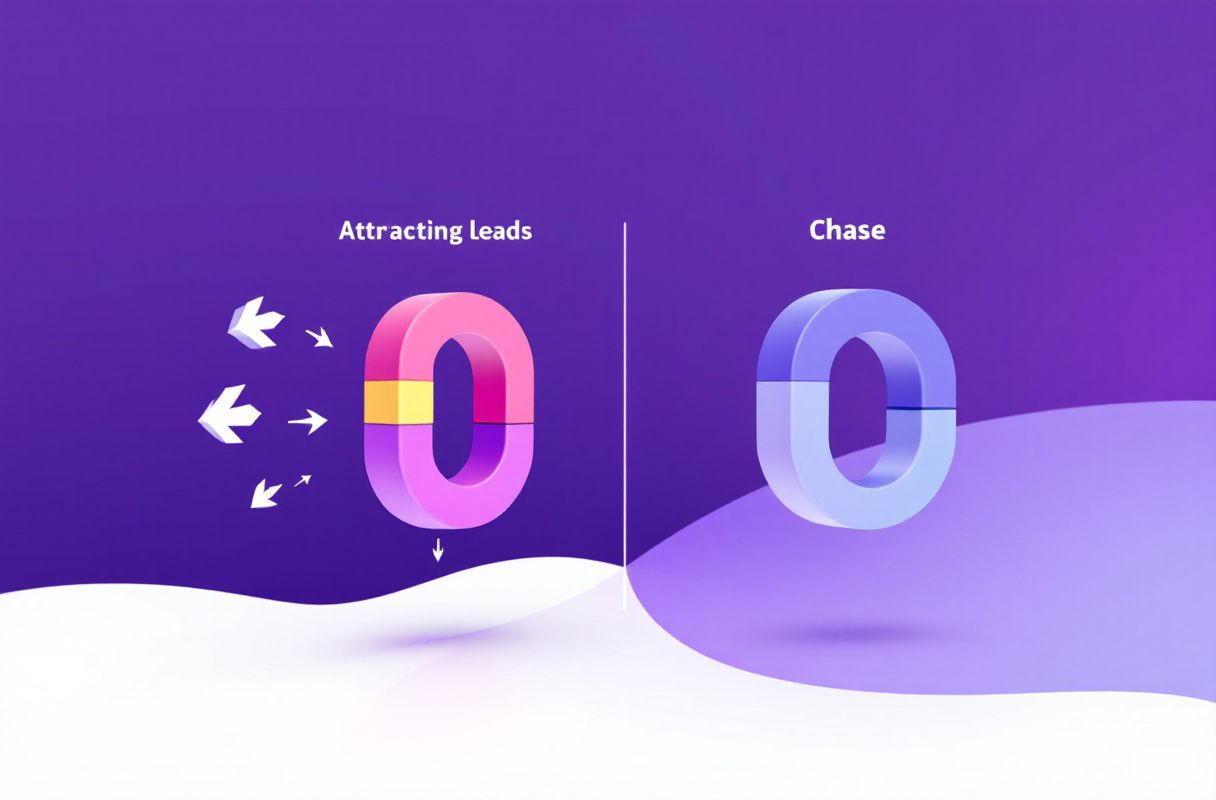
What if, instead of building pipelines to keep your data consistent and pSEO pages to attract anonymous traffic, the right decision-makers engaged with you directly because they already saw you as the expert in their space?
LinkedIn inbound lead generation creates this through earned, organic visibility:
- Strategic visibility: identify where the decision-makers you want spend attention on LinkedIn and show up there consistently — no database or template pages required.
- Value-adding engagement: appear in those conversations with thoughtful, expertise-demonstrating commentary that builds recognition.
- Recognition building: the people you want to reach start seeing you as the expert who always adds insight in their niche.
- Inbound conversion: when they have a relevant need, they reach out. The conversation starts with a named person and existing trust — not an anonymous page view or a synced record.
The difference is structural. A Whalesync sync keeps your systems consistent this month and every month, at a steady cost. LinkedIn authority is an asset that appreciates — every post, comment, and connection compounds the next and widens the top of your funnel with real people. You are not moving data; you are earning attention, so buyers engage and identify themselves. And because there is no ad spend or record-based metering, the cost stays flat no matter how much demand you generate.
What Most Guides Get Wrong
Most Whalesync reviews and "best data sync tool" roundups argue about the wrong things. Here is the nuance they miss:
1. "Traffic from pSEO is the same as leads." Programmatic pages powered by a synced database can rank and pull visitors, but a page view is anonymous — it is not a named buyer you can talk to. Whalesync is a multiplier on the value of content you already have a plan to publish and convert, not a source of warm demand. The visitor still has to choose to raise their hand, and most never do.
2. "Cheap infrastructure means cheap growth." Whalesync's entry plan is inexpensive, and even its higher tiers are reasonable for real-time, two-way sync. But affordable plumbing is still plumbing — the cost of growth is not the sync subscription; it is whatever motion actually generates and converts demand on top of it.
3. "Synced data equals buying intent." A record moving cleanly from HubSpot to Airtable tells you nothing about whether that account wants to buy. Real buying signals reveal themselves when people engage with your content because they chose to — no data pipeline can manufacture that signal.
4. "A sync tool and inbound are competitors." They are not. Whalesync is infrastructure for a job (keeping data consistent, powering pages). ConnectSafely is a growth engine for a different job (earning warm demand). The real question is not which sync tool to buy — it is whether your problem is moving records or no longer having a pipeline.
How to Choose: Decision Framework by Role
There is no single universal winner. The right Whalesync alternative depends on who you are and what you are trying to build.
For founders and solopreneurs: if your bottleneck is demand, not data, ConnectSafely (from USD $10/month) is the higher-ROI move because your personal brand is your strongest asset — organic inbound authority generates warm leads from the right people without a database, template pages, or an integration layer to maintain. Keep Whalesync only if you genuinely need to sync tools. See the founder's guide to inbound.
For marketing and ops teams: Whalesync is a reasonable choice if you truly need two-way sync or want to power pSEO pages from a database. But run ConnectSafely in parallel as the demand engine — within 60-90 days most teams find that organically earned engagement converts far better than anonymous pSEO traffic, because it enters the funnel warm and named. See how social selling turns engagement into revenue.
For agencies managing multiple clients: flat pricing wins for growth work. ConnectSafely's per-account model scales predictably, while a record-metered sync tool is infrastructure cost that grows with data volume, not with the pipeline you deliver. Use Whalesync for client data plumbing if needed, but do not confuse it with a lead source.
For freelancers and consultants: you do not need a data pipeline — you need 10-20 warm conversations a month. Organic inbound authority is the only model that produces those without an integration stack or programmatic pages to build and maintain.
Real Results: From Synced Data to Inbound Authority
We looked at how teams behave after realizing a data-sync tool was solving the wrong problem for growth. The pattern is consistent.
A B2B services team had adopted a no-code sync tool to keep its Airtable, HubSpot, and Webflow data aligned, and later used it to power a set of programmatic SEO pages. The tool worked exactly as advertised — records stayed in sync in real time, and the template pages started pulling traffic. But the traffic was anonymous, the pages needed a separate motion to convert, and none of it produced a named decision-maker who wanted to talk. They had immaculate data infrastructure and page views, but no reliable pipeline of warm conversations.
After 90 days of building LinkedIn authority instead:
- Inbound inquiries climbed to 10-20 per month, all initiated by named people who reached out directly
- Meeting quality jumped — discussions started at "I've been following your posts," not "someone landed on a page and bounced"
- The growth motion no longer depended on ranking anonymous pages or maintaining an integration layer to fuel them
The qualitative shift mattered more than the numbers: a synced record or an anonymous page view stays cold, while an inbound meeting opens with trust and a name attached. That trust advantage — and the fact that it keeps compounding as authority grows — is the part no data-sync tool was ever built to ship.
Frequently Asked Questions
What is the best Whalesync alternative?
The best Whalesync alternative depends on your goal. If you genuinely need two-way, no-code data sync across apps and databases, other integration tools are direct swaps. But if your real problem is that synced records and pSEO traffic are not producing warm buyers, the better alternative is ConnectSafely.ai — it replaces data plumbing with organic inbound authority that converts at 14.6% vs. the 1.7% outbound average, from USD $10/month with named leads instead of anonymous page views.
How much does Whalesync cost?
As listed on Whalesync's pricing page, pricing is tiered by synced record limits, connectors, and support. Sources vary, but a Personal plan is reported at around $5/month (limited records, ~2-week trial), with higher tiers reported at roughly Starter ~$99/month, Operator ~$249/month, and Professional ~$599/month. Every plan includes unlimited mappings and 2-way sync; treat the specific numbers as approximate and confirm current pricing on Whalesync's site.
Is Whalesync worth it in 2026?
For teams whose bottleneck is keeping data consistent across a no-code stack or powering programmatic pages from a database, Whalesync is worth it — its coldiq listing reflects genuine praise for deep real-time sync and pSEO enablement. For founders, small teams, or anyone whose bottleneck is generating warm demand rather than moving records, a sync tool solves the wrong problem, and organic inbound delivers far better ROI.
Does Whalesync generate leads?
No. Whalesync is a data-sync and integration tool — it moves and keeps records consistent between systems and can power programmatic SEO pages, but it does not generate demand, leads, or relationships. Even its pSEO use case produces anonymous traffic, not named buyers. An inbound approach earns organic attention that converts into warm, self-identified conversations, which is a fundamentally different job.
Can I use Whalesync and ConnectSafely together?
Yes. If you genuinely need to keep data in sync or run programmatic pages, keep Whalesync as your infrastructure layer and run ConnectSafely as your demand engine. They do different jobs — one keeps your systems consistent, the other fills your pipeline with warm, named leads — so most teams find they complement rather than replace each other.
Ready to stop moving records and start generating warm conversations? Start your free ConnectSafely.ai trial and see why organic inbound beats data-sync plumbing — or compare the full landscape in our best LinkedIn automation tools guide.
See How It Works
Watch how people get more LinkedIn leads with ConnectSafely




Related Articles