
How to Comment as a Company Page on LinkedIn in 2026
Learn how to comment as your LinkedIn company page instead of your personal profile. Step-by-step guide with best practices for brand engagement.

You want to comment as your company page on LinkedIn but every comment you leave shows your personal name instead. Knowing how to comment as a company page on LinkedIn is essential for brands that want to engage directly with their industry without relying on a single employee's profile. LinkedIn rolled out the ability for company pages to comment on posts in 2022, and the feature has expanded significantly since then.
This guide covers exactly how to switch between your personal profile and company page when commenting, when each approach makes sense, and the best practices that separate effective brand engagement from wasted effort.
Want to Generate Consistent Inbound Leads from LinkedIn?
Get our complete LinkedIn Lead Generation Playbook used by B2B professionals to attract decision-makers without cold outreach.
No spam. Just proven strategies for B2B lead generation.
Key Takeaways
- LinkedIn company pages can comment on any public post — you just need to switch your commenting identity before typing your response.
- Company page comments build brand visibility in contexts where personal profiles cannot, such as industry conversations and competitor threads.
- The switching process differs on desktop and mobile — desktop uses a dropdown near the comment box, while mobile requires tapping your profile picture within the comment area.
- Personal profile comments still outperform company page comments for algorithmic reach in most situations, so use company page commenting strategically rather than as your default.
Why Comment as a Company Page on LinkedIn
Company page commenting serves a fundamentally different purpose than personal commenting. When you comment from a personal profile, you build individual authority. When you comment from a company page, you build brand recognition.
Brand Visibility in Industry Conversations
When your company page comments on a trending industry post, your brand logo, company name, and tagline appear alongside the comment. Every person who reads that thread — potentially thousands of professionals — sees your brand without you running an ad.
This is especially valuable for companies where no single employee has a large enough following to represent the brand effectively.
Customer Support and Community Management
Commenting as your company page lets you respond to customer questions, address feedback, and participate in product discussions with the authority of your brand behind the response. According to LinkedIn's help documentation, company pages can engage directly in conversations to build community.
Competitive Positioning
When industry peers or competitors post content, a thoughtful company page comment positions your brand as an active participant in the conversation. This is a use case where personal profiles feel inappropriate but brand-level engagement feels natural.
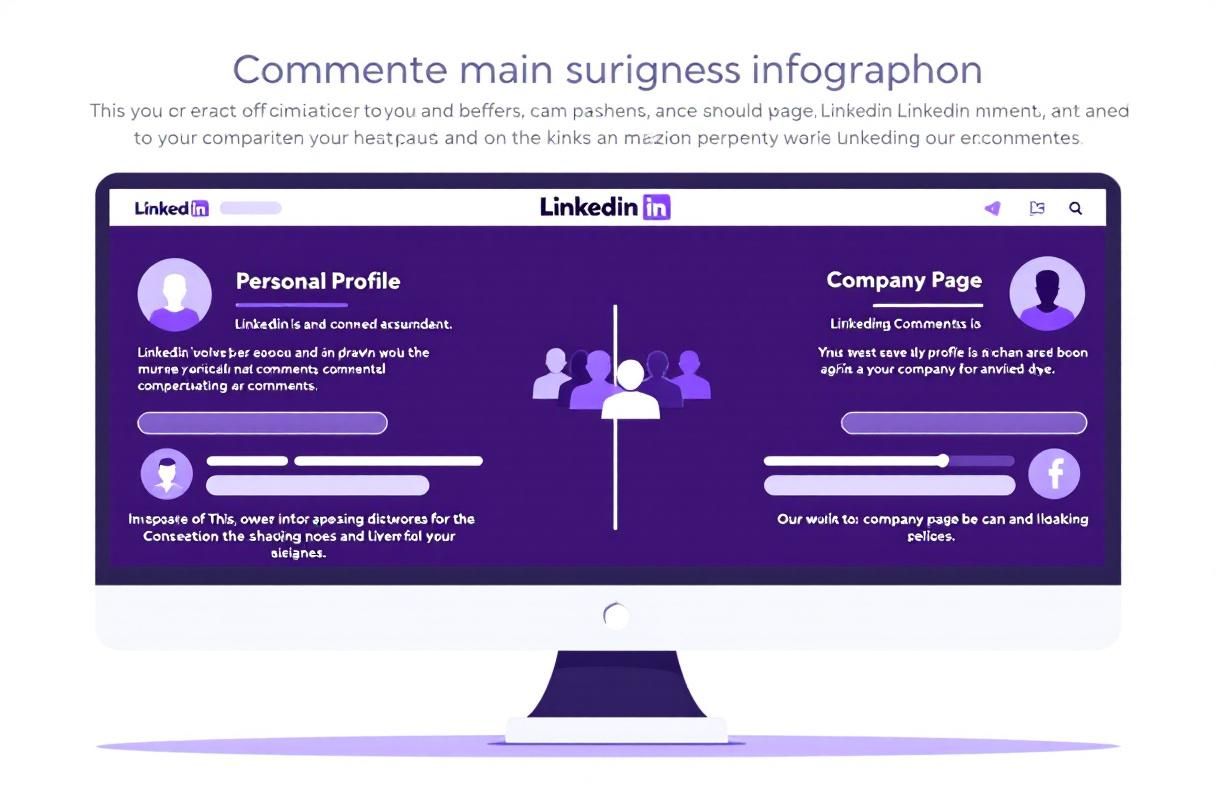
How to Comment as a Company Page on Desktop (Step-by-Step)
Switching to your company page identity on desktop takes about five seconds. Here is the exact process.
- Navigate to the post you want to comment on in your LinkedIn feed or by visiting the post directly.
- Click the comment icon below the post to open the comment box.
- Look for the small dropdown arrow next to your profile picture in the comment box area. On desktop, this appears directly beside your avatar near the text input field.
- Click the dropdown arrow to reveal a list of pages you administer.
- Select your company page from the list. Your profile picture will change to your company logo.
- Type your comment and click the Post button.
Your comment now appears as your company page, complete with your company logo, name, and tagline.
Important note: You must be a Super Admin or Content Admin on the company page to comment on its behalf. If you do not see your company page in the dropdown, check your admin permissions under the page's "Admin tools" settings. For details on page setup, see our guide on how to create a company page on LinkedIn.
How to Comment as a Company Page on Mobile
The mobile process is slightly different from desktop but equally straightforward.
- Open the LinkedIn app and navigate to the post.
- Tap the comment icon beneath the post.
- Tap your profile picture (your personal avatar) that appears next to the comment input field.
- Select your company page from the list of profiles and pages you manage.
- Write your comment and tap Post.
LinkedIn remembers your last selection for that session, so if you switch to your company page, subsequent comments will also come from the company page until you switch back. Always double-check which identity is active before commenting.
When to Use Company Page vs. Personal Profile for Comments
This is where most brands make mistakes. Not every comment should come from your company page, and not every comment should come from a personal profile. The right choice depends on the context.
| Scenario | Best Identity | Why |
|---|---|---|
| Responding to a mention of your product | Company Page | Brand authority and official response |
| Commenting on an industry thought leader's post | Personal Profile | Humanized engagement gets more algorithmic reach |
| Answering a customer question on a public post | Company Page | Official support channel |
| Engaging with a prospect's content | Personal Profile | Feels personal rather than corporate |
| Participating in competitor or industry debates | Company Page | Represents brand position, not individual opinion |
| Commenting on employee advocacy posts | Company Page | Amplifies and endorses employee content |
| Building relationships with potential partners | Personal Profile | Relationship-building is person-to-person |
| Responding to industry news and announcements | Either | Depends on whether a brand stance or personal expertise fits better |
The Algorithm Factor
LinkedIn's algorithm in 2026 continues to favor personal profiles over company pages for organic distribution. According to Hootsuite's LinkedIn research, content from personal profiles receives significantly more reach than identical content from company pages.
This applies to comments too. A comment from a personal profile is more likely to trigger "X commented on this" notifications to your network, expanding the original post's reach. Company page comments do not generate these network notifications.
The practical takeaway: Use personal profile comments when you want algorithmic amplification. Use company page comments when brand identity matters more than reach.
Best Practices for Company Page Comments
A comment from a company page carries the weight of your brand. Generic or poorly written company page comments reflect badly on your entire organization.
Write With Your Brand Voice
Every company page comment should sound like your brand, not like a random employee. Develop a clear commenting voice — whether that is professional and authoritative, friendly and approachable, or technical and precise — and apply it consistently.
Add Genuine Value
Company page comments face higher scrutiny than personal comments. Readers expect substance from a brand. Follow the same principles outlined in our guide to effective LinkedIn commenting: acknowledge the post, add a unique insight, and invite further conversation.
Avoid Overt Self-Promotion
A company page commenting "Great post! By the way, we offer a solution for this — check out our website" reads as spam. Instead, share relevant expertise or perspective without a sales pitch. Trust that readers will visit your company page if your comment is valuable.
Respond Quickly to Brand Mentions
When someone mentions your company or product in a post, commenting as your company page within the first hour shows that your brand is active and attentive. Late responses — or no response at all — signal indifference.
Keep Comments Concise
Company page comments should be 2-4 sentences. Long corporate responses feel like press releases. Short, specific comments that add a single clear insight are far more effective.

What Most Guides Get Wrong About Company Page Commenting
After managing company page engagement strategies for dozens of B2B brands, here are the misconceptions we see repeated most often.
"Company pages should comment on everything." Volume-based company page commenting looks desperate and spammy. A company page that comments 30 times a day across random posts dilutes its brand presence. Reserve company page comments for situations where brand identity adds weight — product mentions, industry debates, customer interactions, and strategic conversations.
"Company page comments and personal profile comments are interchangeable." They are not. As noted above, the algorithm treats them differently. The psychological impact on readers is also different. A comment from "Jane Smith, VP Marketing" feels personal and approachable. The same comment from "Acme Corp" feels corporate and distant. Choose the right identity for the context.
"You need a large following on your company page for comments to matter." Company page follower count is irrelevant to comment visibility. When your company page comments on a post with 50,000 impressions, your brand is visible to all those readers regardless of your own page's follower count. Smaller brands benefit disproportionately from this strategy.
"Company page commenting replaces the need for personal engagement." The strongest LinkedIn strategies combine both. Your team members should be commenting effectively from personal profiles to build individual authority, while the company page engages selectively for brand-level conversations. These are complementary strategies, not alternatives.
Real Results: What Consistent Company Page Commenting Looks Like
Brands that implement a structured company page commenting strategy typically notice several patterns within 30-60 days.
Increased page followers from organic discovery. When your company page comments on high-visibility posts, professionals discover your brand and follow your page. This organic follower growth is more valuable than paid follower acquisition because these followers found you through relevant industry content.
Higher engagement on your own company page posts. Regular commenting activity signals to LinkedIn that your page is active, which can positively influence how the algorithm distributes your own page's content. LinkedIn recommends that pages engage in community conversations as part of a complete content strategy.
Stronger brand recall in sales conversations. B2B sales teams report that prospects who have seen their company page active in industry conversations are warmer during outreach. The brand is already familiar before the first sales touch.
Improved customer perception. When your company page responds thoughtfully to industry discussions, customers and prospects see an organization that is engaged, knowledgeable, and accessible — not one that only shows up to promote its own content.
The key is consistency. Sporadic company page commenting produces minimal results. A structured approach — 3-5 strategic company page comments per week on high-relevance posts — compounds into meaningful brand visibility over time.
How ConnectSafely.ai Helps With Company Page Engagement
Managing company page commenting alongside personal profile engagement and content creation is time-intensive. ConnectSafely streamlines this process.
Identify high-impact commenting opportunities. ConnectSafely surfaces posts from industry creators, prospects, and brand-mention contexts where a company page comment would have the highest impact — so you spend time on comments that matter.
Coordinate personal and company page engagement. ConnectSafely helps you decide which posts deserve company page comments versus personal profile comments, ensuring your engagement strategy uses the right identity in the right context.
Track brand engagement results. Monitor which company page comments drive the most page visits, follower growth, and downstream engagement, so you can refine your approach based on real data.
Automate safe engagement workflows. Using compliant automation tools, ConnectSafely helps maintain consistent company page engagement without manual daily effort.
Frequently Asked Questions
How do I switch from my personal profile to my company page when commenting on LinkedIn?
Click the comment icon on any post, then look for the small dropdown arrow next to your profile picture in the comment box. Click it and select your company page from the list. On mobile, tap your profile picture within the comment area to see available pages. You must be a Super Admin or Content Admin on the page to comment on its behalf. LinkedIn remembers your last selection during your session, so check which identity is active before each comment.
Can a LinkedIn company page comment on any post, or are there restrictions?
LinkedIn company pages can comment on any public post and on posts shared within groups where the page is a member. Pages cannot comment on posts with restricted visibility (connections-only posts from personal profiles that the page is not connected to). Since 2022, LinkedIn has steadily expanded what company pages can do — including reacting to comments, replying to threads, and mentioning other pages or people within comments.
Should I comment as my company page or my personal profile for better LinkedIn engagement?
Use your personal profile for most engagement, especially when building relationships and leveraging algorithmic distribution. Personal comments trigger network notifications and receive more organic reach. Use your company page when responding to brand mentions, providing official support, engaging in industry debates where brand authority matters, or amplifying employee content. The most effective approach combines both — personal profiles for volume and reach, company page for strategic brand presence.
How often should a company page comment on LinkedIn posts?
Aim for 3-5 high-quality, strategic company page comments per week. Focus on posts where your brand has genuine expertise or a relevant perspective to share, such as industry news, product-related discussions, and customer conversations. Avoid commenting on every trending post — selective, valuable engagement builds more credibility than high-frequency generic responses. Pair this with a consistent company page posting schedule for best results.
What should a company page avoid when commenting on LinkedIn?
Avoid self-promotional comments that link to your product or pitch your services. Avoid generic responses ("Great insights!" or "Thanks for sharing!") that add no value. Avoid commenting on politically sensitive or controversial posts where your brand's position could alienate customers. Never use copy-paste comments across multiple posts, as LinkedIn can flag this as spam. And avoid engaging in hostile exchanges — a defensive or argumentative comment from a company page damages brand trust far more than the same comment from a personal profile.
Ready to build a strategic LinkedIn engagement program that combines company page and personal profile engagement? Get started with ConnectSafely to systematize your brand's LinkedIn presence and attract inbound leads.
The Dark Side of Company Page Commenting: When It Backfires
Commenting as a company page on LinkedIn can be a powerful tool for brand engagement, but it's not without its risks. One of the most significant drawbacks is the potential for misinterpretation or misattribution of comments. If a comment is perceived as insensitive, tone-deaf, or outright offensive, it can reflect poorly on the brand as a whole, rather than just the individual who made the comment. This can be particularly damaging if the company page is commenting on a sensitive or controversial topic, where the stakes are high and the potential for backlash is great. Furthermore, company page comments can also be seen as less personal or less genuine than comments from individual employees, which can undermine the very purpose of commenting in the first place: to build relationships and establish trust with potential customers. It's essential for companies to carefully consider the potential risks and consequences of commenting as a company page, and to develop a clear strategy for mitigating those risks. This might involve establishing clear guidelines for company page commenting, providing training for employees on how to comment effectively, and monitoring comments closely to ensure they align with the company's values and messaging.
Myth vs Reality: The Impact of Company Page Comments on Algorithmic Reach
One of the most persistent myths about company page commenting on LinkedIn is that it can significantly boost algorithmic reach and increase visibility for the company's content. While it's true that company page comments can help to build brand recognition and establish the company as a thought leader in its industry, the impact on algorithmic reach is often overstated. In reality, LinkedIn's algorithm prioritizes content from individual users, particularly those with high engagement rates and strong relationships with their followers. Company page comments, on the other hand, are often seen as less engaging and less relevant, and may not carry the same weight in the algorithm. This doesn't mean that company page commenting is without value, of course - but it does mean that companies should be realistic about the potential impact on their algorithmic reach, and should focus on building strong relationships with their followers and creating high-quality, engaging content that resonates with their audience.
Advanced-Level Commenting Strategies: Using Company Page Comments to Spark Conversations
For companies that are looking to take their LinkedIn commenting strategy to the next level, there are a number of advanced techniques that can be used to spark conversations and build engagement. One of the most effective strategies is to use company page comments to ask questions or prompt discussions, rather than simply providing information or promoting the company's products or services. This can help to create a sense of community and foster a more interactive, dynamic conversation on the platform. Another strategy is to use company page comments to respond to comments from other users, particularly those who are thought leaders or influencers in the industry. This can help to build relationships and establish the company as a trusted and authoritative voice in the industry. By using company page comments in a more strategic and intentional way, companies can create a more engaging and interactive experience on LinkedIn, and build stronger relationships with their followers.
The Role of Employee Advocacy in Company Page Commenting
One of the most effective ways to amplify the impact of company page commenting on LinkedIn is to combine it with employee advocacy. By encouraging employees to share company content and comment on industry topics, companies can create a more diverse and dynamic conversation on the platform, and reach a wider audience. Employee advocacy can also help to humanize the company and make it more relatable, which can be particularly important for building trust and establishing relationships with potential customers. However, it's essential to ensure that employee advocacy is aligned with the company's overall commenting strategy, and that employees are equipped with the training and resources they need to comment effectively. This might involve providing guidance on tone and voice, establishing clear guidelines for commenting, and monitoring employee comments to ensure they align with the company's values and messaging. By combining company page commenting with employee advocacy, companies can create a more powerful and effective LinkedIn strategy that drives engagement, builds relationships, and establishes the company as a thought leader in its industry.
Navigating the Gray Areas: When to Comment as a Company Page vs a Personal Profile
One of the most challenging aspects of commenting on LinkedIn is navigating the gray areas between commenting as a company page and commenting as a personal profile. While company page commenting can be effective for building brand recognition and establishing the company as a thought leader, personal profile commenting can be more effective for building relationships and establishing individual authority. So how do you decide when to comment as a company page, and when to comment as a personal profile? The answer depends on the context and the goals of the comment. If the comment is primarily focused on promoting the company or its products, it's usually best to comment as a company page. On the other hand, if the comment is more personal or focused on building relationships, it's usually best to comment as a personal profile. However, there are also situations where it makes sense to comment as both a company page and a personal profile - for example, if an employee is commenting on a topic that's relevant to their individual expertise, but also aligns with the company's values and messaging. By being intentional and strategic about when to comment as a company page, and when to comment as a personal profile, companies can create a more nuanced and effective commenting strategy that drives engagement, builds relationships, and establishes the company as a thought leader in its industry.
See How It Works
Watch how people get more LinkedIn leads with ConnectSafely




Related Articles