How to Measure LinkedIn Content Performance: 2026 Guide
Learn how to measure LinkedIn content performance with the right metrics, tools, and frameworks. From impressions to revenue attribution in one guide.

You published 20 LinkedIn posts last month. Do you know which ones actually moved the needle? Most LinkedIn creators track impressions and likes and call it measurement. That is like judging a restaurant by how many people walked past — it tells you about visibility, not value. According to Content Marketing Institute's 2025 B2B report, only 29% of B2B marketers say they effectively measure content performance. The other 71% are guessing.
Key Takeaways
- Impressions and likes are vanity metrics. They indicate visibility but not business impact.
- The three-tier measurement framework separates awareness metrics (reach), engagement metrics (resonance), and business metrics (revenue) for clear performance evaluation.
- Profile views per post is the most underrated metric — it shows who is interested enough to check you out.
- Dwell time signals content quality to LinkedIn's algorithm more than any engagement action.
- Weekly reviews beat monthly reviews. Content performance insights decay rapidly on LinkedIn's fast-moving feed.
- Revenue attribution is possible with proper UTM tracking and CRM integration, even for organic LinkedIn content.
Why Most Content Measurement Fails
LinkedIn gives you data. The problem is not access — it is interpretation. Creators look at impressions going up and assume their content strategy is working. But impressions without engagement mean the algorithm showed your post but people scrolled past. Engagement without profile visits means people liked your post but do not care who you are. Profile visits without website clicks mean people are curious but not convinced.
Want to Generate Consistent Inbound Leads from LinkedIn?
Get our complete LinkedIn Lead Generation Playbook used by B2B professionals to attract decision-makers without cold outreach.
No spam. Just proven strategies for B2B lead generation.
Effective measurement requires tracking the full journey from impression to action. Each metric answers a different question:
- Impressions: Did people see my content?
- Engagement: Did they care?
- Profile views: Did they want to learn more?
- Website clicks: Did they take action?
- Conversions: Did it lead to business?
The Content Performance Framework
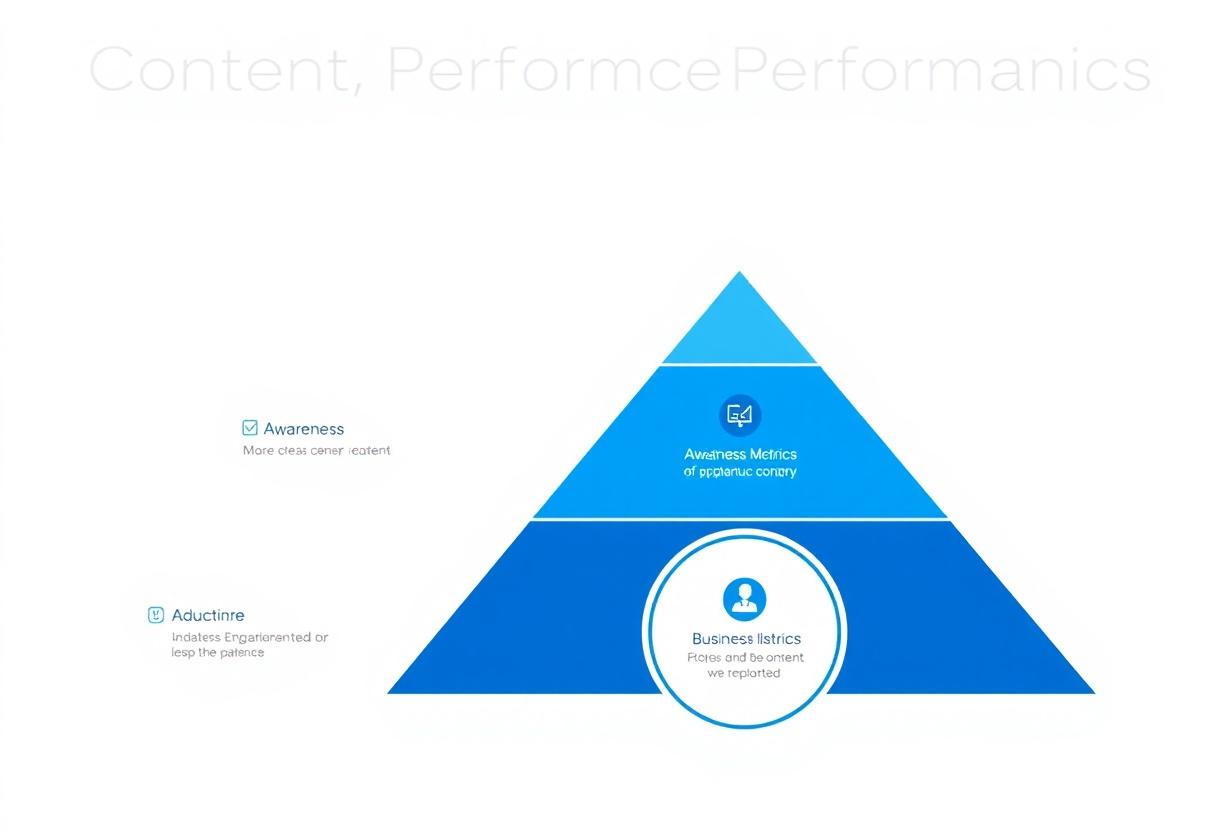
Organize your metrics into three tiers. Each tier builds on the previous one, creating a complete picture of content performance.
Tier 1: Awareness Metrics (Did They See It?)
| Metric | What It Tells You | Where to Find It |
|---|---|---|
| Impressions | How many times your post appeared in feeds | LinkedIn post analytics |
| Reach | Unique accounts that saw your post | LinkedIn post analytics |
| Follower growth | Net new followers gained per period | LinkedIn profile analytics |
Impressions and reach tell you about distribution. If impressions are low, your content is not getting into feeds. Common causes include posting at wrong times, low previous engagement (algorithm penalty), or content format mismatches.
Best posting times vary by industry, but consistently posting when your audience is active is the single fastest way to improve awareness metrics.
Tier 2: Engagement Metrics (Did They Care?)
| Metric | What It Tells You | Where to Find It |
|---|---|---|
| Engagement rate | Percentage of viewers who interacted | Calculate: (reactions + comments + shares) / impressions x 100 |
| Comments | Depth of audience interest | LinkedIn post analytics |
| Saves | Content perceived as reference-worthy | LinkedIn post analytics |
| Dwell time | How long people stopped to read | Not directly available; inferred from algorithm boost |
| Click-through rate | Percentage who clicked links in your post | LinkedIn post analytics (for posts with links) |
Engagement rate is the single most important metric in this tier. According to Hootsuite's Social Trends report, the average LinkedIn engagement rate is 2.5-3.5%. Above 5% indicates strong content-audience fit.
Comments matter more than likes. LinkedIn's algorithm weights comments significantly higher because they signal genuine interest. A post with 50 comments and 200 likes outperforms a post with 20 comments and 500 likes in algorithmic reach.
Saves are the hidden gem. When someone saves your post, they are telling LinkedIn this content has lasting value. Posts with high save rates get extended distribution.
Tier 3: Business Metrics (Did It Lead to Outcomes?)
| Metric | What It Tells You | Where to Find It |
|---|---|---|
| Profile views | Interest in you as a professional | LinkedIn dashboard |
| Website clicks | Traffic driven to your domain | UTM tracking in Google Analytics |
| Lead attribution | Which content sources generate leads | CRM with source tracking |
| Revenue impact | Pipeline and revenue from LinkedIn content | CRM revenue reports |
Profile views per post is the bridge between content performance and business outcomes. When someone reads your post and then visits your profile, they are evaluating whether to engage further. This is where profile optimization becomes critical.
Website clicks require UTM parameters on every link you share. Without UTMs, this traffic appears as "direct" or "social" in Google Analytics with no way to attribute it to specific posts.
10 Metrics That Actually Matter
Here is the ranked list of metrics by business impact, from most to least important:
| Rank | Metric | Business Impact | Actionability |
|---|---|---|---|
| 1 | Revenue attributed to LinkedIn | Direct business value | Monthly review |
| 2 | Leads generated from LinkedIn | Pipeline contribution | Weekly review |
| 3 | Website clicks per post | Conversion intent | Per-post review |
| 4 | Profile views trend | Brand interest indicator | Weekly review |
| 5 | Comment quality and depth | Audience relationship | Per-post review |
| 6 | Engagement rate | Content-audience fit | Per-post review |
| 7 | Saves per post | Content reference value | Weekly review |
| 8 | Follower growth rate | Audience building | Monthly review |
| 9 | Impressions trend | Distribution health | Weekly review |
| 10 | Share/repost count | Amplification reach | Per-post review |
LinkedIn Native Analytics
LinkedIn provides built-in analytics for both personal profiles and company pages. Here is what you can access natively:
Personal profile analytics:
- Post-level impressions, reactions, comments, shares
- Profile views (30-day and 90-day trends)
- Search appearances
- Follower demographics
Limitations of native analytics:
- No historical data beyond 365 days
- No export functionality for personal profiles
- No dwell time or save count visibility
- Cannot connect to CRM or web analytics
For deeper analysis, you need third-party tools.
Third-Party Analytics Tools
| Tool | Best For | Pricing |
|---|---|---|
| Shield | LinkedIn analytics deep-dive | From $8/month |
| AuthoredUp | Post performance tracking | From $19/month |
| Taplio | Content + analytics combined | From $49/month |
| ConnectSafely | Inbound engagement + profile analytics | Contact for pricing |
| Google Analytics 4 | Website traffic from LinkedIn | Free |
Shield provides the most detailed LinkedIn analytics, including historical data, audience demographics, and engagement trends. It is the standard for serious LinkedIn creators.
For a full comparison, see our LinkedIn analytics tools guide.
Building a Weekly Review Cadence
Consistency beats complexity. A simple weekly review produces better results than a complicated monthly analysis.
Weekly review template (15 minutes):
- Top performer: Which post got the highest engagement rate? Why?
- Worst performer: Which post underperformed? What can you learn?
- Profile views trend: Up or down compared to last week?
- Follower growth: Net new followers this week?
- Content mix check: Did you post enough variety (text, images, carousels, polls)?
- Action items: One specific change to test next week
Monthly review template (30 minutes):
- Calculate average engagement rate across all posts
- Review website traffic from LinkedIn (GA4)
- Check lead attribution in CRM
- Compare against previous month's benchmarks
- Adjust content strategy based on findings
From Metrics to Action
Data without action is just data. Here is how to translate each metric into content improvement:
| Metric Signal | What It Means | What to Do |
|---|---|---|
| High impressions, low engagement | Content is reaching people but not resonating | Improve hooks and opening lines |
| High engagement, low profile views | Content entertains but does not build curiosity about you | Add more personal perspective and expertise signals |
| High profile views, low website clicks | Profile attracts interest but does not convert | Optimize featured section and CTA in about section |
| High website clicks, low conversions | Traffic is interested but landing pages underperform | Improve landing page messaging and offer |
| Declining impressions over time | Algorithm is deprioritizing your content | Increase posting frequency, vary formats, boost engagement in first hour |
What Most Guides Get Wrong
Most LinkedIn analytics guides list every available metric and tell you to track all of them. That is a recipe for analysis paralysis. You end up spending more time measuring than creating.
The truth is that you only need to actively monitor 3-4 metrics. For most LinkedIn creators, the metrics that matter are: engagement rate (is my content resonating?), profile views (are the right people noticing me?), and website clicks or DMs received (is this leading to business?).
Everything else is diagnostic — useful when something changes, but not worth checking daily. Set up a simple weekly review, track your top 3-4 metrics, and spend the rest of your time creating better content and engaging authentically with your audience.
Frequently Asked Questions
What is a good engagement rate on LinkedIn in 2026?
The average LinkedIn engagement rate is 2.5-3.5%, according to Hootsuite. Rates above 5% indicate strong content-audience fit. Rates above 8% suggest viral-level resonance. If your engagement rate is consistently below 2%, revisit your content topics and posting format.
How do I track LinkedIn content ROI without paid tools?
Use LinkedIn's native analytics for post-level metrics and Google Analytics 4 (free) for website traffic tracking. Add UTM parameters to every link you share on LinkedIn. In GA4, create a segment for linkedin.com traffic and track conversions against that segment. This gives you basic ROI tracking at zero cost.
How often should I check my LinkedIn analytics?
Check post performance 24 hours after publishing for initial results. Run a weekly 15-minute review for trend analysis. Do a deeper monthly review for strategic adjustments. Avoid checking analytics multiple times per day — it creates anxiety without actionable insights.
Does LinkedIn show you who viewed your posts?
LinkedIn shows aggregate demographics for post viewers (job titles, companies, locations) but not individual names for post views. For profile views, LinkedIn shows individual visitors if both parties have that setting enabled. LinkedIn Premium shows more profile viewer data but still does not reveal individual post viewers.
What is the best way to A/B test LinkedIn content?
Post two versions of similar content on different days at the same time. Keep one variable different (hook style, format, topic angle) while keeping everything else consistent. Run the test over 4-6 posts per variant and compare engagement rates rather than raw numbers, since impressions vary day to day.
The Dark Side of Engagement: When Likes and Comments Hurt Your Content Strategy
Engagement is often touted as the holy grail of content performance metrics. However, there's a darker side to engagement that few creators acknowledge. When your content receives a high volume of likes and comments, but they're not from your target audience, it can actually hurt your content strategy. This phenomenon is known as "engagement inflation." It's when your content becomes a magnet for spam accounts, trolls, or people who are only engaging with your content to increase their own visibility. As a result, your engagement metrics may look impressive, but they're not providing any real value to your business. In fact, engagement inflation can even lead to a decrease in your content's reach and visibility, as LinkedIn's algorithm may view your content as low-quality or irrelevant. To avoid engagement inflation, it's essential to monitor your engagement metrics closely and look for signs of fake or low-quality engagement, such as a high number of likes from accounts with low follower counts or a large number of comments that seem spammy or irrelevant.
Myth vs Reality: The Truth About LinkedIn's Algorithm and Content Visibility
There's a common myth that LinkedIn's algorithm favors content from popular or well-known creators, making it difficult for new or lesser-known creators to get their content seen. However, the reality is more nuanced. While it's true that LinkedIn's algorithm takes into account factors like engagement and relevance when determining content visibility, it's not a simple matter of "popular creators win." In fact, LinkedIn's algorithm is designed to prioritize content that is most relevant to each individual user, regardless of the creator's popularity. This means that even new or lesser-known creators can get their content seen by their target audience, as long as their content is high-quality, relevant, and resonates with their audience. The key is to focus on creating content that provides value to your target audience, rather than trying to game the algorithm with clickbait headlines or spammy engagement tactics. By doing so, you can increase your content's visibility and reach, even if you're not a well-known creator.
Advanced Content Analytics: Using Cohort Analysis to Measure Content Effectiveness
For advanced creators, cohort analysis is a powerful tool for measuring content effectiveness. Cohort analysis involves grouping users into cohorts based on their behavior or demographics, and then analyzing their interactions with your content over time. This allows you to see how different groups of users respond to your content, and identify patterns and trends that may not be immediately apparent. For example, you might use cohort analysis to compare the engagement rates of users who have visited your website versus those who have not, or to see how users who have engaged with your content in the past respond to new content versus those who are seeing your content for the first time. By using cohort analysis, you can gain a deeper understanding of how your content is performing, and make data-driven decisions to optimize your content strategy. However, cohort analysis requires a high level of analytical sophistication, as well as access to advanced analytics tools, so it's not suitable for beginners.
The Importance of Context: How Industry and Audience Factors Impact Content Performance
Content performance is often influenced by factors outside of your control, such as industry trends, audience demographics, and cultural context. For example, a piece of content that performs well in one industry may fall flat in another, due to differences in audience interests and preferences. Similarly, content that resonates with one demographic group may not resonate with another, due to differences in values, beliefs, and cultural background. To optimize your content strategy, it's essential to take these factors into account, and tailor your content to your specific audience and industry. This may involve conducting audience research, staying up-to-date with industry trends, and using cultural sensitivities and nuances to inform your content creation. By doing so, you can increase the relevance and effectiveness of your content, and avoid mistakes that can hurt your brand reputation or alienate your target audience.
It Depends: When Common Content Advice Backfires
Common content advice often backfires in certain situations, and it's essential to consider the nuances and exceptions when creating your content strategy. For example, the advice to "keep it short and sweet" may not apply to complex or technical topics, where a more detailed and in-depth approach may be necessary. Similarly, the advice to "use attention-grabbing headlines" may not be effective for audiences who are skeptical or cynical, and may even hurt your credibility if your headlines are seen as clickbait or misleading. The key is to consider the specific context and audience for your content, and tailor your approach accordingly. This may involve using longer-form content for complex topics, or using more subtle and understated headlines for skeptical audiences. By taking a nuanced and contextual approach to content creation, you can avoid common pitfalls and create content that truly resonates with your target audience.
See How It Works
Watch how people get more LinkedIn leads with ConnectSafely




Related Articles