When to Pause an Outreach Cadence & How to Restart Safely
Pausing cadences at the right moment protects deliverability and reputation. Full 2026 guide to auto-pause triggers, OOO handling, and safe restarts.

Every sales ops leader has seen it happen. A cadence keeps running through the holidays. Bounce rates climb. The domain gets flagged. Two weeks later, your entire team's email deliverability is in the gutter and the rebuild takes a month. Or worse: a prospect replies "stop emailing me" and the cadence keeps firing the next two touches anyway because nobody configured the pause rules.
Pausing cadences correctly is one of the highest-leverage deliverability decisions a sales team makes. Auto-pause rules protect your sender reputation, your prospect relationships, and your team's pipeline. Get them wrong and you spend the next quarter rebuilding domain trust instead of closing deals. This guide covers every pause trigger that matters in 2026, the difference between pausing and suppression, and exactly how to restart cadences without burning the prospect or your domain.
Want to Generate Consistent Inbound Leads from LinkedIn?
Get our complete LinkedIn Lead Generation Playbook used by B2B professionals to attract decision-makers without cold outreach.
No spam. Just proven strategies for B2B lead generation.
Key Takeaways
- Auto-pause triggers that every cadence must have: reply detected, out-of-office, hard bounce, soft bounce spike, holiday window, and meeting booked.
- Pause is not suppression. Pausing holds a cadence temporarily; suppression permanently removes the prospect from outreach.
- OOO handling rules: pause for 7-14 days, do not restart automatically, and re-verify the prospect's status before resuming.
- Bounce-spike thresholds: pause all cadences from a sender when bounce rate exceeds 3% over 200 sends or 5% over 100 sends.
- Holiday pause windows: at minimum Dec 20 - Jan 3, plus regional holidays for international prospects.
- Manual restart with cohort review outperforms automatic restart by 30-50% on reply rate -- humans catch context that auto-resume misses.
Why Cadence Pause Rules Matter More in 2026
Three forces have made cadence pause discipline mission-critical in 2026:
Stricter sender reputation scoring. Google and Microsoft now use multi-week rolling windows to score sender reputation. A single bad day -- a cadence firing into a holiday with high bounces -- can sink your domain for 3-4 weeks of remediation.
AI-driven OOO detection. Inboxes increasingly send rich auto-replies with return dates, calendar links, and alternate contacts. Cadences that ignore those signals and keep firing get flagged as spam by the prospect's own inbox AI within 2-3 sends.
Buyer expectations have shifted. Salesloft's analysis of cadence behavior shows that 68% of B2B buyers report a "very negative" impression of vendors whose cadences continue after a reply or OOO. The reputational cost is no longer theoretical.
In short: pause rules used to be a nice-to-have. In 2026, they are the difference between a healthy outbound motion and a domain rebuild.
The Six Auto-Pause Triggers Every Cadence Needs
A well-configured cadence platform should auto-pause on all six of the following triggers without requiring manual intervention.
1. Reply Detected
The simplest and most important trigger. Any reply from the prospect -- even a one-word "unsubscribe" -- must pause the cadence immediately. Most modern platforms do this by default, but verify that auto-replies (OOO, vacation responders) are filtered separately so they do not falsely terminate the cadence.
2. Out-of-Office Detection
When an OOO auto-reply is detected, the cadence should pause until the return date plus 1-2 buffer days. If no return date is parsed, default to a 10-day pause. Firing follow-ups into an OOO window is the single most common deliverability mistake in 2026.
3. Hard Bounce
A hard bounce means the email address does not exist. The cadence must pause permanently for that prospect, and the email should be flagged for list cleaning. Hard bounces above 2% of total sends are an immediate sender reputation problem.
4. Soft Bounce Spike
Soft bounces (full mailbox, server temporarily unavailable) are normal at low volumes but indicate a broader problem when they spike. Configure a rule that pauses all cadences from a sender when soft bounces exceed 3% over 200 sends or 5% over 100 sends. Investigate before resuming.
5. Holiday Windows
Auto-pause all cadences during major holiday windows: Dec 20 - Jan 3 globally, plus regional holidays (Lunar New Year for APAC, Diwali for India, Eid for Middle East). Holiday-window outreach has 70-80% lower reply rates and 2-3X higher unsubscribe rates than normal periods.
6. Meeting Booked
When a prospect books a meeting via your calendar link, every cadence touching that prospect must pause immediately. Continuing to send "did you see my email?" follow-ups after a meeting is booked is the fastest way to lose a deal before the meeting happens.
Pause vs Suppression: The Critical Difference
Sales ops teams routinely confuse pausing and suppression. They are not interchangeable.
Pause is temporary. It holds the cadence for a defined window (a day, a week, until a return date) and then resumes automatically or with manual review. The prospect remains in active outreach pipeline.
Suppression is permanent. It removes the prospect from all current and future cadences across the org. Common suppression triggers include: explicit opt-out, hard bounce, "do not contact" from CRM, and competitor employee detection.
The mistake teams make is suppressing when they should pause (losing future pipeline) or pausing when they should suppress (continuing to email prospects who have opted out -- a legal and reputational disaster).
Pause vs Suppression Comparison Table
| Action | Duration | Triggered By | Reversible | Cross-Cadence |
|---|---|---|---|---|
| Pause | Temporary (hours to weeks) | OOO, holiday, soft bounce, reply | Yes, manual or auto | Per-cadence only |
| Suppression | Permanent | Opt-out, hard bounce, "do not contact" | Manual override required | All cadences org-wide |
| Manual Pause | Until manual resume | Sales rep decision | Yes, manual | Usually per-cadence |
| Domain Pause | Until investigation complete | Bounce spike, blacklist hit | Yes, after remediation | All sends from domain |
When to Pause Manually
Auto-pause rules cover most scenarios, but manual pause judgment still matters. Pause manually in these cases:
Major news at the prospect's company. Layoffs, leadership change, acquisition announcement, or public crisis. Continuing cold outreach during these events is tone-deaf and damages your brand.
Account moved to AE ownership. When a cadence-driven SDR motion converts to an AE-owned opportunity, every cold cadence should pause to prevent message conflict.
Prospect's content signal a problem. If the prospect's recent LinkedIn posts indicate they are dealing with burnout, a personal issue, or job uncertainty, pause and wait. Persistence in those moments backfires badly.
Internal product changes. If your product just shipped a major change, pause cadences referencing old features until copy is updated. Reps following up on outdated promises is a credibility killer.
Compliance review pending. If your legal or compliance team flags a cadence for review (new regulation, GDPR question, industry-specific rule), pause until cleared. Restart penalties are far cheaper than compliance fines.
How to Restart a Paused Cadence Safely
Restarting wrong is worse than not restarting. A botched restart can re-trigger the same problem (bounce, OOO, irritation) at higher cost. Follow these rules.
Rule 1: Never Auto-Restart Without Re-Verification
Even if the pause was time-based (OOO, holiday), do not let the cadence resume blindly. Re-verify that the prospect is still in role, that no replies came in during the pause, and that the original message context is still relevant.
Rule 2: Acknowledge the Gap
If the pause was longer than 14 days, the next touchpoint must acknowledge the gap. A simple line like "Wanted to circle back after the holidays" or "Hope you had a good break" is significantly better than picking up mid-sequence as if nothing happened.
Rule 3: Compress the Remaining Cadence
If the cadence was paused mid-sequence and only 2-3 touches remain, compress them into a tighter window. The prospect has likely lost context. Stretching the remaining touches over weeks loses the thread entirely.
Rule 4: Refresh the Copy
Cadence copy written before a long pause may reference outdated context -- a feature you have since shipped, a competitor that has since pivoted, or a market condition that has changed. Refresh the copy before restart.
Rule 5: Watch for Bounce Patterns
If you are restarting after a domain-wide pause due to a bounce spike, restart at 50% of original volume for the first week. Ramp back to full volume over 2-3 weeks while monitoring bounce rate daily.
Common Cadence Pause Mistakes
Treating soft bounces like hard bounces. Permanently suppressing prospects who soft-bounced once kills future pipeline. Soft bounces should pause for 48-72 hours, then retry.
Auto-resuming OOO cadences too aggressively. A prospect returning from vacation has 200 emails in their inbox. Hitting them with a follow-up the same day they return guarantees deletion. Wait 1-2 days post-return.
No holiday calendar maintenance. Holiday calendars need annual updates. International prospect cadences need regional holiday calendars (Chinese New Year, Diwali, Eid, Golden Week). Default U.S. holiday windows miss 60% of global outreach friction.
Continuing cadences after meeting booked. This is the most damaging mistake. A prospect who books a meeting and then receives "did you see my last email?" follow-ups concludes you do not have basic process discipline. Many cancel the meeting before it happens.
Pausing without logging context. When a cadence is paused manually, log the reason. Without context, the next rep to inherit the account has no idea why the prospect was paused and either restarts incorrectly or never restarts at all.
Ignoring sender-level pause triggers. Pause rules should operate at the cadence level AND the sender level. If a single sender's bounce rate spikes, pause all their cadences, not just the one with the bounces.
What Most Pause-Rule Guides Get Wrong
Most cadence pause guides treat pausing as a technical configuration problem -- which triggers to enable, which thresholds to set, how to integrate with the CRM. That is the easy part.
The harder truth: cadence pause rules are an admission that the cadence is causing harm. The reason pause rules exist is because cold outreach, by default, ignores prospect signals. We have to bolt on layers of pause logic because the underlying motion is fundamentally interruption-based.
A perfectly tuned cadence pause stack still produces a cadence that:
- Reaches strangers who have not asked to hear from you
- Relies on volume because individual touches convert poorly
- Requires constant deliverability maintenance
- Carries permanent reputational risk to your domain and brand
- Caps out at 5-15% reply rates with 1-2% positive reply rates
HubSpot's research on inbound vs outbound shows inbound leads close at 14.6% vs 1.7% for outbound. The 8.5X gap exists because inbound prospects came to you. No pause-rule sophistication can replicate that dynamic.
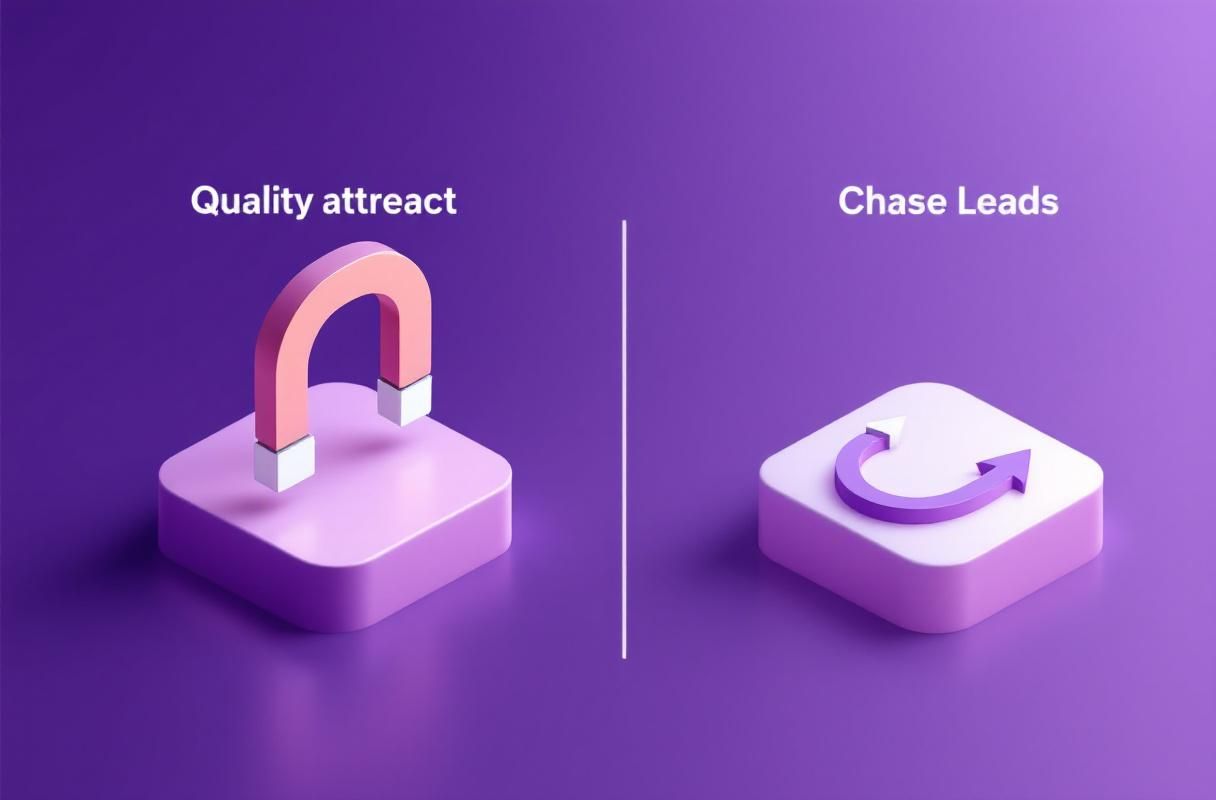
Why Inbound Authority Sidesteps Pause Complexity Entirely
The deepest problem with cadence pause management is operational. Every sales team builds pause rules, then breaks them, then rebuilds them, then forgets to maintain them. The complexity scales linearly with cadence volume.
ConnectSafely.ai removes the problem at the root. Instead of running cadences that need elaborate pause rules to prevent damage, it builds the LinkedIn authority that makes prospects come to you. No bounces, no OOO firing, no holiday cadence cleanup, no domain reputation rebuilds.
The shift in operational burden is significant:
- No bounce management because you are not sending cold outbound at scale.
- No OOO handling because prospects engage on their own schedule.
- No domain reputation risk because you are not warming domains for cold sends.
- No suppression list maintenance because there is no list-based outreach.
- No holiday calendar discipline because inbound momentum continues organically.
ConnectSafely.ai builds this inbound engine from USD $10/month -- less than the cost of most cadence platforms' deliverability add-ons alone. The trade-off is that inbound authority compounds over weeks instead of producing replies in days. But the leads it produces convert 8.5X better than any cold cadence, regardless of how well-paused.
Frequently Asked Questions
What are the most important auto-pause triggers for a cold email cadence?
The six most important auto-pause triggers are: reply detected (immediate pause), out-of-office (pause until return + 1-2 days), hard bounce (permanent pause), soft bounce spike (pause sender at 3% over 200 sends), holiday windows (pause Dec 20 - Jan 3 plus regional holidays), and meeting booked (pause all cadences for that prospect immediately). Every cadence platform should have these six triggers enabled before sending the first message in 2026.
What is the difference between pausing and suppressing a cadence?
Pausing is temporary -- it holds the cadence for a defined window (hours to weeks) and resumes either automatically or after manual review, while keeping the prospect in active pipeline. Suppression is permanent -- it removes the prospect from all current and future cadences across the org, typically triggered by explicit opt-out, hard bounce, or "do not contact" flag in the CRM. Confusing the two leads to either lost pipeline (incorrect suppression) or compliance and reputational damage (failing to suppress).
How long should you pause a cadence for an out-of-office reply?
Pause until the return date in the OOO reply plus 1-2 buffer days. If no return date is provided, pause for 10 days as a safe default. Resuming the cadence on the prospect's first day back almost guarantees deletion because they are clearing 200+ inbox emails. Wait 1-2 days after return to resume, and ideally acknowledge the gap in the next message rather than continuing mid-sequence.
When should you pause all cadences from a sender due to bounce rates?
Pause all cadences from a single sender when soft bounces exceed 3% over 200 recent sends, or 5% over 100 recent sends. Hard bounces above 2% of total sends should also trigger an immediate sender-level pause and investigation. Letting a bounce spike continue for 24-48 hours can damage domain reputation for 3-4 weeks of remediation, far longer than the cost of pausing.
How do you restart a paused cadence without losing the prospect?
Restart safely by following five rules: never auto-restart without re-verifying the prospect is still in role, acknowledge the gap if the pause was longer than 14 days, compress the remaining cadence touches if only 2-3 remain, refresh any copy that may have outdated context, and ramp volume to 50% if restarting after a bounce-spike domain pause. Manual restart with human review outperforms automatic restart by 30-50% on reply rate because humans catch context that auto-resume misses.
Cadence pause rules are mission-critical infrastructure in 2026. Every sales team should have all six auto-pause triggers configured, clear suppression vs pause distinctions, and a manual restart protocol that protects both deliverability and prospect relationships. But the deeper question is whether the operational burden of cadence pause management is worth it when inbound authority eliminates the problem entirely.
If you are tired of rebuilding domains and maintaining pause calendars, explore ConnectSafely.ai pricing and see what inbound authority looks like from USD $10/month -- no cadences, no pauses, no rebuilds.
See How It Works
Watch how people get more LinkedIn leads with ConnectSafely




Related Articles