
Personas define how ConnectSafely communicates on your behalf. They control the tone, style, and behavior of generated comments so engagement feels authentic and consistent.
What a Persona Controls
A persona determines:
- Writing tone - Professional, casual, friendly, etc.
- Comment length - Short and punchy vs. detailed and thoughtful
- Writing style and phrasing - How sentences are structured
- Optional behavior - Emojis, hashtags, and formatting
This prevents comments from sounding generic or repetitive.
Creating a Persona
To create a persona:
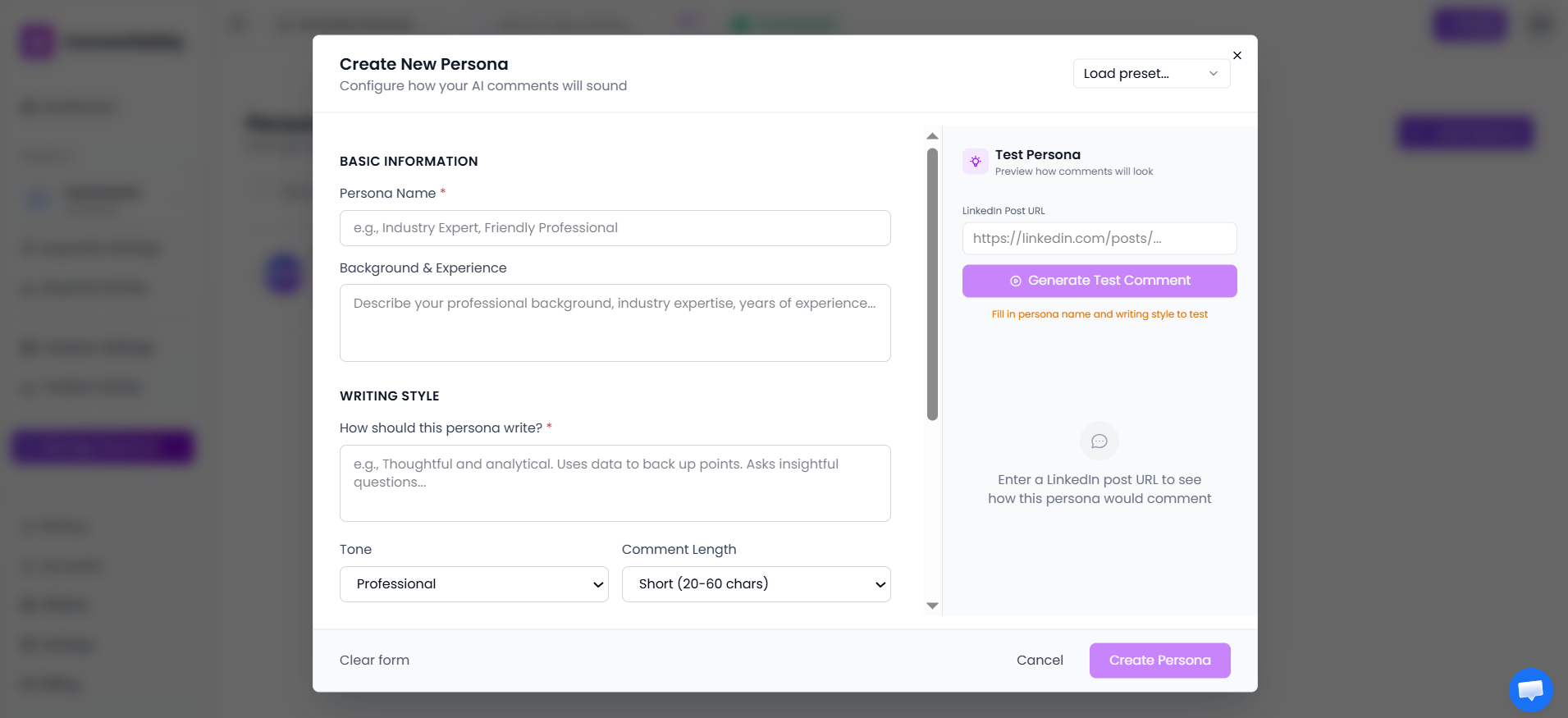
- Go to Manage Personas from the sidebar
- Click Add Persona
- Fill in:
- Persona name
- Background or role
- Writing style description
- Preferred tone
- Comment length
Optional settings allow you to fine-tune behavior.
Comment Behavior Options
You can optionally enable:
- Emojis - Add personality and emotion
- Hashtags - Include relevant hashtags
- Exclamation marks - Show enthusiasm
- Lowercase writing - Casual, modern style
You can also set one persona as the default, which will be used unless another persona is selected.
Where Personas Are Used
Personas are applied in:
- Keyword Settings - For keyword-based targeting
- Creator Settings - For creator-based targeting
This ensures all automated engagement follows the selected communication style.
How Personas Work in Practice
- A post is selected based on keywords or creator targeting
- Engagement rules are checked to ensure conditions are met
- The selected persona is applied to generate the comment
- A comment is generated and posted using the persona's style
- Only posts that pass all conditions are engaged with
💡 Helpful Tip
Start with one clear persona and refine it after reviewing engagement results. Monitor which personas generate the best responses and adjust accordingly.