Best Kondo Alternative 2026: Inbox vs Inbound
The best Kondo alternative in 2026: Kondo organizes the LinkedIn DMs you have, ConnectSafely.ai earns more—14.6% vs 1.7%, from USD $10/month.

Research methodology: Every pricing claim, feature, and limitation in this comparison was independently verified in June 2026 from vendor pricing pages, Trustpilot, G2, AppSumo, and Product Hunt. Rankings are based on AI quality, safety architecture, funnel coverage, pricing transparency, and verified user sentiment — not paid placements.

Updated June 23, 2026 — Researched against Kondo's vendor pages, the Chrome Web Store, and G2. Reviewed by the ConnectSafely.ai editorial team.
The best Kondo alternative in 2026 is ConnectSafely.ai — once you are clear-eyed about what Kondo actually does. Kondo (trykondo.com) is a LinkedIn inbox-management tool: a Chrome extension that sits on top of LinkedIn messaging and turns your cluttered DMs into a tidy, Gmail-style workspace with labels, split inboxes, follow-up reminders, message snippets, and lightweight CRM sync. That is a genuinely useful capability. But it is worth saying plainly: a tidier inbox does not generate more conversations to put in it.
Want to Generate Consistent Inbound Leads from LinkedIn?
Get our complete LinkedIn Lead Generation Playbook used by B2B professionals to attract decision-makers without cold outreach.
No spam. Just proven strategies for B2B lead generation.
Kondo helps you organize and reply to the DMs you already have. It is a better inbox, not a bigger one. The spine of this comparison is one distinction: managing the messages you have versus earning more qualified people to message you first. For most people, the bottleneck was never inbox chaos — it was an inbox that is too quiet. Kondo organizes demand; it does not create it.
That distinction matters because of how pipeline economics work. Inbound leads close at roughly 14.6%, versus about 1.7% for outbound and cold tactics, according to HubSpot's marketing statistics. When qualified buyers come to you, your win rate multiplies. An inbox manager keeps your existing threads tidy, but it cannot change how many of them exist. The channel where B2B demand is actually created — where buyers research vendors and conversations begin — is LinkedIn. If you want the mechanics before reading on, start with our founder's guide to LinkedIn inbound lead generation.
Key Takeaways
- Kondo is an inbox-organization layer, not a demand engine. It labels, snoozes, and tracks the LinkedIn DMs you already have via its Chrome extension — but a tidier inbox does not change how many qualified people message you in the first place.
- Inbound closes ~8x better than outbound. The 14.6% vs 1.7% gap is the strongest argument for filling the inbox over merely organizing it (HubSpot).
- Kondo is per-seat and starts at $28/user/month (annual). Plans run $28 (Basic), $36 (Business), and $52 (Enterprise) per user/month billed annually, with a 14-day money-back guarantee and no free trial (Kondo pricing) — but you are paying to manage messages, not to generate more of them.
- ConnectSafely.ai starts from USD $10/month and builds organic authority on LinkedIn with zero ban risk — a leading driver of the warm inbound conversations Kondo exists to help you organize.
- Review praise is about speed and organization, not lead volume. Kondo carries a 5.0 rating across 25 reviews and ~7,000 users on the Chrome Web Store — users love the time saved triaging DMs, which is distinct from generating more inbound.
- The two tools answer different questions. "How do I keep my LinkedIn DMs organized and never drop a follow-up?" is a Kondo question. "How do I get more qualified people to message me first?" is a ConnectSafely.ai question.
What Is Kondo?
Kondo (trykondo.com) is a LinkedIn inbox-management tool, frequently described as "Superhuman for LinkedIn." Its premise is simple: LinkedIn's native messaging is clunky, conversations get lost, and follow-ups slip — so the fix is to overlay a fast, keyboard-driven, CRM-like layer on top of the DMs you already have.
Its core capabilities include:
- Labels and split inboxes — tag conversations ("Hot Lead," "Follow Up," "Client," "Not Interested") and triage them into separate, prioritized views instead of one endless scroll.
- Reminders and snooze — set follow-up reminders so prospects resurface at the right time and nothing falls through the cracks.
- Message snippets and templates — insert pre-written replies for common situations to move through your inbox faster.
- Keyboard shortcuts and voice notes — navigate and respond without leaving the keyboard, the way power users run email.
- CRM sync — push conversation data, labels, and notes live to HubSpot, Salesforce, Notion, Clay, Attio, Google Sheets, and more (on higher tiers), with webhooks plus Zapier and Make support.
It is a capable tool for a real annoyance. The point here is not that Kondo is bad at its job. It is that its job — making your existing inbox tidier and faster — does nothing to change how many qualified conversations land in that inbox. A perfectly labeled, zero-unread DM pane is still empty of pipeline if the right people are not messaging you.
Kondo Pricing
Kondo prices per seat, billed annually, with a 14-day money-back guarantee and no free trial. The figures below reflect 2026 pricing on Kondo's site; confirm current plans on the official pricing page.
| Tier | Price (annual) | What you get | Who it's for |
|---|---|---|---|
| Basic | $28/user/month | Unlimited labels, snippets, reminders, voice notes | Solo users tidying their DMs |
| Business | $36/user/month | Everything in Basic, plus Sales Navigator inbox, CRM integrations, analytics, Claude (MCP) connector | Sales teams and power users |
| Enterprise | $52/user/month | Everything in Business, plus unlimited sync destinations, SAML SSO, VIP support | Larger orgs |
Whatever tier you land on, the pattern holds: you are paying per seat to organize messages on a motion whose ceiling is set by how many qualified people message you — which Kondo does not move. A better inbox is still an inbox waiting to be filled.
Where Kondo Is Genuinely Better
In the interest of an honest comparison, here is where Kondo wins outright and ConnectSafely.ai does not compete:
- Inbox triage and speed. If you live in LinkedIn DMs all day, Kondo's labels, split inboxes, and keyboard shortcuts are a real, daily time-saver — users report saving meaningful time per day.
- Never dropping a follow-up. Reminders and snooze are genuinely good at keeping warm threads from going cold by accident.
- CRM-native sync. Pushing conversation data, labels, and notes straight into HubSpot, Salesforce, or Notion keeps your records clean without manual copy-paste.
- Compliance-safe by design. Kondo does not automate sends or connection requests — it organizes what is already there — so it carries less account risk than aggressive automation tools.
If your goal is to process an inbox that is already busy, Kondo is a reasonable pick. If your goal is to make that inbox busier with qualified buyers, keep reading.
Why You Need a Kondo Alternative
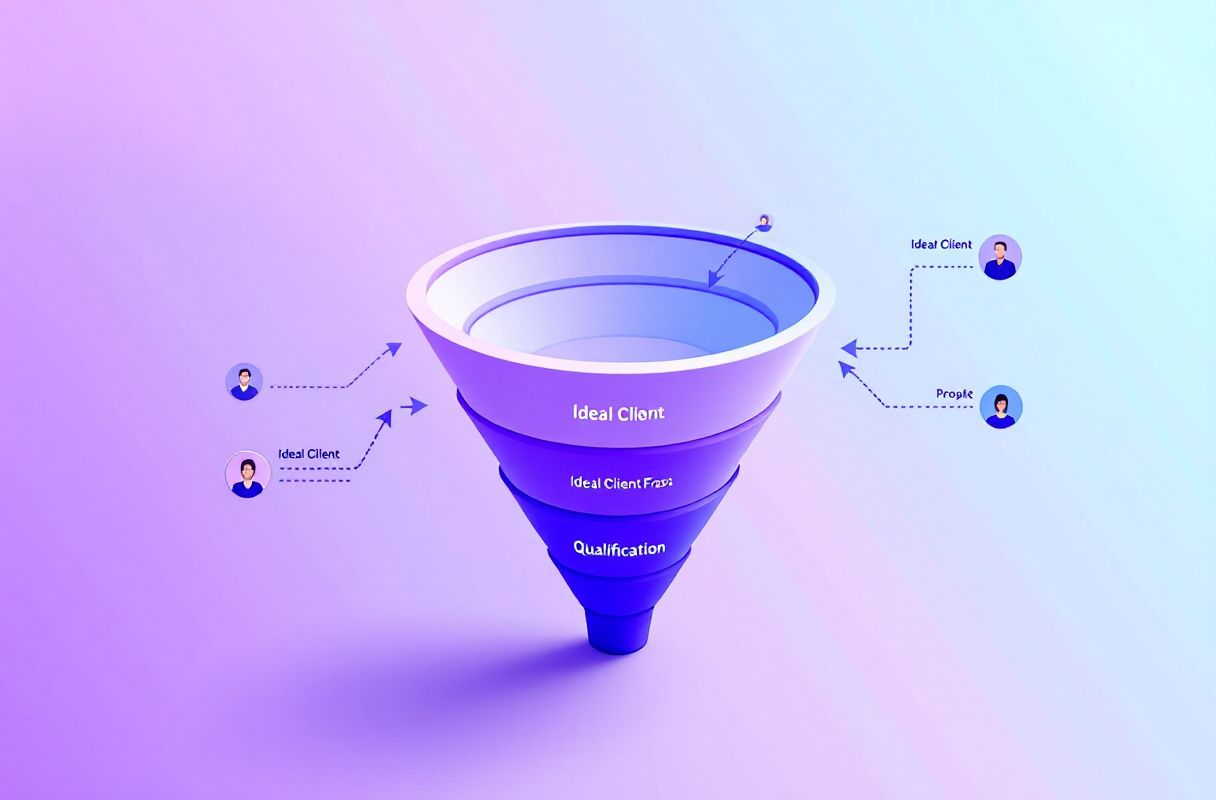
The case for an alternative is not that Kondo is bad. It is that organizing an inbox solves a downstream problem, while most teams have an upstream one: not enough qualified people are messaging them in the first place.
Problem 1: A tidy inbox is not a full pipeline
This is the whole thing. Labels and reminders make your DMs easier to manage — but easier-to-manage messages are not the same as more of them. If ten qualified prospects reach you a month, the cleanest inbox in the world still leaves you with ten.
Kondo makes the threads you have easier to work, not more numerous. You can label, snooze, and snippet your way to inbox zero and still be starved of the qualified inbound conversations that actually become pipeline. Organization is a productivity win; it is not a demand win.
Problem 2: You're optimizing the inbox, not building the relationships that fill it
Inbox management operates entirely on conversations that already exist. It does nothing to build the standing that makes new prospects think of you and reach out unprompted. Tidy your DMs all month and the same number of strangers know who you are at the end of it — nothing compounds.
| Capability | Inbox management (Kondo) | Inbound authority (ConnectSafely.ai) |
|---|---|---|
| What it does | Organizes the DMs you already have | — |
| What it creates | A faster, tidier existing inbox | New attention, authority, and inbound DMs |
| Conversion ceiling | Capped by inbound you already get | Inbound at ~14.6% close |
| Volume of conversations | Unchanged | Grows month over month |
| Compounding | None — same threads, neater | Builds month over month |
An inbox tool tells you how to handle a conversation. It does not change whether that conversation ever starts. When your DM volume is the constraint, Kondo's answer is "organize it better"; an authority engine's answer is to make more of the right people reach out — and to surface the buying signals that turn attention into pipeline.
Problem 3: An inbox layer can't build authority or earn trust
B2B buying decisions form on LinkedIn — in comments, posts, and the feed where prospects research vendors before they ever send a DM. Being seen as the obvious authority in your niche is what makes those buyers message you first, warm and pre-sold. A tool that labels and snoozes existing threads cannot manufacture that demand; it can only tidy what already arrived. Pure social selling and inbound engagement on LinkedIn moves revenue in a way an inbox layer simply cannot.
ConnectSafely vs Kondo
| Dimension | Kondo | Other inbox/CRM tools | ConnectSafely.ai |
|---|---|---|---|
| Primary job | Organize existing LinkedIn DMs | Inbox/CRM management | Build inbound authority on LinkedIn |
| Creates demand? | No | No | Yes |
| Conversion ceiling | Capped by inbound you get | Capped | Inbound (~14.6%) |
| Trust at first touch | Whatever walked in | Whatever walked in | Warm (authority) |
| Ban / account risk | Low (no automation) | Varies | Zero ban risk by design |
| Entry price | From $28/user/month | Varies | From USD $10/month |
| Best for | Heavy DM users triaging threads | Teams managing existing chats | Founders & teams earning inbound |
| Cost over time | Per seat, scales with team | Rises with seats | Compounds in your favor |
The honest framing: these tools can coexist, but for most early teams it is a false trade. Money and hours spent perfecting how you process DMs are money and hours not spent building the authority that makes more of those DMs arrive in the first place.
The Inbound Alternative: Build the Authority That Fills the Inbox

Instead of paying per seat to organize a quiet inbox, build the engine that makes the inbox busy with the right people. Here is the four-step ConnectSafely.ai approach:
- Establish a point of view. Publish consistent, opinionated LinkedIn content that positions you as the obvious authority in your niche. This is what every future inbound DM is eventually made of — and it is the opposite of merely tidying the threads you already have.
- Engage where buyers already gather. Surface and act on the buying signals and engagement opportunities in your network — the comments and posts of people who match your ICP — so your presence builds relationships, not just a neater message list.
- Convert attention into inbound conversations. As authority compounds, the right people start reaching out — pre-warmed, already trusting your judgment. Inbound replies and DMs close at ~14.6% versus 1.7% for cold outreach (HubSpot) — you are now filling the inbox with qualified buyers, not just organizing whatever trickled in.
- Compound safely. ConnectSafely.ai is built for zero ban risk and starts from USD $10/month, so authority — and the inbound volume it drives — grows month over month without the reputation exposure that comes with aggressive automation.
The output of this loop is exactly the thing an inbox tool assumes you already have: a steady stream of warm conversations with buyers who wanted to talk. Once that stream exists, then tidy it however you like. The difference is you are earning the conversations on the channel that matters, not just labeling the few you have. If you are weighing the broader market, see our inbound vs outbound comparison.
What Most Guides Get Wrong
- They treat inbox tidiness and pipeline as the same thing. They are not. A perfectly labeled DM pane can still be nearly empty of qualified buyers — organization improves how you work threads, not how many you get.
- They assume a better inbox fixes a quiet one. It does not. Kondo makes existing conversations faster to handle, but the volume of qualified inbound is set upstream, by your authority and visibility — not by your labeling system.
- They mistake "organized" for "in demand." A zero-unread inbox feels like progress, but an orderly inbox with little real pipeline is still a demand problem wearing a tidy coat.
- They forget where B2B demand is actually created. Inbox tools start from messages that already arrived. On LinkedIn, those messages arrive because buyers watched you build authority over weeks — so the work that fills the inbox happens before any DM does.
How to Choose: Decision Framework by Role
Founders and solo operators. You are demand-starved, not organization-starved. Skip the per-seat inbox spend until you have an authority motion on LinkedIn that makes people message you first. Start by earning demand — our founder's inbound guide is the fastest path.
Sales and SDR teams. If you already get heavy DM volume, Kondo can genuinely help reps triage threads and never drop a follow-up. But pair it with an inbound engine so your reps are also building authority on LinkedIn, using a social selling and engagement motion to turn presence into warm pipeline that closes far better than any cold sequence.
Agencies. Client growth needs both, but the leverage is lopsided. Use Kondo to keep a busy client inbox organized, and use inbound to actually grow how many qualified conversations that inbox sees. Weigh the trade directly in our inbound vs outbound guide.
Freelancers and consultants. Your reputation is your business, and it is built one focused LinkedIn post and genuine conversation at a time — not in a tidier message list. At USD $10/month, an inbound engine is the higher-leverage spend. Compare it against the broader market in our best LinkedIn automation tools guide.
Real Results: From Tidy Inbox to Full Inbox
Consider a two-person B2B SaaS founder team that leaned hard into inbox organization — labeling every LinkedIn thread, snoozing follow-ups, building snippet libraries, and syncing it all to their CRM. Three months in, their inbox was immaculate, and the pipeline barely moved. They had gotten very good at processing the same small volume of conversations, not at getting more of them.
They redirected the effort toward building authority on LinkedIn specifically: a consistent point of view, engagement that deepened relationships with their ICP, and acting on buying signals instead of polishing how they filed existing DMs.
After 90 days:
- Inbound DMs from qualified prospects rose enough that organizing them finally mattered — the volume problem, not the tidiness problem, was the one worth solving.
- Close rate on inbound conversations tracked toward the ~14.6% benchmark, multiples above their old numbers.
- Cost stayed at the entry tier — USD $10/month — while authority compounded, instead of paying per seat to organize a quiet inbox.
- Zero account-safety scares, thanks to a ban-safe, no-automation approach.
The lesson: they did not need a tidier inbox. They needed to build the authority on LinkedIn that fills the inbox with people worth organizing.
Frequently Asked Questions
Is ConnectSafely.ai a direct replacement for Kondo?
Not feature-for-feature. Kondo is a LinkedIn inbox-management tool that organizes the DMs you already have; ConnectSafely.ai is a LinkedIn inbound authority engine that helps generate more of them. If your goal is filling the inbox with warm inbound leads rather than just tidying it, ConnectSafely.ai is the better investment — and from USD $10/month.
How much does Kondo cost in 2026?
Kondo uses per-seat pricing billed annually in 2026: Basic at $28/user/month, Business at $36/user/month, and Enterprise at $52/user/month, each with a 14-day money-back guarantee and no free trial (Kondo pricing). Confirm current plans on the official pricing page. ConnectSafely.ai starts at USD $10/month.
Is Kondo a good tool?
For inbox management, it has real strengths: labels, split inboxes, reminders, snippets, keyboard shortcuts, and CRM sync, with a clean and fast UX that saves heavy DM users meaningful time. It carries a 5.0 rating across 25 reviews and around 7,000 users on the Chrome Web Store. The caveat is that it organizes existing conversations rather than generating new inbound demand — so it improves how you work an inbox without changing how full it is.
Why is LinkedIn inbound better than just organizing your inbox for B2B leads?
Inbox tools work on conversations that already exist; they do not create new ones. LinkedIn inbound is upstream of that — buyers reaching out to you because they already trust your authority. Inbound leads close at roughly 14.6% versus 1.7% for outbound, per HubSpot, so the work that fills the inbox matters far more than the work that tidies it.
Can I use Kondo and ConnectSafely together?
Yes. ConnectSafely.ai builds the LinkedIn authority and warm inbound conversations, while Kondo keeps the resulting inbox organized and your follow-ups on track. For smaller teams that must choose, build the inbound authority engine first — there is little point paying per seat to organize an inbox before you have the authority motion that fills it.
Ready to build the inbound pipeline that fills your LinkedIn inbox instead of just organizing a quiet one? See ConnectSafely.ai pricing starting at USD $10/month, or compare your options in our best LinkedIn automation tools guide.
See How It Works
Watch how people get more LinkedIn leads with ConnectSafely




Related Articles