Best Octoparse Alternative 2026: LinkedIn Inbound
Octoparse scrapes data well, but scraped LinkedIn contacts are cold and risk your account. Inbound closes at 14.6% vs 1.7%—from USD $10/month, zero ban risk.

Research methodology: Every pricing claim, feature, and limitation in this comparison was independently verified in August 2026 from vendor pricing pages, Trustpilot, G2, AppSumo, and Product Hunt. Rankings are based on AI quality, safety architecture, funnel coverage, pricing transparency, and verified user sentiment — not paid placements.
Updated August 2026 — Researched against Octoparse's vendor pricing page, third-party review aggregators, G2/Capterra, and HubSpot's marketing statistics. Reviewed by the ConnectSafely.ai editorial team.
The best Octoparse alternative in 2026 depends on what you are actually trying to scrape. For e-commerce prices, market research, or public directory data, Octoparse is a genuinely good no-code web scraper and you may not need to replace it at all. But if your plan is to point it at LinkedIn to harvest profiles and search results, that is a different story—it violates LinkedIn's User Agreement and prohibited-software policy and can get your account restricted or banned. And even setting that risk aside, a scraped contact is cold: they never asked to hear from you. That matters because HubSpot's marketing data shows inbound leads close at roughly 14.6% versus about 1.7% for cold outbound. This is where LinkedIn inbound authority changes the math—it fills your pipeline with warm buyers instead of scraped strangers.
Want to Generate Consistent Inbound Leads from LinkedIn?
Get our complete LinkedIn Lead Generation Playbook used by B2B professionals to attract decision-makers without cold outreach.
No spam. Just proven strategies for B2B lead generation.
Key Takeaways
- Octoparse is a legitimate general-purpose web scraper—strong for e-commerce, pricing, and market data. This article is not a takedown of that use case.
- Scraping LinkedIn specifically is the problem. Using any scraper on LinkedIn violates its User Agreement and prohibited-software policy and can get your account restricted or permanently banned. That ban risk applies to LinkedIn scraping, not to Octoparse's legitimate non-LinkedIn uses.
- 2026 pricing (verify on the vendor page): Free forever ($0), Standard from ~$69/month billed annually (~$83/month monthly), Professional from ~$249/month annually (~$299/month monthly), and Enterprise on custom pricing. Confirm current figures at octoparse.com/pricing.
- Scraped ≠ welcome. Even flawless extraction produces cold contacts that convert near the ~1.7% cold rate per HubSpot. The channel sets the ceiling, not the scraper.
- Octoparse rates well on reviews—about 4.8/5 on G2 (~52 reviews) and 4.7/5 on Capterra (~106 reviews)—for what it is built to do.
- ConnectSafely.ai starts from USD $10/month with zero LinkedIn ban risk, focused on attracting inbound leads rather than scraping cold ones.
What Is Octoparse?
Octoparse (octoparse.com) is a no-code, visual web scraping tool. Instead of writing code, you point and click on the elements you want, and it builds an extraction workflow for you. Per octoparse.com, its core capabilities include:
- Visual point-and-click scraping — build a scraper by clicking page elements, no programming required.
- Preset templates — 500+ ready-made scrapers for common sites so you can extract without building from scratch.
- Cloud extraction — run jobs on Octoparse's servers instead of your own machine, with concurrent cloud processes.
- Scheduled scraping — set jobs to run on a recurring schedule for fresh data.
- IP rotation and residential proxies — rotate addresses to reduce blocking on high-volume jobs.
- Automatic CAPTCHA solving — clear common challenges during extraction.
- Data export and API — export to Excel, CSV, JSON, HTML, or XML, or pull results via the Data Export API.
In short, Octoparse is very good at turning structured public web pages into clean datasets. That is a legitimate, useful job. What it does not do—and cannot do safely—is turn LinkedIn into a compliant lead source. Aiming it at LinkedIn trades away both your account safety and, separately, the warmth of every contact you collect.
Octoparse Pricing in 2026
Octoparse publishes tiered subscriptions, but exact figures shift with billing cycle and promotions, so treat the table below as directional and confirm current numbers before you buy. The tiers reflect commonly cited 2026 figures from octoparse.com/pricing and third-party aggregators like Capterra.
| Plan | Reported price (2026) | Notes |
|---|---|---|
| Free | $0 | Free forever; ~10 tasks, local extraction, up to ~50,000 rows/month export, no card required |
| Standard | from ~$69 / month (annual), ~$83 / month (monthly) | ~100 tasks, cloud extraction, IP rotation, templates, CAPTCHA solving, scheduling, API |
| Professional | from ~$249 / month (annual), ~$299 / month (monthly) | ~250 tasks, more concurrent cloud processes, advanced API, priority support |
| Enterprise | Custom | Tailored for large-scale needs; contact sales |
Note that base subscription price may not reflect total cost—cloud node concurrency, residential-proxy bandwidth, and CAPTCHA-solving frequency can add to the bill. Because published figures differ between review sites and the vendor's own page, do not budget off this table alone—verify at octoparse.com/pricing. And remember: for the LinkedIn use case, price is not the deciding factor. Account safety and lead warmth are.
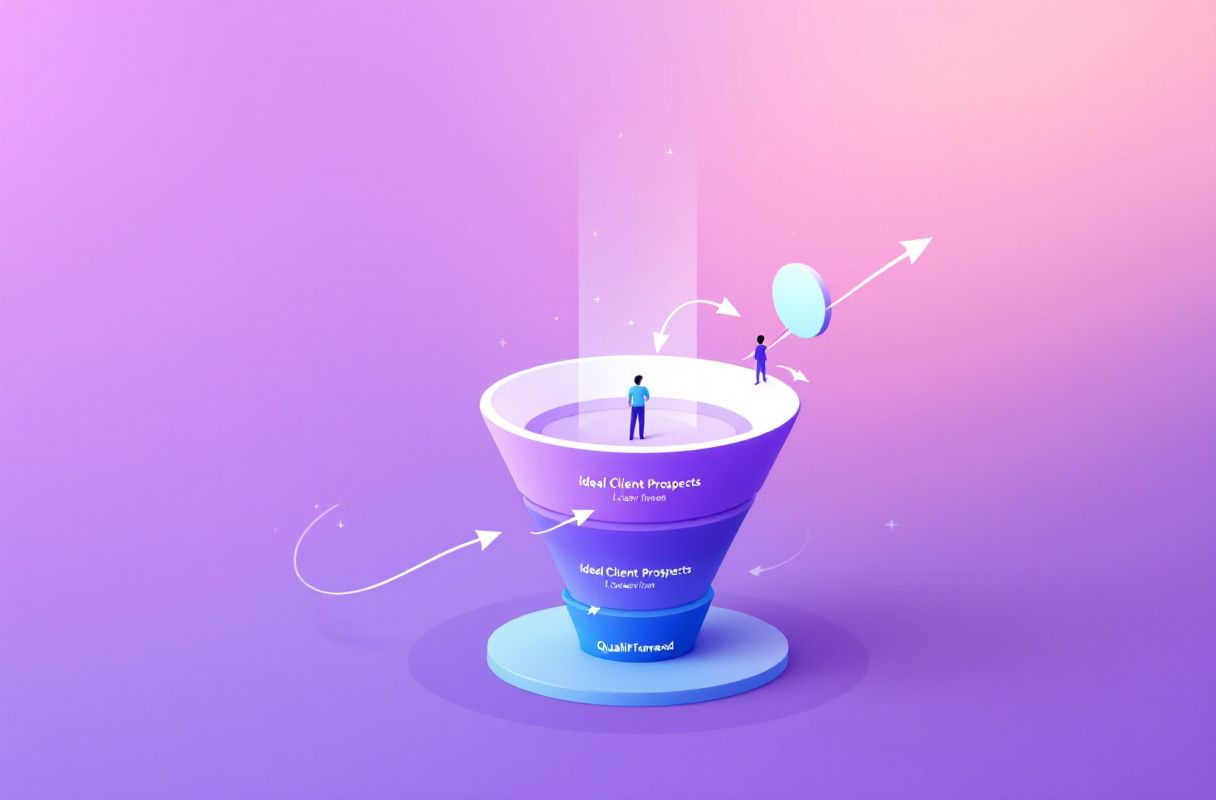
Here is the honest core of this comparison: for LinkedIn lead generation, scraping is the wrong motion twice over. First, it is against the rules. LinkedIn's User Agreement and prohibited-software policy explicitly bar scraping profiles and data "through any means," including crawlers, plug-ins, and automated tools—and members who do it risk having accounts restricted or shut down, sometimes without warning.
Second, even if you never got caught, scraped is not the same as welcome. A perfectly extracted profile hands you a name and a role for someone who has never heard of you and did not ask to be contacted. That contact opens, replies, and converts like the cold contact they are. The channel sets the ceiling, not the extraction quality. When a prospect discovers you through your content, comments on your posts, and reaches out first, they arrive warm, pre-sold, and trusting—a fundamentally different lead than one scraped and imported. That is the gap ConnectSafely is built to close: instead of harvesting people to interrupt, it helps you build an inbound pipeline from LinkedIn authority.
Octoparse Features vs the Trade-offs
Octoparse is a well-built scraper. It is worth being clear-eyed about both what it does well and where its limits lie for the LinkedIn use case specifically.
| Dimension | Strength | Trade-off |
|---|---|---|
| Ease of use | No-code, visual point-and-click; 500+ templates | Learning curve on complex, dynamic sites |
| Scale & scheduling | Cloud extraction, scheduling, IP rotation | Cloud concurrency and proxy bandwidth add cost |
| General data jobs | Excellent for e-commerce, pricing, market data | Not a demand channel—produces lists, not interest |
| LinkedIn risk | N/A—works fine on permitted sites | Scraping LinkedIn violates its User Agreement; account restriction/ban risk |
| Reviews | ~4.8/5 G2, ~4.7/5 Capterra | Ratings reflect general scraping, not LinkedIn compliance |
| Lead warmth | Fast at collecting contacts | Contacts are cold—convert near ~1.7% |
The strong review scores are real and deserved—for a general-purpose scraper. But those ratings measure how well Octoparse extracts permitted web data, not whether pointing it at LinkedIn is safe or effective. For the LinkedIn job, the tool's strengths do not apply and its trade-offs dominate.
What Most Guides Get Wrong
Most "best Octoparse alternative" articles compare scraper to scraper—feature to feature, price to price, proxy pool to proxy pool. For the LinkedIn use case, that misses the point entirely. Here are five things they routinely get wrong:
- They treat a scraper as a lead source. Extraction collects contacts; it does not generate interest. Swapping one scraper for another does nothing about an empty inbound pipeline.
- They bury the account-safety risk. Scraping LinkedIn violates its User Agreement and prohibited-software policy and can get your account restricted or banned. Most comparison posts never mention it.
- They ignore the conversion ceiling. They compare scraping speed and proxy quality but never note that scraped cold leads convert at ~1.7% no matter how clean the data, per HubSpot.
- They confuse scraped with welcome. A harvested profile tells you who someone is; it does not make that someone want to hear from you.
- They skip the funnel-stage distinction. Scraping fuels the cold-outbound motion that converts at ~1.7%. Inbound flips the script: the buyer initiates. We unpack the difference in inbound vs outbound sales for LinkedIn lead generation.
Octoparse vs ConnectSafely: A Different Strategy
This is not a "which scraper wins" table—it is a strategy contrast across funnel stages and risk profiles.
| Dimension | Octoparse (on LinkedIn) | Other scrapers (Apify, PhantomBuster) | ConnectSafely.ai |
|---|---|---|---|
| Primary job | Scrape contact data | Scrape / automate contact data | Generate inbound demand |
| Creates demand? | No | No | Yes |
| Funnel stage fed | Cold outbound (~1.7%) | Cold outbound (~1.7%) | Warm inbound (~14.6%) |
| LinkedIn account risk | High—violates User Agreement | High—same policy applies | None—no scraping or automation of your account |
| Trust at first touch | Low—contact was scraped, not attracted | Low—contact was scraped | High—buyer reaches out first |
| Entry price | Free–$69/mo (reported) | Varies | From USD $10/month |
| Best for | Non-LinkedIn data jobs | Non-LinkedIn data jobs | Attracting warm inbound leads |
The takeaway is not that Octoparse is a bad tool—it is that scraping is the wrong position for LinkedIn lead generation. Octoparse collects who you might contact (at real account risk); ConnectSafely changes who contacts you (at zero account risk). To see where the demand-generation layer fits, our best LinkedIn automation tools guide maps the full stack.
Where Octoparse Is Genuinely Better
To be fair and specific: if your job is not LinkedIn, Octoparse may be the right tool, and ConnectSafely is not a substitute. Octoparse shines when you need to extract structured, permitted public web data at scale—monitoring competitor e-commerce prices, aggregating product catalogs, pulling real-estate or job listings, gathering market-research datasets, or tracking review and rating data across sites. Its no-code builder, template library, scheduling, and cloud extraction make those jobs fast for non-developers. None of that carries LinkedIn's account risk, because it does not touch LinkedIn. The ban-risk contrast in this article is narrow and deliberate: it applies specifically to using a scraper on LinkedIn, not to Octoparse's legitimate general-purpose scraping.
Which Should You Choose? A Role-Based Framework
Founders and solo operators. You cannot afford leads that convert at 1.7%—or an account ban that erases your network. Prioritize the demand engine first. Start with the 5 pillars of a LinkedIn inbound strategy before you consider any scraper.
Sales and SDR teams. Scraping LinkedIn to build lists risks the very accounts your reps rely on. Layer inbound authority on top so reps spend time on warm, self-qualified conversations instead of cold scraped sequences—see B2B social selling that turns engagement into revenue.
Agencies. You manage multiple client pipelines and cannot afford a client's LinkedIn account getting restricted on your watch. Build the compliant inbound machine described in building an inbound lead pipeline from LinkedIn authority—and reserve Octoparse for permitted, non-LinkedIn data work.
Freelancers and consultants. Your reputation is your funnel. Octoparse is a fine way to gather public market data—but authority-driven inbound is what makes the right clients come to you. Compare the options in our best LinkedIn automation tools guide.
Real Results: From Scraped Lists to a Full Pipeline (Illustrative)
The following is an illustrative example.
A two-person B2B consultancy had built a scraping workflow to harvest LinkedIn profiles into tidy spreadsheets. The lists looked impressive—hundreds of names, titles, and companies. And yet, month after month, the pipeline stayed quiet. The contacts were accurate, but they were cold, and they converted like cold contacts do—reply rates in the low single digits. Worse, one founder got a warning about automated activity on their account.
Days 1–30. They stopped scraping and shifted focus to inbound. Using ConnectSafely, one founder began publishing a consistent point of view on LinkedIn, engaging authentically in their niche, and letting profile visitors self-identify. Early signal: a handful of inbound profile views turned into two genuine conversations—no scraping, no account risk.
Days 31–60. Content compounded. Comments turned into connection requests initiated by prospects. Instead of chasing scraped strangers, the founders were responding to warm hand-raisers.
Days 61–90. The pipeline filled with inbound conversations that converted at multiples of their old cold rate, consistent with the ~14.6% vs ~1.7% gap HubSpot reports. Total tooling cost for the demand engine: USD $10/month, with zero LinkedIn ban risk. They kept Octoparse—but pointed it at competitor pricing data, the job it was actually built for. The lesson was not "scrapers are useless." It was "never scrape LinkedIn, and fix the channel feeding your pipeline."
Why LinkedIn Inbound Beats Scraping-Fueled Cold Outreach
Scrapers like Octoparse are optimized for a single motion when misused on LinkedIn: outbound. You harvest a contact and reach out cold. That motion is capped by the ~1.7% cold-conversion rate HubSpot documents—and on LinkedIn it carries the added cost of violating the User Agreement, which can end with your account restricted or banned. No amount of scraping speed moves that ceiling, because the ceiling is set by the fact that the buyer did not ask to be contacted.
LinkedIn inbound inverts the sequence. Instead of you scraping the buyer, the buyer finds you—through content that demonstrates expertise, engagement that builds familiarity, and authority that makes reaching out feel natural. By the time they message you, they are warm, self-qualified, and already predisposed to trust you. That is why inbound converts at roughly 14.6%—and it does it without touching a single prohibited tool.
The two are not always enemies: a scraper still has a place for permitted, non-LinkedIn data work. But for LinkedIn lead generation, scraping is the low-ceiling, high-risk motion. To understand the full contrast, read inbound vs outbound sales for LinkedIn lead generation, and see how high-intent buyers reveal themselves in our guide to LinkedIn engagement signals.
Frequently Asked Questions
What is the best Octoparse alternative in 2026?
It depends on the job. If you need a different general-purpose scraper for permitted data, tools like Apify or ParseHub are common alternatives. But if your goal is LinkedIn lead generation, the better move is to stop scraping entirely and add a demand engine like ConnectSafely.ai—because scraping LinkedIn violates its User Agreement, and per HubSpot, inbound leads convert at ~14.6% versus ~1.7% cold. A scraper collects leads; it does not create demand.
How much does Octoparse cost in 2026?
Confirm current figures at octoparse.com/pricing. Reported 2026 tiers include a Free plan ($0, ~10 tasks, local extraction), Standard from ~$69/month billed annually (~$83/month monthly), Professional from ~$249/month annually (~$299/month monthly), and Enterprise on custom pricing. Note that cloud concurrency, proxy bandwidth, and CAPTCHA solving can raise the effective cost, and figures vary across sources—so verify on the vendor page before budgeting.
Is it safe to scrape LinkedIn with Octoparse?
No. Scraping LinkedIn with any tool—Octoparse included—violates LinkedIn's User Agreement and prohibited-software policy, which bars scraping profiles and data "through any means," including crawlers, plug-ins, and automated tools. Members who do it risk having their accounts restricted or permanently banned, sometimes without warning. This risk applies specifically to LinkedIn scraping—not to Octoparse's legitimate, permitted uses on other sites.
Does a scraper like Octoparse generate leads on its own?
No. Octoparse collects contact data from web pages you point it at; it does not generate new inbound demand. To fill the pipeline with people who want to talk to you, you need a demand channel such as LinkedIn inbound authority. Scraping tells you who exists; the channel determines whether they are warm when you reach them—and scraped contacts arrive cold.
Is Octoparse a good tool at all, or should I avoid it entirely?
Octoparse is a legitimate, well-reviewed general-purpose scraper—about 4.8/5 on G2 and 4.7/5 on Capterra—and it is genuinely useful for permitted jobs like e-commerce pricing, market research, and public directory data. The problem is narrow: do not point it at LinkedIn. For LinkedIn lead generation, use a compliant inbound approach instead—see our best LinkedIn automation tools guide.
Ready to Fill Your Pipeline, Not Just Scrape Contacts?
Octoparse is a solid no-code scraper for permitted, non-LinkedIn data work. But if your goal is LinkedIn leads, scraping puts your account at risk and still leaves you with cold contacts. ConnectSafely helps you attract warm inbound leads through LinkedIn authority—no scraping, no ban risk, no cold lists.
See ConnectSafely.ai pricing — from USD $10/month, zero ban risk. Or explore the best LinkedIn automation tools guide to compare your options.
See How It Works
Watch how people get more LinkedIn leads with ConnectSafely




Related Articles