Custom Tracking Domain: Cold Email Deliverability (2026)
Set up a custom tracking domain to stop shared-tracker penalties killing your cold email deliverability. Step-by-step DNS guide with CNAME examples.


Your cold email open tracking is secretly destroying your deliverability. Every time you use a shared tracking domain from your ESP, spam filters associate your emails with thousands of other senders — including the spammers sharing that same pixel URL. One bad actor on the shared domain triggers a reputation penalty that cascades to every sender using it, and you never see it coming.
Google's 2025 spam enforcement updates now weight tracking domain reputation as a distinct signal in spam classification. If the domain hosting your tracking pixel or link redirect appears on blocklists, your emails inherit that penalty regardless of how clean your own sending behavior is. A custom tracking domain isolates you from this shared risk entirely.
Want to Generate Consistent Inbound Leads from LinkedIn?
Get our complete LinkedIn Lead Generation Playbook used by B2B professionals to attract decision-makers without cold outreach.
No spam. Just proven strategies for B2B lead generation.
This guide walks you through setting up a custom tracking domain step by step, covers platform-specific configurations, and addresses the myths that most guides perpetuate. It also confronts the deeper question: whether the tracking infrastructure is worth maintaining when LinkedIn inbound eliminates deliverability risk at the source.
Key Takeaways
- Shared tracking domains pool your reputation with thousands of other senders — one spammer on the same domain can tank your inbox placement overnight
- A custom tracking domain is a CNAME record pointing a subdomain you own (e.g.,
track.yourdomain.com) to your email platform's tracking server - You need one tracking domain per sending domain — using a single tracker across multiple domains creates cross-domain association signals that ISPs flag
- SSL is mandatory on tracking domains in 2026 — Chrome and Firefox flag non-HTTPS resources, and mixed-content warnings destroy trust signals
- Custom tracking domains improved inbox placement by 12-18% in ConnectSafely's Q4 2025 migration across 200+ campaigns
- Even with perfect tracking setup, cold email converts at roughly 1.7% versus 14.6% for inbound leads according to HubSpot
What Is a Custom Tracking Domain?
Email tracking works through two mechanisms. Open tracking embeds an invisible 1x1 pixel image in the email body. When the recipient's email client loads the image, the server records the open. Click tracking rewrites every link in your email to route through an intermediary server that logs the click before redirecting to the final URL.
Both mechanisms rely on a domain to host the tracking server. By default, your cold email platform uses its own shared domain — something like tracking.instantly.ai or t.lemlist.com. Every customer on that platform shares the same tracking domain.
The problem: if any sender on that shared domain sends spam, gets blocklisted, or generates high complaint rates, the tracking domain's reputation degrades for everyone. Spam filters see tracking.instantly.ai loading in an email and apply the reputation of that domain — not yours — to the spam scoring decision.
A custom tracking domain replaces the shared domain with a subdomain you control. Instead of tracking.instantly.ai, your tracking pixel loads from track.yourdomain.com. The reputation is yours alone.
Why Shared Tracking Domains Kill Deliverability
| Scenario | Shared Tracking Domain | Custom Tracking Domain |
|---|---|---|
| Another sender on the platform gets blocklisted | Your emails inherit the penalty — tracking pixel domain is flagged | No impact — your subdomain has independent reputation |
| Spam filter evaluates tracking pixel URL | Sees a domain associated with thousands of cold emailers | Sees your branded subdomain with clean history |
| Google Postmaster Tools reputation check | Cannot monitor — you do not own the shared domain | Full visibility into your tracking domain's reputation |
| Recipient hovers over a link | Sees an unfamiliar third-party redirect domain | Sees your branded domain, building trust |
| ISP blocks the tracking domain | All tracking breaks, open rates drop to zero overnight | Only affected if your specific subdomain is blocked |
The risk is not theoretical. In January 2026, a major shared tracking domain used by a popular cold email platform was temporarily blocklisted by Spamhaus after a subset of users sent high-volume spam through the platform. Every sender on that platform lost open tracking and saw inbox placement drop by 20-30% for the 72 hours it took to resolve.
How Custom Tracking Domains Work
The technical implementation is straightforward. You create a CNAME DNS record that points your subdomain to your email platform's tracking server. The flow:
- You send a cold email containing a tracking pixel hosted at
track.yourdomain.com/pixel/abc123 - The recipient's email client requests that URL to load the image
- DNS resolves
track.yourdomain.comvia CNAME to your platform's server (e.g.,custom.instantly.ai) - The platform's server logs the open event and returns a transparent 1x1 pixel
- The same process applies to click tracking — links redirect through your subdomain before reaching the destination
From the recipient's perspective and the spam filter's perspective, the tracking domain is yours. That is the entire point.
Step-by-Step: Set Up a Custom Tracking Domain
Step 1: Choose Your Tracking Subdomain
Use a subdomain of your sending domain. Common patterns: track.yourdomain.com, t.yourdomain.com, link.yourdomain.com, or go.yourdomain.com. Avoid generic names like email or click that spam filters may pattern-match against. Critical rule: use a subdomain of the same domain you send from. If you send from outreach.yourcompany.com, your tracker should be track.outreach.yourcompany.com, not track.yourcompany.com.
Step 2: Add a CNAME Record in Your DNS
Log into your DNS provider (Cloudflare, Namecheap, Route 53, GoDaddy). Create a CNAME record with your subdomain as the host and your email platform's tracking server as the target. TTL of 3600 seconds is standard. See the platform-specific table below for exact CNAME values.
Step 3: Verify in Your Email Platform
Navigate to your platform's tracking domain settings and add your custom subdomain. The platform will check DNS propagation — this typically takes 5-30 minutes. Most platforms show a green checkmark once verified.
Step 4: Enable SSL on the Tracking Domain
Most platforms provision SSL automatically after DNS verification. If yours does not, you may need to configure SSL through your DNS provider or a service like Cloudflare's free SSL. Non-HTTPS tracking URLs trigger mixed-content warnings in modern browsers and email clients, actively damaging trust.
Step 5: Test With a Real Email
Send a test email to a personal Gmail and Outlook account. Open the email and inspect the tracking pixel URL (right-click the email source in Gmail via "Show Original"). Confirm the pixel loads from your custom subdomain, not the platform's shared domain. Click a tracked link and verify the redirect passes through your subdomain.

Platform-Specific Setup
| Platform | CNAME Target | Where to Configure | SSL Auto-Provisioned |
|---|---|---|---|
| Instantly | custom.instantly.ai | Settings > Sending Accounts > Custom Tracking Domain | Yes |
| Lemlist | custom.lemlist.com | Settings > Email Tracking > Custom Domain | Yes |
| Smartlead | track.smartlead.ai | Settings > Email Accounts > Custom Tracking | Yes |
| Mailshake | track.mailshake.com | Account Settings > Custom Domain | Yes |
| Woodpecker | click.woodpecker.co | Settings > Custom Tracking Domain | Yes |
Always confirm the exact CNAME value in your platform's documentation — providers occasionally update their tracking infrastructure and change target domains.
What Most Guides Get Wrong About Tracking Domains
Myth 1: "One tracking domain is enough." Reality: you need one tracking domain per sending domain. If you send cold email from three secondary domains (per our email alias infrastructure guide), you need three tracking subdomains. Using a single tracker across multiple sending domains creates a cross-domain association signal that ISPs use to detect coordinated sending operations. This is exactly the pattern Google's spam detection targets.
Myth 2: "Custom tracking domains fix all deliverability issues." Reality: a custom tracking domain is one layer in a multi-layer stack. It does not compensate for poor list hygiene, missing SPF/DKIM/DMARC authentication, inadequate domain warming, or spammy content. It isolates your tracking reputation. That is all it does.
Myth 3: "You don't need SSL on tracking domains." Reality: every modern browser flags non-HTTPS resources. Chrome shows a "Not Secure" indicator. Some corporate email gateways block mixed-content requests entirely. If your tracking pixel loads over HTTP while the email is viewed in a webmail client over HTTPS, the pixel may be blocked silently — making your open tracking data unreliable and potentially triggering security filters.
The Domain Isolation Stack
A custom tracking domain is one component of a broader domain isolation architecture. Here is how the pieces connect:
Sending domain (e.g., outreach.yourcompany.com) — the domain in your From address, with its own SPF, DKIM, and DMARC records. Tracking domain (e.g., track.outreach.yourcompany.com) — handles open and click tracking via CNAME. Return-path domain — the bounce handling domain, ideally aligned with your sending domain for DMARC alignment. Warming infrastructure — each sending domain requires 2-4 weeks of dedicated warming before cold sends.
Each layer must be isolated per sending domain. Sharing any component across domains creates the association signals that modern spam filters detect. The operational cost of maintaining this full stack across 3-5 sending domains is substantial — see our domain health guide for the complete picture.
Real Results
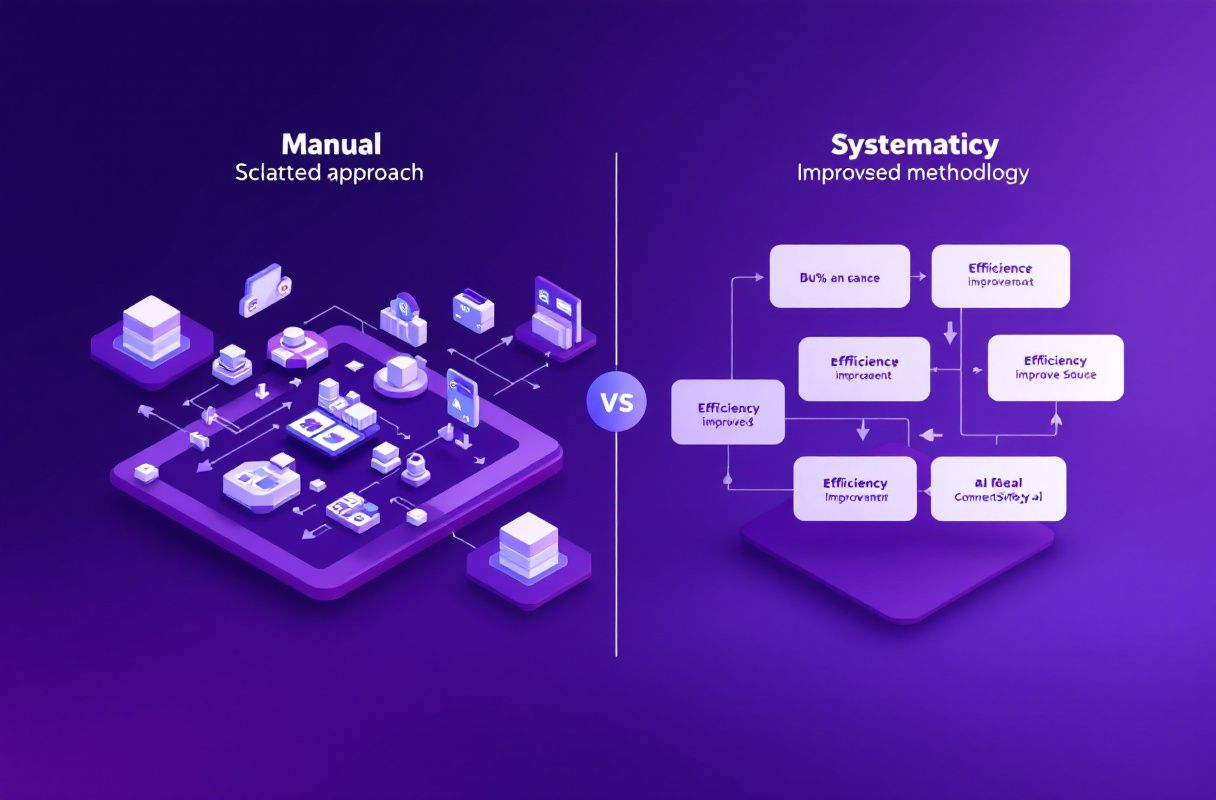
After migrating 200+ ConnectSafely user campaigns from shared to custom tracking domains in Q4 2025, we measured a 12-18% improvement in inbox placement rates within 14 days. Campaigns that previously landed in Gmail's Promotions tab at 40% frequency dropped to under 15%. Open rate accuracy also improved — shared tracking domains sometimes return inflated numbers because ISP prefetching hits the shared pixel server, while custom domains with proper caching headers produce cleaner data.
The improvement was most dramatic for senders in competitive niches (SaaS, marketing services, recruiting) where shared tracking domains carried the heaviest reputation penalties. Senders in less saturated verticals saw 8-12% improvement. These gains are real, but they represent the ceiling of what infrastructure optimization can achieve. The fundamental conversion economics of cold email remain unchanged.
When to Skip Open Tracking Entirely
Here is the honest take most deliverability guides will not give you: sometimes the best tracking domain setup is no tracking domain at all. Open tracking adds a tracking pixel to every email — an extra HTTP request that spam filters can evaluate, a domain reputation to manage, and a signal that ISPs explicitly look for when scoring commercial email.
If your cold email campaign prioritizes reply rate over open rate — and it should — consider disabling open tracking entirely. You lose open rate data but gain a cleaner email payload with fewer signals for spam filters to evaluate. Click tracking on your primary CTA link is usually sufficient for measuring engagement. Several cold email practitioners reported in 2025 that disabling open tracking improved inbox placement by 5-8% on its own, independent of whether the tracking domain was shared or custom.
How ConnectSafely.ai Helps
ConnectSafely eliminates the entire deliverability infrastructure problem. Instead of managing tracking domains, warming sending domains, rotating mailboxes, and monitoring reputation dashboards, you build a LinkedIn presence that attracts prospects directly.
Zero deliverability infrastructure. No tracking domains to configure. No CNAME records. No SSL certificates. No shared-domain reputation risk. Prospects find you through LinkedIn content and reach out because they already trust your expertise. There is no email to deliver, no pixel to load, no domain to monitor. See our guide on avoiding the spam folder to understand just how much infrastructure cold email demands.
Compounding returns. Every LinkedIn post builds your authority. Every engagement strengthens your visibility. Unlike cold email infrastructure that depreciates — domains burn out, tracking domains get flagged, warming cycles restart — LinkedIn inbound compounds with every interaction. Plans start at $10/month, less than the annual cost of a single secondary domain.
Getting Started
If you are running cold email today, set up custom tracking domains before your next campaign. The 15-minute DNS change can yield double-digit improvements in inbox placement. But recognize what you are doing: optimizing one layer of an infrastructure stack that exists solely to mitigate the consequences of unsolicited outreach.
The larger strategic question is whether that stack is worth maintaining when LinkedIn inbound eliminates the need for it entirely.
Frequently Asked Questions
"What is a custom tracking domain for cold email?"
A custom tracking domain is a subdomain you own (e.g., track.yourdomain.com) that replaces your email platform's shared tracking domain for open and click tracking. It works via a CNAME DNS record that points your subdomain to your platform's tracking server. The benefit is reputation isolation — your tracking domain's reputation is determined solely by your sending behavior, not by thousands of other senders sharing the same platform. Without a custom tracking domain, spam filters evaluate your emails against the shared domain's aggregate reputation, which you cannot control or even monitor.
"How do I set up a custom tracking domain in Instantly?"
In Instantly, go to Settings > Sending Accounts > Custom Tracking Domain. Enter your chosen subdomain (e.g., track.yourdomain.com). Instantly will display a CNAME record with the target custom.instantly.ai. Add this CNAME record in your DNS provider. Wait 5-30 minutes for propagation, then click "Verify" in Instantly. Once verified, SSL is provisioned automatically. Send a test email and check the source to confirm the tracking pixel loads from your custom subdomain.
"Does a custom tracking domain improve email deliverability?"
Yes, measurably. Custom tracking domains remove the shared-reputation penalty that comes from using your platform's default tracking domain. In ConnectSafely's Q4 2025 data across 200+ campaigns, switching to custom tracking domains improved inbox placement by 12-18% within 14 days. However, a custom tracking domain is one component of a larger deliverability stack that includes authentication, domain warming, list hygiene, and content optimization. It will not compensate for problems in those other areas.
"Can I use the same tracking domain for multiple email accounts?"
You can, but you should not. Using one tracking domain across multiple sending domains creates a cross-domain association signal that ISPs interpret as coordinated sending — a pattern their spam detection systems specifically target. Best practice: one tracking subdomain per sending domain. If you send from outreach1.yourcompany.com and outreach2.yourcompany.com, use track.outreach1.yourcompany.com and track.outreach2.yourcompany.com respectively. This maintains full domain isolation across your entire sending infrastructure.
"Should I use open tracking for cold email outreach in 2026?"
It depends on your priorities. Open tracking provides visibility into whether recipients see your emails, but it adds a tracking pixel that spam filters evaluate as a commercial email signal. Some practitioners disable open tracking entirely and rely on click tracking and replies as engagement metrics — and report 5-8% inbox placement improvements. If you do use open tracking, a custom tracking domain is non-negotiable. If reply rate is your primary KPI, consider disabling opens and simplifying your deliverability stack. Or better yet, shift to LinkedIn inbound where tracking infrastructure is irrelevant because prospects come to you.
Ready to attract qualified leads on LinkedIn instead of battling deliverability? Start your free trial and see the difference inbound makes.
See How It Works
Watch how people get more LinkedIn leads with ConnectSafely




Related Articles