How to Get 500+ LinkedIn Connections Fast in 2026
Proven strategies to reach 500+ LinkedIn connections quickly and safely. Learn why 500 is the magic number and how to grow without risking your account.

Reaching 500 connections on LinkedIn is the single most important milestone for professionals building credibility on the platform. Once you cross that threshold, LinkedIn displays "500+" on your profile instead of your exact count -- and that small change makes a massive difference in how prospects, recruiters, and peers perceive you.
This guide covers exactly how to get there quickly without risking your account.
Key Takeaways
- 500 is a credibility threshold: LinkedIn stops displaying your exact count and shows "500+" -- signaling you are an established professional
- You can reach 500 in 30-60 days with a focused daily strategy combining warm outreach, content engagement, and network mining
- Personalized requests get 3x higher acceptance than generic "I'd like to add you to my network" invitations
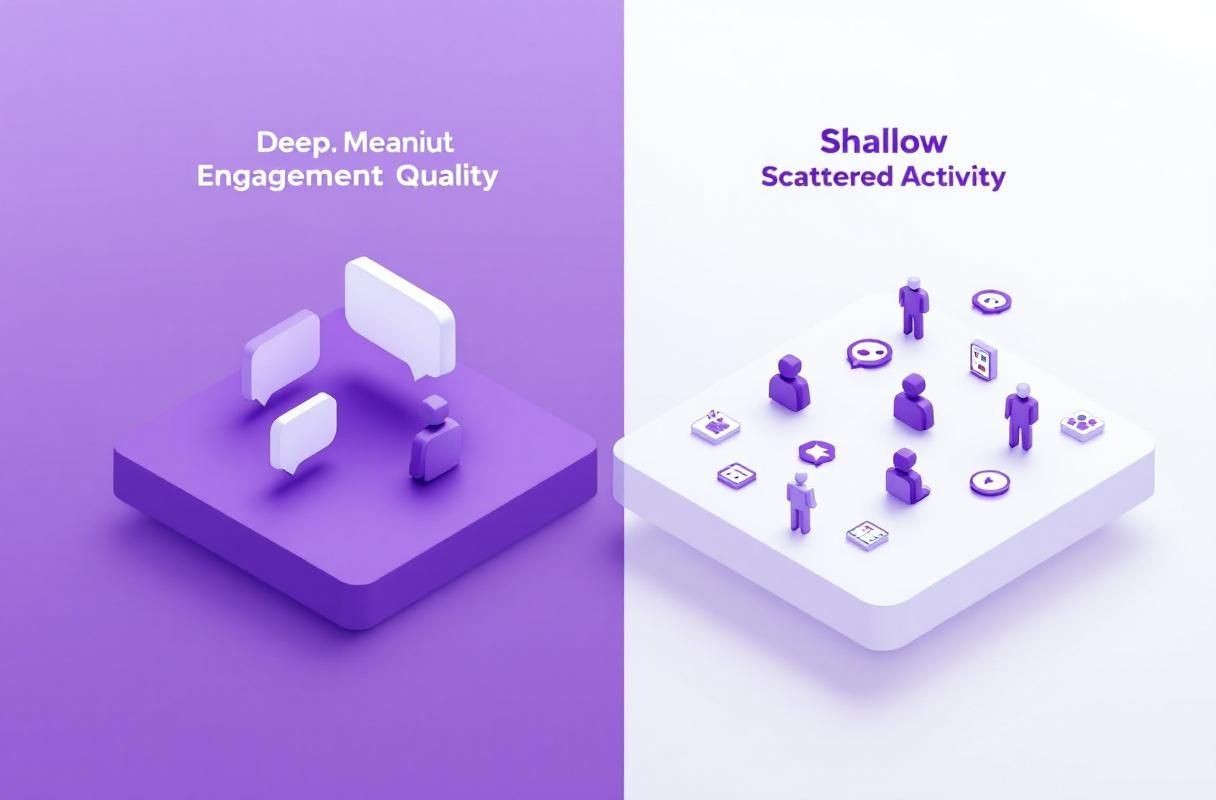
- Quality connections matter more than hitting the number -- 500 engaged connections outperform 5,000 silent ones for lead generation
- Automation shortcuts backfire: LinkedIn's 2026 detection systems flag bulk connection tools and restrict accounts within days
Why 500 Connections Is the Magic Number on LinkedIn
The "500+" badge is not just vanity. It unlocks tangible benefits that affect your visibility, credibility, and lead generation potential.
Want to Generate Consistent Inbound Leads from LinkedIn?
Get our complete LinkedIn Lead Generation Playbook used by B2B professionals to attract decision-makers without cold outreach.
No spam. Just proven strategies for B2B lead generation.
What Changes at 500 Connections
| Benefit | Below 500 | At 500+ |
|---|---|---|
| Profile display | Shows exact count (e.g., "127") | Shows "500+" |
| Credibility signal | May appear new or inactive | Signals established professional |
| Content reach | Limited to small network | Posts reach significantly larger audience |
| Search appearances | Lower ranking in LinkedIn search | Higher visibility in search results |
| InMail responses | Lower response rates | Based on industry data, profiles with 500+ connections see higher InMail response rates |
| Recruiter interest | Often overlooked | Included in more recruiter searches |
According to LinkedIn's own data, profiles with larger networks appear in more search results. The LinkedIn algorithm prioritizes content from users with engaged networks, meaning your posts reach more people once you cross 500.
A 2024 report from HubSpot's State of Marketing found that LinkedIn generates 2.74x more leads than Twitter and Facebook for B2B professionals -- but only when your profile signals credibility. The 500+ badge is a key part of that signal.
For a complete profile optimization checklist, see our guide on LinkedIn profile optimization for inbound leads.
What Most Guides Get Wrong
Most "get 500 connections fast" advice falls into one of two traps.
Trap 1: "Just connect with everyone." This advice ignores the fact that LinkedIn penalizes accounts with low acceptance rates. If you send 100 connection requests and only 20 accept, LinkedIn may restrict your ability to send requests for weeks. Worse, random connections dilute your feed and make the algorithm less effective at showing you relevant content.
Trap 2: "Use an automation tool to speed things up." LinkedIn invested heavily in detection systems throughout 2024 and 2025. As documented by LinkedIn's Professional Community Policies, automated or programmatic activity that violates their terms can result in permanent account restriction. The automation tools that "worked" in 2022 now get accounts flagged within 48 hours.
The real path to 500 is not about blasting requests to strangers. It is about systematically mining your existing networks, creating reasons for people to connect with you, and building genuine visibility through content -- what we call the inbound approach to LinkedIn growth.
7 Proven Strategies to Reach 500 Connections Fast
Strategy 1: Import Your Existing Contacts
This is the fastest way to add connections because these are people who already know you.
How to do it:
- Go to My Network > Connections > Manage synced and imported contacts
- Upload contacts from Gmail, Outlook, or a CSV from your CRM
- LinkedIn will match email addresses to profiles and suggest connections
Based on industry benchmarks, professionals typically have 200-400 contacts across email accounts who are already on LinkedIn. Most guides skip this step entirely, but it can get you halfway to 500 in a single afternoon.
Acceptance rate: 70-85% because these people already know you.
Strategy 2: Reconnect With Alumni Networks
Your university and school connections are among the warmest outreach opportunities on LinkedIn.
How to do it:
- Search for your school in LinkedIn search
- Click Alumni on the school page
- Filter by graduation year, location, or industry
- Send connection requests referencing your shared alma mater
Sample request:
Hi [Name], Fellow [University] alum here (Class of [Year]).
I'm building my network in [Industry] and would love to connect
with other graduates. Hope you're doing well!
Alumni connections accept at roughly 55-65% rates based on industry data, compared to 20-30% for cold outreach. For more templates, check our LinkedIn connection request message templates.
Strategy 3: Mine Your Professional History
Every company you have worked at represents a network of former colleagues, clients, and partners.
Action steps:
- Search for each former employer on LinkedIn
- Connect with former colleagues you recognize
- Connect with people in adjacent departments you worked with
- Reach out to former clients and vendors
This strategy alone can generate 50-150 connection opportunities depending on your career history.
Strategy 4: Join and Engage in LinkedIn Groups
LinkedIn Groups put you in front of professionals who share your interests and industry focus.
The group connection method:
- Join 5-10 relevant industry groups
- Contribute value (answer questions, share insights) for 1-2 weeks
- Connect with active members, referencing the group in your request
- Group members accept connections at higher rates because of shared context
Sample request:
Hi [Name], I've been enjoying your contributions in [Group Name],
especially your point about [Topic]. Would love to connect and
continue learning from your insights.
For more on leveraging engagement as a connection strategy, read our guide on boosting LinkedIn engagement.
Strategy 5: Engage Strategically With Content Creators
Commenting on posts from active creators in your industry creates visibility and natural connection opportunities.
The engagement-first approach:
- Identify 10-15 active creators in your niche
- Leave thoughtful comments on their posts (not "Great post!")
- After 2-3 meaningful interactions, send a connection request referencing your conversations
- This approach flips the dynamic -- creators often send YOU connection requests after seeing quality comments
According to Hootsuite's Social Trends Report, meaningful engagement on LinkedIn posts increases your profile visibility by up to 4x compared to passive scrolling. Our deep dive on how the LinkedIn algorithm works explains exactly why this strategy is so effective.

Strategy 6: Attend and Host LinkedIn Events
LinkedIn Events and Audio Events create natural networking contexts.
How to leverage events:
- Attend industry-specific LinkedIn Live sessions and Audio Events
- Connect with other attendees during and after the event
- Host your own events -- even small ones attract connections
- Post event recaps that tag speakers and attendees
Events provide built-in conversation starters, making your connection requests feel natural rather than cold. This ties directly into building your personal brand on LinkedIn.
Strategy 7: Create Content That Attracts Inbound Connections
The most sustainable way to grow past 500 is making people come to YOU.
When you post valuable content consistently, people who see your posts will send connection requests without you asking. Based on industry data, active LinkedIn content creators receive 5-10x more inbound connection requests than passive users.
Content types that attract connections:
- Industry insights and analysis
- "How I did X" stories with specific numbers
- Contrarian takes on common industry beliefs
- Carousel posts breaking down complex topics
- Polls that spark discussion
For a full content playbook, see our LinkedIn content strategy guide and content templates for higher engagement.
This is where ConnectSafely.ai becomes a force multiplier. As the #1 LinkedIn Inbound Lead Generation Platform, ConnectSafely helps you build authority-driven content strategies that attract qualified connections and leads -- without automation risk.
Your Daily Connection Building Routine
Consistency beats intensity. Here is a realistic daily and weekly schedule to reach 500 within 30-60 days.
Daily Routine (20-30 Minutes)
| Time Block | Activity | Expected Connections |
|---|---|---|
| 5 min | Review "People You May Know" suggestions | 2-3 requests sent |
| 10 min | Comment on 3-5 posts in your feed | Indirect visibility gains |
| 5 min | Send 3-5 personalized connection requests | 2-3 acceptances |
| 5 min | Accept pending requests and send welcome messages | 1-3 new connections |
Weekly Targets
| Week | Cumulative Actions | Expected Total Connections |
|---|---|---|
| Week 1 | Import contacts + alumni outreach | 100-200 |
| Week 2 | Former colleagues + group joins | 200-300 |
| Week 3 | Content engagement + event attendance | 300-400 |
| Week 4 | Consistent daily routine + content creation | 400-500+ |
Important: LinkedIn limits connection requests to approximately 100-200 per week (the exact number varies by account standing). Staying within these limits protects your account. For more on safe networking practices, see our LinkedIn networking guide.
What to Include in Connection Requests
The difference between a 20% acceptance rate and a 60% acceptance rate comes down to personalization.
Connection Request Formula
Every effective connection request includes three elements:
- Context -- Why you are reaching out (shared group, mutual connection, their content)
- Value -- What makes the connection mutually beneficial
- Specificity -- A detail that proves you are not copy-pasting
Examples by Situation
After engaging with their content:
Hi [Name], Your post about [specific topic] really resonated --
especially the point about [detail]. I work in [related field]
and would love to connect and exchange ideas.
Mutual connection:
Hi [Name], I noticed we're both connected with [Mutual Connection].
I'm in [Industry] as well and your work on [Topic] caught my eye.
Would love to connect!
Same industry event:
Hi [Name], Saw you at [Event] -- the session on [Topic] was
excellent. I'd love to stay connected and continue the conversation.
For 20+ more templates broken down by scenario, see our complete guide on how to connect on LinkedIn.
5 Mistakes That Get Your Account Restricted
LinkedIn's enforcement has become significantly stricter in 2025-2026. Avoid these common pitfalls.
Mistake 1: Sending Too Many Requests Too Fast
LinkedIn tracks your sending patterns. Sudden spikes (e.g., going from 5 requests per day to 50) trigger automated flags. The LinkedIn Help Center explicitly warns that excessive activity may result in temporary restrictions.
Safe limit: 20-30 connection requests per day, ramping up gradually from a lower number.
Mistake 2: Using Automation Tools
Browser extensions, bots, and third-party automation tools violate LinkedIn's User Agreement. As reported by Search Engine Journal, LinkedIn has ramped up detection and enforcement, with accounts being permanently restricted.
Mistake 3: Low Acceptance Rates
If too many people click "I don't know this person" on your requests, LinkedIn restricts your account. This happens when you send generic requests to people with no shared context.
Fix: Only send requests to people where you can write a genuine reason for connecting.
Mistake 4: Buying Connections or Followers
Services selling LinkedIn connections deliver fake or inactive accounts. LinkedIn purges these regularly, and the activity pattern associated with bought connections flags your account. Read our analysis of why inbound beats automation every time.
Mistake 5: Ignoring Your Profile Before Outreach
Sending connection requests with an incomplete profile (no photo, default headline, empty About section) results in high rejection rates. People check your profile before accepting. Optimize first, connect second.
Beyond 500: Building Quality Over Quantity
Reaching 500 is a milestone, not the finish line. The real value of LinkedIn comes from what you do with your network after hitting that number.
The Shift From Connections to Conversations
Once you have 500+ connections, your focus should shift:
| Phase | Focus | Goal |
|---|---|---|
| 0-500 | Growing connections | Build credibility and reach |
| 500-1,000 | Content consistency | Establish thought leadership |
| 1,000-5,000 | Engagement depth | Generate inbound leads |
| 5,000+ | Authority building | Become the go-to expert in your niche |
Why Inbound Beats Outbound After 500
Based on industry data, professionals who invest in content-driven authority building generate 3-5x more qualified leads than those who rely on cold outreach alone. The LinkedIn B2B Marketing Report consistently shows that thought leadership content drives purchase decisions for 58% of decision-makers.
This is the core philosophy behind ConnectSafely.ai. Rather than chasing connection numbers, ConnectSafely helps you build the kind of authority that makes the right people come to you. From AI-powered content strategies to engagement optimization, the platform is built for professionals who want leads, not just connections.
For a deeper look at how inbound authority drives real business results, read our guide on how to sell on LinkedIn through social selling.
Frequently Asked Questions
"How many LinkedIn connections can I send per day without getting restricted?"
LinkedIn does not publish an exact daily limit, but based on widespread community data and platform behavior, 20-30 connection requests per day is considered safe for established accounts. New accounts should start with 10-15 per day and gradually increase. Sending more than 100 requests in a single day will almost certainly trigger a temporary restriction.
"Is it worth paying for LinkedIn Premium just to get more connections?"
LinkedIn Premium does not directly increase your connection request limits. However, Premium features like InMail, profile visibility boosts, and "Who's Viewed Your Profile" analytics can indirectly help you grow faster. For most professionals focused on reaching 500, the free tier is sufficient. Premium becomes more valuable once you are actively generating leads. See our comparison of LinkedIn Sales Navigator alternatives for a detailed breakdown.
"How do I get LinkedIn connections if I'm new to the platform with zero connections?"
Start with your existing network: import email contacts, connect with current and former colleagues, and reach out to university alumni. These warm connections will accept at high rates and form the foundation of your network. Once you have 50-100 connections, LinkedIn's "People You May Know" suggestions become much more relevant, accelerating your growth. Check our complete roadmap in how to get more LinkedIn connections.
"Does having 500+ LinkedIn connections actually help me get more leads?"
The 500+ badge itself does not generate leads directly. However, it signals credibility, which increases acceptance rates for future connection requests and makes prospects more likely to engage with your content. The real lead generation comes from combining a strong network with consistent content and engagement -- what platforms like ConnectSafely.ai are specifically designed to help you do.
"Can LinkedIn detect automation tools for sending connection requests in 2026?"
Yes. LinkedIn's detection capabilities have advanced significantly. They analyze behavioral patterns including request velocity, time between actions, browser fingerprinting, and IP consistency. Even tools that claim to be "undetectable" leave patterns that LinkedIn's systems can identify. The consequences range from temporary restrictions to permanent account bans. The safest approach is building connections organically, supported by inbound authority strategies rather than automation shortcuts.
"What's the difference between LinkedIn connections and followers -- which matters more for reaching 500?"
Connections are mutual (both parties agree) and count toward your 500+ badge. Followers are one-way (they see your content, but you are not connected). For reaching the 500 milestone, only connections count. However, followers are valuable for content reach. The ideal strategy builds both simultaneously through consistent posting and strategic connecting.
Start Building Your 500+ Network Today
Reaching 500 LinkedIn connections is achievable within 30-60 days using the strategies in this guide. The key principles are simple: mine your existing networks first, personalize every request, engage before you connect, and create content that attracts people to you.
But hitting 500 is just the beginning. The professionals who turn LinkedIn into a consistent source of inbound leads are the ones who combine a strong network with authority-driven content.
Ready to turn your LinkedIn presence into an inbound lead generation engine? ConnectSafely.ai helps you build the kind of authority that attracts qualified connections and leads -- safely, strategically, and at scale. See pricing and start your free trial today.
The Dark Side of Rapid Connection Growth: When Aggressive Outreach Backfires
While reaching 500 connections quickly is a desirable goal, it's essential to acknowledge the risks associated with aggressive outreach strategies. Many professionals, in their enthusiasm to grow their network, end up sending out generic connection requests to hundreds of people they don't know. This approach not only leads to low acceptance rates but also increases the likelihood of being flagged as a spammer by LinkedIn's algorithms. When this happens, your account may be restricted, or worse, suspended. I've seen it happen to numerous clients who thought they could game the system by using automated tools or outsourcing their outreach to virtual assistants. The reality is that LinkedIn's detection systems are becoming increasingly sophisticated, and they can easily identify patterns of behavior that are inconsistent with genuine networking. To avoid this pitfall, it's crucial to focus on building meaningful relationships with people in your industry, rather than trying to collect connections like trophies. This means taking the time to research potential connections, crafting personalized messages, and engaging with their content before reaching out. By adopting a more thoughtful and strategic approach, you can build a strong, engaged network that will serve you well in the long run.
Myth vs Reality: The Truth About LinkedIn's Connection Limits
There's a common misconception that LinkedIn has a strict limit on the number of connections you can have, and that reaching this limit will prevent you from growing your network further. However, this is not entirely accurate. While it's true that LinkedIn has guidelines around connection requests, the platform does not have a hard and fast limit on the number of connections you can accumulate. What's more important is the quality of your connections and the engagement you have with your network. If you're consistently sending out low-quality connection requests or spamming your network with self-promotional content, you're more likely to be flagged as a spammer than if you're building genuine relationships with people in your industry. That being said, there are some nuances to consider. For example, if you're sending out a high volume of connection requests in a short period, you may be temporarily restricted from sending further requests. Similarly, if you're accepting connection requests from people you don't know, you may be increasing your risk of being targeted by spammers or phishing attacks. By understanding the nuances of LinkedIn's connection limits and guidelines, you can build a strong, engaged network that will help you achieve your professional goals.
Advanced Strategies for Maximizing Connection Growth: Leveraging LinkedIn Groups
For advanced LinkedIn users, leveraging LinkedIn groups can be a powerful way to maximize connection growth. By participating in relevant groups and engaging with other members, you can increase your visibility, build relationships with key influencers, and establish yourself as a thought leader in your industry. However, this strategy requires a high degree of sophistication and nuance. Simply joining a group and spamming the members with self-promotional content is unlikely to yield positive results. Instead, you need to take the time to research the group, understand the dynamics and etiquette, and contribute value to the conversations. This might involve sharing relevant articles, providing thoughtful comments, or offering guidance and advice to other members. By doing so, you can build trust and credibility with the group members, which can ultimately lead to more connections and opportunities. Additionally, you can use LinkedIn groups to identify potential connections and reach out to them with personalized messages. This approach can be particularly effective if you're looking to connect with people in a specific industry or niche.
The Importance of Connection Segmentation: Why You Need to Diversify Your Network
When building a LinkedIn network, it's essential to diversify your connections and avoid putting all your eggs in one basket. This means segmenting your connections into different categories, such as industry peers, potential clients, partners, and influencers. By doing so, you can tailor your content and outreach efforts to specific groups, increasing the likelihood of engagement and conversion. For example, if you're a consultant, you may want to segment your connections into potential clients, partners, and industry peers. This allows you to share relevant content with each group, such as thought leadership articles with potential clients, or industry news with partners. Additionally, segmenting your connections can help you identify gaps in your network and areas where you need to focus your outreach efforts. By diversifying your network and segmenting your connections, you can build a robust and resilient network that will serve you well in the long run. It's also important to note that connection segmentation is not a one-time task, but an ongoing process that requires regular monitoring and adjustment.
The Hidden Dangers of Connection Inertia: Why You Need to Prune Your Network Regularly
Finally, it's essential to recognize the hidden dangers of connection inertia, where your network becomes stagnant and unengaged. This can happen when you're not regularly pruning your network, removing connections that are no longer relevant or engaged. By failing to do so, you're not only wasting opportunities to connect with more relevant people, but you're also increasing your risk of being targeted by spammers or phishing attacks. Additionally, a stagnant network can negatively impact your visibility and credibility on LinkedIn, making it harder to attract new connections and opportunities. To avoid this, it's crucial to regularly review your network and remove connections that are no longer aligned with your goals or values. This might involve using LinkedIn's built-in tools to identify inactive or unengaged connections, or manually reviewing your network to identify connections that are no longer relevant. By pruning your network regularly, you can maintain a healthy, engaged network that will help you achieve your professional goals and avoid the hidden dangers of connection inertia.
See How It Works
Watch how people get more LinkedIn leads with ConnectSafely




Related Articles