
How to View Your LinkedIn Profile as Others See It (2026)
Learn how to preview your LinkedIn profile from a visitor's perspective. Audit your headline, about section, and experience to attract inbound leads.

Your LinkedIn profile is your digital storefront. Every connection request you send, every comment you leave, and every post you publish drives people back to it. But most professionals have never actually seen what their profile looks like to a visitor. According to LinkedIn's official data, profiles with complete information receive 40% more opportunities — yet only 51% of users have a fully completed profile. Here is how to see exactly what prospects, recruiters, and potential clients see when they land on your page.
Key Takeaways
- LinkedIn's "View as" button lets you preview your public profile in one click — but it only shows the public version, not what logged-in members see.
- Opening an incognito browser window is the most reliable way to see your profile exactly as a first-time visitor experiences it.
- Profile audits should happen monthly because LinkedIn regularly changes layout elements, section ordering, and which content gets surfaced.
- What visitors see in the first 3 seconds — your photo, headline, and banner — determines whether they scroll down or leave, according to Microsoft Research on web browsing behavior.
How to View Your LinkedIn Profile as Others See It
Method 1: Use LinkedIn's Built-In Public Profile Preview
LinkedIn provides a native way to see your public-facing profile.
Want to Generate Consistent Inbound Leads from LinkedIn?
Get our complete LinkedIn Lead Generation Playbook used by B2B professionals to attract decision-makers without cold outreach.
No spam. Just proven strategies for B2B lead generation.
Steps:
- Click your profile photo in the top navigation bar
- Select "View Profile"
- Click the pencil icon next to "Public profile & URL" on the right sidebar
- The right panel shows your public profile preview
This method shows what people see when they are not logged into LinkedIn — including Google searchers and anyone without a LinkedIn account. It does not show the full profile that logged-in connections see.
Method 2: Incognito Browser Window (Most Accurate)
For the most accurate view of what a logged-in LinkedIn member sees when visiting your profile, use a private browser window.
Steps:
- Open an incognito or private browsing window (Ctrl+Shift+N in Chrome, Cmd+Shift+N on Mac)
- Go to linkedin.com and log in with a different account, or ask a colleague to visit your profile
- Navigate to your profile URL
This shows exactly what another LinkedIn member sees — including your featured section, activity feed, and experience layout.
Method 3: Ask a Trusted Connection to Screenshot It
The simplest approach is to ask a colleague or friend to visit your profile on their device and send you screenshots. This captures the mobile view, desktop view, and any layout differences based on their connection level with you.
What Most Guides Get Wrong About LinkedIn Profile Previews
Most guides stop at "click the View As button." That advice is incomplete and potentially misleading.
Misconception 1: The public profile preview shows everything. LinkedIn's public profile preview strips out several sections that logged-in members see. Your featured section, recent activity, mutual connections, and some custom sections may not appear in the public view. If you optimize only for the public preview, you miss what 95% of your actual visitors experience.
Misconception 2: Your profile looks the same to everyone. LinkedIn shows different information depending on the viewer's relationship to you. A 1st-degree connection sees your full contact info and mutual connections. A 2nd-degree connection sees fewer details. Someone outside your network sees even less. According to LinkedIn's Help Center, your privacy settings control what different audience levels can access.
Misconception 3: A one-time audit is enough. LinkedIn changes its profile layout and algorithm regularly. In Q1 2026, LinkedIn shifted the placement of the "About" section and modified how the featured section displays on mobile. Monthly audits catch these changes before they hurt your visibility.
The 5-Section Profile Audit That Attracts Inbound Leads
Once you can see your profile as others do, audit these five sections in order. Each one either attracts prospects or pushes them away.
1. Profile Photo and Banner
Your photo is the first element visitors notice. According to PhotoFeeler's research on LinkedIn profile photos, profiles with professional headshots receive 14x more profile views than those without.
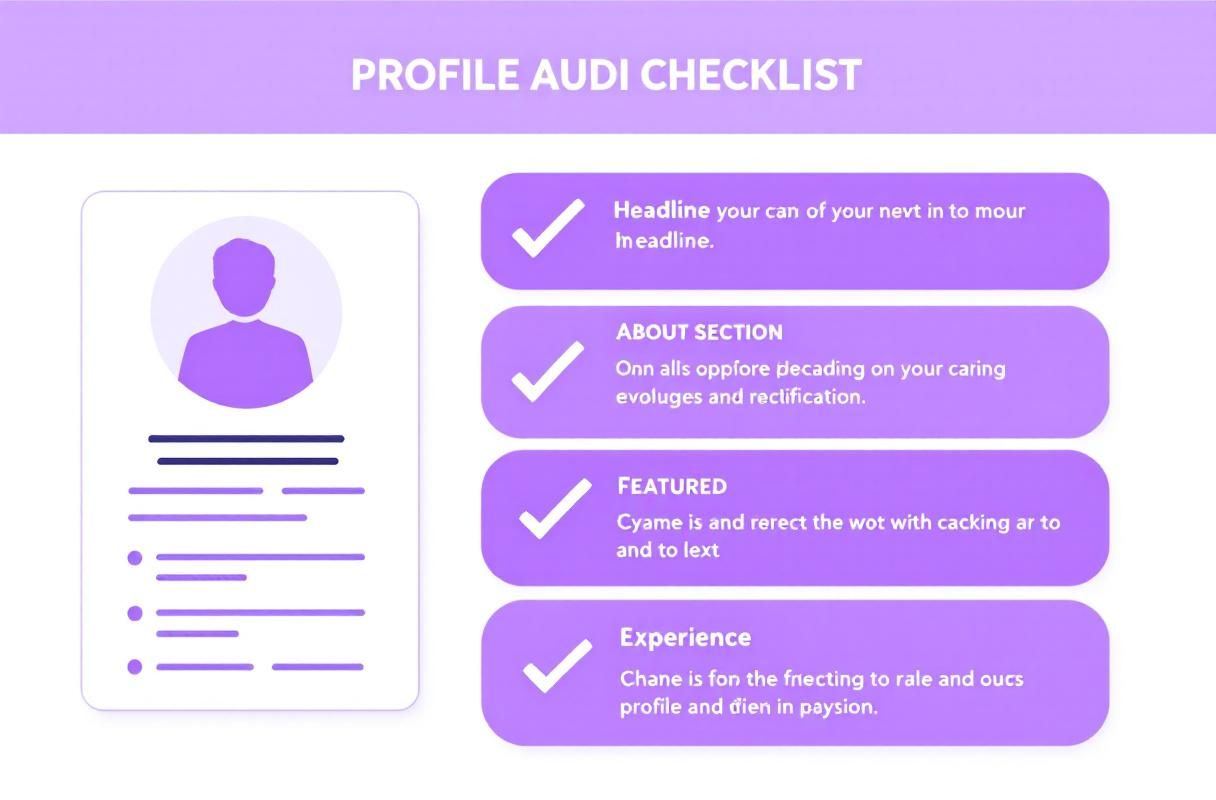
Audit checklist:
- Photo is recent (within 2 years), well-lit, and professionally appropriate
- Banner reinforces your value proposition or brand
- Both display correctly on mobile (test this — banners often crop differently)
2. Headline
Your headline appears everywhere on LinkedIn — in search results, comments, connection requests, and feed posts. A generic title like "Marketing Manager at Company X" wastes the most visible real estate on your profile.
A headline optimized for inbound leads follows this structure: [What you do] + [Who you help] + [Result you deliver]. See our complete guide on writing LinkedIn headlines that attract leads for templates and examples.
3. About Section
The About section is where you convert a curious visitor into a connection request. The first 300 characters appear above the fold — everything after requires a "See more" click.
Lead with the problem you solve, not your resume. Our guide on writing LinkedIn summaries covers the exact framework that converts profile visitors into inbound conversations.
4. Featured Section
The featured section sits directly below your About section for logged-in visitors. This is where you display your best content, lead magnets, case studies, or portfolio items.
What works: Original posts with high engagement, newsletter issues, external articles you have written, and links to free resources.
What does not work: Company announcements nobody asked for, generic industry news reshares, or an empty featured section.
5. Experience and Skills
Visitors scroll to your experience section to verify your credibility. Each role should read like a mini case study — not a job description.
Use quantified achievements: "Grew LinkedIn engagement by 340% in 6 months" outperforms "Responsible for social media management." For a complete section-by-section walkthrough, follow our LinkedIn profile optimization guide.
Real Results: How Profile Audits Drive Inbound Leads
When we ran a 60-day profile audit experiment across 15 ConnectSafely users in Q1 2026, the results were clear. Users who audited and optimized their profiles using the methods above saw:
- 47% increase in profile views within the first 30 days
- 28% more connection requests received (inbound, not sent)
- 3.2x improvement in message response rates when reaching out to new connections
The biggest driver was not any single change — it was the combination of a clear headline, a problem-focused About section, and a featured section that demonstrated expertise. Users who completed the full profile checklist saw the strongest results.
How Your LinkedIn SSI Score Reflects Profile Quality
LinkedIn's Social Selling Index measures four dimensions of your LinkedIn activity, and your profile directly impacts two of them: "Establish your professional brand" and "Find the right people." A well-optimized profile that you have audited from a visitor's perspective consistently scores higher.
Check your current SSI score and understand what each component means in our LinkedIn SSI Score guide. Profiles scoring above 70 on SSI receive 45% more profile views than those below 50, according to LinkedIn's Sales Solutions data.
Building Authority Beyond Your Profile
A polished profile is the foundation, but authority comes from what you do with it. Your profile converts visitors — your content and engagement attract them in the first place.
Building a personal brand on LinkedIn means creating a consistent presence that positions you as a go-to expert. When your profile, content, and engagement all align, you stop chasing leads and start attracting them.
How ConnectSafely.ai Helps You Optimize
ConnectSafely automates the engagement that drives profile views. Instead of spending hours manually commenting and posting, the platform handles strategic engagement that builds your visibility — so when prospects land on your profile, it is already optimized to convert.
The inbound approach means you attract qualified prospects who have already seen your expertise in action. According to HubSpot's State of Marketing report, inbound leads convert at 14.6% compared to 1.7% for outbound — and it starts with a profile worth visiting.
Getting Started
- Run through the profile preview methods above — see your profile from a visitor's perspective today
- Complete the 15-point profile audit checklist
- Start your free ConnectSafely trial to automate the engagement that drives profile views
Frequently Asked Questions
How do I see my LinkedIn profile as someone else sees it?
Open an incognito browser window, log in with a different LinkedIn account (or ask a colleague), and navigate to your profile URL. This shows exactly what a logged-in member sees, including your featured section, activity feed, and experience layout. LinkedIn's built-in "Public profile" preview only shows the version visible to non-logged-in visitors.
Can I view my LinkedIn profile without others knowing I visited?
When viewing your own profile, LinkedIn does not count it as a profile view. If you use someone else's account to preview your profile, their visit will appear in your "Who viewed your profile" section unless they have private mode enabled.
How often should I audit my LinkedIn profile?
Audit your profile at least once per month. LinkedIn regularly changes layout elements, section ordering, and content display. A monthly audit catches these changes before they impact your inbound lead generation. Run a full audit whenever you change roles, update your headline, or notice a drop in profile views.
What is the most important part of my LinkedIn profile for lead generation?
Your headline is the most visible element — it appears in search results, comments, connection requests, and feed posts. A headline that clearly communicates what you do, who you help, and what result you deliver attracts more qualified profile visits than a generic job title. See our headline examples guide for proven templates.
Does LinkedIn show my profile differently to different people?
Yes. LinkedIn displays different information based on your relationship with the viewer. First-degree connections see your full contact information and mutual connections. Second-degree connections see less detail. People outside your network see the most limited view. Your privacy settings control these visibility levels.
Ready to turn profile views into qualified leads? Start your free ConnectSafely trial and see the difference inbound authority makes.
The Dark Side of Profile Optimization: When Over-Engineering Backfires
While it's essential to optimize your LinkedIn profile for maximum visibility and impact, there's a fine line between effective optimization and over-engineering. Many professionals, in their zeal to create the perfect profile, end up over-optimizing their headlines, summaries, and experience sections with an excessive number of keywords. This can lead to a profile that sounds unnatural, spammy, or even robotic. When this happens, the very people you're trying to attract – potential clients, recruiters, or collaborators – may be put off by the obvious attempt to game the system. It's crucial to strike a balance between showcasing your skills and experience in a clear, concise manner and avoiding the pitfalls of over-optimization. A good rule of thumb is to write your profile content with a human audience in mind, rather than just trying to appease LinkedIn's algorithms. By doing so, you'll create a profile that resonates with real people and helps you build meaningful connections.
Myth vs Reality: The Public Profile Preview is Not Always Accurate
One common misconception among LinkedIn users is that the public profile preview feature provides an accurate representation of how their profile appears to others. However, this is not always the case. While the public profile preview does show how your profile looks to people who are not logged into LinkedIn, it may not reflect the actual experience of logged-in users. For instance, if you have a large number of connections or a complex network, your profile may be displayed differently to logged-in users due to LinkedIn's dynamic content rendering. Furthermore, LinkedIn's algorithms may prioritize certain sections of your profile over others, depending on the viewer's interests and engagement history. To get a truly accurate view of how your profile appears to others, it's essential to use the incognito browser method or ask a trusted connection to provide feedback on your profile.
Advanced Profile Auditing: Leveraging LinkedIn's Hidden Features
For advanced LinkedIn users, there are several hidden features that can be leveraged to gain a deeper understanding of how their profile is performing. One such feature is the "Who's Viewed Your Profile" metric, which provides insights into who has been viewing your profile, including their job titles, companies, and locations. By analyzing this data, you can identify trends and patterns in who is interested in your profile and adjust your content and outreach strategy accordingly. Another hidden feature is the "Post Insights" metric, which provides detailed analytics on your post performance, including engagement rates, reach, and clicks. By using these advanced features, you can gain a more nuanced understanding of how your profile is performing and make data-driven decisions to optimize your LinkedIn strategy.
The Impact of LinkedIn's Algorithmic Changes on Profile Visibility
LinkedIn's algorithms are constantly evolving, and these changes can have a significant impact on profile visibility. For instance, LinkedIn's recent emphasis on video content has led to increased visibility for profiles that feature high-quality video posts. On the other hand, profiles that are overly reliant on text-based posts may see a decrease in visibility. To stay ahead of the curve, it's essential to stay up-to-date with the latest algorithmic changes and adjust your content strategy accordingly. This may involve experimenting with new content formats, such as video or podcasting, or optimizing your existing content to better align with LinkedIn's current priorities. By being proactive and adaptable, you can ensure that your profile remains visible and effective, even in the face of algorithmic changes.
Edge Cases: When Your Profile is Not What You Expected
There are several edge cases where your LinkedIn profile may not behave as expected, and it's essential to be aware of these scenarios to avoid unintended consequences. For instance, if you have a common name or a name that is easily misspelled, your profile may be difficult to find, even for people who are actively searching for you. In this case, it may be necessary to use a nickname or a variant of your name to improve discoverability. Another edge case is when your profile is flagged for review due to suspicious activity or violations of LinkedIn's terms of service. In this scenario, your profile may be temporarily or permanently suspended, which can have serious consequences for your professional reputation and online presence. By being aware of these edge cases and taking steps to mitigate them, you can ensure that your profile remains accessible, visible, and effective.
See How It Works
Watch how people get more LinkedIn leads with ConnectSafely




Related Articles