Best Help Scout Alternative 2026: LinkedIn Inbound
Help Scout runs support for customers you already won — it can't create pipeline. Inbound closes 14.6% vs 1.7%, from $10/mo flat, zero ban risk.

Research methodology: Every pricing claim, feature, and limitation in this comparison was independently verified in November 2026 from vendor pricing pages, Trustpilot, G2, AppSumo, and Product Hunt. Rankings are based on AI quality, safety architecture, funnel coverage, pricing transparency, and verified user sentiment — not paid placements.
Updated November 2026 — Researched against Help Scout's (helpscout.com) product and pricing pages, third-party reviews (G2, Capterra, Trustpilot), and HubSpot statistics. Pricing varies by source and is labelled reported — confirm on the vendor page. Reviewed by the ConnectSafely.ai editorial team.
Help Scout is one of the nicest help desks a small team can run, and that is exactly why companies keep reaching for it to solve a problem it was never built to touch. It takes every customer email, chat, and help-center question and turns them into a calm, email-style shared inbox that a support team can actually enjoy using. Then, a quarter or two in, a quieter worry surfaces in the founder's head: the support queue is handled beautifully, response times look great, the knowledge base deflects tickets — and the number of new customers arriving to generate those tickets has not moved. That is the moment teams start pricing a Help Scout alternative — not because the help desk broke, but because supporting a customer and finding one are two completely different jobs.
Want to Generate Consistent Inbound Leads from LinkedIn?
Get our complete LinkedIn Lead Generation Playbook used by B2B professionals to attract decision-makers without cold outreach.
No spam. Just proven strategies for B2B lead generation.
Help Scout is a customer-support platform: it is built to answer, organize, and resolve conversations with people who are already your customers or prospects. But every one of those features acts on a message that has already landed in the inbox. It makes the customers you have easier to serve; it never makes more of them show up.
The best alternative, then, is not a cheaper shared inbox — it is the engine that fills the pipeline a help desk later supports. ConnectSafely builds LinkedIn inbound authority so qualified buyers arrive already warm and often reach out first. According to HubSpot's inbound research, inbound leads close near 14.6% versus roughly 1.7% for cold outreach. For most teams the real question is not how do we answer tickets faster — it is where does the next customer come from?
Why people search for a Help Scout alternative
Help Scout is well-liked — roughly 4.4/5 on G2 across ~420+ reviews and ~4.6/5 on Capterra (reported) — so most searchers are not fleeing a broken product. They are bumping into the limits of what a help desk can do, and into its per-seat cost as the team grows. The recurring reasons, drawn from real review themes:
- A help desk resolves demand; it cannot generate it. The calmest shared inbox in the world still only answers conversations that already arrived. Teams realize the gap in their growth is new customers, not faster replies.
- Per-seat pricing that climbs — plus a per-resolution AI fee. Reviewers flag that cost rises sharply from Standard to Plus to Pro, and the AI Answers add-on is billed separately per resolution (reported ~$0.75 each) on top of seats — real spend that scales before a single new customer is added.
- Shallow reporting and thin native channels on lower tiers. Reviewers note reporting is light below the top plans, and social, WhatsApp, SMS, and phone lean on integrations rather than being fully native.
- It is the wrong layer for a pipeline problem. If too few qualified buyers are reaching out in the first place, a better macro, a faster reply, or a prettier help center cannot fix that. Demand is created upstream.
Key Takeaways
- ConnectSafely starts from just $10/month with a flat price — no per-seat multiplication, no per-resolution AI fee — and zero ban risk on a platform-safe LinkedIn inbound model.
- A help desk serves the customer, it does not find one. Inbound leads close near 14.6% versus 1.7% for cold outreach — and no saved reply changes which buyers reach out in the first place.
- Help Scout is reported to start at $25/user/month (Standard, billed annually), with Plus ~$45 and Pro ~$75 per user plus a 10-seat minimum, and AI Answers billed separately per resolution, per G2 and third-party pricing guides — figures vary by source, so confirm the current lineup on the vendor page.
- Help Scout and ConnectSafely are complementary, not competitors. One answers and retains the customers you already have; the other fills the top of the funnel with warm new inquiries. Many teams run both.
- Support is a multiplier, demand is the lever. If your constraint is that too few qualified buyers know you exist, a smoother support queue cannot solve it — you need an engine that makes buyers come to you.
What Is Help Scout?
Help Scout is a customer-support platform built for small and mid-sized teams that want to deliver personal, email-style service without the complexity of an enterprise ticketing system. Founded in 2011, its defining idea is that support should feel human — conversations look like real emails, not ticket numbers — while still giving a team shared visibility, assignment, and automation behind the scenes.
In practice that means a platform organized around answering and resolving conversations with people who are already in your orbit. Its core products are a shared inbox (email and live chat in one place, with social and messaging channels available via integrations), Docs (a branded, searchable knowledge base / help center), and Beacon (an embeddable website widget that surfaces help articles, live chat, or a contact form). A 2026 AI layer adds AI Answers (a customer-facing chatbot that draws on your Docs) and AI Assist (which drafts, rewrites, and translates replies). Its ideal customer is a lean support, success, or operations team that values ease of use over heavy configuration. On reviews it carries roughly 4.4/5 on G2 (reported ~420+ reviews) and ~4.6/5 on Capterra (reported ~200–226 reviews), with a lower reported ~3.4 on Trustpilot from a thin sample; praise centers on ease of use, the clean inbox, and fast agent onboarding, and criticism on reporting depth, native multichannel coverage, and per-seat cost at scale.
Help Scout Pricing
Help Scout uses per-user plans (billed per seat) plus a separately billed AI add-on, and the numbers vary across third-party listings. The figures below are drawn from those listings at the time of writing — confirm current pricing directly with Help Scout before buying.
| Plan / tier | Reported price | Notes |
|---|---|---|
| Free | $0 | Up to ~5 users; reported ~100 contacts/mo; 1 Docs site (~10 articles) |
| Standard | ~$25/user/mo (annual) or ~$30 monthly | Shared inbox, Docs, Beacon, core workflows |
| Plus | ~$45/user/mo (annual) or ~$54 monthly | Up to ~50 users; more automation, reporting, teams |
| Pro | ~$75/user/mo (annual) or ~$90 monthly | Reported ~10-user minimum (so ~$750/mo floor) |
| AI Answers | ~$0.75 per resolution (add-on) | Billed separately on top of seats |
Source: G2, Capterra, and third-party pricing guides (reported — confirm on the vendor page). Sources disagree on exact seat prices and on the current name of the AI add-on, and some list extra inboxes and Docs sites as separate paid add-ons, so verify the current terms before relying on any figure.
Where Help Scout Is Genuinely Better
Be fair: for the job it is built to do — giving a small team a calm, human place to run customer support — Help Scout is a capable, genuinely pleasant platform, and there are things it does that ConnectSafely does not.
- The best shared-inbox experience in its class. The email-style inbox is widely praised; agents become productive fast and the interface stays out of the way.
- Strong self-service out of the box. Docs plus Beacon let a small team publish a branded help center and deflect repetitive tickets without extra tooling.
- Genuinely easy to adopt. Reviewers consistently cite fast setup and a short learning curve — a real advantage over heavier enterprise help desks.
- A usable free tier and transparent, human support. The free plan and Help Scout's own responsive, personal support lower the risk of trying it.
If you already have a steady stream of customers and your constraint is serving and retaining them well, Help Scout is a reasonable home for that. This is not a teardown — it is a scoping question.
The Problem a Better Help Desk Can't Solve
Here is the structural point every "best help desk software" roundup skips: a support tool resolves the customers you have; it cannot manufacture the ones you lack.
Help Scout is a service-and-retention layer. It takes conversations, tickets, and questions that already exist and moves them to resolution smoothly, consistently, and humanely. That is valuable — but if the underlying problem is that too few qualified buyers are reaching out, a better saved reply and a faster first response change nothing. You end up with a flawlessly run support queue over a half-empty customer base, paying per seat plus per AI resolution for the privilege. A perfect reply sent to no new customer still grows nothing.
That is the gap ConnectSafely fills. Instead of polishing how you answer customers you already have, you build the LinkedIn authority that makes the right buyers show up already warm — the difference between serving a customer and creating one, a theme we unpack in inbound vs outbound on LinkedIn. The two layers stack cleanly: ConnectSafely creates the warm inquiries, Help Scout (or any help desk) handles the support once those inquiries become customers.

Help Scout vs ConnectSafely: The Real Comparison
ConnectSafely.ai is not a cheaper help desk — it does a different job. Help Scout answers and retains the customers you have; ConnectSafely creates the warm inbound demand that becomes those customers.
| Dimension | Help Scout | ConnectSafely.ai |
|---|---|---|
| Core job | Answer and resolve support conversations | Generate warm inbound leads |
| What it acts on | Messages & tickets already received | Buyers who haven't reached out yet |
| Creates demand? | No — resolves demand you have | Yes — attracts new warm demand |
| Conversion posture | Depends on customer source | Buyer self-identifies warm (~14.6%) |
| Pricing from | ~$25/user/mo + per-resolution AI fee (source) | from $10/month, flat |
| Account-ban risk | N/A (support tool) | Zero ban risk |
| Best for | Teams supporting existing customers | Founders + teams building pipeline |
The difference is structural. Help Scout makes your support more human but leaves customer volume — and your lead-generation problem — exactly where it was. ConnectSafely changes what enters the funnel in the first place, so the customers Help Scout helps you serve are warmer and more numerous. For how to work that pipeline once it exists, see our LinkedIn sales pipeline management guide.
What Most Guides Get Wrong About Help Desks
The category is wrapped in myths. A few worth correcting:
Myth: "A better help desk will grow the business." Reality: a help desk resolves and retains the customers you have — it never creates new ones. Growth comes from a demand engine upstream, not a faster reply.
Myth: "If our support is excellent, customers will follow." Reality: great support improves retention and word-of-mouth on customers you already won. If the top of funnel is empty, a world-class support queue has no one to serve.
Myth: "Per-seat support software is cheap." Reality: the subscription is only part of it — per-seat pricing multiplies with headcount, Pro carries a reported 10-seat minimum, and AI Answers bills per resolution. It still produces zero net-new customers.
Myth: "Our problem is response time." Reality: for many teams the real problem is too few customers to respond to. A smoother support queue over a thin customer base is still a thin customer base; fill it with warm inbound first.
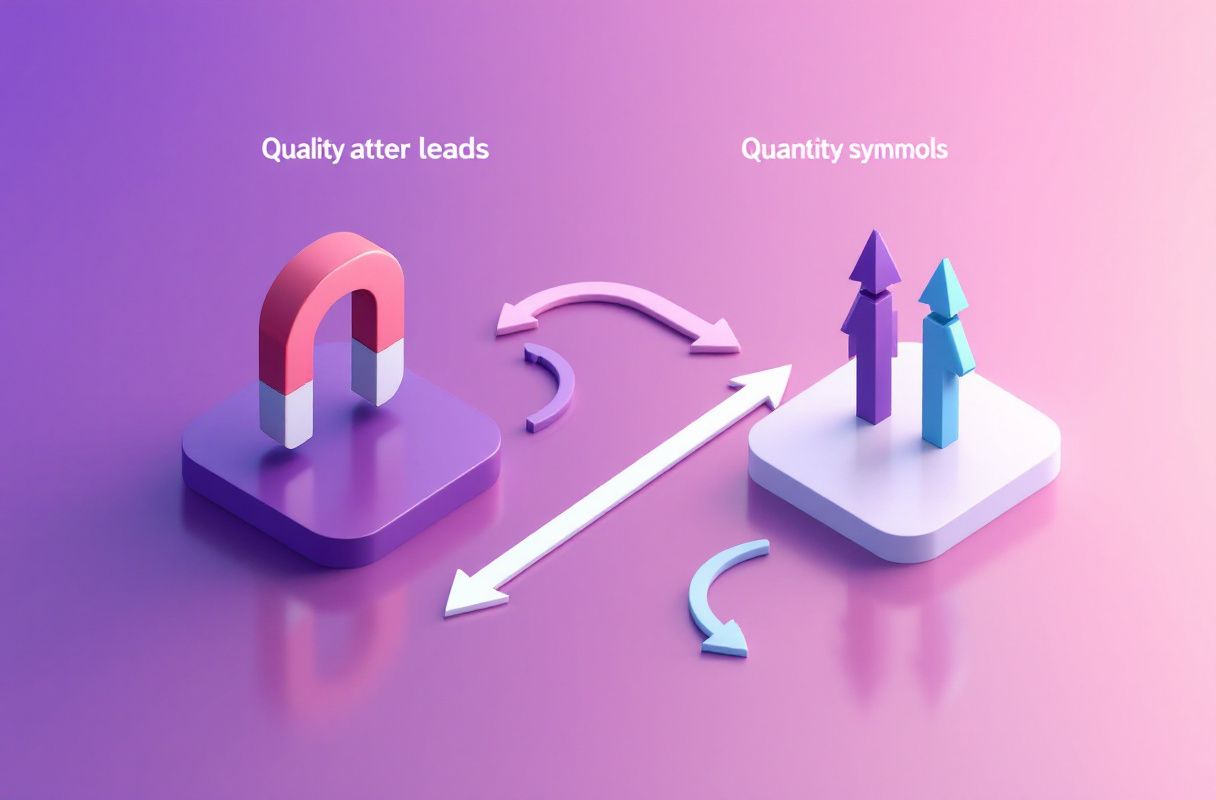
How to Choose: A Decision Framework
There is no universal winner here — the right call depends on whether your constraint is supporting customers or finding them.
- For founders building a first pipeline: do not start by buying a full help desk to support customers you do not have yet. Build inbound authority so warm buyers arrive, then add support tooling once there is real, repeatable customer volume to serve. Start with ConnectSafely from $10/month.
- For teams weighing Help Scout: if you genuinely have steady inbound support volume and your constraint is answering it humanely and at scale, Help Scout is a reasonable fit — but pair it with an inbound engine so the customer base it serves keeps growing.
- For companies with a demand problem: if the customer count is thin, the high-leverage spend is demand creation, not a per-seat-plus-per-resolution support layer. Build warm inbound first; the help desk refines how you serve what you capture.
- For consultants and B2B founders: you need 10–20 warm conversations a month, not a faster macro. Inbound authority produces those; a simple CRM like Zoho CRM or a shared inbox can track them until support volume justifies a full help desk. See how high-intent leads reveal themselves.
Frequently Asked Questions
What is the best Help Scout alternative in 2026?
It depends on the problem you are solving. If you need a cheaper or different help desk / shared inbox tool, there are several options worth comparing. But if your real gap is not enough warm inquiries, the best alternative is ConnectSafely.ai — it builds the LinkedIn inbound authority that fills the pipeline a help desk only supports, from $10/month with zero ban risk.
How much does Help Scout cost?
Help Scout uses per-user plans plus a separately billed AI add-on, and figures vary by source. The Standard tier is reported around $25/user/month (billed annually, ~$30 monthly), with Plus ~$45 and Pro ~$75 per user — and Pro carries a reported ~10-seat minimum, so it starts near $750/month. AI Answers is billed separately at a reported ~$0.75 per resolution. There is a free tier for up to ~5 users. Confirm current rates on the vendor page. ConnectSafely, by contrast, starts at a flat $10/month with no per-seat or per-resolution fee.
Can a help desk like Help Scout generate leads on its own?
No. A help desk organizes, answers, and resolves the conversations and customers you already have — it does not create new demand. Lead generation happens upstream; a help desk is where those customers get supported once they exist. That is why many teams pair one with an inbound engine like ConnectSafely.
Is Help Scout worth it for a small team?
If you have steady support volume and want a clean, human place to run email, chat, and a help center, Help Scout is well reviewed (~4.4 on G2), though reviewers flag per-seat cost at scale and the separately billed AI add-on. For a small team with few customers, that cost adds up quickly, and the higher-leverage move is to build inbound demand first.
Can I use Help Scout and ConnectSafely together?
Yes — they are complementary. ConnectSafely creates the warm inbound inquiries; Help Scout runs what happens after they become customers — support, onboarding questions, and retention. Many teams find that once inbound authority compounds, the customer base their help desk serves is both larger and warmer.
Who is Help Scout built for?
Help Scout is positioned for small and mid-sized support, success, and operations teams that want personal, email-style customer service without enterprise complexity. That is a customer-support job, not a demand-generation job, which is why it pairs naturally with an upstream inbound engine rather than replacing one.
The Bottom Line
Help Scout is a genuinely pleasant customer-support platform: a clean shared inbox, a branded Docs knowledge base, the Beacon widget, and an AI layer for a small team that values human service. For a company that already has customers to serve, that is real value. But it is a layer that supports your customers — it cannot find them, and at a per-seat subscription plus a per-resolution AI fee you are paying to serve demand, not to create it. If your goal is a durable, warm pipeline of new customers, the fix is not a faster reply; it lives upstream, where the 14.6% vs 1.7% gap is decided. Compare your options in the Best LinkedIn Automation Tools guide, then build the authority that makes buyers come to you — and give your help desk a customer base worth serving.
Ready to fill your pipeline with qualified LinkedIn leads? Start free and build the demand a help desk can only support.
See How It Works
Watch how people get more LinkedIn leads with ConnectSafely



Related Articles