Best Maximizer CRM Alternative 2026: LinkedIn Inbound
Maximizer CRM helps sales leaders coach and forecast the pipeline you have — it can't create one. Inbound closes 14.6% vs 1.7%, from $10/mo.

Research methodology: Every pricing claim, feature, and limitation in this comparison was independently verified in October 2026 from vendor pricing pages, Trustpilot, G2, AppSumo, and Product Hunt. Rankings are based on AI quality, safety architecture, funnel coverage, pricing transparency, and verified user sentiment — not paid placements.

Updated October 2026 — Researched against Maximizer's (maximizer.com) product and pricing pages, third-party reviews (Capterra, Software Advice, ZoomInfo), and HubSpot statistics. Pricing that varies by source is labelled reported — confirm on the vendor page. Reviewed by the ConnectSafely.ai editorial team.
Maximizer CRM is built for a specific person: the sales leader. Open it and you get rep activity tracking, quota setting, forecasting dashboards, and the out-of-the-box visualizations a sales manager uses to coach a team and predict the quarter. It is a genuinely useful control panel — as long as there is a pipeline underneath it. Then comes the uncomfortable moment: the forecast is honest, the coaching is sharp, and the pipeline is still too thin. That is when teams start pricing a Maximizer CRM alternative — not because the software is broken, but because managing a pipeline and creating one are two different jobs.
Want to Generate Consistent Inbound Leads from LinkedIn?
Get our complete LinkedIn Lead Generation Playbook used by B2B professionals to attract decision-makers without cold outreach.
No spam. Just proven strategies for B2B lead generation.
Maximizer, founded in Vancouver in 1987 and refocused in late 2022 squarely on sales leaders and financial advisors, does the first job well. It gives managers a way to monitor reps, standardize pipeline stages, and forecast with data instead of gut feel. But every one of those features acts on deals that are already in the system. The tool makes your team's pipeline legible and coachable; it never makes your pipeline bigger.
The best alternative, then, is not another CRM — it is the engine that fills the pipeline Maximizer helps you manage. ConnectSafely builds LinkedIn inbound authority so qualified buyers arrive already warm and often reach out first. According to HubSpot's inbound research, inbound leads close near 14.6% versus roughly 1.7% for cold outreach. The real question for a sales leader is not how do I forecast this pipeline better — it is where does the pipeline come from in the first place?
Why people search for a Maximizer CRM alternative
Maximizer carries a solid ~4.1/5 on Capterra across 360+ reviews (reported), so most searchers are not fleeing a failed product. They are bumping into the limits of what a sales-management CRM can do — and, often, its per-seat cost and dated feel. The recurring reasons, drawn from real review themes:
- A CRM manages demand; it cannot generate it. The most disciplined forecast is still a forecast of a thin pipeline. Teams realize the gap in their numbers is lead creation, not deal tracking or coaching.
- Per-seat cost with multi-user minimums. Maximizer is reported around $65–$79 per user per month billed annually, with a 3-to-5-user minimum depending on edition — real spend scales with headcount before you have added a single new lead.
- Interface and reporting friction. Reviewers frequently describe the UI as cluttered and hard to navigate, and report that pulling reports is cumbersome and not intuitive.
- It is the wrong layer for a pipeline problem. If not enough qualified buyers are entering the funnel, better coaching and forecasting cannot fix that. Demand is created upstream.
Key Takeaways
- ConnectSafely starts from just $10/month with a flat price — no per-seat multiplication, no multi-user minimums, and zero ban risk on a platform-safe LinkedIn inbound model.
- A sales-leader CRM measures the pipeline, it does not make one. Inbound leads close near 14.6% versus 1.7% for cold outreach — and no forecasting dashboard changes which leads enter the funnel.
- Maximizer is reported to run roughly $65 (Base) to $79 (Sales Leader) per user/month, billed annually with multi-user minimums, per Capterra and Software Advice — plans have been restructured recently, so confirm the current lineup on the vendor page.
- Maximizer and ConnectSafely are complementary, not competitors. One helps a leader coach and forecast pipeline; the other fills it. Many teams run both.
- Coaching is a multiplier, demand is the lever. If your constraint is that too few qualified buyers know you, a sharper forecast cannot solve it — you need an engine that makes buyers come to you.
What Is Maximizer CRM?
Maximizer is one of the oldest CRM companies, launched in 1987 and headquartered in Vancouver, with a reported 120,000+ companies served over its history. After a late-2022 strategic refocus — described as its largest-ever investment — the product targets sales leaders and financial advisors rather than trying to be everything to everyone, per a ZoomInfo review.
In practice that means a CRM organized around the sales manager's job: contact and pipeline management, lead and activity tracking, task management, Outlook and email sync, and — on the Sales Leader edition — out-of-the-box dashboards, forecasting, and quota-setting tools to monitor a team. It also offers a dedicated Financial Services edition and has added AI-assisted features in 2024–2025 (reported — confirm current capabilities on the vendor page). On reviews it carries roughly 4.1/5 on Capterra (reported ~360+ reviews), with praise for ease of use, customization, and value versus Salesforce, and criticism centered on a cluttered interface and cumbersome reporting.
Maximizer CRM Pricing
Maximizer uses per-user, annually-billed tiers with multi-user minimums. Figures below are drawn from third-party listings at the time of writing and vary by source — confirm current pricing directly with Maximizer before buying.
| Plan / edition | Reported price (per user/mo) | Notes |
|---|---|---|
| Base | ~$65 | Billed annually; reported 3-user minimum (~$195/mo entry); up to ~100,000 contacts |
| Sales Leader | ~$79 | Billed annually; reported 5-user minimum; adds team tracking, forecasting, quota-setting |
| Financial Services | ~$79 | Billed annually; industry-specific edition |
Source: Capterra, Software Advice, and SoftwareFinder (reported — confirm on the vendor page). Edition names and prices appear to have been restructured recently, and sources disagree on whether a free trial is offered, so verify the current lineup before budgeting.
Where Maximizer CRM Is Genuinely Better
Be fair: for the job it is built to do — giving a sales leader control over a team's pipeline — Maximizer is a capable product, and there are things it does that ConnectSafely does not.
- Purpose-built for sales managers. Rep activity tracking, quota setting, and forecasting dashboards are designed around the leader's workflow, not bolted on.
- Strong customization and data import. Reviewers repeatedly praise custom fields and how easy it is to import and structure existing data.
- Outlook and email sync. Pulling emails and contacts into the CRM keeps rep activity logged with less manual entry.
- Value versus enterprise CRMs. Multiple reviewers cite it as better value than Salesforce for a mid-market sales team.
If you already have a steady flow of opportunities and your constraint is coaching reps and forecasting them accurately, Maximizer is a reasonable home for that work. This is not a teardown — it is a scoping question.
The Problem Better Coaching and Forecasting Can't Solve
Here is the structural point every "best CRM for sales leaders" roundup skips: a CRM measures and manages the pipeline you have; it cannot manufacture the pipeline you lack.
Maximizer is a management and measurement layer. It takes opportunities that already exist and makes them trackable, coachable, and forecastable. That is valuable to a sales leader — but if the underlying problem is that too few qualified buyers are entering your funnel, a more accurate forecast changes nothing. You end up with an immaculate dashboard over a half-empty pipeline, paying $65–$79 per seat (with multi-user minimums) for the privilege.
That is the gap ConnectSafely fills. Instead of measuring demand you already have, you build the LinkedIn authority that makes the right buyers show up already warm — the difference between managing a pipeline and creating one, a theme we unpack in inbound vs outbound on LinkedIn. The two layers stack cleanly: ConnectSafely creates the warm opportunities, Maximizer (or any CRM) tracks, coaches, and forecasts them.
Maximizer CRM vs ConnectSafely: The Real Comparison
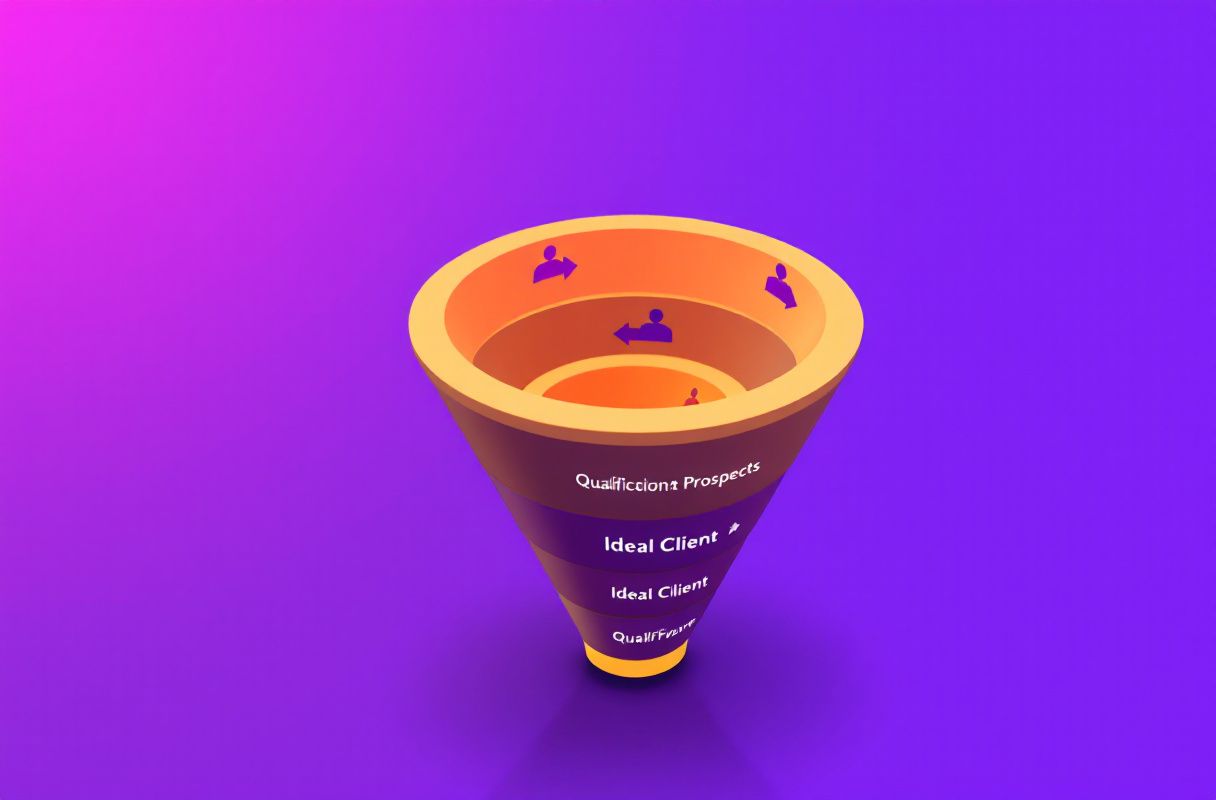
ConnectSafely.ai is not a cheaper CRM — it does a different job. Maximizer helps a leader manage and forecast pipeline; ConnectSafely creates the warm inbound demand that becomes pipeline.
| Dimension | Maximizer CRM | ConnectSafely.ai |
|---|---|---|
| Core job | Coach, track & forecast existing pipeline | Generate warm inbound leads |
| What it acts on | Opportunities & reps already in the system | Buyers who haven't entered yet |
| Creates demand? | No — manages demand you have | Yes — attracts new warm demand |
| Conversion posture | Depends on lead source | Buyer self-identifies warm (~14.6%) |
| Pricing from | ~$65–$79/user/mo, annual, multi-user min (source) | from $10/month, flat |
| Account-ban risk | N/A (CRM) | Zero ban risk |
| Best for | Sales leaders with pipeline to manage | Founders + teams building pipeline |
The difference is structural. Maximizer makes your team's pipeline more disciplined but leaves its size — and your lead-generation problem — exactly where it was. ConnectSafely changes what enters the pipeline in the first place, so the deals Maximizer forecasts are warmer and more numerous. For how to work that pipeline once it exists, see our LinkedIn sales pipeline management guide.
What Most Guides Get Wrong About Sales-Leader CRMs
The category is wrapped in myths. A few worth correcting:
Myth: "A better CRM will grow our pipeline." Reality: a CRM tracks and forecasts pipeline — it never creates it. Growth comes from a demand engine upstream, not a sharper dashboard.
Myth: "Forecasting accuracy equals revenue." Reality: forecasting a thin pipeline accurately just tells you the quarter is thin sooner. Clear visibility helps you manage; it does not generate the warm conversations that actually move revenue.
Myth: "Coaching reps harder closes the gap." Reality: coaching improves conversion on the leads you have — it cannot conjure leads you do not. If the top of funnel is empty, even a world-class rep has nothing to convert.
Myth: "Our problem is CRM adoption." Reality: for many teams the real problem is an empty top-of-funnel. Reps avoid a CRM that has nothing worth tracking; fill the pipeline with warm inbound and adoption tends to follow.

How to Choose: A Decision Framework
There is no universal winner here — the right call depends on whether your constraint is managing pipeline or creating it.
- For founders building a first pipeline: do not start by buying a sales-leader CRM to forecast deals you do not have yet. Build inbound authority so warm buyers arrive, then add a CRM once there is a real team and pipeline to manage. Start with ConnectSafely from $10/month.
- For sales leaders weighing Maximizer: if your team genuinely has steady opportunities and you need rep tracking, quota setting, and forecasting, Maximizer is a reasonable fit — but pair it with an inbound engine so the pipeline it forecasts keeps filling. A lighter, cheaper CRM like Zoho CRM is worth comparing if the per-seat cost and minimums sting.
- For teams with a demand problem: if the pipeline is thin, the high-leverage spend is demand creation, not a $79/seat forecasting layer. Build warm inbound first; a CRM manages what you capture.
- For solo creators and consultants: you need 10–20 warm conversations a month, not an enterprise coaching dashboard. Inbound authority produces those; a notes app or spreadsheet can track them until a team justifies a CRM. See how high-intent leads reveal themselves.
Frequently Asked Questions
What is the best Maximizer CRM alternative in 2026?
It depends on the problem you are solving. If you need a cheaper or simpler CRM, compare options like Zoho CRM or a lighter pipeline tool. But if your real gap is not enough warm pipeline, the best alternative is ConnectSafely.ai — it builds the LinkedIn inbound authority that fills the pipeline a CRM only manages and forecasts, from $10/month with zero ban risk.
How much does Maximizer CRM cost?
Maximizer is reported to run roughly $65 per user/month for the Base edition and $79 per user/month for the Sales Leader edition, billed annually with multi-user minimums (reported 3 users on Base, 5 on Sales Leader), per Capterra and Software Advice. Plans appear to have been restructured recently, so confirm current rates on the vendor page. ConnectSafely, by contrast, starts at a flat $10/month.
Can a CRM like Maximizer generate leads on its own?
No. A sales-leader CRM organizes, tracks, coaches, and forecasts the pipeline you already have — it does not create new demand. Lead generation happens upstream; a CRM is where those leads live and get managed once they exist. That is why many teams pair a CRM with an inbound engine like ConnectSafely.
Is Maximizer CRM worth it for a small sales team?
If you have steady opportunities and need manager-focused tracking and forecasting, Maximizer is reasonably reviewed (~4.1 on Capterra), though reviewers flag a cluttered UI and cumbersome reporting. For a small team the per-seat cost and multi-user minimums add up quickly, and if the pipeline is thin the higher-leverage move is to build inbound demand first.
Can I use Maximizer CRM and ConnectSafely together?
Yes — they are complementary. ConnectSafely creates the warm inbound leads; Maximizer (or any CRM) tracks, coaches, and forecasts them through your pipeline stages. Teams often find that once inbound authority compounds, the pipeline their sales leader manages is both larger and warmer.
Who is Maximizer CRM built for?
Since its late-2022 refocus, Maximizer is positioned for sales leaders and financial advisors — managers who need to monitor reps, set quotas, and forecast a team's pipeline. That is a management job, not a demand-generation job, which is why it pairs naturally with an upstream inbound engine rather than replacing one.
The Bottom Line
Maximizer CRM is a long-established, sales-leader-focused CRM: rep activity tracking, quota setting, forecasting dashboards, strong customization, and a dedicated financial-services edition. For a team that already has opportunities to coach and forecast, that is real value. But it is a layer that measures and manages your pipeline — it cannot fill it, and at $65–$79 per seat with multi-user minimums you are paying to run demand, not to create it. If your goal is durable, warm pipeline, the fix is not a sharper forecast; it lives upstream, where the 14.6% vs 1.7% gap is decided. Compare your options in the Best LinkedIn Automation Tools guide, then build the authority that makes buyers come to you — and give your sales leaders a pipeline worth forecasting.
Ready to fill your pipeline with qualified LinkedIn leads? Start free and build the demand a CRM can only manage.
See How It Works
Watch how people get more LinkedIn leads with ConnectSafely




Related Articles