How to Warm Up an Email Account for Cold Outreach in 2026
Step-by-step email warm-up guide with daily sending schedules, engagement triggers, and automation tools. Protect your domain reputation before cold outreach.

You bought the domain, set up the mailbox, configured SPF and DKIM, and started sending cold emails. Within a week, your inbox placement collapsed. The problem was not your copy, your list, or your authentication records. It was that you skipped the warm-up — the slow, deliberate process of building sender reputation before you send a single outreach email. In 2026, email service providers are more aggressive than ever at throttling new senders, and skipping warm-up is the fastest way to burn a domain before it ever produces results.
This guide covers exactly how to warm up an email account for cold outreach — the daily schedules, engagement signals that matter, manual versus automated approaches, and the tools that handle warm-up for you. It also explains why many B2B teams are shifting to LinkedIn inbound to avoid the warm-up problem entirely.
Want to Generate Consistent Inbound Leads from LinkedIn?
Get our complete LinkedIn Lead Generation Playbook used by B2B professionals to attract decision-makers without cold outreach.
No spam. Just proven strategies for B2B lead generation.
Key Takeaways
- Email warm-up is mandatory before cold outreach — new mailboxes have zero sender reputation, and ISPs will throttle or spam-filter messages from unknown senders immediately
- A proper warm-up takes 2-4 weeks minimum, gradually increasing daily send volume while maintaining high engagement rates
- Engagement signals drive reputation, not volume alone — opens, replies, and messages moved out of spam matter more than the number of emails sent
- Automated warm-up tools simulate natural engagement but carry risks if the warm-up network is low quality or gets flagged by providers
- Interruptions reset your progress — pausing sending for more than a few days can partially erase weeks of reputation building
- LinkedIn inbound eliminates the warm-up problem at the source — ConnectSafely generates qualified leads through content authority, no domain reputation required
Why Email Warm-Up Matters for Cold Outreach
Every new email account starts with a blank slate. Email service providers like Gmail, Outlook, and Yahoo have no history to judge your sending behavior, so they default to suspicion. According to Google's Email Sender Guidelines, sender reputation is built over time based on volume patterns, authentication, and recipient engagement.
When you send cold emails from an unwarmed account, three things happen simultaneously.
ISPs throttle your delivery. Gmail and Microsoft limit how many messages a new sender can deliver per hour. Exceed those invisible thresholds and your emails queue silently or bounce with temporary errors.
Spam filters flag your patterns. A new address suddenly sending dozens of outbound messages to strangers matches exactly what spam filters are trained to catch. As Mailtrap's deliverability guide explains, ISPs penalize sudden volume spikes from new accounts.
Your domain reputation takes collateral damage. Reputation is tracked at the domain level, not just the mailbox level. One overaggressive mailbox drags down deliverability for every address on that domain. See our email infrastructure setup guide for the full picture.
The warm-up process exists to solve all three problems by gradually establishing trust before you need it.
The 4-Week Email Warm-Up Schedule
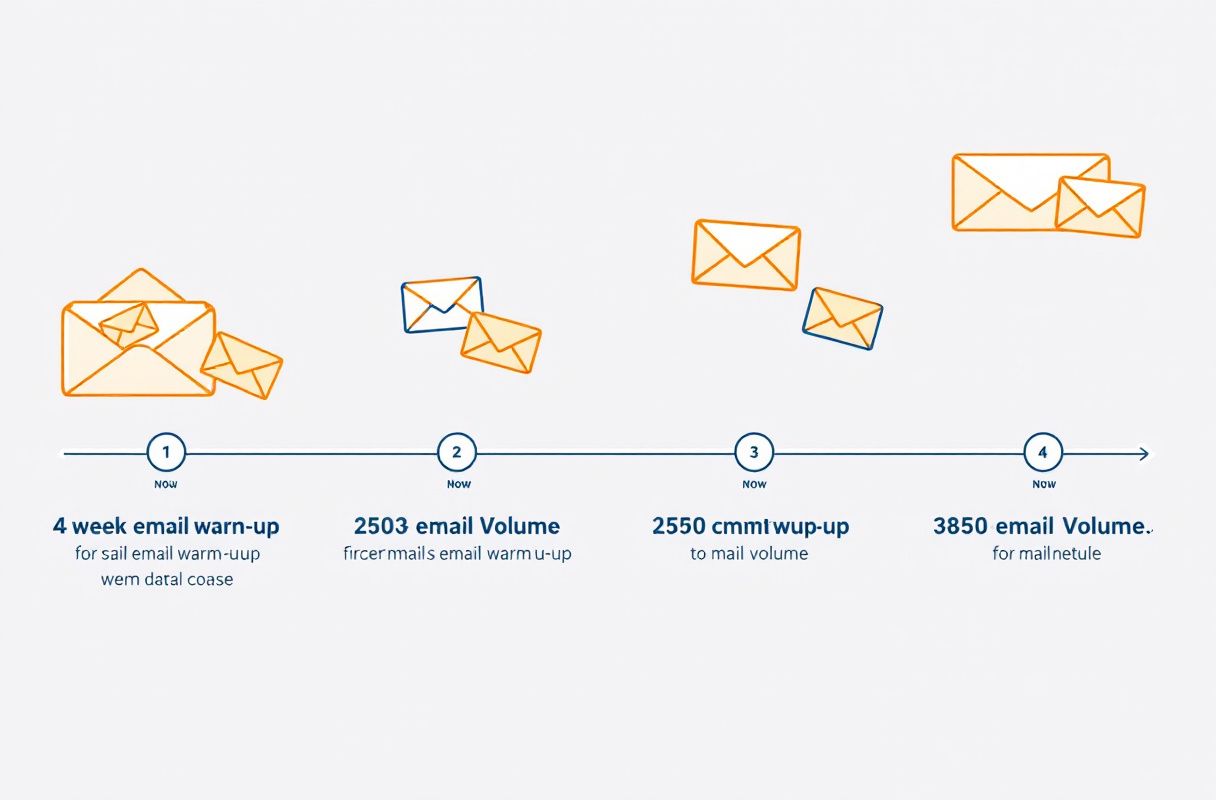
The goal is simple: send a small number of emails, get high engagement, and increase volume slowly. Here is the standard framework most deliverability experts recommend, adapted from Lemlist's warm-up methodology.
| Week | Daily Send Volume | Engagement Target | Focus |
|---|---|---|---|
| Week 1 | 5-10 emails/day | 100% open + reply rate | Send only to people who will definitely respond (colleagues, friends, existing contacts) |
| Week 2 | 15-25 emails/day | 80%+ open rate, high reply rate | Expand to warm contacts and newsletter subscriptions; start light professional emails |
| Week 3 | 30-50 emails/day | 60%+ open rate, moderate replies | Begin mixing in carefully targeted outreach to verified, high-quality addresses |
| Week 4 | 50-75+ emails/day | Maintain positive engagement ratios | Gradually transition to your actual cold outreach cadence while monitoring deliverability |
Week 1 focuses entirely on trust signals. Send only to team members, friends, or accounts you control. Ask them to open, reply, and move any messages that land in spam back to the primary inbox. That "not spam" action sends a direct signal to the ESP. Keep messages conversational and varied — ISPs detect templated patterns even at low volume.
Week 2 expands the circle. Add professional contacts likely to engage, subscribe to newsletters, and reply to confirmation emails. Monitor inbox placement by sending test emails to your own Gmail and Outlook accounts.
Week 3 introduces light outreach. Mix in real messages to your highest-quality, most verified contacts. Any bounces or spam complaints during this phase are disproportionately damaging, so keep warm-up messages as a significant portion of total volume.
Week 4 transitions to full outreach. Your account should handle 50-75+ cold emails per day without triggering throttling. Gradually shift the ratio toward outreach while maintaining warm-up activity in the background.
Important: warm-up never truly ends. Even after the initial ramp, you need ongoing positive engagement signals to maintain reputation. Most teams continue running automated warm-up alongside their cold campaigns indefinitely.
Manual vs. Automated Warm-Up
Both approaches work, but they involve very different trade-offs.
| Factor | Manual Warm-Up | Automated Warm-Up |
|---|---|---|
| Time investment | High — you personally manage every email and reply | Low — tool handles sending and engagement automatically |
| Engagement quality | Highest — real humans, real conversations | Varies — depends on the quality of the warm-up network |
| Cost | Free (your time excluded) | $25-75/month per mailbox |
| Detection risk | None — natural sending patterns | Some — ISPs can detect warm-up network patterns |
| Scalability | Poor — limited by your available contacts | Good — can warm multiple mailboxes simultaneously |
| Control | Full control over every message | Limited — you trust the tool's algorithms |
Manual warm-up is better for your first mailbox or when you have a small number of accounts. The engagement quality is unmatched because real people are actually reading and replying.
Automated warm-up is practical when you need to warm multiple mailboxes across several domains simultaneously. Running manual warm-up for five or ten accounts is not realistic for most teams.
The catch: ISPs are increasingly aware of warm-up networks. Google's Postmaster Tools tracks engagement patterns across its ecosystem, and if a warm-up network gets flagged, your reputation benefits may be limited or reversed.
Best Email Warm-Up Tools Compared
If you choose automated warm-up, here are the most established tools in 2026 with honest trade-offs for each.

Lemwarm (by Lemlist)
Lemwarm operates within Lemlist's user network, meaning your warm-up emails go to real Lemlist users' inboxes. The advantage is a large, active network with natural-looking engagement. It integrates directly with Lemlist's cold email platform, so warm-up and outreach share the same dashboard.
Trade-off: Only available as part of a Lemlist subscription. If you use a different sending platform, you are paying for features you do not need.
Warmbox
Warmbox operates its own network of inboxes and offers granular control over warm-up speed, daily volume caps, and reply rates. It supports multiple warm-up "recipes" designed for different use cases — new domains, reputation recovery, and maintenance.
Trade-off: Smaller network compared to tools bundled with major platforms. The inbox interactions may be less diverse, which some deliverability experts believe limits reputation-building effectiveness.
Mailreach
Mailreach focuses specifically on deliverability monitoring alongside warm-up. It provides a sender reputation score and inbox placement tests so you can see whether your warm-up is actually working. The combination of warm-up and monitoring in one tool is genuinely useful.
Trade-off: The monitoring features are what differentiate Mailreach, but the warm-up network itself is comparable in size to Warmbox. If you only need warm-up without monitoring, you are paying for extra functionality.
Instantly Warm-Up
Instantly includes warm-up as part of its cold email platform. The warm-up network is large because Instantly has a significant user base, and the tool handles rotation across multiple mailboxes automatically.
Trade-off: Warm-up quality is tied to the platform's overall network health. As the user base has grown, some users report less consistent deliverability benefits — likely because ISPs have adapted to recognize the network's patterns.
No warm-up tool guarantees inbox placement. Choose based on which sending platform you already use, how many mailboxes you need to warm, and whether you value integrated monitoring. Evaluate results after 2-3 weeks using inbox placement tests.
Warning Signs Your Warm-Up Is Not Working
Warm-up is not a set-it-and-forget-it process. Watch for these signals that indicate your reputation is not building as expected.
Rising bounce rates. If your bounce rate exceeds 2% during warm-up, something is wrong. Either your contact list has quality issues or your sending domain has existing reputation problems. Pause outreach and investigate before continuing.
Emails landing in spam consistently. Send test emails to your own accounts at Gmail, Outlook, and Yahoo throughout the warm-up period. If messages consistently land in spam or promotions tabs despite low volume and high-engagement contacts, check your SPF, DKIM, and DMARC configuration — authentication issues will override any warm-up progress.
Declining open rates week over week. A downward trend means your warm-up contacts are disengaging or your sending patterns are triggering filtering. Refresh your contact list and vary your message content.
Blacklist appearances. Use MXToolbox to check whether your domain or IP has landed on a blacklist. Even minor entries during warm-up can derail the process. See our email blacklist prevention guide.
Sudden throttling or deferral messages. SMTP responses like "421 Try again later" mean the receiving server is actively throttling you. Reduce daily volume immediately and extend your warm-up timeline.
What Most Guides Get Wrong About Email Warm-Up
Most warm-up guides present the process as a one-time setup task. Follow the schedule, wait four weeks, then send at will. That framing misses the structural reality of cold email deliverability.
Warm-up is not a milestone you pass — it is a cost you pay forever. ISPs continuously evaluate sender behavior. A few days of poor engagement or a single campaign that triggers spam complaints can erase weeks of warm-up progress. According to Return Path's deliverability research, sender reputation is dynamic and recalculates based on recent behavior, not historical averages. You are never "done" warming.
The engagement problem is circular. Warm-up works because you send to people who will definitely engage. Cold outreach, by definition, goes to people who did not ask to hear from you. The moment you transition from warm-up to real outreach, engagement drops — and that drop is exactly what ISPs watch for. You are building reputation using behavior that is fundamentally different from the behavior you actually need the reputation for.
Volume constraints limit ROI. Even after warm-up, a single mailbox safely sends 50-100 cold emails per day. Meaningful pipeline volume requires multiple warmed mailboxes across multiple domains — each needing its own warm-up, its own alias infrastructure, and ongoing maintenance. A month of warm-up per mailbox means a month of zero outreach revenue.
These are not solvable problems within the cold email framework. They are structural features of the channel itself.
Real Results: What a Proper Warm-Up Looks Like in Practice
A B2B SaaS team set up three secondary domains with two mailboxes each — six total. They combined manual engagement (weeks 1-2) with Mailreach automation (weeks 3-4).
Monthly infrastructure cost: Three domains ($12/year each), six Google Workspace accounts ($7.20/month each), Mailreach warm-up ($25/month per mailbox). Total: roughly $193/month before sending a single cold email.
By week 5, they were sending 40-60 cold emails per mailbox per day. After 90 days, inbox placement stayed above 85% across all six mailboxes. They generated qualified conversations, but the total cost — infrastructure, tools, list verification, and SDR management time — was significant relative to pipeline generated.
The warm-up worked as designed. The question was whether the same resources invested in inbound would have produced more pipeline with less ongoing maintenance.
How ConnectSafely Reduces Your Reliance on Cold Email Warm-Up
The warm-up process exists because cold email has a fundamental trust problem: you are sending to strangers, and ISPs know it. Every warm-up strategy is ultimately a workaround for the lack of an existing relationship.
LinkedIn inbound inverts the dynamic entirely. Instead of sending unsolicited messages and hoping they survive filtering, you build authority through content that makes qualified prospects come to you.
No domain reputation risk. LinkedIn messages are delivered through LinkedIn's infrastructure, not your email domain. Your primary domain stays clean regardless of your outreach volume.
No warm-up timeline. You can start engaging with prospects immediately. There is no 2-4 week waiting period before you generate pipeline.
No ongoing deliverability maintenance. No warm-up tools to manage, no blacklists to monitor, no spam trigger words to avoid, no bounce rates to track.
Higher conversion rates. When prospects engage with your content and initiate conversations, they arrive with context and intent. The resulting conversations convert at meaningfully higher rates than cold email because the trust is already established.
ConnectSafely automates the LinkedIn inbound process — content authority, engagement optimization, and lead capture — starting at $10/month. For teams spending $200+ monthly on cold email infrastructure and warm-up tools, the math is straightforward.
Cold email remains viable for some use cases. But if you are spending significant time and money warming mailboxes, the question worth asking is whether those resources would produce more pipeline in a channel that does not require warming at all.
FAQ
How long does it take to fully warm up a new email account for cold outreach?
A standard warm-up takes 2-4 weeks of gradually increasing send volume with high engagement rates. Some experts recommend 6 weeks for brand-new domains. Higher target daily volumes require longer warm-up periods to build reputation without triggering ISP throttling.
Can I skip email warm-up if I set up SPF, DKIM, and DMARC correctly?
No. Authentication and warm-up solve different problems. SPF, DKIM, and DMARC prove that you are authorized to send from your domain — they verify identity. Warm-up builds sending reputation — it proves that recipients want your emails. ISPs require both. A properly authenticated email from a zero-reputation sender will still be throttled or filtered because the provider has no engagement history to evaluate.
What happens if I pause my email warm-up for a week?
Pausing damages your progress significantly. ISPs evaluate sending consistency alongside volume. An account that goes silent looks compromised when it resumes. After a pause of more than a few days, restart at roughly 50% of your previous volume and ramp back up over 1-2 weeks. Longer pauses may require restarting the entire process.
Are automated email warm-up tools worth the cost?
For a single mailbox, manual warm-up is usually sufficient. For three or more mailboxes — common when using secondary domains and alias rotation — automated tools at $25-75/month per mailbox become practical. The time cost of manual warm-up across multiple accounts often exceeds the tool subscription.
Is there a way to do cold outreach without needing to warm up email accounts at all?
Yes. The warm-up requirement exists because cold email sends unsolicited messages through infrastructure that actively filters unsolicited messages. Channels where prospects come to you — like LinkedIn inbound, content marketing, and SEO — bypass the deliverability problem entirely. On LinkedIn specifically, tools like ConnectSafely build authority that attracts prospects who initiate conversations themselves, producing pipeline without any domain reputation risk or warm-up maintenance.
Ready to attract qualified leads on LinkedIn? Start your free trial and see the difference inbound makes.
See How It Works
Watch how people get more LinkedIn leads with ConnectSafely




Related Articles