
Follow your champions when they move on LinkedIn, using one prompt
Last updated 2026-10-16 · Tested on a real LinkedIn account
Short answer
Watch for the moment a champion moves company, which is a warm lead at a new logo. You ask in plain English. Your AI assistant runs the LinkedIn CLI for you, so you never type a command yourself.
What do I actually type?
This one sentence. That is the whole thing.
“What is my quota — how many profile views and relationship checks do I have left today?”
How does it work, step by step?
Paste these one at a time. Each one is written in normal English — no command names, no flags.
We gave these exact prompts to a real AI assistant and wrote down every command it ran. It chose 4 commands: list-linkedin-accounts, get-account-quota, get-profile, search-people. Nobody told it which ones to use.
“What is my quota — how many profile views and relationship checks do I have left today?”
First, always. Two hundred profile reads across the week sizes against the tightest cap on the run, and a busy morning has already spent some.
your assistant picks this“For each of the five champions in each of the forty accounts in `champions.csv`, check whether their title inside the account has changed, or whether they have left the account, since the previous run. Compare against `last-week.csv`. Write anyone promoted to `promoted/` and anyone departed to `departed/`. Only look at LinkedIn changes visible in the last fortnight.”
The row-per-champion input and the two-file output are the design. Merging them into one report makes you write one message and use it twice, which is the mistake in this whole workflow.
your assistant picks this“For anyone in `departed/`, look up who has taken the equivalent title in the account now — same company, same team where possible. If nobody obvious has been announced, note that and stop.”
Not a message yet. This is the input to the customer success conversation that has to happen before you send anything, because the seat may still be open, may be filled by an outsider, or may be filled by a colleague you already have a relationship with.
your assistant picks this“For anyone in `promoted/`, draft a two-line note referencing the new remit and asking nothing. Show me before sending.”
The word doing the work in that prompt is the last one.
your assistant picks thisWhat it printed when we ran it
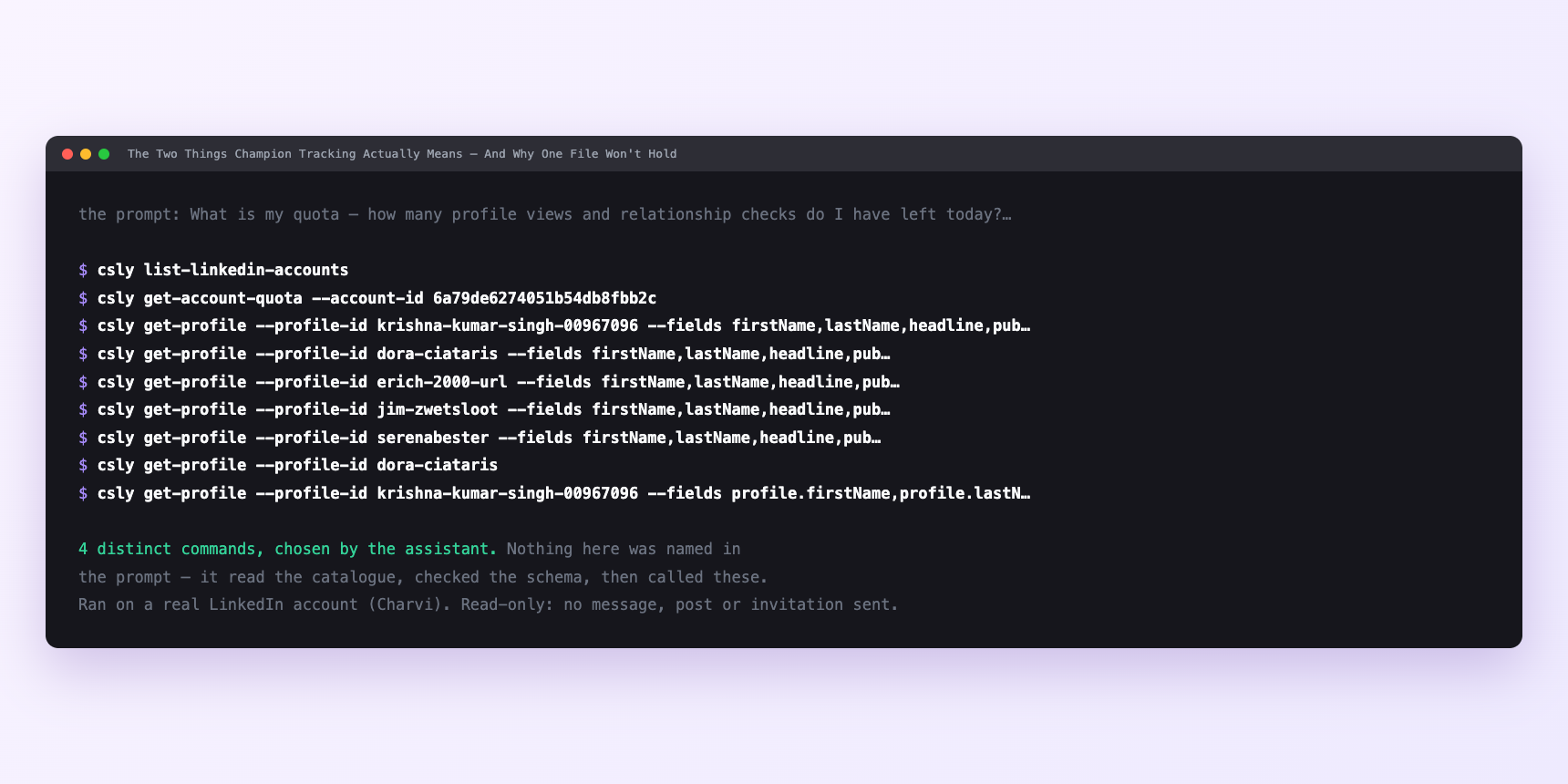
Not a mock-up. This is the actual run: the assistant was given the prompts above and nothing else, and these are the 4 distinct commands it chose from the catalogue. It ran read-only on a real LinkedIn account — nothing was sent, posted or invited.
Can I make it run on its own?
Yes. Add one more sentence and it keeps happening without you. This is the part a chat window cannot do — a saved job runs on the days you are busy.
“Do this every Monday at 07:00, save the two files with a datestamp, and leave the drafts for me.”
How many LinkedIn actions does this use?
LinkedIn limits how much any account can do in a day. These are the real numbers, and your assistant checks what is left before it starts.
- Activity data covers the last fifteen days, not thirty. That is why the sweep is weekly rather than fortnightly — a two-week cadence with fifteen-day activity coverage catches the tail of every posted change; a three-week cadence would miss the ones announced early. The activity check is what stops you acting on a title edit that was made in the middle of a nine-week notice period and not yet public.
- Contact data decays at roughly a third a year and job changes are most of that decay, so two hundred names ought to produce twenty departures across a year — under one a fortnight. Promotions are more frequent; a working estimate is that fifty of two hundred champions have a title change every twelve months, which is one a week and matches the cadence.
Watch it instead
4 minutes
Common questions
- What if the run stopped halfway?
- The list was too large for the day's remaining budget. Ask what it actually completed and pick up the rest tomorrow. two hundred names sensibly slice as forty a day, but a morning where you have already read profiles yourself leaves less for the sweep.
- What if a champion shows up in promoted/ and departed/ at once?
- They took a promotion at a new company. Trust departed/ for the account, and if they matter to you personally, add them to the personal champion tracker for a warm note at the new employer.
- What if a row lands in departed/ and there is nothing in the account activity feed?
- LinkedIn shows the new company before the person has told everybody; notice periods overlap and some moves are quiet. Hold the row for a week. either they announce inside the fortnight window or the row falls off. Either way you avoid being the person who spotted an edit.
- What if the account session is stale?
- A LinkedIn session that needs reconnecting fails quietly mid-run. Ask which account the tool is using and rehearse the send before anything leaves.
- How many LinkedIn actions does follow your champions when they move use up?
- Activity data covers the last fifteen days, not thirty. That is why the sweep is weekly rather than fortnightly — a two-week cadence with fifteen-day activity coverage catches the tail of every posted change; a three-week cadence would miss the ones announced early. The activity check is what stops you acting on a title edit that was made in the middle of a nine-week notice period and not yet public.
How do I set this up?
Once, and it takes about four minutes. After this you only write sentences.
$ npm install -g @connectsafely/cli$ export CONNECTSAFELY_API_KEY=...$ csly list-linkedin-accounts$ export CONNECTSAFELY_ACCOUNT_ID=...$ csly skill installThe package is @connectsafely/cli on npm. You need Node 20 or newer.
Then start your chat with this line, so your assistant uses the CLI instead of trying to open LinkedIn itself and hitting a login page:
“Use the ConnectSafely CLI (csly) for anything that touches LinkedIn. Run csly commands to see what exists, and csly schema before calling one. Don't guess a command name.”
Other things you can do
Try this on your own LinkedIn account
From $10 a month, on the LinkedIn account you already use, with zero ban risk.
What the CLI actually is— 86 commands, same plan, no extra cost.