
Work out who your buyers are on LinkedIn, using one prompt
Last updated 2026-10-16 · Tested on a real LinkedIn account
Short answer
Work out what your best customers have in common, then find more like them. You ask in plain English. Your AI assistant runs the LinkedIn CLI for you, so you never type a command yourself.
What do I actually type?
This one sentence. That is the whole thing.
“Read `best.csv` and `worst.csv`. For each list, tell me what these people and their companies have in common, from anything LinkedIn shows. Then tell me which traits appear in the best list and not the worst. Cite which rows produced each trait.”
How does it work, step by step?
Paste these one at a time. Each one is written in normal English — no command names, no flags.
We gave these exact prompts to a real AI assistant and wrote down every command it ran. It chose 3 commands: list-linkedin-accounts, get-account-quota, fetch-profile. Nobody told it which ones to use.
“What's left on my search budget this month — the enforced limits and the known ceilings?”
First, because the answer changes the plan. The ICP work itself spends no searches; the segment build that follows is search-heavy, and a thin budget decides what fits.
your assistant picks this“Read `best.csv` and `worst.csv`. Tell me what the best set has in common, from anything LinkedIn shows. Cite which rows produced each trait.”
The one that does the work. The attribution requirement is why this is a saved prompt rather than a chat.
your assistant picks this“Now do the same for the worst set. Return the same trait format so I can diff them side by side.”
The control. Skipping this is the failure mode.
your assistant picks this“Which traits appear in the best list at high density and in the worst list at low density? Ignore anything shared by both.”
The output. Between three and six traits, each with attribution, each verifiable against a new profile in about thirty seconds.
your assistant picks thisWhat it printed when we ran it
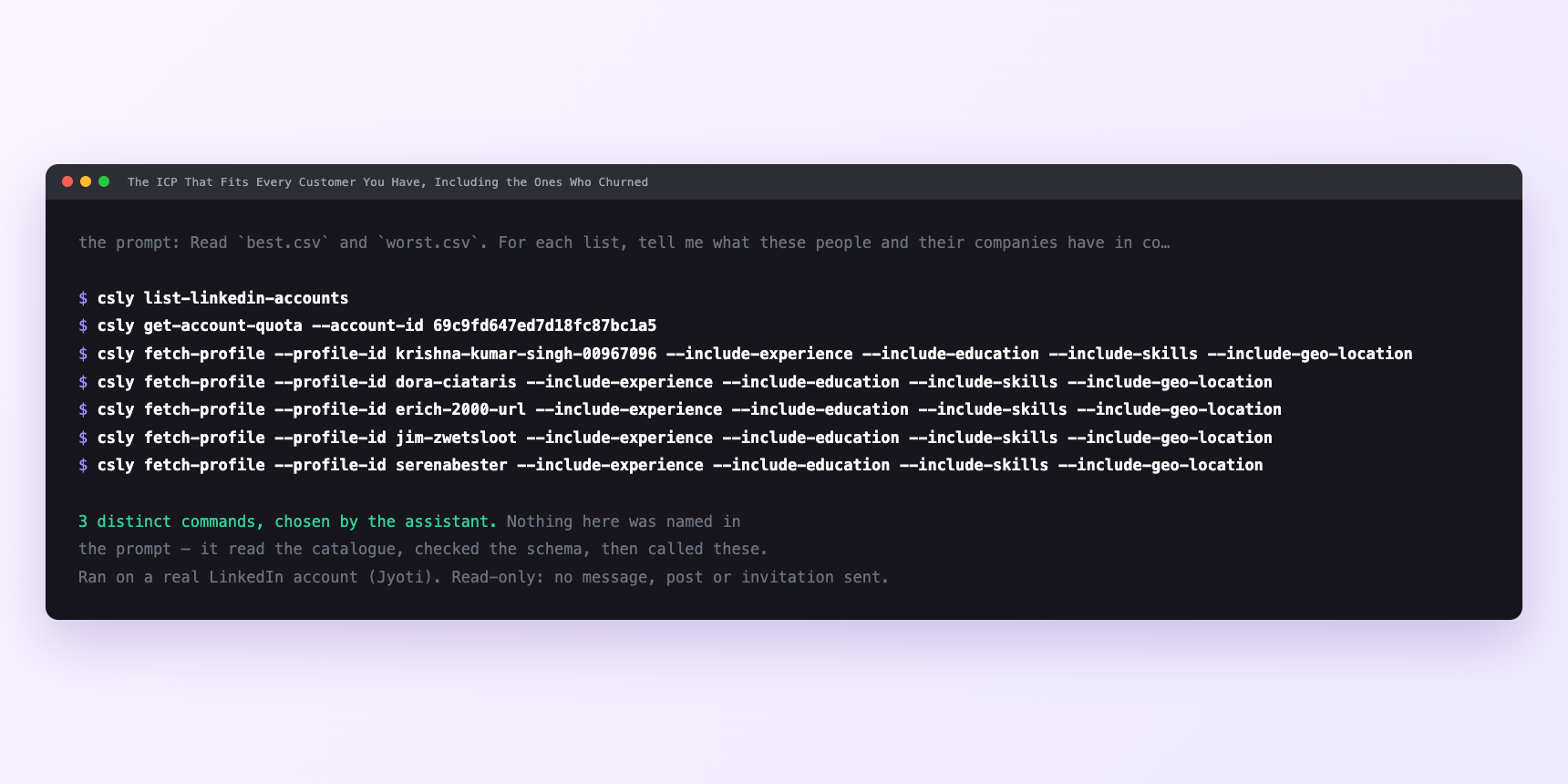
Not a mock-up. This is the actual run: the assistant was given the prompts above and nothing else, and these are the 3 distinct commands it chose from the catalogue. It ran read-only on a real LinkedIn account — nothing was sent, posted or invited.
Watch it instead
4 minutes
Common questions
- What if the traits look right and the campaign flops?
- Check the control. Almost every time the traits sit on both lists at similar densities and only the best-list count got written down. Ask for the worst count next to each.
- What if attribution comes back thin?
- the same three rows cited for every trait. Files too short or too similar. Ten rows is the minimum on each side.
- What if a trait cites a row that does not fit?
- The model will occasionally attribute confidently and wrongly. Spot-check every trait against one of its cited rows.
- What if empty search results downstream?
- The geography did not resolve to a real ID, or the monthly search limit has fired. Check geo IDs first; it is the cheaper thing to be wrong about.
How do I set this up?
Once, and it takes about four minutes. After this you only write sentences.
$ npm install -g @connectsafely/cli$ export CONNECTSAFELY_API_KEY=...$ csly list-linkedin-accounts$ export CONNECTSAFELY_ACCOUNT_ID=...$ csly skill installThe package is @connectsafely/cli on npm. You need Node 20 or newer.
Then start your chat with this line, so your assistant uses the CLI instead of trying to open LinkedIn itself and hitting a login page:
“Use the ConnectSafely CLI (csly) for anything that touches LinkedIn. Run csly commands to see what exists, and csly schema before calling one. Don't guess a command name.”
Other things you can do
Try this on your own LinkedIn account
From $10 a month, on the LinkedIn account you already use, with zero ban risk.
What the CLI actually is— 86 commands, same plan, no extra cost.