
Build a list for one area on LinkedIn, using one prompt
Last updated 2026-10-17 · Tested on a real LinkedIn account
Short answer
Build an account list per territory, and see what moved in or out overnight. You ask in plain English. Your AI assistant runs the LinkedIn CLI for you, so you never type a command yourself.
What do I actually type?
This one sentence. That is the whole thing.
“Rebuild the twelve territory lists in `territories.yml`. Anchor each list on companies whose HQ falls inside the territory's geo ID, then pull VP-and-above buyers at those companies. Compare with last night's file and tell me which accounts entered scope, which left, and which people at existing accounts moved into a target title. Do not touch the assignments column — a new row goes to `unassigned/`, an old row that moved goes to `stale/`. Leave both for me.”
How does it work, step by step?
Paste these one at a time. Each one is written in normal English — no command names, no flags.
We gave these exact prompts to a real AI assistant and wrote down every command it ran. It chose 2 commands: get-account-quota, list-linkedin-accounts. Nobody told it which ones to use.
“Resolve the twelve territories in `territories.yml` to LinkedIn geo IDs — country, region and metro for each. Show me the name and the id for every row before you search anything.”
Resolution first, always. The lookup is close to free — no per-account search quota, only the thirty-calls-a-minute velocity class. The printed name-and-id table is the only place in the run where a wrong location is visible to a person. Read it. If the row for Zurich came back as the city rather than the canton and your rule is region-level, that is where you catch it.
your assistant picks this“For each territory, list companies whose HQ falls inside the geo ID and whose headcount is between 200 and 10,000. Save one file per territory in `accounts/`.”
Company anchoring, on the axis that does not decay. Company HQ moves once a decade; profile-city moves every year for a third of the population. A file per territory keeps the rebuild diffable — twelve small files that change slowly, not one master list you cannot compare against yesterday.
your assistant picks this“For each account, pull VP and above in the target functions. Attach the person's own declared location as a tiebreaker field, not as a filter.”
Now the people, off the company list rather than off a profile-city search. The tiebreaker field goes on the row so boundary cases surface — a VP at a London-HQ company who lists Paris on their profile gets flagged to the manager, not filtered out silently.
your assistant picks this“Diff against last night's file. New accounts go to `unassigned/`. Accounts that dropped out of scope go to `stale/` with the reason. Existing rows keep their assigned rep.”
The diff turns a rebuild into a signal instead of a shuffle. Somebody moved into a target title at an existing account, that is a new person on an already-owned row. A company grew past the headcount ceiling, that is a reason worth reading before anyone stops working the account.
your assistant picks thisWhat it printed when we ran it
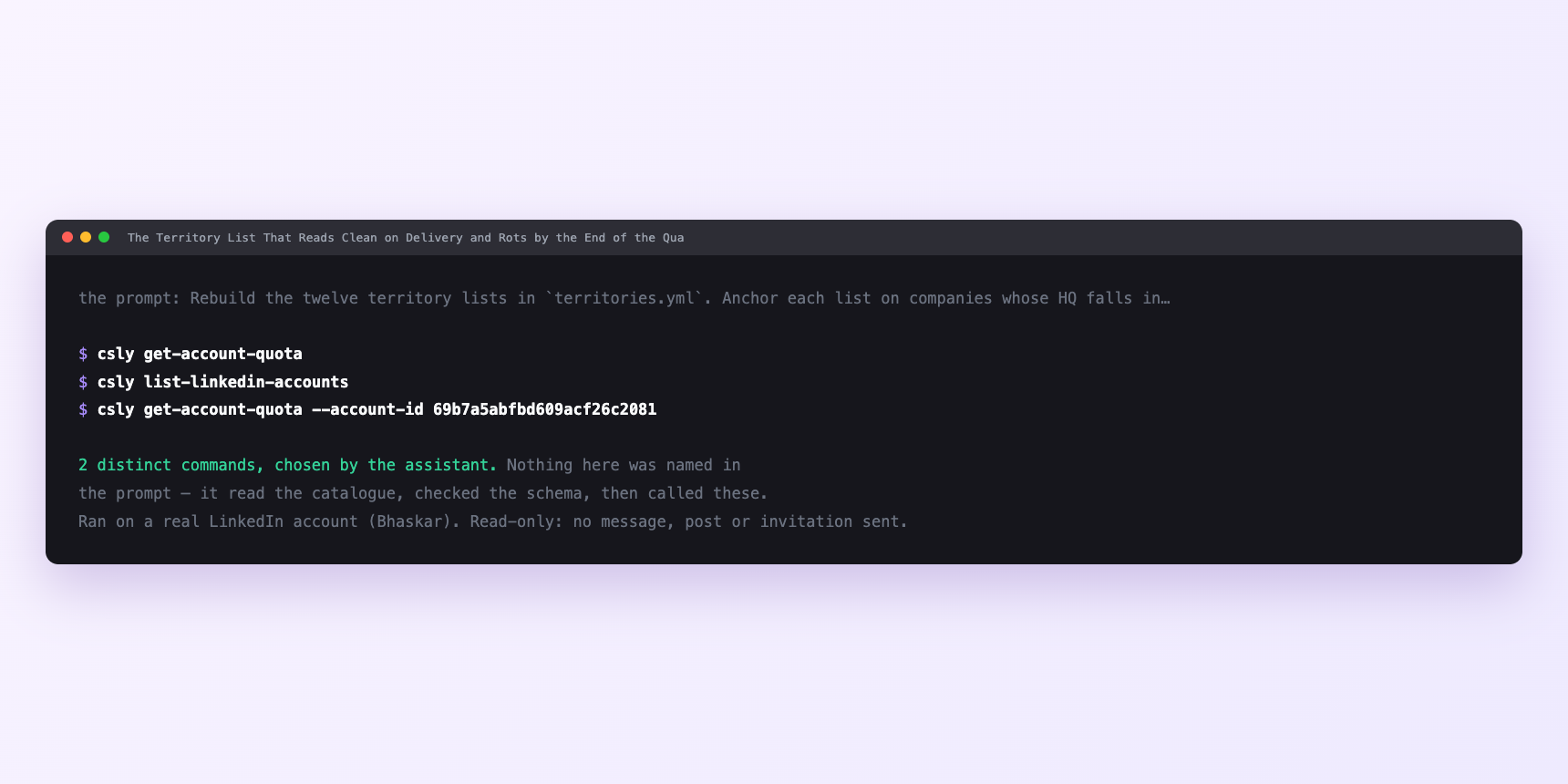
Not a mock-up. This is the actual run: the assistant was given the prompts above and nothing else, and these are the 2 distinct commands it chose from the catalogue. It ran read-only on a real LinkedIn account — nothing was sent, posted or invited.
How many LinkedIn actions does this use?
LinkedIn limits how much any account can do in a day. These are the real numbers, and your assistant checks what is left before it starts.
- Geo lookups cost no search quota. Resolve as many as you like at thirty a minute. IDs do not change, so cache the result next to the territory rule and re-lookup only when you edit territories.yml.
- People and company searches are capped at 1,000 calls a day, per search type, billed per page walked rather than per search — a count of 25 rows spends about three calls. Twelve territories at one company search plus one people search each is twenty-four searches. Even walking five pages on every one, that is a hundred and twenty calls against a budget of a thousand. The ConnectSafely search cap does not bind this workload.
- LinkedIn's own commercial use limit is what actually binds on people search, and it is not a ConnectSafely cap — nothing reports it and nothing warns you first. Roughly a hundred people searches a month on a free LinkedIn account, about three hundred on Premium Career, five hundred on Premium Business, effectively unlimited with Sales Navigator on the connected account. Twenty-four searches per rebuild, nightly, is a full free-account month by the twelfth night. Which is why a nightly rebuild is a Sales Nav workload, and why a free account runs this weekly at most.
- Do not spend profile views on the rebuild. They are capped at 120 a day and you need none. Search rows already carry name, headline, declared location, company, connection degree and profile URL — everything a rep needs to open a row and decide. Enriching twelve hundred rows nightly is ten days of profile budget every night for research nobody asked for. Let each rep spend that budget on the thirty rows they will actually work.
Watch it instead
4 minutes
Common questions
- What if one territory came back far larger than the others?
- That patch resolved to a country and the rest to metros. Ask which geo ID it used and check the level.
- What if the company search returned nothing for a patch?
- Either the geo ID is wrong or the headcount band excluded every company. Ask which ID and which band.
- What if the results look global?
- The filter key was sent under a name LinkedIn does not recognise and was silently ignored. Ask what payload it sent.
- What if a row's location text disagrees with the territory?
- Usually not a bug. The company filter runs on the registered head office; the person's own displayed location is whatever they typed. Those two disagree on a third of senior rows.
- How many LinkedIn actions does build a list for one area use up?
- Geo lookups cost no search quota. Resolve as many as you like at thirty a minute. IDs do not change, so cache the result next to the territory rule and re-lookup only when you edit territories.yml.
How do I set this up?
Once, and it takes about four minutes. After this you only write sentences.
$ npm install -g @connectsafely/cli$ export CONNECTSAFELY_API_KEY=...$ csly list-linkedin-accounts$ export CONNECTSAFELY_ACCOUNT_ID=...$ csly skill installThe package is @connectsafely/cli on npm. You need Node 20 or newer.
Then start your chat with this line, so your assistant uses the CLI instead of trying to open LinkedIn itself and hitting a login page:
“Use the ConnectSafely CLI (csly) for anything that touches LinkedIn. Run csly commands to see what exists, and csly schema before calling one. Don't guess a command name.”
Other things you can do
Try this on your own LinkedIn account
From $10 a month, on the LinkedIn account you already use, with zero ban risk.
What the CLI actually is— 86 commands, same plan, no extra cost.