
Copy your best customers on LinkedIn, using one prompt
Last updated 2026-10-16 · Tested on a real LinkedIn account
Short answer
Find companies that look like your best customers, refreshed before the list goes stale. You ask in plain English. Your AI assistant runs the LinkedIn CLI for you, so you never type a command yourself.
What do I actually type?
This one sentence. That is the whole thing.
“Read `best-q3.csv` and `worst-q3.csv`. For each list, tell me what these people and their companies have in common, from anything LinkedIn shows. Then find me forty more people whose profile shows the traits present in the best list and absent from the worst — and tell me which trait produced each name.”
How does it work, step by step?
Paste these one at a time. Each one is written in normal English — no command names, no flags.
We gave these exact prompts to a real AI assistant and wrote down every command it ran. It chose 4 commands: list-linkedin-accounts, get-account-status, get-account-quota, get-profile. Nobody told it which ones to use.
“What's left on my search budget this month — the enforced daily caps and the known ceiling on the connected LinkedIn plan?”
First, always. The ICP work itself spends no searches; the lookalike sourcing that follows is search-heavy, and the answer changes what the next prompt should attempt.
your assistant picks this“Read `best-q3.csv` and `worst-q3.csv`. For each list, tell me what these people and their companies have in common, from anything LinkedIn shows. Cite which rows produced each trait.”
The one that does the work. Twenty rows total, half an hour of preparation. The attribution requirement is why this is a saved prompt rather than a chat — a trait in eight of ten is different information from a trait in three, and the difference is invisible in a flat list.
your assistant picks this“Which traits appear in the best list at high density and in the worst list at low density? Ignore anything shared by both.”
The subtraction. Three to six discriminating traits, each verifiable against a new profile in about thirty seconds.
your assistant picks this“Now find me forty more people whose profile shows those discriminating traits — and tell me which trait produced each name.”
The sourcing. Forty rows come back, each tagged. Twenty-eight attributed to the prior-employer trait and four to the career-path trait tells you which part of the pattern is doing the work and which is noise dressed up as insight.
your assistant picks thisWhat it printed when we ran it
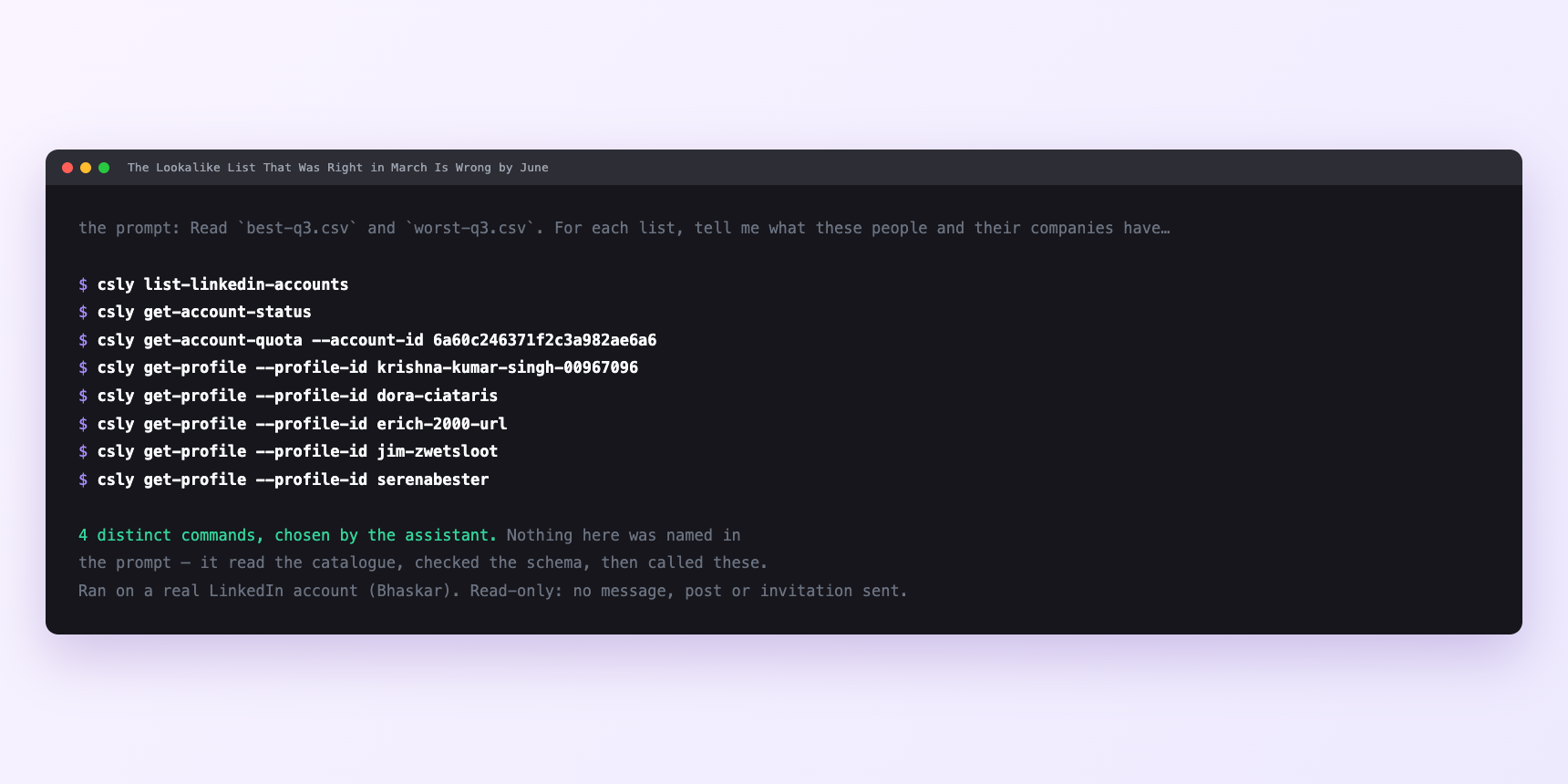
Not a mock-up. This is the actual run: the assistant was given the prompts above and nothing else, and these are the 4 distinct commands it chose from the catalogue. It ran read-only on a real LinkedIn account — nothing was sent, posted or invited.
Can I make it run on its own?
Yes. Add one more sentence and it keeps happening without you. This is the part a chat window cannot do — a saved job runs on the days you are busy.
“Run these four every quarter against the updated CSVs, save the trait file with a date, and diff the current traits against the previous quarter.”
How many LinkedIn actions does this use?
LinkedIn limits how much any account can do in a day. These are the real numbers, and your assistant checks what is left before it starts.
- The budget here is small on any single run and adds up across the quarter.
- Profile views are capped at 120 a day. A full read is ten best plus ten worst, plus — if you are careful — ten from the boring middle as a control. Thirty reads, a quarter of the daily budget, comfortable in a morning alongside everything else on the account. The forty names the search returns cost nothing to look at; each search result carries a name, a headline, a company URL and a profile URL, enough to throw out the obvious misses. Enrich only the survivors: ten or twelve of the forty deserve a full read. That is roughly forty-two profile views against a budget of a hundred and twenty, about a third, which is the right size for anything sharing an account with a human.
- Searches are capped at 1,000 calls a day per search type, billed per page fetched. You will never see it. The one you might see is LinkedIn's own commercial use limit, and it is what binds first on any sourcing work. This is not a ConnectSafely cap — it is LinkedIn's, applied server-side by them, and it caps commercial-intent people searches per calendar month. Roughly a hundred on a free account, three hundred on Premium Career, five hundred on Premium Business, effectively unlimited with Sales Navigator. LinkedIn does not publish the figure, it resets on the 1st, and nothing warns you first — searches quietly stop returning what they should.
- Three or four discriminating traits with two or three title variants each is twelve to fifteen searches. Run quarterly and you never come near the ceiling. Fold it into a weekly list-building habit on a free account and it is the first thing to stop working. The discipline is the same three ideas every time: search once, cache locally, filter offline. Iterating in the search box while you reword the same query five times spends half the month on one list.
Watch it instead
4 minutes
Common questions
- What if every trait is trivially true?
- You did not hand over the market definition to subtract. Add "ignore anything true of most operations leaders at B2B software companies" and ask again.
- What if the search returns nobody?
- The trait is real but not expressible as a query. Convert it to a proxy. prior employer instead of career path, hiring signal instead of stage, headcount growth instead of "post-Series B feel".
- What if the names look nothing like your customers?
- Check the attribution. Usually one trait is doing all the work and it is the wrong one. Drop that trait and re-run rather than abandoning the list.
- What if attribution comes back thin?
- The same three rows cited for every trait. Your CSVs are too short or too similar. Ten rows on each side is the minimum, and the two lists have to be qualitatively different or the subtraction has nothing to work with.
- How many LinkedIn actions does copy your best customers use up?
- The budget here is small on any single run and adds up across the quarter.
How do I set this up?
Once, and it takes about four minutes. After this you only write sentences.
$ npm install -g @connectsafely/cli$ export CONNECTSAFELY_API_KEY=...$ csly list-linkedin-accounts$ export CONNECTSAFELY_ACCOUNT_ID=...$ csly skill installThe package is @connectsafely/cli on npm. You need Node 20 or newer.
Then start your chat with this line, so your assistant uses the CLI instead of trying to open LinkedIn itself and hitting a login page:
“Use the ConnectSafely CLI (csly) for anything that touches LinkedIn. Run csly commands to see what exists, and csly schema before calling one. Don't guess a command name.”
Other things you can do
Try this on your own LinkedIn account
From $10 a month, on the LinkedIn account you already use, with zero ban risk.
What the CLI actually is— 86 commands, same plan, no extra cost.