
Shortlist an agency or freelancer on LinkedIn, using one prompt
Last updated 2026-10-16 · Tested on a real LinkedIn account
Short answer
Shortlist an agency or freelancer, and keep the qualifiers for next time. You ask in plain English. Your AI assistant runs the LinkedIn CLI for you, so you never type a command yourself.
What do I actually type?
This one sentence. That is the whole thing.
“I need a fractional CFO within an hour of Bristol. Find the LinkedIn service category, pull the top twenty providers, read their recent posts and comments, and tell me who writes about doing the work versus who just lists it. Save the shortlist and the qualifiers to `providers/fractional-cfo/`.”
How does it work, step by step?
Paste these one at a time. Each one is written in normal English — no command names, no flags.
We gave these exact prompts to a real AI assistant and wrote down every command it ran. It chose 3 commands: search-service-categories, search-geo-locations, search-people. Nobody told it which ones to use.
“What's the LinkedIn service category id for fractional CFO work? Show me every category that comes back with its id before you search anything.”
The lookup returns about ten matches in LinkedIn's ranking order, and the names sit close enough together to matter. Financial Analysis and Accounting are adjacent in language and entirely different lists of people. Showing the shortlist first stops a precise search against the wrong population.
your assistant picks this“Now find providers in that category within an hour of Bristol.”
Worth adding location even for remote work, because on a retained engagement, being in a room occasionally matters more than people expect.
your assistant picks this“For the top twenty, cut to ten on headline alone — no large firms, no coaches, no resellers. Then read the ten's recent posts and comments and rank them on the delivery signals in `providers/CLAUDE.md`. Quote the line that convinced you for each.”
The quote requirement is the important half. Without it you get a confident ranking with no evidence underneath. With it you get the sentence and can judge it yourself. providers/CLAUDE.md is the file where the delivery-versus-talk qualifiers live, written down once and reused every time.
your assistant picks this“Which of these is connected to somebody I know, and how?”
The whole ballgame. For a services purchase, a mutual connection you can ask privately is worth more than any portfolio the provider hands you. Nobody writes a bad review of an agency in public. The information you are short of exists only in private, and the route to it is a 1st or 2nd-degree connection who will tell you in a message.
your assistant picks thisWhat it printed when we ran it
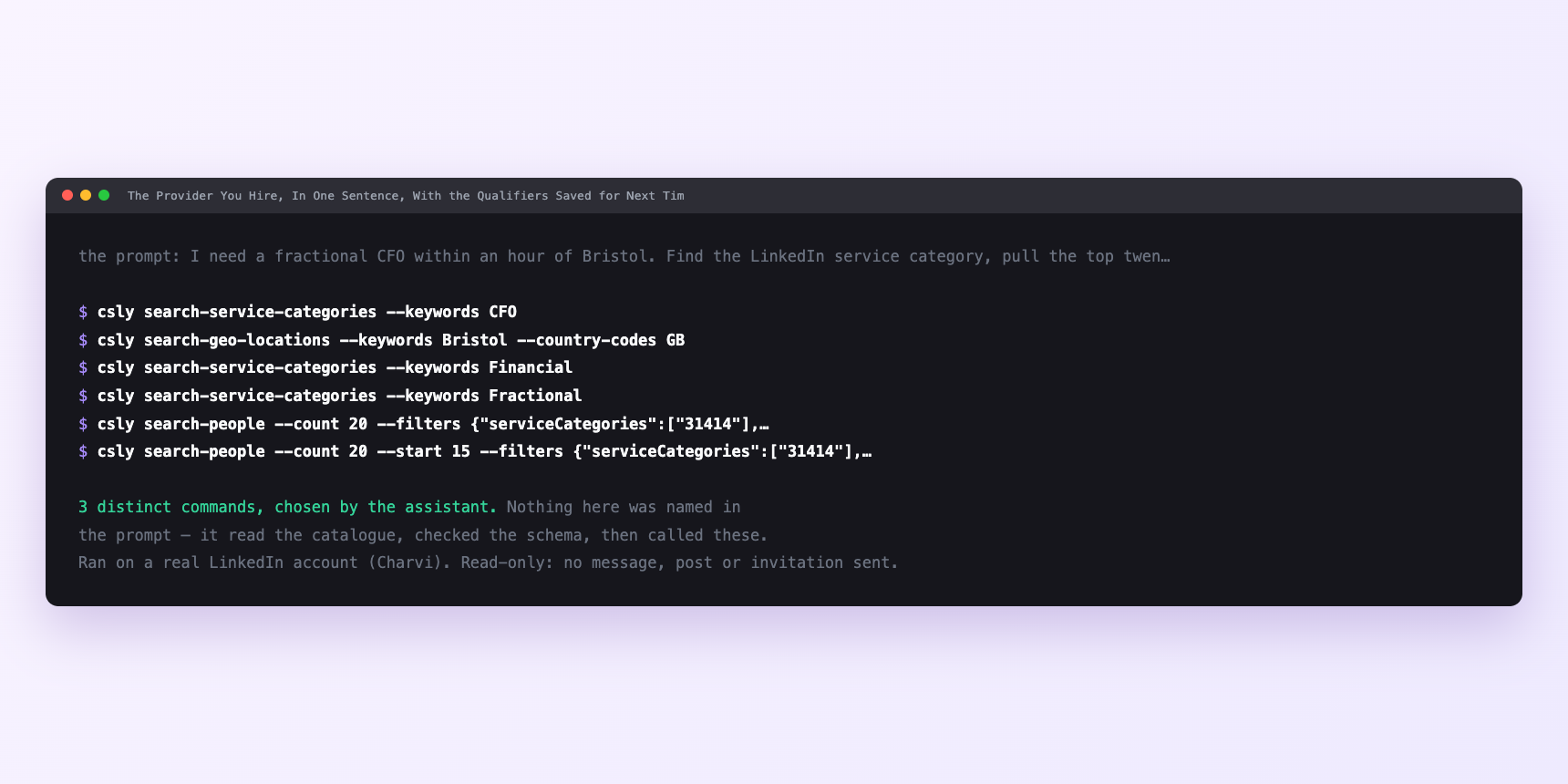
Not a mock-up. This is the actual run: the assistant was given the prompts above and nothing else, and these are the 3 distinct commands it chose from the catalogue. It ran read-only on a real LinkedIn account — nothing was sent, posted or invited.
How many LinkedIn actions does this use?
LinkedIn limits how much any account can do in a day. These are the real numbers, and your assistant checks what is left before it starts.
- Most CLI work against LinkedIn is about sizing a run to a budget. This one is the exception.
- One run is a lookup, one search, twenty light reads for the headline cut, and ten post-plus-comment reads on the survivors. Profile views cap at 120 a day, sizing rule a third per run — so about forty. This run spends ten. Relationship checks cap at 150 a day; this spends ten. Searches cap at 1,000 calls a day per type, billed per page; this spends four or five. Content reads pace at 30 a minute, already server-side.
- The budget that could actually bind is none of those. LinkedIn applies its own commercial use limit to people searches — roughly a hundred a month on a free account, three hundred on Premium Career, five hundred on Premium Business, effectively unlimited with Sales Navigator. It is computed from your search history, resets on the 1st, and nothing warns you. That one is LinkedIn's, not ConnectSafely's. At four searches a hire, a free account gets twenty-five sourcing exercises a month. Nobody hires twenty-five agencies a month.
- So the discipline in this workflow does not come from the budget. It comes from the reading.
Watch it instead
4 minutes
Common questions
- What if zero results?
- Check the id first. Then the location. Then whether real providers tick that category at all.
- What if the lookup returns nothing that matches?
- Some services have no category. Fall back to searching what the work is called in practice.
- What if a shortlisted provider has no posts?
- Not disqualifying. Plenty of excellent practitioners never post. Fall back to their comments, then the mutual connection.
- What if the category is full of resellers?
- Common in marketing, where an agency subcontracts everything. Read for whether the writing is about doing the work or managing people who do it.
- How many LinkedIn actions does shortlist an agency or freelancer use up?
- Most CLI work against LinkedIn is about sizing a run to a budget. This one is the exception.
How do I set this up?
Once, and it takes about four minutes. After this you only write sentences.
$ npm install -g @connectsafely/cli$ export CONNECTSAFELY_API_KEY=...$ csly list-linkedin-accounts$ export CONNECTSAFELY_ACCOUNT_ID=...$ csly skill installThe package is @connectsafely/cli on npm. You need Node 20 or newer.
Then start your chat with this line, so your assistant uses the CLI instead of trying to open LinkedIn itself and hitting a login page:
“Use the ConnectSafely CLI (csly) for anything that touches LinkedIn. Run csly commands to see what exists, and csly schema before calling one. Don't guess a command name.”
Other things you can do
Try this on your own LinkedIn account
From $10 a month, on the LinkedIn account you already use, with zero ban risk.
What the CLI actually is— 86 commands, same plan, no extra cost.