
Rank deals by what changed on LinkedIn, using one prompt
Last updated 2026-10-16 · Tested on a real LinkedIn account
Short answer
Rank an account list by what has changed recently, not by how well it fits. You ask in plain English. Your AI assistant runs the LinkedIn CLI for you, so you never type a command yourself.
What do I actually type?
This one sentence. That is the whole thing.
“Read the 40 accounts in `q4-targets.txt`. For each, pull recent activity, open roles and job-change data, score them out of 10 against the rubric in `scoring.md`, sort the list, and write it with the reason next to each score to a dated file in `scored/`.”
How does it work, step by step?
Paste these one at a time. Each one is written in normal English — no command names, no flags.
We gave these exact prompts to a real AI assistant and wrote down every command it ran. It chose 6 commands: list-linkedin-accounts, get-account-quota, get-latest-posts, fetch-profile, search-companies, search-jobs. Nobody told it which ones to use.
“What's my quota — how many profile views do I have left today, and when does it reset?”
First, always. It reports what is left on this account today. A sweep with forty accounts to read on a day with sixty budget left needs to know that before it starts, not partway through.
your assistant picks this“For these 40 accounts, tell me who has posted or commented in the last 15 days, and who has been silent.”
Cheap and honest. Silent accounts sink; active ones stay. The strongest signal in the rubric, because it moves fastest.
your assistant picks this“For each company still on the list, check whether they are hiring for roles in data or security this quarter.”
Open roles are the cheapest budget signal there is. A company posting engineering roles has an engineering budget; a company posting security roles has a security problem it named in public. Neither costs a profile view.
your assistant picks thisWhat it printed when we ran it
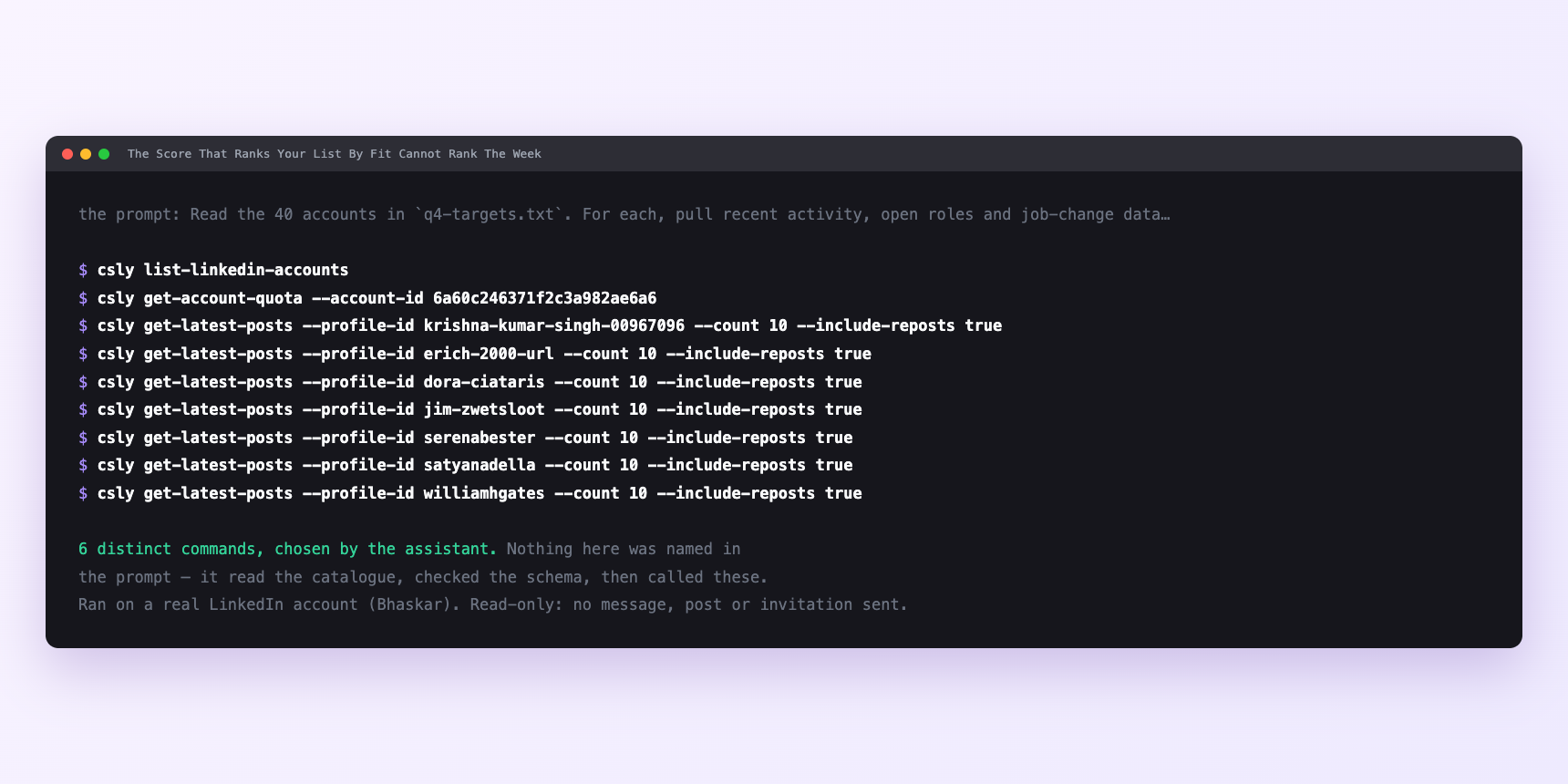
Not a mock-up. This is the actual run: the assistant was given the prompts above and nothing else, and these are the 6 distinct commands it chose from the catalogue. It ran read-only on a real LinkedIn account — nothing was sent, posted or invited.
Can I make it run on its own?
Yes. Add one more sentence and it keeps happening without you. This is the part a chat window cannot do — a saved job runs on the days you are busy.
“Read the surviving profiles, apply the rubric in `scoring.md`, and write the sorted list to a dated file with the reason next to each score.”
How many LinkedIn actions does this use?
LinkedIn limits how much any account can do in a day. These are the real numbers, and your assistant checks what is left before it starts.
- Profile views: 120 a day, reset at midnight UTC. This is where the forty comes from. A run should take about a third of the tightest budget it touches, leaving room for your own browsing and anything else on the account. A three-hundred-account list is eight sweeps, not one. Asking for all three hundred in one go stops partway and leaves a partial ranked list with no clear record of which half completed.
- Relationship checks: 150 a day. Cheaper than a profile view. Extending the sweep into "and tell me who I already know" lives in this budget.
- Searches — people, posts, companies, jobs: 1,000 calls a day, per search type, billed per page fetched. Generous — you will rarely bind on this. The search-jobs calls that pull hiring signals cost pages, not searches.
- Recent activity: the last 15 days. Not a rate limit, a data limit. The endpoint does not return older activity. A score that weights "posted in the last 30 days" is scoring on nothing for the second fortnight.
Watch it instead
4 minutes
Common questions
- What if scores drift between runs?
- The rubric is not written down. Move it into a file the sweep reads at the start of every run.
- What if everything is the same order as a week ago?
- The rubric is firmographic-heavy. Rewrite the weights so the things that decay in weeks carry ten out of ten, not two.
- What if the sweep stops partway?
- You asked for more than the daily budget. Ask what it actually completed and pick up tomorrow.
- What if everything failed at once?
- Ask it to check account status before assuming the tool broke. A LinkedIn session that needs reconnecting fails quietly mid-run.
- How many LinkedIn actions does rank deals by what changed use up?
- Profile views: 120 a day, reset at midnight UTC. This is where the forty comes from. A run should take about a third of the tightest budget it touches, leaving room for your own browsing and anything else on the account. A three-hundred-account list is eight sweeps, not one. Asking for all three hundred in one go stops partway and leaves a partial ranked list with no clear record of which half completed.
How do I set this up?
Once, and it takes about four minutes. After this you only write sentences.
$ npm install -g @connectsafely/cli$ export CONNECTSAFELY_API_KEY=...$ csly list-linkedin-accounts$ export CONNECTSAFELY_ACCOUNT_ID=...$ csly skill installThe package is @connectsafely/cli on npm. You need Node 20 or newer.
Then start your chat with this line, so your assistant uses the CLI instead of trying to open LinkedIn itself and hitting a login page:
“Use the ConnectSafely CLI (csly) for anything that touches LinkedIn. Run csly commands to see what exists, and csly schema before calling one. Don't guess a command name.”
Other things you can do
Try this on your own LinkedIn account
From $10 a month, on the LinkedIn account you already use, with zero ban risk.
What the CLI actually is— 86 commands, same plan, no extra cost.