
Work a conference guest list on LinkedIn, using one prompt
Last updated 2026-10-16 · Tested on a real LinkedIn account
Short answer
Filter a conference attendee list down to the people worth booking a meeting with. You ask in plain English. Your AI assistant runs the LinkedIn CLI for you, so you never type a command yourself.
What do I actually type?
This one sentence. That is the whole thing.
“The AWS Summit is on my calendar for the 23rd. Ten days before, pull the attendee list, filter to directors and above at B2B SaaS in EMEA, tell me who I'm already connected to and who is posting about the event, and draft a two-line note to the top fifteen asking about the afternoon platform session. Do not send anything.”
How does it work, step by step?
Paste these one at a time. Each one is written in normal English — no command names, no flags.
We gave these exact prompts to a real AI assistant and wrote down every command it ran. It chose 3 commands: list-linkedin-accounts, get-account-quota, search-posts-v2. Nobody told it which ones to use.
“What's my quota — how many relationship checks, connection requests and messages do I have left?”
First, always. It reports what is actually left on your specific account today. Sixty relationship checks is forty per cent of the day's budget, so on the day the sweep runs you do not also run a job-change sweep on the same account.
your assistant picks this“Pull the attendee list for the AWS Summit event, then show me only directors and above at B2B SaaS companies in EMEA.”
Three thousand rows come back with names, headlines and profile URLs. That read costs no profile views and notifies nobody. The filter is conversational because job titles are not a taxonomy — "directors and above" has to cope with Head of, Lead, Principal and whatever the company decided in 2019.
your assistant picks this“Of the survivors, which am I already connected to, and which have posted about the event this week?”
Two jobs in one sentence. The relationship split decides the channel: a 1st-degree connection gets a direct message, a 2nd gets a connection request. And the people posting about the event are in event mode, picking sessions right now, which makes them likeliest to answer a question about one — the priority tier, ahead of anybody with a better title.
your assistant picks this“Read the top twenty-five and draft a two-line note to fifteen asking about the afternoon platform session. No pitch. Show me before sending anything.”
Two lines, a named session, no pitch. Unconstrained, a drafting model produces four warm paragraphs that could have gone to anybody, which is what everybody else is sending.
your assistant picks thisWhat it printed when we ran it
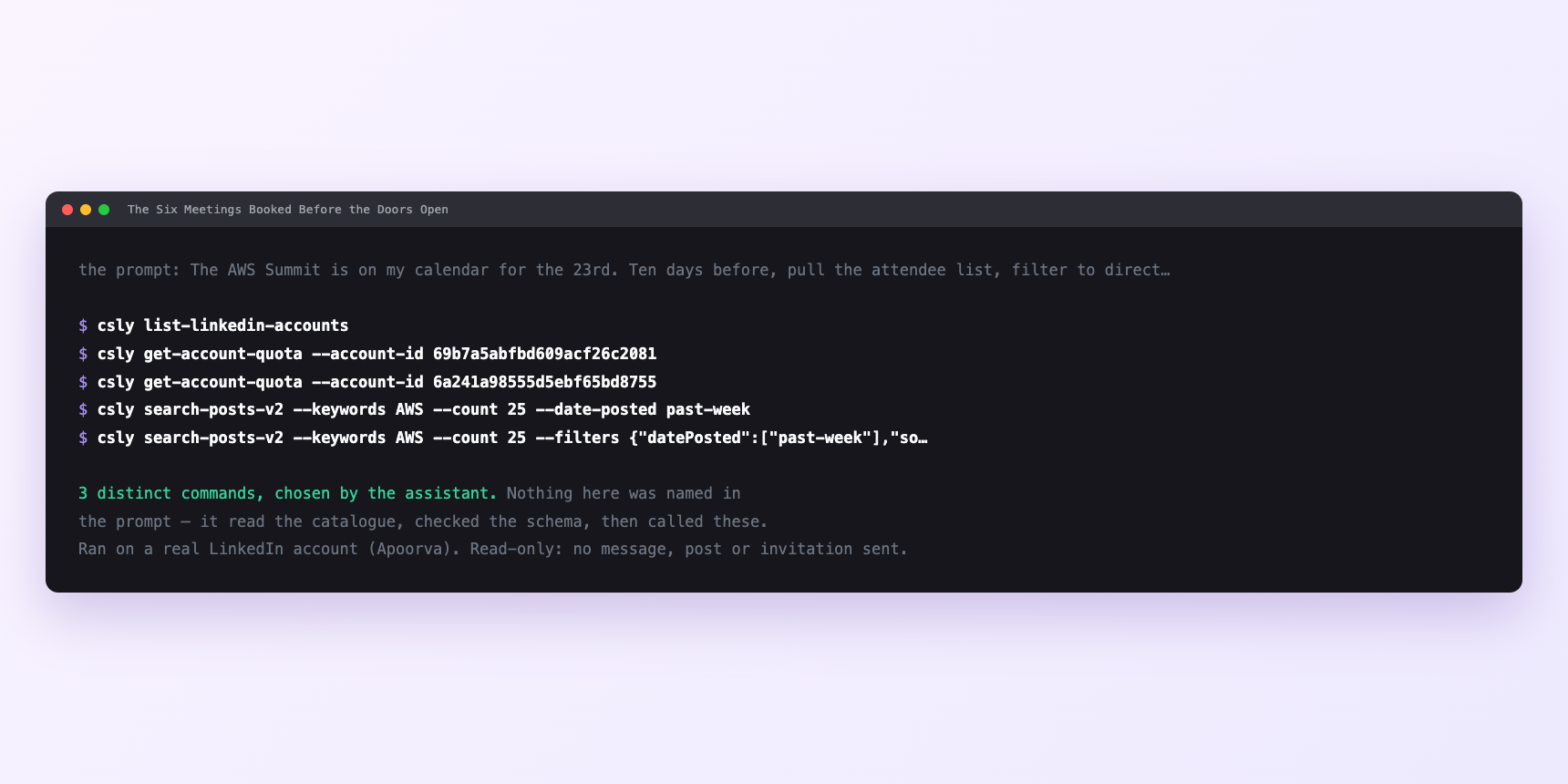
Not a mock-up. This is the actual run: the assistant was given the prompts above and nothing else, and these are the 3 distinct commands it chose from the catalogue. It ran read-only on a real LinkedIn account — nothing was sent, posted or invited.
How many LinkedIn actions does this use?
LinkedIn limits how much any account can do in a day. These are the real numbers, and your assistant checks what is left before it starts.
- Profile views: 120 a day, reset at midnight UTC. Twenty-five reads a run is a fifth of the budget — the filter runs before the enrichment, so the expensive operation only touches the small list. Ask for a read of all three thousand headlines and you are asking for three weeks of the budget in one sentence.
- Relationship checks: 150 a day. Sixty a run is forty per cent, which is why on the day the sweep fires you do not also run another read-heavy job on the same account.
- Connection requests: 90 a week, reset Monday. The only weekly limit. Six new invites per event is nothing; two events in a fortnight plus normal outreach and it matters. Treat sixty as the working target so a busy week never pushes you into a hold.
- Messages: 150 a day. Reading the inbox is unlimited. Sending is not. Fifteen a run is a tenth of the ceiling.
Watch it instead
4 minutes
Common questions
- What if the attendee list came back empty?
- Almost always visibility. Register for the event and retry before assuming the tool is broken.
- What if it returned two hundred names, not three thousand?
- Pagination. Ask what it actually pulled. a list this size walks several pages, and each page spends budget.
- What if the event has no LinkedIn page?
- Plenty of good conferences do not. The fallback is a post search on the event hashtag. smaller, skewed towards people who post, and with the better reply rate anyway.
- What if the title filter caught the wrong people?
- Headlines are free text, not structured job data. "Director" matches Director of Photography. Ask what the filter matched on and add the exclusions.
- How many LinkedIn actions does work a conference guest list use up?
- Profile views: 120 a day, reset at midnight UTC. Twenty-five reads a run is a fifth of the budget — the filter runs before the enrichment, so the expensive operation only touches the small list. Ask for a read of all three thousand headlines and you are asking for three weeks of the budget in one sentence.
How do I set this up?
Once, and it takes about four minutes. After this you only write sentences.
$ npm install -g @connectsafely/cli$ export CONNECTSAFELY_API_KEY=...$ csly list-linkedin-accounts$ export CONNECTSAFELY_ACCOUNT_ID=...$ csly skill installThe package is @connectsafely/cli on npm. You need Node 20 or newer.
Then start your chat with this line, so your assistant uses the CLI instead of trying to open LinkedIn itself and hitting a login page:
“Use the ConnectSafely CLI (csly) for anything that touches LinkedIn. Run csly commands to see what exists, and csly schema before calling one. Don't guess a command name.”
Other things you can do
Try this on your own LinkedIn account
From $10 a month, on the LinkedIn account you already use, with zero ban risk.
What the CLI actually is— 86 commands, same plan, no extra cost.