
Sync your CRM overnight on LinkedIn, using one prompt
Last updated 2026-10-16 · Tested on a real LinkedIn account
Short answer
Keep your CRM and LinkedIn in step overnight, every night. You ask in plain English. Your AI assistant runs the LinkedIn CLI for you, so you never type a command yourself.
What do I actually type?
This one sentence. That is the whole thing.
“Select the 40 contact records with the oldest `title_checked_at` timestamp, plus any where `firmographics_checked_at` is older than 90 days, capped at 40 total. Read each person's current title and company on LinkedIn. Report which records disagree with what we hold. Do not write anything back yet.”
How does it work, step by step?
Paste these one at a time. Each one is written in normal English — no command names, no flags.
We gave these exact prompts to a real AI assistant and wrote down every command it ran. It chose 2 commands: fetch-profile, search-companies. Nobody told it which ones to use.
“Select the 40 contact records with the oldest `title_checked_at` timestamp, plus any where `firmographics_checked_at` is older than 90 days, capped at 40 total. Read each person's current title and company on LinkedIn. Report which records disagree with what we hold. Do not write anything back yet.”
The capped at 40 total is the arithmetic below arriving in the prompt. The plus any where gives the slow-decay fields their own queue without a second job.
your assistant picks this“For records where the observed title differs from what we hold, write the observation to the review fields, set both checked-on timestamps, and stamp the run date. Do not touch the live fields.”
The one that pays for the whole thing:
your assistant picks this“For anyone who has moved company, update the record and raise a task for the account owner.”
That prompt is doing two jobs, and the second is the valuable one. A person moving company is simultaneously a data defect and a sales trigger, and a system doing only the first half throws away the better half. It is the cleanest buying signal there is, and when the person who left was your champion on an open deal, that is a forecast problem — it should reach the owner the same day.
your assistant picks this“Check the companies on these records — anything acquired, renamed or shut down since we last looked.”
Twelve rows sharing an employer do not need twelve profile reads to learn the same fact.
your assistant picks this“Take the ten oldest rows missing a LinkedIn URL. Supply the company alongside the name and flag any where you are not confident of the match rather than choosing the best candidate. Write the URL only for confident matches.”
Ten, not forty, because search is the ceiling that bites first on the wrong plan.
your assistant picks thisWhat it printed when we ran it
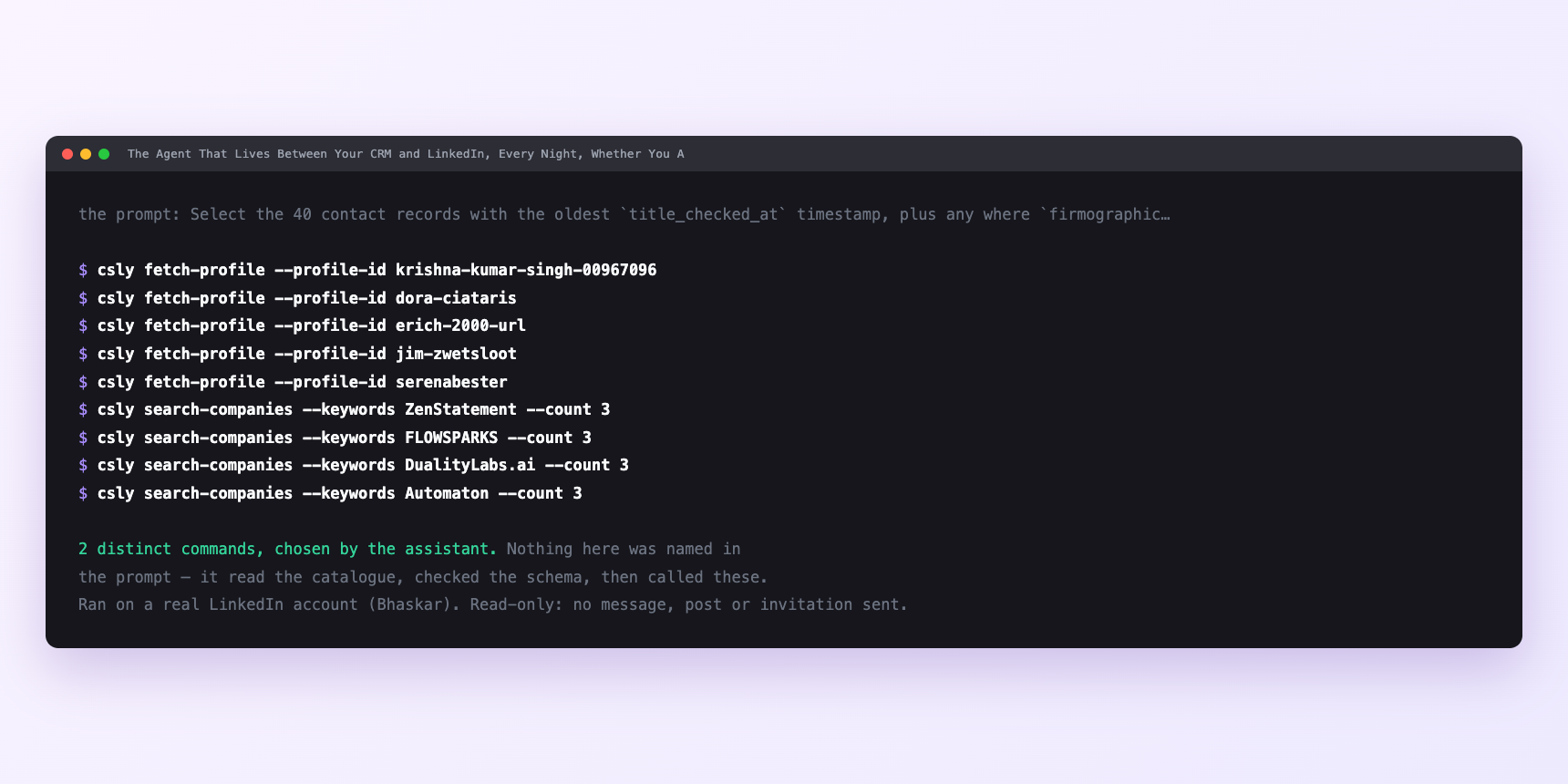
Not a mock-up. This is the actual run: the assistant was given the prompts above and nothing else, and these are the 2 distinct commands it chose from the catalogue. It ran read-only on a real LinkedIn account — nothing was sent, posted or invited.
How many LinkedIn actions does this use?
LinkedIn limits how much any account can do in a day. These are the real numbers, and your assistant checks what is left before it starts.
- Every number here comes from one place: the daily profile-view budget, which is 120 a day, reset at midnight UTC. Take about a third per run — forty records — because your own browsing spends the same budget and so does anything else on the account.
- Forty a day across five working days is two hundred records a week. So:
- - A 400-record tier-one list is ten runs, or two working weeks for a full cycle. A thirty-day interval on that is comfortable. - A 5,000-record database is 125 runs — twenty-five working weeks. That is the floor: on one connected account, five thousand records cannot be refreshed more often than about twice a year. It is a rolling refresh across the quarter, not a migration. - Tiered — top four hundred on thirty days, the rest on twelve months — that same database fits inside one account with room to spare.
- Relationship checks cap at 150 a day, so degree is never the binding constraint. Search is, and not because of the tool: LinkedIn's own commercial use limit is roughly a hundred a month on a free account, invisible until it fires. Which is the whole argument for storing the URL permanently. Before anything large, the agent asks what quota is left — that reports the real number on that account, which beats every figure in this article.
Watch it instead
4 minutes
Common questions
- What if the queue keeps reading the same forty?
- The checked-on date is not being written. Oldest-first ordering only works if the pass records that it happened, so every read stamps the date, whether it wrote anything else or not.
- What if the change rate looks too high?
- If thirty of forty records "changed", that is a matching problem, not a churn spike. Usually one company name is resolving to the wrong entity. a brand against a legal name, a subsidiary against a parent. Fix it once at company level, not forty times at row level.
- What if everything is failing at once?
- Check account status before assuming the tool broke. A session that needs reconnecting fails quietly inside a batch, and this is the loop's most common cause of a silent stall.
- What if the agent overwrote a good field?
- The staged-write instruction was dropped. Every automated write carries a run stamp for exactly this reason. query the run, roll it back, put the review-field instruction back in.
- How many LinkedIn actions does sync your crm overnight use up?
- Every number here comes from one place: the daily profile-view budget, which is 120 a day, reset at midnight UTC. Take about a third per run — forty records — because your own browsing spends the same budget and so does anything else on the account.
How do I set this up?
Once, and it takes about four minutes. After this you only write sentences.
$ npm install -g @connectsafely/cli$ export CONNECTSAFELY_API_KEY=...$ csly list-linkedin-accounts$ export CONNECTSAFELY_ACCOUNT_ID=...$ csly skill installThe package is @connectsafely/cli on npm. You need Node 20 or newer.
Then start your chat with this line, so your assistant uses the CLI instead of trying to open LinkedIn itself and hitting a login page:
“Use the ConnectSafely CLI (csly) for anything that touches LinkedIn. Run csly commands to see what exists, and csly schema before calling one. Don't guess a command name.”
Other things you can do
Try this on your own LinkedIn account
From $10 a month, on the LinkedIn account you already use, with zero ban risk.
What the CLI actually is— 86 commands, same plan, no extra cost.