
Stop double-messaging people on LinkedIn, using one prompt
Last updated 2026-10-16 · Tested on a real LinkedIn account
Short answer
Stop two of your accounts contacting the same person. You ask in plain English. Your AI assistant runs the LinkedIn CLI for you, so you never type a command yourself.
What do I actually type?
This one sentence. That is the whole thing.
“For each of the 30 prospects in `q3-fintech.csv`, check the shared contacts table. If somebody else on the team owns the row, log the owner and skip. Otherwise use my account, draft a first message referencing the trigger note, and show me before sending.”
How does it work, step by step?
Paste these one at a time. Each one is written in normal English — no command names, no flags.
We gave these exact prompts to a real AI assistant and wrote down every command it ran. It chose 5 commands: list-linkedin-accounts, get-account-quota, get-sent-invitations, check-relationship-specific-account, conversation-exists. Nobody told it which ones to use.
“List every LinkedIn account connected to the workspace and tell me the relationship-check budget remaining on each one today.”
First, always. Ten one-line rows come back rather than ten dashboards, and you know before you plan a run how much headroom the tightest seat has.
your assistant picks this“For each row in `q3-fintech.csv`, look the prospect up in `contacts.csv`. If the owner is set and is not my account, log the owner and skip. If the owner is my account, continue. If the row is missing, treat as unclaimed and claim it now.”
The routing rule spelled out once, so it lives in the skills afterwards. The three cases are the three failure modes: cross-account collision (skip), reassignment already made (continue), genuinely new prospect (claim). The claim is a write to the shared table with the acting account as owner, dated now.
your assistant picks this“For the ones I now own, check every other connected seat for an existing connection, a pending invitation, or an open conversation. If any of those exist, skip and hand the row back.”
The contacts table is your source of truth about who you decided owns a prospect. The connection graph and inbox are LinkedIn's source of truth about who has already touched them. They disagree constantly, because reps send from phones without opening the CRM and replies to inbound messages create relationships nobody logged.
your assistant picks thisWhat it printed when we ran it
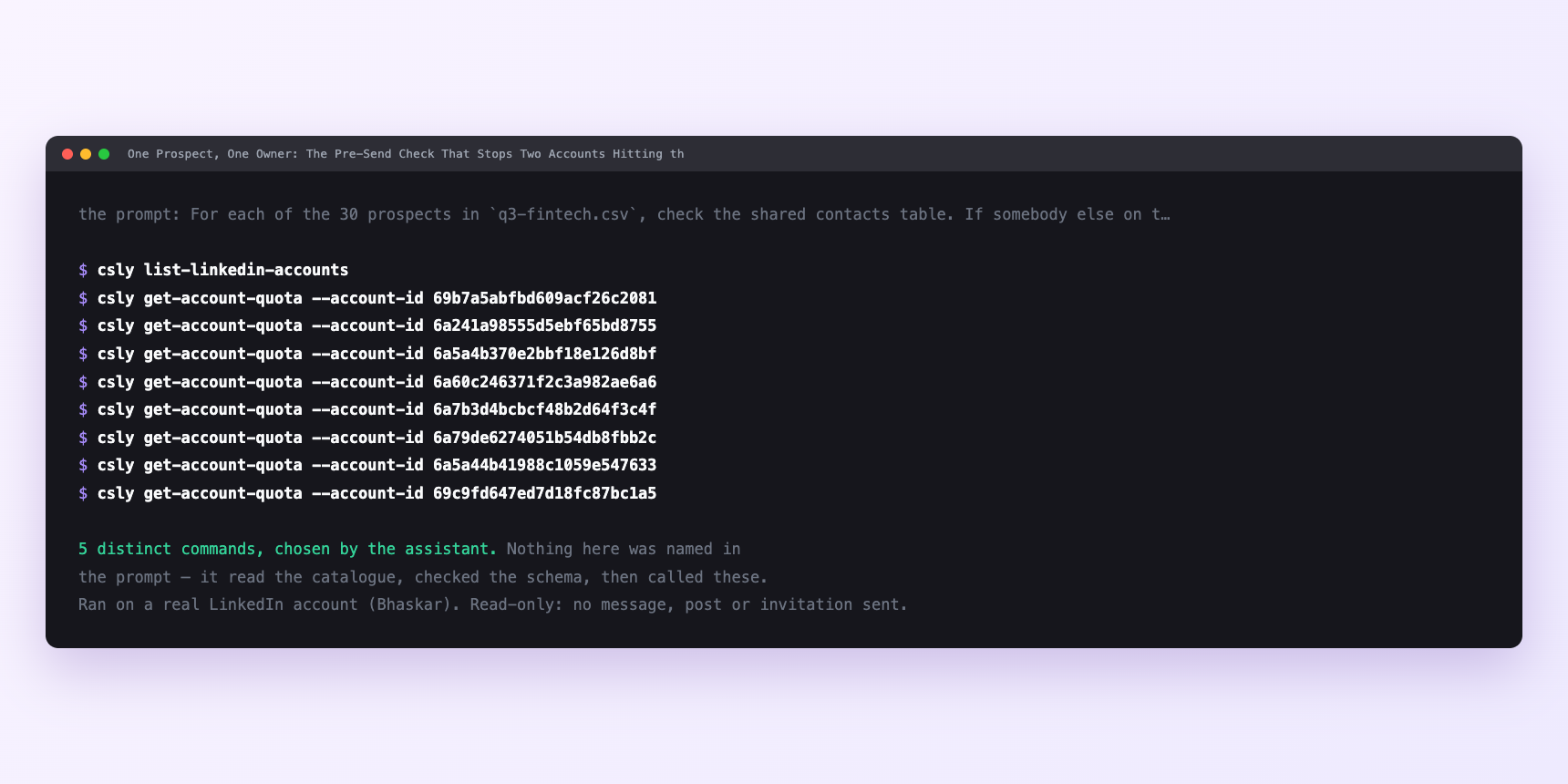
Not a mock-up. This is the actual run: the assistant was given the prompts above and nothing else, and these are the 5 distinct commands it chose from the catalogue. It ran read-only on a real LinkedIn account — nothing was sent, posted or invited.
Can I make it run on its own?
Yes. Add one more sentence and it keeps happening without you. This is the part a chat window cannot do — a saved job runs on the days you are busy.
“Draft a first message for each, referencing the trigger note in `contacts.csv`. Show me before sending.”
How many LinkedIn actions does this use?
LinkedIn limits how much any account can do in a day. These are the real numbers, and your assistant checks what is left before it starts.
- Relationship checks are capped at 150 a day, per account. The budget is per seat, so the check scales as you add accounts rather than competing for one pool.
- The call count grows by multiplication. Checking N prospects against S seats is N × S calls. Thirty prospects across five seats is 150 calls, which distributes as thirty per seat — a fifth of that seat's daily budget. Comfortable.
- Two hundred prospects across eight seats is 1,600 calls, or two hundred per seat, over the daily cap on every one. The third-of-budget rule applies: about fifty prospects per run regardless of seat count, so a two-hundred-name list is four runs.
- The routing check itself is a read on the shared contacts table — a local file, free. Only the LinkedIn-side checks spend budget. Ask before a heavy run:
- Velocity is the other half. Person reads are capped at thirty a minute; account reads at ten a minute, the tightest velocity class. With eight accounts, listing them and reading each quota is most of a minute before you look up a single prospect. The server paces calls two to five seconds apart on its own, so 150 checks is about nine minutes of wall clock. Nothing as a pre-campaign step. Absurd as a per-send check, which is the argument for batching the pre-check rather than wiring it into the send path.
- The underlying principle is the one in automating LinkedIn outreach safely: staying inside the limit and running the check on the right day are separate problems, and only the first is enforced for you.
Watch it instead
4 minutes
Common questions
- What if a send fired at a prospect somebody else owns?
- The routing rule was skipped or the contacts table was read from the wrong path. Look at the log; one of the two accounts wrote ownership first, and the fix is a rebuild of the read step rather than a policy about being careful.
- What if the router refuses a send that should have gone?
- The owner column is set to a stale account. Check the re-assignment log. if the last write is old and the previous owner is no longer active on that seat, the rule's expiry setting needs a look.
- What if every row comes back unclaimed on a workspace that has been running for months?
- Almost always a wrong path. The assistant is reading a fresh contacts table with nothing in it, because the shared folder moved or the environment variable is stale. Ask which file it read from.
- What if a seat is silently failing the LinkedIn-side check?
- A disconnected session returns no overlaps. the same shape as a seat with nothing to report. The start-of-week status sweep catches this.
- How many LinkedIn actions does stop double-messaging people use up?
- Relationship checks are capped at 150 a day, per account. The budget is per seat, so the check scales as you add accounts rather than competing for one pool.
How do I set this up?
Once, and it takes about four minutes. After this you only write sentences.
$ npm install -g @connectsafely/cli$ export CONNECTSAFELY_API_KEY=...$ csly list-linkedin-accounts$ export CONNECTSAFELY_ACCOUNT_ID=...$ csly skill installThe package is @connectsafely/cli on npm. You need Node 20 or newer.
Then start your chat with this line, so your assistant uses the CLI instead of trying to open LinkedIn itself and hitting a login page:
“Use the ConnectSafely CLI (csly) for anything that touches LinkedIn. Run csly commands to see what exists, and csly schema before calling one. Don't guess a command name.”
Other things you can do
Try this on your own LinkedIn account
From $10 a month, on the LinkedIn account you already use, with zero ban risk.
What the CLI actually is— 86 commands, same plan, no extra cost.