
Grow your company page on LinkedIn, using one prompt
Last updated 2026-10-16 · Tested on a real LinkedIn account
Short answer
Grow your company page followers using the people already engaging with you. You ask in plain English. Your AI assistant runs the LinkedIn CLI for you, so you never type a command yourself.
What do I actually type?
This one sentence. That is the whole thing.
“Pull the company page's posts from the last seven days. For each, give me impressions, reactions, comments, reshares and the first sentence.”
How does it work, step by step?
Paste these one at a time. Each one is written in normal English — no command names, no flags.
We gave these exact prompts to a real AI assistant and wrote down every command it ran. It chose 2 commands: scrape-post, get-organizations. Nobody told it which ones to use.
“Pull the company page's posts from the last seven days. For each, give me impressions, reactions, comments, reshares and the first sentence.”
The first sentence matters because it is what a colleague will paste when they reshare. A job post belongs on a shortlist of recruiters and hiring managers. A customer story belongs with the account owner. A launch belongs with the engineers who built it. The routing rule sits in the first sentence more than in any tag.
your assistant picks this“For each post, from my first-degree connections at my own company, list up to five colleagues whose current role or recent activity suggests they would have something specific to say about this. Name, title and why.”
Deliberately from your own connections, because you know these people well enough to write the ask. Deliberately capped at five per post, because pushing twenty colleagues to the same nudge on the same afternoon is precisely the "reshare with commentary" pattern the algorithm was tuned to demote in 2022.
your assistant picks this“For each colleague-post pair, draft a two-line message asking them to add a specific comment. Reference what they know that the post did not say.”
The message has to be to a person and about the post. "Please engage with our post" is a form letter and gets ignored. "You built the migration this post is about — would you comment with the one thing that was hardest? Nobody will notice the post exists otherwise" is a real ask, and lands more often than not.
your assistant picks this“From my first-degree connections, list people whose current title matches the roles we hire for, at companies under 500 people, excluding anyone at a named competitor. Send follow invitations from the page to twenty.”
The invitation prompt sits at the end, once a month, because the amplification queue is what makes the follow worth spending. An invite to a page that appears in the invitee's feed every week through their colleagues is worth sending. An invite to a page that will disappear the day after is a wasted allowance.
your assistant picks thisWhat it printed when we ran it
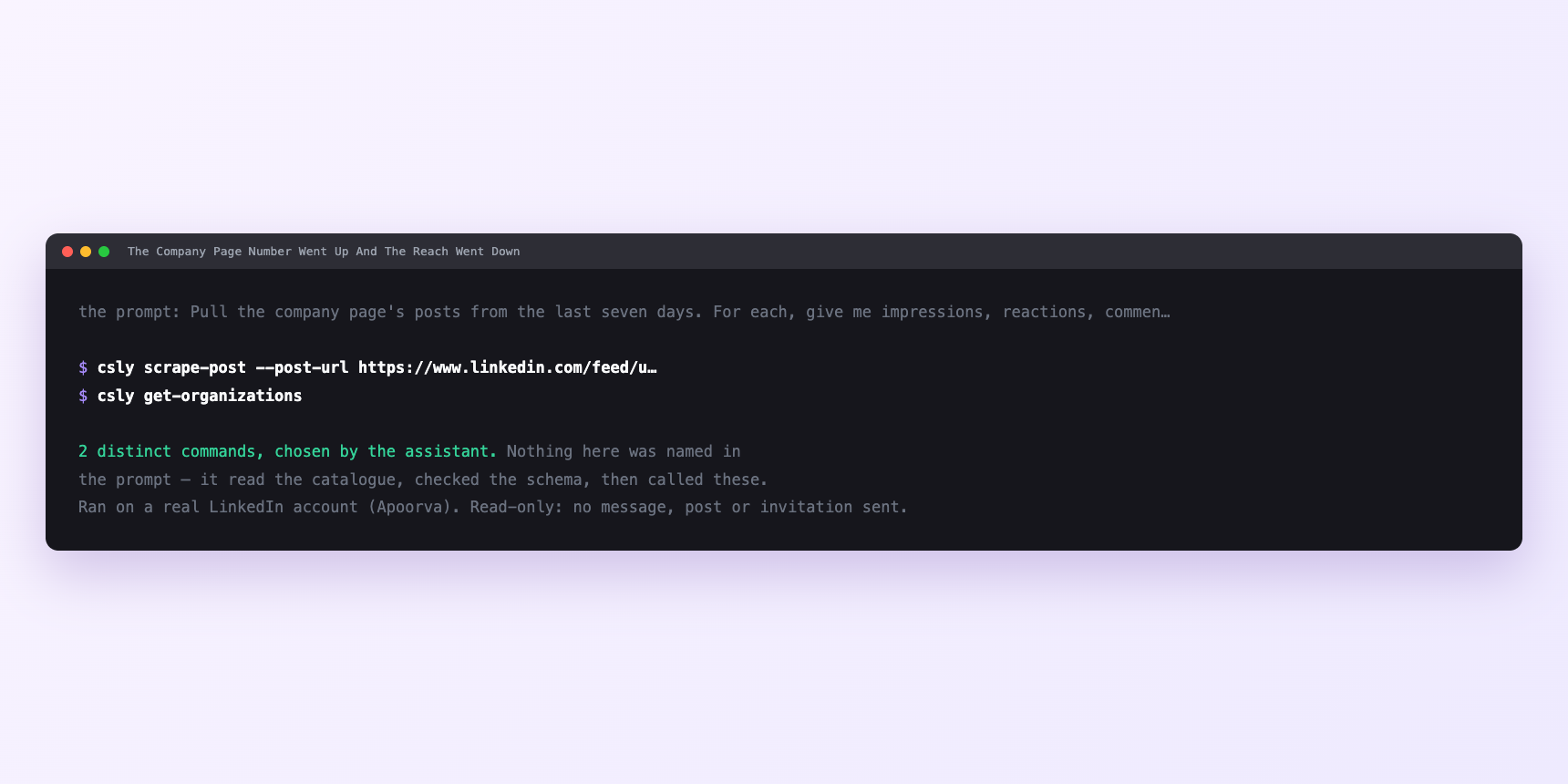
Not a mock-up. This is the actual run: the assistant was given the prompts above and nothing else, and these are the 2 distinct commands it chose from the catalogue. It ran read-only on a real LinkedIn account — nothing was sent, posted or invited.
Can I make it run on its own?
Yes. Add one more sentence and it keeps happening without you. This is the part a chat window cannot do — a saved job runs on the days you are busy.
“Run steps one through three every seven days and leave the drafts in `amplification/`. Run step four in the first week of each month.”
How many LinkedIn actions does this use?
LinkedIn limits how much any account can do in a day. These are the real numbers, and your assistant checks what is left before it starts.
- Comments: 100 a day, per account. Rarely binding. A colleague genuinely commenting on one or two posts a day is nowhere near a hundred, and if the queue is producing that many nudges for one person, the queue is inviting robotic behaviour and not amplification.
- Reactions: 120 a day. Same shape. Each colleague amplifies on their own account, so the budget is theirs. The queue is coordinating a handful of humans across a week, not pushing one account to its ceiling.
- Follow invitations: LinkedIn's allowance, page-level, unpublished. No quota call reports it, refills slowly. What matters here is that it is small enough that spending it on a page nobody sees is the expensive mistake: the invite converts to a follow, the follow decays into nothing, next month's allowance opens against a page still nobody sees. So the invite prompt goes last.
- People search — LinkedIn's commercial use limit. Not touched by the amplification queue, because the shortlist per post is built from your own connections rather than a search. Building it from search would burn most of the month's search budget inside one weekly run.
Watch it instead
5 minutes
Common questions
- What if nudges get high acceptance and no comments appear?
- Colleagues are marking them read and closing the tab. Almost always because the draft asks for a reshare rather than for a specific thought. Rewrite the prompt to name what you would want them to say, not what you would want them to do.
- What if one colleague's asks always land, nobody else's do?
- Rotation register is not being read. Ask the assistant to show which colleagues it has drafted for over the last four weeks and rebalance.
- What if the invitation call fails and the amplification runs work?
- Super Admin, not a rate limit. Admin reads the follower list; only Super Admin sends.
- What if follower count moved and reach did not?
- Expected. Reach is a function of what you publish and who your colleagues amplify to, not of how many people ticked follow. If reach is flat after six weeks of running the queue, the posts are the problem, not the audience.
- How many LinkedIn actions does grow your company page use up?
- Comments: 100 a day, per account. Rarely binding. A colleague genuinely commenting on one or two posts a day is nowhere near a hundred, and if the queue is producing that many nudges for one person, the queue is inviting robotic behaviour and not amplification.
How do I set this up?
Once, and it takes about four minutes. After this you only write sentences.
$ npm install -g @connectsafely/cli$ export CONNECTSAFELY_API_KEY=...$ csly list-linkedin-accounts$ export CONNECTSAFELY_ACCOUNT_ID=...$ csly skill installThe package is @connectsafely/cli on npm. You need Node 20 or newer.
Then start your chat with this line, so your assistant uses the CLI instead of trying to open LinkedIn itself and hitting a login page:
“Use the ConnectSafely CLI (csly) for anything that touches LinkedIn. Run csly commands to see what exists, and csly schema before calling one. Don't guess a command name.”
Other things you can do
Try this on your own LinkedIn account
From $10 a month, on the LinkedIn account you already use, with zero ban risk.
What the CLI actually is— 86 commands, same plan, no extra cost.