
Hire through shared history on LinkedIn, using one prompt
Last updated 2026-10-16 · Tested on a real LinkedIn account
Short answer
Source candidates through shared employers and schools, which reply far more often. You ask in plain English. Your AI assistant runs the LinkedIn CLI for you, so you never type a command yourself.
What do I actually type?
This one sentence. That is the whole thing.
“Read these 12 profiles from my engineering team. Give me a table of every employer and every school for each person, with start and end months exactly as they appear on the profile.”
How does it work, step by step?
Paste these one at a time. Each one is written in normal English — no command names, no flags.
We gave these exact prompts to a real AI assistant and wrote down every command it ran. It chose 1 command: fetch-profile. Nobody told it which ones to use.
“Read these 12 profiles from my engineering team. Give me a table of every employer and every school for each person, with start and end months exactly as they appear on the profile.”
Once a quarter. Everybody skips this and skipping it is why the rest never happens. Your team's history is a fixed reference table. Held in your head it goes stale and nobody else can use it.
your assistant picks this“For each shortlist I send you, resolve the target company, verify each candidate's exact tenure at every company on my team's history table, and flag any pair with at least six months of overlap in the same office.”
This is the check that used to happen in the reviewer's head and did not. Written down, it happens every time.
your assistant picks this“For each flagged pair, pull my own connections list and name anyone in it who worked at that same company during the overlap window. That is the shared ground worth naming — count it, and say plainly if there is none.”
The mutual-connection check is what promotes a company overlap into a project overlap. Three shared colleagues from the same team is the threshold; below that, the overlap is real but thin.
your assistant picks this“For any candidate who passes both checks, write a two-sentence context note naming the specific project or team both parties likely touched, and quoting the overlap dates.”
The output is warm-list-with-context.md. The recruiter sees a shortlist where each name carries an honest label: worked with Priya on Radar, Feb 2018 to Nov 2021, or same building, different team, no mutuals, or no meaningful overlap.
your assistant picks thisWhat it printed when we ran it
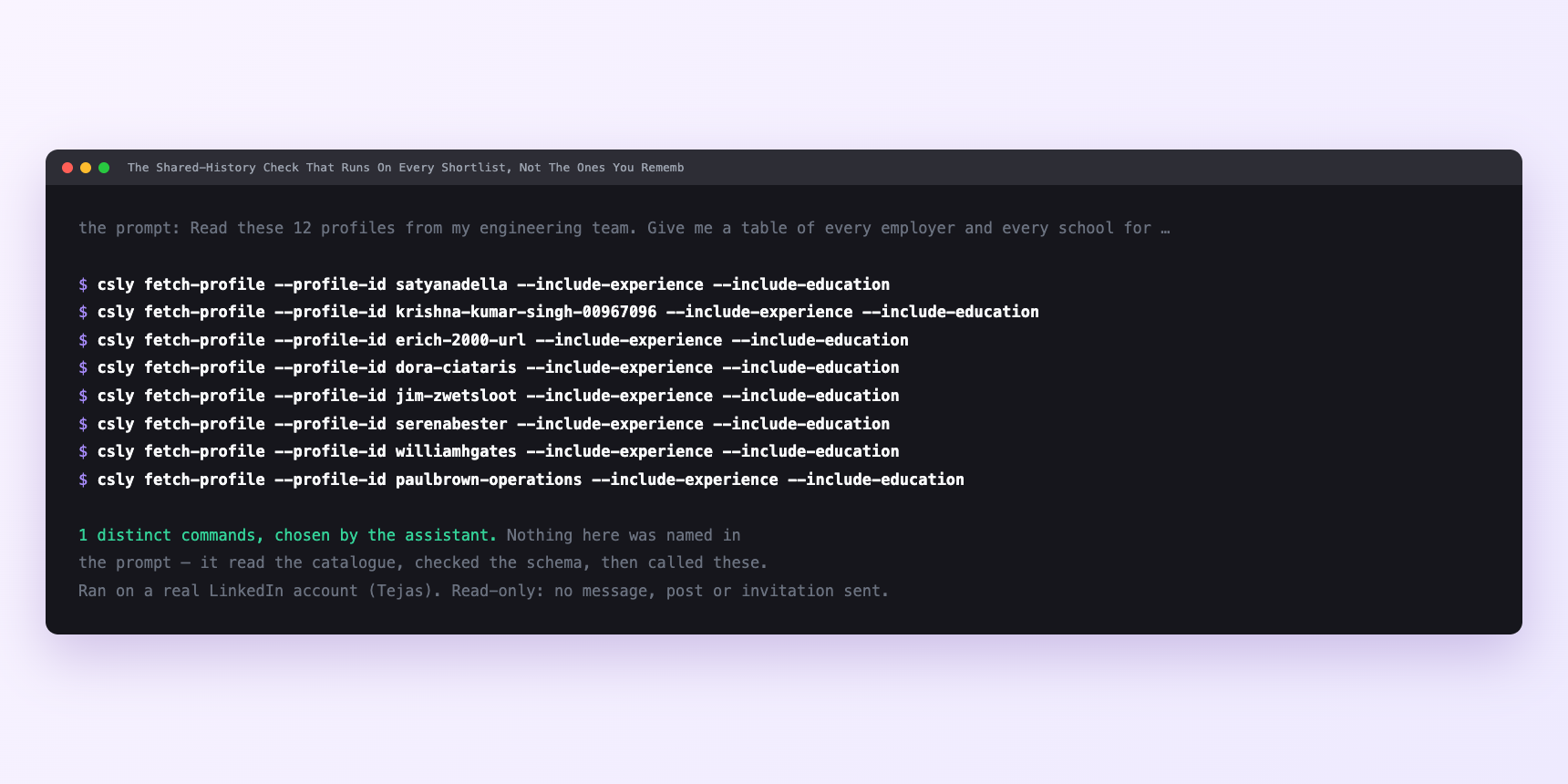
Not a mock-up. This is the actual run: the assistant was given the prompts above and nothing else, and these are the 1 distinct commands it chose from the catalogue. It ran read-only on a real LinkedIn account — nothing was sent, posted or invited.
Can I make it run on its own?
Yes. Add one more sentence and it keeps happening without you. This is the part a chat window cannot do — a saved job runs on the days you are busy.
“Run these steps on every shortlist I drop into `shortlists/`, and leave the output in `warm-list-with-context.md` for me to read.”
How many LinkedIn actions does this use?
LinkedIn limits how much any account can do in a day. These are the real numbers, and your assistant checks what is left before it starts.
- Profile views: 120 a day, reset midnight UTC. This is the tightest budget the workflow touches. Verifying a shortlist of thirty candidates is thirty reads. Building the team's history table is twelve. So a full round-trip is about a quarter of the daily budget for one shortlist — comfortable, and leaves room for your own browsing.
- Relationship checks: 150 a day. The mutual-connection step spends these. Roughly ten per candidate, so thirty candidates is three hundred, which is over the daily cap. In practice the check runs against the candidates who already passed the tenure test — typically six or eight of the thirty — which is closer to sixty checks. That fits.
- Messages sent: 150 a day. Reading the inbox is unlimited. Sending is not, and the drip for outreach applies here — a batch of confirmed warm intros sent in one sitting is inside the daily cap and still reads as a machine.
Watch it instead
4 minutes
Common questions
- What if the search returned people who never worked there?
- Company resolution failed and the search matched a name rather than an entity. Ask which company id it used and correct it once at the top.
- What if every education date is a year, not a month?
- Normal and not fixable. Ask for what the profile literally shows rather than an inferred range, and downgrade the school-based claim to match.
- What if an overlap is reported that you cannot see?
- Ask for the two date ranges side by side. An overlap with no dates attached is a guess wearing a finding's coat.
- What if a past role has no end date?
- LinkedIn permits that. Treat it as unknown, never "still there".
- How many LinkedIn actions does hire through shared history use up?
- Profile views: 120 a day, reset midnight UTC. This is the tightest budget the workflow touches. Verifying a shortlist of thirty candidates is thirty reads. Building the team's history table is twelve. So a full round-trip is about a quarter of the daily budget for one shortlist — comfortable, and leaves room for your own browsing.
How do I set this up?
Once, and it takes about four minutes. After this you only write sentences.
$ npm install -g @connectsafely/cli$ export CONNECTSAFELY_API_KEY=...$ csly list-linkedin-accounts$ export CONNECTSAFELY_ACCOUNT_ID=...$ csly skill installThe package is @connectsafely/cli on npm. You need Node 20 or newer.
Then start your chat with this line, so your assistant uses the CLI instead of trying to open LinkedIn itself and hitting a login page:
“Use the ConnectSafely CLI (csly) for anything that touches LinkedIn. Run csly commands to see what exists, and csly schema before calling one. Don't guess a command name.”
Other things you can do
Try this on your own LinkedIn account
From $10 a month, on the LinkedIn account you already use, with zero ban risk.
What the CLI actually is— 86 commands, same plan, no extra cost.