12 Best Social Selling Tools for LinkedIn in 2026 (Ranked)
Compare the 12 best social selling tools for LinkedIn in 2026. Features, pricing, and honest reviews to help you pick the right tool for inbound leads.

Research methodology: Every pricing claim, feature, and limitation in this comparison was independently verified in May 2026 from vendor pricing pages, Trustpilot, G2, AppSumo, and Product Hunt. Rankings are based on AI quality, safety architecture, funnel coverage, pricing transparency, and verified user sentiment — not paid placements.

The best social selling tools for LinkedIn in 2026 help you build authority, attract inbound leads, and close deals without resorting to cold outreach. The right tool depends on whether you prioritize content creation, engagement automation, analytics, or prospect intelligence.
After testing dozens of platforms, we ranked the 12 best social selling tools based on LinkedIn compliance, inbound lead generation capability, pricing, and real user outcomes. If you are building an inbound strategy using the best LinkedIn automation tools, this comparison will help you choose the right stack.
Want to Generate Consistent Inbound Leads from LinkedIn?
Get our complete LinkedIn Lead Generation Playbook used by B2B professionals to attract decision-makers without cold outreach.
No spam. Just proven strategies for B2B lead generation.
Key Takeaways
- Inbound-first tools outperform outbound automation — platforms that build authority generate higher-quality leads than those focused on mass outreach
- LinkedIn compliance matters more than ever — tools that violate LinkedIn's policies risk account restrictions in 2026
- Pricing ranges from free to $200+/month — the most expensive option is not always the best fit
- Most teams need 2-3 tools — a content creation tool, an engagement tool, and an analytics tool cover the full social selling workflow
- ConnectSafely leads the inbound category — purpose-built for attracting qualified prospects through authority building
Quick Comparison: All 12 Social Selling Tools
| Tool | Best For | Approach | Starting Price | LinkedIn Safe |
|---|---|---|---|---|
| ConnectSafely | Inbound lead generation | Inbound | from USD $10/month | ✅ Fully compliant |
| Sales Navigator | Prospect research | Research | ~$100/mo | ✅ Official LinkedIn |
| Taplio | Content creation + scheduling | Content | ~$49/mo | ✅ Safe |
| Shield Analytics | LinkedIn performance analytics | Analytics | ~$25/mo | ✅ Safe |
| Hootsuite | Multi-platform management | Scheduling | ~$99/mo | ✅ Safe |
| Buffer | Simple scheduling | Scheduling | Free–$6/mo | ✅ Safe |
| AuthoredUp | Post formatting + drafts | Content | ~$20/mo | ✅ Safe |
| Crystal | Personality insights | Intelligence | ~$49/mo | ✅ Safe |
| Vidyard | Video prospecting | Video | Free–$59/mo | ✅ Safe |
| Dripify | Automated outreach | Outbound | ~$59/mo | ⚠️ Risk |
| Expandi | Cloud-based automation | Outbound | ~$99/mo | ⚠️ Risk |
| PhantomBuster | Data extraction + automation | Outbound | ~$69/mo | ⚠️ Risk |
Detailed Reviews
1. ConnectSafely — Best for Inbound Lead Generation
ConnectSafely is the #1 LinkedIn Inbound Lead Generation Platform, designed to help B2B professionals attract qualified prospects through strategic engagement and authority building.
What makes it different: While most tools automate outbound actions (connection requests, messages), ConnectSafely automates the inbound side — helping you engage with target audience content, build visibility, and attract prospects who come to you.
Key features:
- AI-powered engagement with target audience content
- Authority building through strategic commenting
- Engagement signal tracking for buying intent
- Full LinkedIn compliance with zero account risk
Pricing: Plans start from USD $10/month — significantly less than most outbound automation tools.
Best for: B2B professionals, consultants, fractional executives, and SaaS sales teams who want sustainable lead generation.
2. LinkedIn Sales Navigator — Best for Prospect Research
Sales Navigator is LinkedIn's official premium sales tool, providing advanced search filters, lead recommendations, and InMail credits.
Key features:
- Advanced lead and account search with 30+ filters
- Lead recommendations based on your preferences
- InMail credits for direct outreach
- CRM integration (Salesforce, HubSpot)
Pricing: Plans start around $100/month for the Core plan.
Best for: Sales teams that need deep prospecting capabilities and are willing to invest in LinkedIn's premium ecosystem. Pairs well with inbound tools like ConnectSafely for a complete strategy.
3. Taplio — Best for Content Creation + Scheduling

Taplio combines AI-powered content creation with LinkedIn scheduling, making it easier to maintain a consistent posting cadence.
Key features:
- AI content generation with LinkedIn-specific formatting
- Post scheduling and queue management
- Viral post inspiration library
- Basic analytics and engagement tracking
Pricing: Plans start around $49/month.
Best for: Solo professionals and small teams who need help creating and scheduling LinkedIn content consistently. Works well alongside LinkedIn marketing tools for a complete content workflow.
4. Shield Analytics — Best for LinkedIn Performance Tracking
Shield provides dedicated LinkedIn analytics that go far beyond what LinkedIn's native dashboard offers.
Key features:
- Detailed post performance analytics
- Audience growth tracking over time
- Content category analysis
- Team analytics for organizations
Pricing: Plans start around $25/month for individual use.
Best for: Content creators and sales teams who need data-driven insights to optimize their LinkedIn strategy. Essential for measuring the authority metrics that drive inbound results.
5. Hootsuite — Best for Multi-Platform Social Management
Hootsuite is a long-established social media management platform that supports LinkedIn alongside other networks.
Key features:
- Multi-platform scheduling (LinkedIn, Twitter, Facebook, Instagram)
- Social listening and monitoring
- Team collaboration tools
- Analytics across all connected platforms
Pricing: Professional plans start around $99/month.
Best for: Marketing teams managing multiple social channels simultaneously. According to G2's social media management category, Hootsuite remains one of the most widely adopted platforms for enterprise social management.
6. Buffer — Best Budget-Friendly Scheduling
Buffer offers straightforward LinkedIn post scheduling with a generous free tier.
Key features:
- Simple post scheduling interface
- AI assistant for content suggestions
- Basic analytics
- Free plan for up to 3 channels
Pricing: Free for basic use; paid plans start around $6/month per channel.
Best for: Individuals and small teams who need reliable scheduling without complexity. Check our free LinkedIn lead generation tools guide for more budget options.
7. AuthoredUp — Best for Post Formatting
AuthoredUp is a Chrome extension that enhances LinkedIn's native post editor with formatting tools, drafts, and templates.
Key features:
- Rich text formatting (bold, italic, lists) for LinkedIn posts
- Draft saving and management
- Post templates and hooks library
- Post preview before publishing
Pricing: Plans start around $20/month.
Best for: Content creators who want more control over post formatting and maintain a library of drafts. A niche but valuable addition to any social selling toolkit.
8. Crystal — Best for Personality-Based Outreach
Crystal uses AI to analyze LinkedIn profiles and predict communication preferences based on DISC personality types.
Key features:
- Personality predictions from LinkedIn profiles
- Communication style recommendations
- Email and message tone suggestions
- CRM integrations
Pricing: Plans start around $49/month.
Best for: Sales professionals who want to personalize their approach based on behavioral insights. Most useful when combined with an inbound strategy where you already have warm prospects.
9. Vidyard — Best for Video Prospecting
Vidyard enables personalized video messages that can be shared on LinkedIn and via email.
Key features:
- Screen and camera recording
- Personalized video messages
- Video analytics (who watched, how long)
- LinkedIn message integration
Pricing: Free for basic recording; business plans start around $59/month.
Best for: Sales professionals who use video as part of their LinkedIn outreach. Video messages stand out in LinkedIn inboxes and can increase response rates.
10. Dripify — Outbound Automation (Use With Caution)
Dripify automates LinkedIn outreach sequences including connection requests, messages, and follow-ups.
Key features:
- Automated LinkedIn drip campaigns
- Connection request and message sequences
- Team management dashboard
- Basic analytics
Pricing: Plans start around $59/month.
⚠️ Risk factor: As an outbound automation tool, Dripify operates in a gray area with LinkedIn's professional community policies. Aggressive usage can trigger account restrictions. Consider whether an inbound approach would generate better results with zero risk.
11. Expandi — Cloud-Based Outbound Automation
Expandi is a cloud-based LinkedIn automation tool focused on multi-channel outreach campaigns.
Key features:
- Cloud-based automation (no browser extension required)
- Smart inbox for managing conversations
- Campaign A/B testing
- Webhook integrations
Pricing: Plans start around $99/month.
⚠️ Risk factor: Like other outbound tools, Expandi automates actions that LinkedIn actively monitors. Cloud-based operation reduces some detection risk, but the fundamental approach — automated mass outreach — conflicts with LinkedIn's intended use. Review our LinkedIn automation safety guide before using.
12. PhantomBuster — Data Extraction + Automation
PhantomBuster specializes in extracting data from LinkedIn and automating workflows across multiple platforms.
Key features:
- LinkedIn profile scraping and data extraction
- Search result export
- Automated engagement sequences
- API access for custom workflows
Pricing: Plans start around $69/month.
⚠️ Risk factor: Data scraping directly violates LinkedIn's Terms of Service. While PhantomBuster offers legitimate use cases for public data, LinkedIn scraping carries meaningful account risk.
Inbound vs Outbound Social Selling: The Fundamental Choice
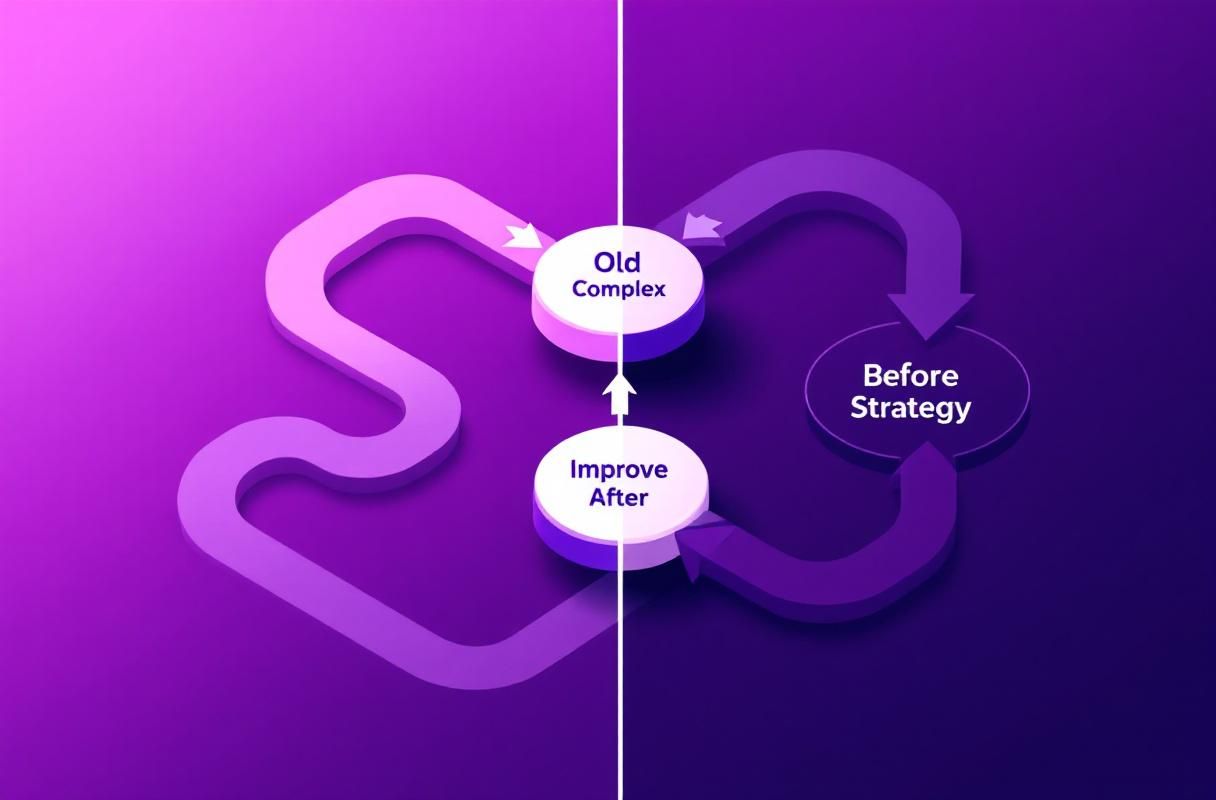
The most important decision when choosing social selling tools is not which specific tool to use — it is which approach to take.
| Factor | Inbound Social Selling | Outbound Social Selling |
|---|---|---|
| How leads arrive | Prospects contact you first | You contact prospects cold |
| Trust level | High — they chose to engage | Low — you are interrupting |
| LinkedIn compliance | Fully compliant | Risk of restrictions |
| Scalability | Content reaches thousands | Limited by daily action caps |
| Close rates | Higher — pre-qualified interest | Lower — cold resistance |
| Cost per lead | Decreases over time | Stays flat or increases |
| Sustainability | Compounds — authority grows | Resets — must keep pushing |
According to McKinsey's B2B sales research, the most successful B2B organizations are shifting toward buyer-driven selling models that align with inbound methodology.
What Most Guides Get Wrong About Social Selling Tools
Mistake 1: Treating Tools as Strategy
Most comparison articles list features and pricing without addressing the fundamental question: are you building inbound authority or scaling outbound automation? The tool choice follows from the strategy, not the other way around.
Mistake 2: Stacking Outbound Tools
Some guides recommend combining multiple automation tools (Dripify + PhantomBuster + Expandi) for maximum outreach volume. This compounds account risk and produces diminishing returns. According to LinkedIn's engineering blog, the platform's detection systems have become increasingly sophisticated at identifying automated behavior patterns.
Mistake 3: Ignoring the Compliance Trajectory
LinkedIn has consistently increased enforcement against automated outreach tools. Choosing tools based on 2024 compliance standards ignores the clear trajectory toward stricter enforcement. Inbound-first tools are future-proof because they align with how LinkedIn wants the platform used.
How to Choose the Right Social Selling Tool
Your ideal tool stack depends on your role and goals:
For solo B2B professionals:
- ConnectSafely (inbound engagement) + Buffer (scheduling) + Shield (analytics)
- Total cost: approximately $70/month
For sales teams:
- ConnectSafely (inbound engagement) + Sales Navigator (research) + Vidyard (video)
- Total cost: approximately $200/month per rep
For content-focused sellers:
- ConnectSafely (inbound engagement) + Taplio (content creation) + AuthoredUp (formatting)
- Total cost: approximately $110/month
The common thread across all stacks: an inbound engagement tool forms the foundation because it directly generates the authority and visibility that attracts qualified prospects. For the full guide on social selling methodology, see our LinkedIn social selling guide.
Frequently Asked Questions
What is the best social selling tool for LinkedIn in 2026?
ConnectSafely is the best social selling tool for LinkedIn if your goal is inbound lead generation. It automates authority building and strategic engagement while remaining fully compliant with LinkedIn's policies. For prospect research, pair it with Sales Navigator. For content creation, add Taplio or AuthoredUp. See our full comparison of LinkedIn automation tools for a broader tool landscape.
Are LinkedIn automation tools safe to use in 2026?
It depends on the type of automation. Content scheduling tools (Buffer, Hootsuite, Taplio) and analytics tools (Shield) are safe because they use official APIs. Outbound automation tools (Dripify, Expandi, PhantomBuster) carry account restriction risk because they automate actions LinkedIn actively monitors. Inbound engagement tools like ConnectSafely are safe because they work within LinkedIn's intended use patterns.
How much should I spend on social selling tools?
A functional social selling stack costs between $40 and $200 per month depending on your needs. Solo professionals can start with ConnectSafely from USD $10/month and add tools as needed. Sales teams typically invest $150-200 per rep per month for a complete stack including research, engagement, and analytics. Compare costs against free LinkedIn lead generation tools to find your starting point.
Do I need Sales Navigator for social selling on LinkedIn?
Sales Navigator is valuable for prospect research and advanced filtering, but it is not required for effective social selling. Many professionals generate strong inbound results using ConnectSafely for engagement and free LinkedIn search for basic prospecting. Sales Navigator becomes more important as your target market narrows and you need precise filtering. See our LinkedIn marketing tools comparison for alternatives.
What is the difference between social selling tools and LinkedIn automation tools?
Social selling tools is the broader category that includes content creation, scheduling, analytics, engagement, and research platforms. LinkedIn automation tools specifically refers to platforms that automate LinkedIn actions like connection requests, messages, and profile visits. The key distinction is intent: social selling tools help you sell through relationship building, while automation tools try to scale outreach volume. The most effective approach in 2026 combines social selling methodology with inbound engagement tools.
Ready to upgrade your social selling with inbound lead generation? Start your free trial and see the difference ConnectSafely makes.
The Dark Side of Automation: When Social Selling Tools Backfire
While social selling tools can be a game-changer for LinkedIn lead generation, there's a darker side to automation that many practitioners overlook. When used recklessly, automation can lead to a plethora of problems, including account restrictions, damaged reputation, and even legal issues. It's not uncommon for overzealous marketers to push the boundaries of LinkedIn's terms of service, using automation tools to blast out spammy messages, invites, and comments. Not only does this approach fail to generate quality leads, but it also puts your entire LinkedIn presence at risk. I've seen it happen to numerous clients who, in their enthusiasm to scale their outreach, ended up with their accounts restricted or even suspended. The key to avoiding this pitfall is to strike a balance between automation and personalization. It's essential to use social selling tools in a way that complements your human touch, rather than replacing it. By being mindful of LinkedIn's policies and using automation judiciously, you can avoid the pitfalls of over-automation and create a sustainable, inbound-focused strategy that drives real results.
Myth vs Reality: Debunking Common Misconceptions About Social Selling Tools
There are several myths surrounding social selling tools that can lead to confusion and poor decision-making. One of the most pervasive myths is that social selling tools are a silver bullet for lead generation. Many marketers believe that simply using a social selling tool will magically generate a flood of high-quality leads. However, the reality is that social selling tools are only as effective as the strategy and effort you put into them. Another myth is that all social selling tools are created equal. While some tools may boast impressive feature lists, they may not be tailored to your specific needs or industry. It's essential to separate fact from fiction and understand the nuances of each tool. For instance, some tools may excel at content creation, while others may be better suited for engagement automation. By debunking these myths and understanding the realities of social selling tools, you can make informed decisions and create a tailored strategy that drives real results.
Advanced Social Selling: Leveraging AI-Driven Tools for Hyper-Personalization
For advanced practitioners, the next frontier in social selling is hyper-personalization. By leveraging AI-driven tools, you can create highly tailored content and engagement strategies that speak directly to your target audience's needs and pain points. One of the most exciting developments in this space is the emergence of AI-powered content generation tools. These tools use machine learning algorithms to analyze your target audience's preferences, behaviors, and interests, and create customized content that resonates with them on a deep level. Another area of innovation is AI-driven engagement automation. By using AI-powered chatbots and messaging tools, you can create personalized conversations that simulate human-like interactions. However, it's essential to note that AI-driven tools are not a replacement for human touch. Rather, they should be used to augment and enhance your existing strategy, allowing you to scale your efforts while maintaining a personal, empathetic approach.
The Importance of Context: Why Social Selling Tools May Not Work in Every Industry
While social selling tools can be highly effective in many industries, they may not be suitable for every sector. The key to success lies in understanding the nuances of your industry and the specific challenges you face. For instance, in highly regulated industries such as finance or healthcare, social selling tools may need to be adapted to comply with strict regulations and guidelines. In other industries, such as creative services or consulting, social selling tools may need to be used in a more nuanced way to build trust and credibility with potential clients. It's also essential to consider the level of competition in your industry and the sophistication of your target audience. In highly competitive industries, social selling tools may need to be used in a more aggressive way to cut through the noise, while in less competitive industries, a more subtle approach may be more effective. By taking a contextual approach to social selling, you can adapt your strategy to the unique needs and challenges of your industry.
Beyond Lead Generation: Using Social Selling Tools for Account Management and Customer Success
While social selling tools are often associated with lead generation, they can also be used to drive account management and customer success. By leveraging social selling tools to build relationships with existing clients, you can create a loyal customer base that drives retention, referrals, and revenue growth. One of the most effective ways to use social selling tools for account management is to create personalized content and engagement strategies that speak directly to your clients' needs and pain points. For instance, you can use social listening tools to monitor your clients' social media activity and respond to their concerns and questions in a timely, personalized way. You can also use social selling tools to create customized account plans, tailored to each client's unique goals and objectives. By using social selling tools in this way, you can create a customer-centric approach that drives long-term growth and loyalty, rather than just focusing on short-term lead generation goals.
See How It Works
Watch how people get more LinkedIn leads with ConnectSafely




Related Articles