
Answer the comments that matter on LinkedIn, using one prompt
Last updated 2026-10-16 · Tested on a real LinkedIn account
Short answer
Rank the comments on your posts by what ignoring them costs you. You ask in plain English. Your AI assistant runs the LinkedIn CLI for you, so you never type a command yourself.
What do I actually type?
This one sentence. That is the whole thing.
“Every evening, rank the comments on my last three posts by cost-of-not-replying, and drop the top ten into `replies-to-write.md`. Do not send anything.”
How does it work, step by step?
Paste these one at a time. Each one is written in normal English — no command names, no flags.
We gave these exact prompts to a real AI assistant and wrote down every command it ran. It chose 6 commands: list-linkedin-accounts, get-account-status, get-account-quota, get-latest-posts, get-all-post-comments, fetch-profile. Nobody told it which ones to use.
“What is my comment quota — how many replies do I have left today, and when does it reset?”
First, always. Comments cap at a hundred a day, the default per-account setting is fifty, and the same budget covers every comment you leave on other people's work. Your real reply budget is what is left after that. The quota call reports what is actually left on your account today.
your assistant picks this“Pull every comment across my last three posts, and for the ones without an obvious answer, read the commenter's profile.”
Behind that, get-latest-posts and get-all-post-comments are cheap — comment reads carry no daily action budget. The profile reads are the expensive ones and the reason to filter first. A forty-comment sweep might need eight profile reads: the ones where the score depends on knowing who the person is.
your assistant picks this“Score each comment by follower quality times specificity times prior engagement, and write the top ten into `replies-to-write.md` with the reason for each score.”
The reason column is the load-bearing part, not decoration — when a score looks wrong to you in the morning, the reason is what lets you see whether it is the score that is off or your instinct. Over a few weeks the two converge, at which point the file is trustworthy.
your assistant picks thisWhat it printed when we ran it
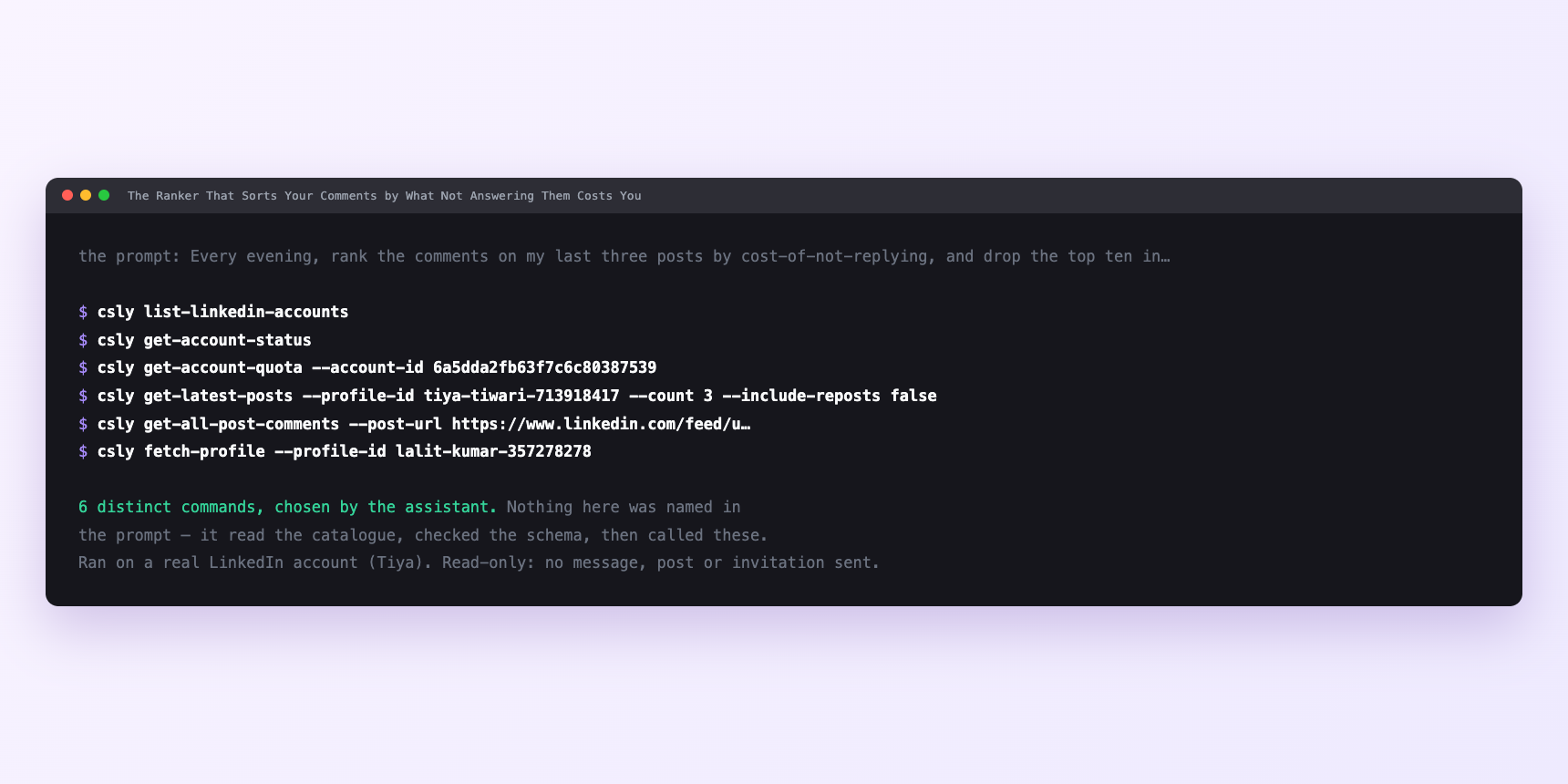
Not a mock-up. This is the actual run: the assistant was given the prompts above and nothing else, and these are the 6 distinct commands it chose from the catalogue. It ran read-only on a real LinkedIn account — nothing was sent, posted or invited.
Can I make it run on its own?
Yes. Add one more sentence and it keeps happening without you. This is the part a chat window cannot do — a saved job runs on the days you are busy.
“Do this every evening at nine, and leave the file for me.”
How many LinkedIn actions does this use?
LinkedIn limits how much any account can do in a day. These are the real numbers, and your assistant checks what is left before it starts.
- Comments posted: 100 a day, reset at midnight UTC. Default per-account is fifty, user-configurable up to a hundred. Every comment you leave on somebody else's post comes out of the same allowance. Twenty-five replies a day is a comfortable ceiling and leaves the rest of your commenting alone.
- Writes: 15 a minute, across the whole account. A plan can sit inside every daily budget and still break this one. It is the dimension that correlates most strongly with accounts getting into trouble, and it is the reason drip loops exist.
Watch it instead
4 minutes
Common questions
- What if fewer comments came back than the post shows?
- The count includes replies to comments and collapsed threads. Ask what it actually fetched.
- What if a reply went out and never appeared?
- Silent rejection, two-hour hold on commenting. Stop rather than retrying into it. Your assistant should notice from the account status call and pause on its own.
- What if the same person got two replies?
- The agent has the same blindness the feed does. no memory of the last run. Feed it the previous replies-to-write.md, or scope each run to one post.
- What if a question got scored as praise?
- Usually punctuation. "Curious how you handle this" is a question without a question mark. Tell the ranker to classify by what the comment asks for, not how it is punctuated.
- How many LinkedIn actions does answer the comments that matter use up?
- Comments posted: 100 a day, reset at midnight UTC. Default per-account is fifty, user-configurable up to a hundred. Every comment you leave on somebody else's post comes out of the same allowance. Twenty-five replies a day is a comfortable ceiling and leaves the rest of your commenting alone.
How do I set this up?
Once, and it takes about four minutes. After this you only write sentences.
$ npm install -g @connectsafely/cli$ export CONNECTSAFELY_API_KEY=...$ csly list-linkedin-accounts$ export CONNECTSAFELY_ACCOUNT_ID=...$ csly skill installThe package is @connectsafely/cli on npm. You need Node 20 or newer.
Then start your chat with this line, so your assistant uses the CLI instead of trying to open LinkedIn itself and hitting a login page:
“Use the ConnectSafely CLI (csly) for anything that touches LinkedIn. Run csly commands to see what exists, and csly schema before calling one. Don't guess a command name.”
Other things you can do
Try this on your own LinkedIn account
From $10 a month, on the LinkedIn account you already use, with zero ban risk.
What the CLI actually is— 86 commands, same plan, no extra cost.