
Learn from a rival's posts on LinkedIn, using one prompt
Last updated 2026-10-16 · Tested on a real LinkedIn account
Short answer
Keep a running teardown of a rival's content that makes your next draft better. You ask in plain English. Your AI assistant runs the LinkedIn CLI for you, so you never type a command yourself.
What do I actually type?
This one sentence. That is the whole thing.
“Find the highest-engagement LinkedIn posts on developer experience from the last thirty days. For each of the top five, write a teardown file to `teardowns/devex/` — one per post — with the claim, the evidence, the audience signal, the post structure and the comment thread summary. Do not draft anything yet.”
How does it work, step by step?
Paste these one at a time. Each one is written in normal English — no command names, no flags.
We gave these exact prompts to a real AI assistant and wrote down every command it ran. It chose 1 command: search-posts-v2. Nobody told it which ones to use.
“Find the highest-engagement LinkedIn posts on developer experience from the last thirty days. Show me the top five titles and reactor counts first, before pulling anything.”
The pre-flight matters. Post search on a topic returns posts that read hot but are not about your job — same words, different meaning. Read the titles first, drop anything off-topic, have the assistant pull text and threads for what survives. Skipping this returns five teardown files, two of them useless, and you finding out on the second read.
your assistant picks this“For the survivors, write a teardown to `teardowns/devex/<slug>.md` with claim, evidence, audience signal, structure and comment summary — and quote the three most-quoted-back sentences from the thread verbatim.”
The "quote verbatim" clause does specific work. If three commenters quote the same sentence from the post, that sentence is doing the work — the rest was scaffolding to get there. Force the assistant to surface those quotes and you catch the load-bearing lines. Without the clause you get a summary of the thread, which is somebody else's opinion of what mattered.
your assistant picks this“If any of these posts is from an author you have not enriched before, add a one-paragraph note on who they typically write for. Skip if you already have one on file.”
This is the only step that spends the tight budget — profile views at 120 a day, one per new author. Skipping when the note exists is what keeps the workflow cheap enough to run every month for a year.
your assistant picks this“I am about to draft on onboarding. Read `teardowns/devex/` first. Which of those files has the closest audience to mine? Draft against that shape, my argument, and quote which post the shape came from.”
The attribution clause does real work. Without it, you get one draft and no way to know which finding produced it, so nothing can be tested and nothing can be dropped.
your assistant picks thisWhat it printed when we ran it
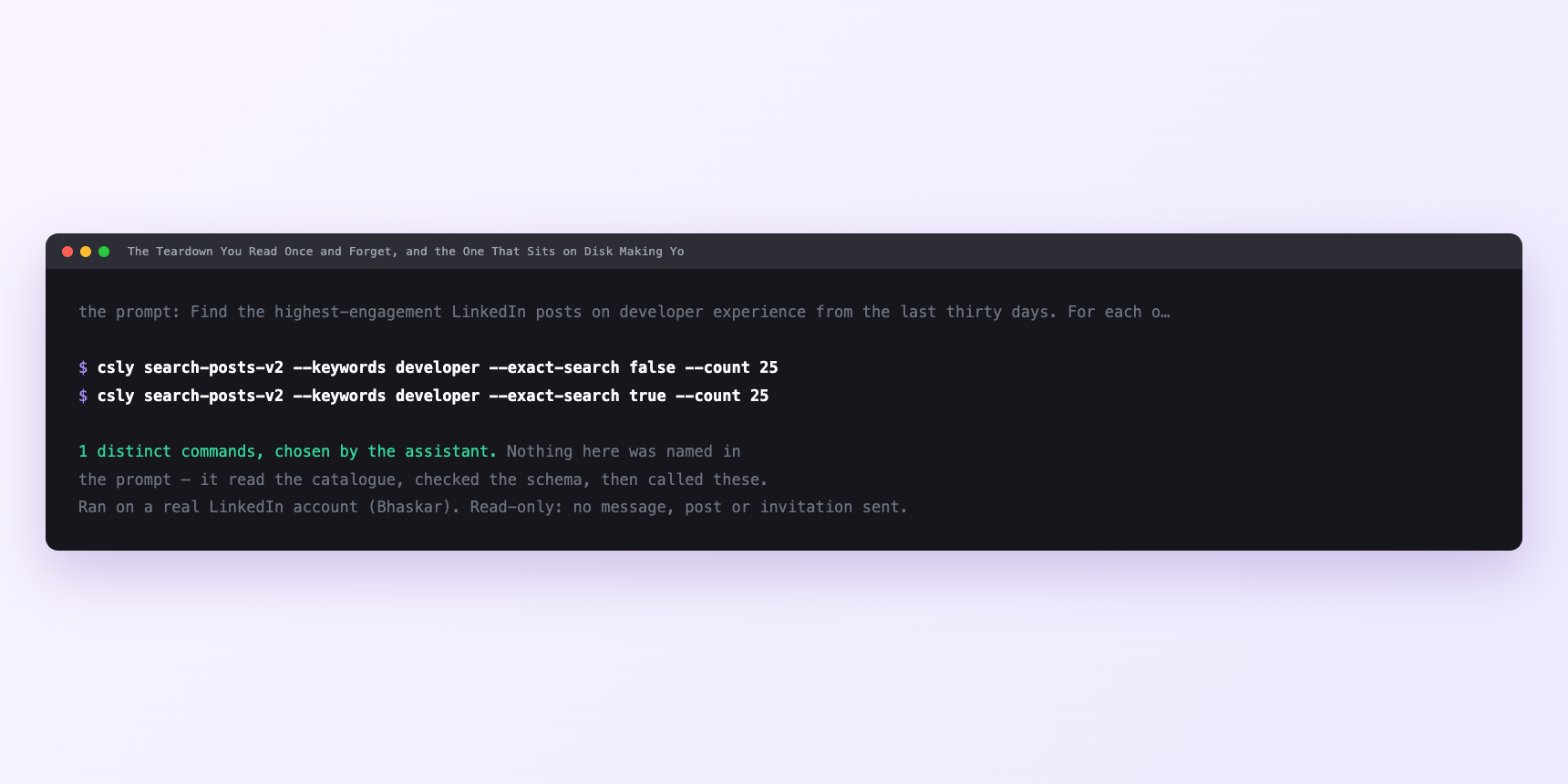
Not a mock-up. This is the actual run: the assistant was given the prompts above and nothing else, and these are the 1 distinct commands it chose from the catalogue. It ran read-only on a real LinkedIn account — nothing was sent, posted or invited.
How many LinkedIn actions does this use?
LinkedIn limits how much any account can do in a day. These are the real numbers, and your assistant checks what is left before it starts.
- Profile views: 120 a day, reset midnight UTC. The tight one, and the only reason this workflow ever pushes any limit. You spend a profile view only when you enrich an author you have not seen before, which after a couple of months is one or two a month. You spend more of that daily 120 on your own browsing.
Watch it instead
4 minutes
Common questions
- What if teardowns come back generic?
- The assistant had nothing to fill in. Say what the three fields are in the prompt, and force it to quote the three most-quoted-back sentences from the thread verbatim.
- What if all five are from the same author?
- You are reverse-engineering one person's habits, which is how a whole category ends up writing identically. Widen the search window or add a second topic.
- What if reactions high, thread thin?
- Distribution rather than writing. following size, a pod, a lucky first hour. Take the next post. If a whole run comes back this way, the honest answer is that your topic did not produce anything worth studying. try again next month rather than force a finding.
- What if the post is a carousel or video?
- The text your assistant scraped is not what performed. Note it and move on.
- How many LinkedIn actions does learn from a rival's posts use up?
- Profile views: 120 a day, reset midnight UTC. The tight one, and the only reason this workflow ever pushes any limit. You spend a profile view only when you enrich an author you have not seen before, which after a couple of months is one or two a month. You spend more of that daily 120 on your own browsing.
How do I set this up?
Once, and it takes about four minutes. After this you only write sentences.
$ npm install -g @connectsafely/cli$ export CONNECTSAFELY_API_KEY=...$ csly list-linkedin-accounts$ export CONNECTSAFELY_ACCOUNT_ID=...$ csly skill installThe package is @connectsafely/cli on npm. You need Node 20 or newer.
Then start your chat with this line, so your assistant uses the CLI instead of trying to open LinkedIn itself and hitting a login page:
“Use the ConnectSafely CLI (csly) for anything that touches LinkedIn. Run csly commands to see what exists, and csly schema before calling one. Don't guess a command name.”
Other things you can do
Try this on your own LinkedIn account
From $10 a month, on the LinkedIn account you already use, with zero ban risk.
What the CLI actually is— 86 commands, same plan, no extra cost.