
Listen for people who need you on LinkedIn, using one prompt
Last updated 2026-10-16 · Tested on a real LinkedIn account
Short answer
Watch for people asking the question you answer, not just for your brand name. You ask in plain English. Your AI assistant runs the LinkedIn CLI for you, so you never type a command yourself.
What do I actually type?
This one sentence. That is the whole thing.
“What's my quota — how many searches and comments do I have left today?”
How does it work, step by step?
Paste these one at a time. Each one is written in normal English — no command names, no flags.
We gave these exact prompts to a real AI assistant and wrote down every command it ran. It chose 5 commands: list-linkedin-accounts, get-account-quota, search-posts-v2, get-all-post-comments, scrape-post. Nobody told it which ones to use.
“What's my quota — how many searches and comments do I have left today?”
First, always. It reports what is left on the account, and specifically whether it is a free plan near LinkedIn's monthly commercial use ceiling. That decides whether the run should shorten.
your assistant picks this“Read every list in `keywords/`. For each phrase, search posts from the last seven days. Write the results into `mentions/<tier>/<date>.md`, one row per post, with the author, date, link and the sentence that matched. Do not summarise.”
Quotes rather than a summary. Summarising loses the sentence you searched for, and the sentence is what tells you whether the match was a person or a product page.
your assistant picks this“For the top five by engagement across `mentions/asking/<date>.md` and `mentions/problem/<date>.md`, pull the full post and every comment on it. Save each thread to `mentions/threads/<slug>.md`.”
The comments are the difference between adding to a thread and repeating what somebody said two hours earlier.
your assistant picks this“Draft a comment for each of the five that would be worth reading by somebody who never clicks my profile. Only mention us if it is directly relevant. Write each to `mentions/drafts/<slug>.md`. Show me all five. Do not post anything.”
Then the sentence that turns the sweep into a listener:
your assistant picks thisWhat it printed when we ran it
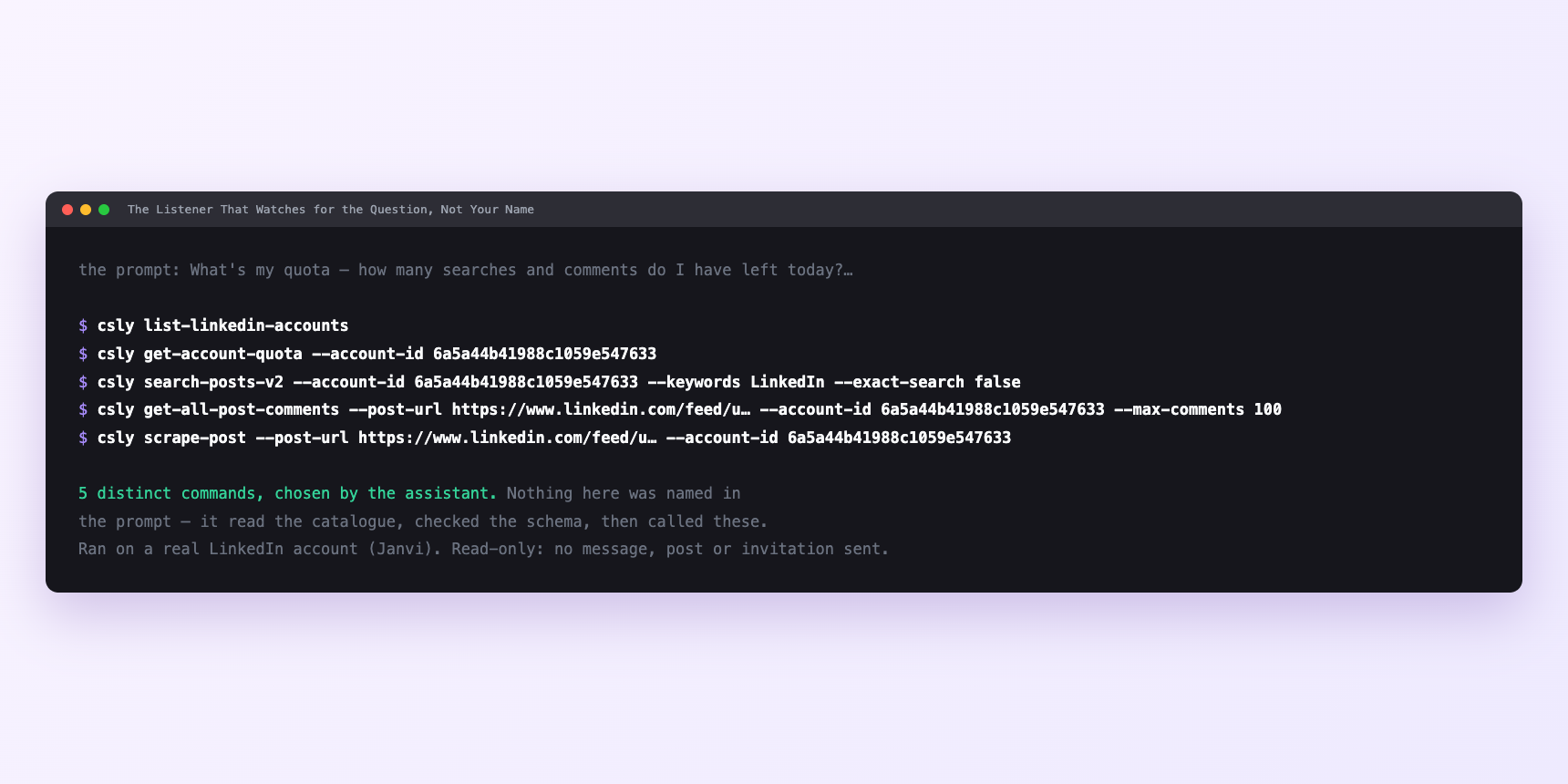
Not a mock-up. This is the actual run: the assistant was given the prompts above and nothing else, and these are the 5 distinct commands it chose from the catalogue. It ran read-only on a real LinkedIn account — nothing was sent, posted or invited.
Can I make it run on its own?
Yes. Add one more sentence and it keeps happening without you. This is the part a chat window cannot do — a saved job runs on the days you are busy.
“At 07:00 every morning, run the sweep. Across the day, drip approved drafts from `mentions/drafts/approved/` at one or two a tick with varied gaps, and stop for the week at ten.”
Watch it instead
4 minutes
Common questions
- What if same posts every week?
- Search windows overlap. The listener stores every mention with its post id, so ask for a diff against last week's output rather than the raw week.
- What if a folder returns nothing three weeks running?
- Language problem in the keyword file. Rewrite it from a call transcript, not your site.
- What if a comment was accepted and never appeared?
- LinkedIn's silent rejection. Two-hour hold. Stop, do not retry.
- What if searches return less than they did?
- On a free account near month end, the commercial use limit talking.
How do I set this up?
Once, and it takes about four minutes. After this you only write sentences.
$ npm install -g @connectsafely/cli$ export CONNECTSAFELY_API_KEY=...$ csly list-linkedin-accounts$ export CONNECTSAFELY_ACCOUNT_ID=...$ csly skill installThe package is @connectsafely/cli on npm. You need Node 20 or newer.
Then start your chat with this line, so your assistant uses the CLI instead of trying to open LinkedIn itself and hitting a login page:
“Use the ConnectSafely CLI (csly) for anything that touches LinkedIn. Run csly commands to see what exists, and csly schema before calling one. Don't guess a command name.”
Other things you can do
Try this on your own LinkedIn account
From $10 a month, on the LinkedIn account you already use, with zero ban risk.
What the CLI actually is— 86 commands, same plan, no extra cost.