
Thank the people who share you on LinkedIn, using one prompt
Last updated 2026-10-16 · Tested on a real LinkedIn account
Short answer
Find who reposts you most, and return the favour where it counts. You ask in plain English. Your AI assistant runs the LinkedIn CLI for you, so you never type a command yourself.
What do I actually type?
This one sentence. That is the whole thing.
“Pull the reposts of my last ten posts, group by resharer, and give me a table of who moved something more than once. Then, for the top five who I have never publicly engaged with, look at each of their own last five posts and flag the one with the lowest reach. Draft me a two-line commentary I could add if I reposted that specific post. Don't send anything.”
How does it work, step by step?
Paste these one at a time. Each one is written in normal English — no command names, no flags.
We gave these exact prompts to a real AI assistant and wrote down every command it ran. It chose 6 commands: list-linkedin-accounts, get-account-quota, get-latest-posts, get-reposts, get-account-comments, get-account-reactions. Nobody told it which ones to use.
“What's my quota — how many messages and reactions do I have left today? There is no separate repost budget, so don't invent one.”
First, always. Reports what is actually left on this specific account today, which beats any number in this article or any other. Reposting is a write, so you share the write budget with your comments and reactions; a busy day of thread replies leaves less runway than you assume.
your assistant picks this“Pull the reposts of my last ten posts, group by person, and tell me who has moved more than one of them.”
The frequency test filters out the accident — somebody who reposts you once may have been reading a friend's timeline. Somebody who reposted three of your last ten is doing this on purpose, and probably on their own initiative.
your assistant picks this“For each of the top five I have not publicly engaged with, look at their last five posts and flag the lowest-reach one that isn't a personal announcement. Draft a two-line commentary I could add if I reposted it.”
The "not publicly engaged with" filter is what makes this reciprocity rather than a mutual-appreciation circuit. You want the person your network does not yet know you know. The "isn't a personal announcement" clause is because reposting somebody's job-change post reads as celebrating them, which is a different job — you want the substantive piece of theirs that deserved more airtime than it got.
your assistant picks this“Draft a short thank-you to the two people from the frequency list I've never spoken to. No ask, no pitch, three lines maximum.”
Asking for nothing is the point. The next repost is the return.
your assistant picks thisWhat it printed when we ran it
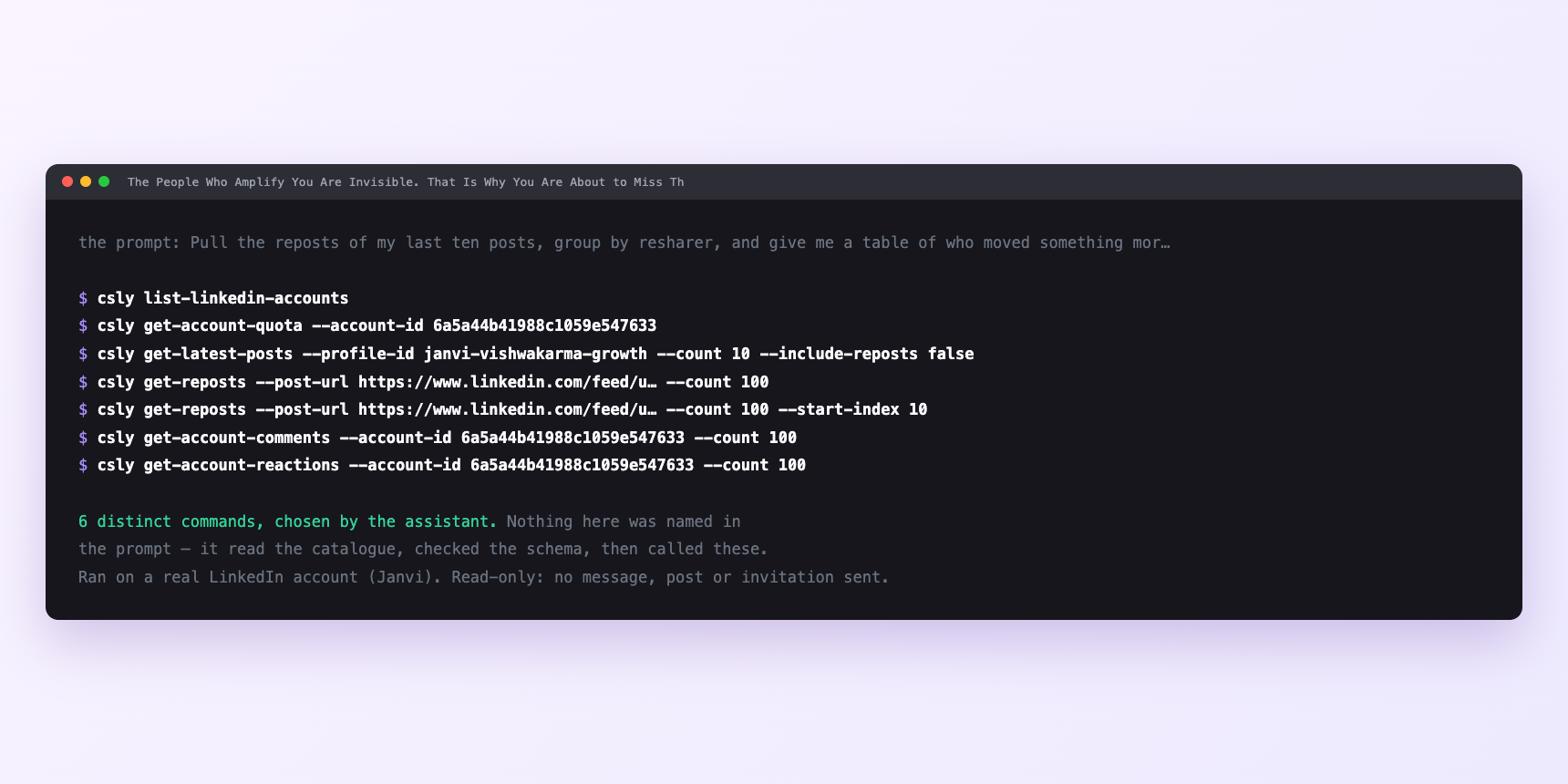
Not a mock-up. This is the actual run: the assistant was given the prompts above and nothing else, and these are the 6 distinct commands it chose from the catalogue. It ran read-only on a real LinkedIn account — nothing was sent, posted or invited.
Can I make it run on its own?
Yes. Add one more sentence and it keeps happening without you. This is the part a chat window cannot do — a saved job runs on the days you are busy.
“Run the first three every other week and put the drafts in `reposts/` for me to approve.”
How many LinkedIn actions does this use?
LinkedIn limits how much any account can do in a day. These are the real numbers, and your assistant checks what is left before it starts.
- Reposts are writes. They share the write velocity cap of fifteen a minute with connection requests, comments and reactions. Nothing in this workflow tests that ceiling — three reposts a fortnight is not close — but a resharing session stacked on top of a comment-triage session might, and stacking is the mistake to avoid.
- Messages sent: 150 a day. Reading the inbox is unlimited; sending is not. The thank-yous here are five per run at the outside, so the daily cap is not the binding constraint; the drip is.
- Post search: 1,000 calls a day, per search type. Reading the repost lists of ten posts is well inside that, and so is reading five candidates' recent posts each. You will not meet this ceiling on this job.
- Profile views: 120 a day. Not touched. The resharer list comes back with names and profile URLs, and the candidate's own posts do too. You do not spend a profile view on any of them, which is what makes this cheap enough to leave on a schedule.
Watch it instead
4 minutes
Common questions
- What if nothing to repost?
- Fair. If nothing this fortnight passes the "substantive, low reach, not a personal announcement" filter, do nothing. A forced repost of a mediocre post reads exactly like what it is.
- What if the repost list is empty?
- A post with fewer than a handful of reposts is one where the ranking cannot mean anything. Widen the window from ten posts to twenty, or accept that this fortnight is a thank-you round rather than an amplification round.
- What if the commentary drafts are generic?
- Your instruction was too abstract. Include what your two-line commentary usually looks like. one sentence of context, one sentence of what you took from the post. Give the model an example and the drafts stop reading like captions.
- What if a repost went out with no commentary attached?
- The instruction files tell the assistant never to fire a bare reshare, so this means the commentary field was empty and the tool defaulted to a passthrough. Regenerate the drafts. A bare reshare is close to worthless on reach.
- How many LinkedIn actions does thank the people who share you use up?
- Reposts are writes. They share the write velocity cap of fifteen a minute with connection requests, comments and reactions. Nothing in this workflow tests that ceiling — three reposts a fortnight is not close — but a resharing session stacked on top of a comment-triage session might, and stacking is the mistake to avoid.
How do I set this up?
Once, and it takes about four minutes. After this you only write sentences.
$ npm install -g @connectsafely/cli$ export CONNECTSAFELY_API_KEY=...$ csly list-linkedin-accounts$ export CONNECTSAFELY_ACCOUNT_ID=...$ csly skill installThe package is @connectsafely/cli on npm. You need Node 20 or newer.
Then start your chat with this line, so your assistant uses the CLI instead of trying to open LinkedIn itself and hitting a login page:
“Use the ConnectSafely CLI (csly) for anything that touches LinkedIn. Run csly commands to see what exists, and csly schema before calling one. Don't guess a command name.”
Other things you can do
Try this on your own LinkedIn account
From $10 a month, on the LinkedIn account you already use, with zero ban risk.
What the CLI actually is— 86 commands, same plan, no extra cost.