
Find the right investor on LinkedIn, using one prompt
Last updated 2026-10-16 · Tested on a real LinkedIn account
Short answer
Find the investor already backing your reference customer, not just your stage. You ask in plain English. Your AI assistant runs the LinkedIn CLI for you, so you never type a command yourself.
What do I actually type?
This one sentence. That is the whole thing.
“What's my quota — how many profile views, relationship checks, and people-search calls do I have left today?”
How does it work, step by step?
Paste these one at a time. Each one is written in normal English — no command names, no flags.
We gave these exact prompts to a real AI assistant and wrote down every command it ran. It chose 2 commands: list-linkedin-accounts, get-account-quota. Nobody told it which ones to use.
“What's my quota — how many profile views, relationship checks, and people-search calls do I have left today?”
First, always. It reports what is actually left on your specific account.
your assistant picks this“Here are twenty funds in `funds.txt`, and the portfolio companies I already know about in `portfolio.csv`. Look up each company on LinkedIn and give me the founder's profile and one line on what they do in their own words.”
You supply the funds; the assistant pulls the companies. What comes back is a table you eyeball for the ones that look like variants of you.
your assistant picks this“For the twelve companies I have marked as adjacent, find the partners at each fund — search their people by title. Who led which round is not on LinkedIn, so leave that column for me to fill in.”
Twelve to twenty names come back. If it is longer than sixty, the adjacency filter was too loose.
your assistant picks this“For each partner, pull their last twenty posts and comments. Give me the categories they return to more than once, with a quoted line and the date.”
The quote requirement is the whole thing. Ask any model for a thesis and it will give you one — confidently, whether the evidence exists or not. No quote and no date means it was invented. The pipeline treats an unquoted thesis as if the partner had never written on the topic.
your assistant picks this“For each of them, tell me my connection degree. For anyone 2nd-degree, pull my own connections and tell me which of my 1st-degrees worked at the same fund or company — that is the introduction path. Rank by the ones I have actually talked to recently.”
A 2nd-degree investor is a reachable investor. Message history separates a mutual on paper from a real one — somebody you have not spoken to since 2022 will make the introduction if pushed, but it arrives as an obligation and reads that way.
your assistant picks thisWhat it printed when we ran it
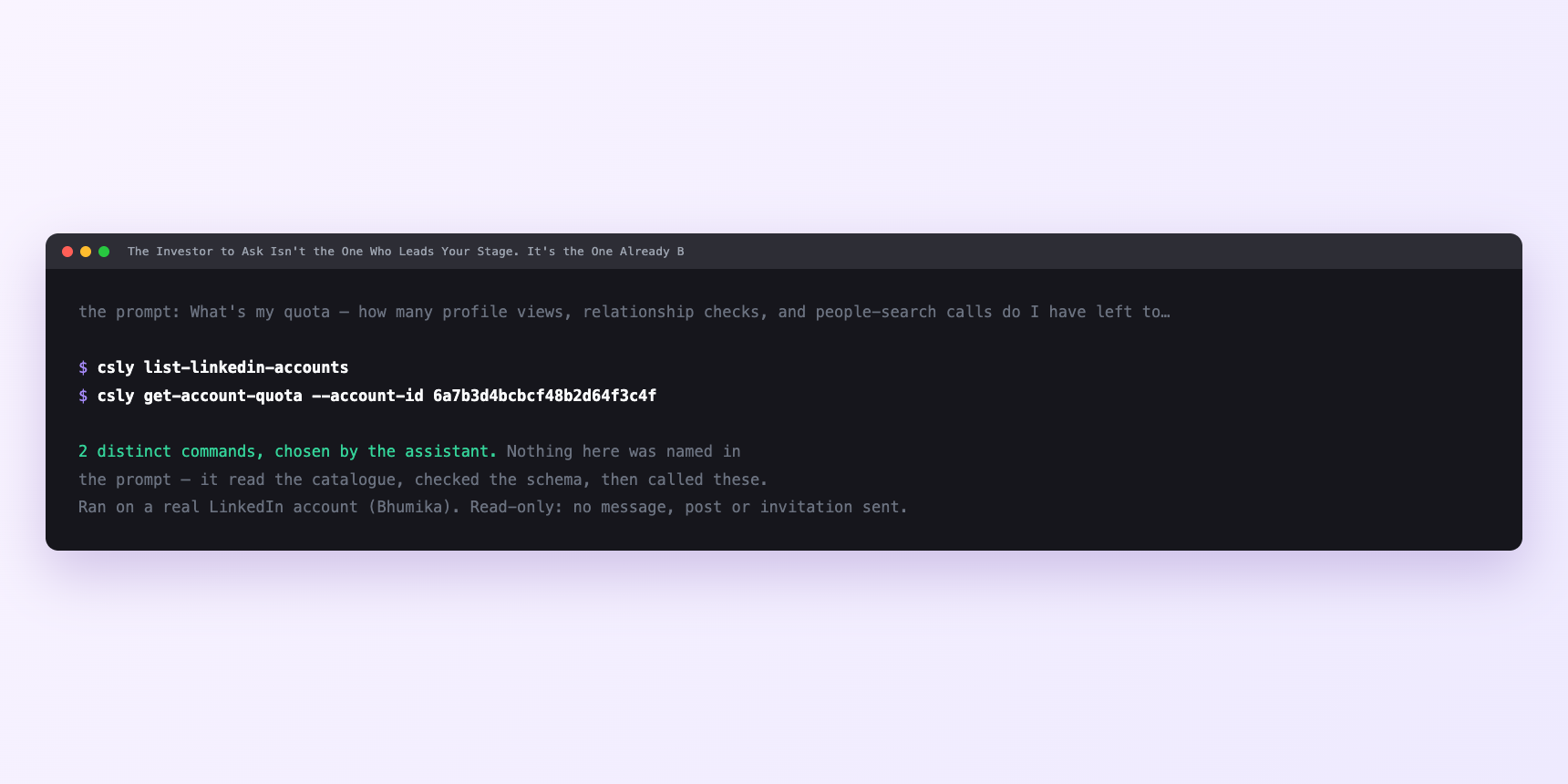
Not a mock-up. This is the actual run: the assistant was given the prompts above and nothing else, and these are the 2 distinct commands it chose from the catalogue. It ran read-only on a real LinkedIn account — nothing was sent, posted or invited.
Can I make it run on its own?
Yes. Add one more sentence and it keeps happening without you. This is the part a chat window cannot do — a saved job runs on the days you are busy.
“For each partner whose adjacent portfolio company we pulled, find the founder there and draft the two-message ask: the paragraph the intermediary sends me, and the paragraph they forward. Under a hundred words each. No pitch, no deck.”
How many LinkedIn actions does this use?
LinkedIn limits how much any account can do in a day. These are the real numbers, and your assistant checks what is left before it starts.
- Profile views: 120 a day, reset midnight UTC. You spend one on each deep read of a partner or portfolio founder. Seventy-two reads for sixty partners plus twelve founders — one pass over a couple of days.
- Relationship checks: 150 a day. Uncapped until an account running around two hundred a day was disabled. Size at about a third — forty checks per pass, so sixty partners is two passes.
- People searches: 1,000 calls a day, billed per page fetched. A partner discovery job is fifteen searches walking three pages each, about sixty calls, so it never binds. Portfolio-page lookups are content reads.
- LinkedIn's commercial use limit is the one that binds first for anyone on a free or Premium account, and nothing warns you about it. Roughly a hundred people searches a month free, three hundred on Premium Career, five hundred on Premium Business, effectively unlimited with Sales Navigator. A raise is exactly when you search hardest, so you build the map once, store it in the CSV, and re-run only the parts that move. If search is core, Sales Navigator on the connected account removes the constraint.
Watch it instead
4 minutes
Common questions
- What if searches return nothing?
- The commercial use limit, not a bug. It resets on the 1st.
- What if the relationship-check pass stopped partway?
- You asked for more than the day's budget. Ask what it completed rather than what it planned, and finish tomorrow.
- What if a beautiful thesis with no quotes attached?
- It was invented. Ask for the line and the date, or throw the row away. A plausible but unattributed summary passes every internal review of the CSV and is still wrong.
- What if a partner shows 3rd-degree and you are sure there is a path?
- Some accounts restrict who can see their connections. Ask the person rather than the graph.
- How many LinkedIn actions does find the right investor use up?
- Profile views: 120 a day, reset midnight UTC. You spend one on each deep read of a partner or portfolio founder. Seventy-two reads for sixty partners plus twelve founders — one pass over a couple of days.
How do I set this up?
Once, and it takes about four minutes. After this you only write sentences.
$ npm install -g @connectsafely/cli$ export CONNECTSAFELY_API_KEY=...$ csly list-linkedin-accounts$ export CONNECTSAFELY_ACCOUNT_ID=...$ csly skill installThe package is @connectsafely/cli on npm. You need Node 20 or newer.
Then start your chat with this line, so your assistant uses the CLI instead of trying to open LinkedIn itself and hitting a login page:
“Use the ConnectSafely CLI (csly) for anything that touches LinkedIn. Run csly commands to see what exists, and csly schema before calling one. Don't guess a command name.”
Other things you can do
Try this on your own LinkedIn account
From $10 a month, on the LinkedIn account you already use, with zero ban risk.
What the CLI actually is— 86 commands, same plan, no extra cost.